Introduce Your Brand With More Visual Impact
Use a large video, a statement heading, a supporting image, and a CTA to introduce your brand, highlight a campaign, or create a strong homepage storytelling moment.

Combine a large video, oversized statement text, supporting image, and linked CTA to build an expressive Shopify section for campaigns, products, or brand storytelling.
 Video Storytelling
Bold Text Layout
Interactive CTA
Video Storytelling
Bold Text Layout
Interactive CTA 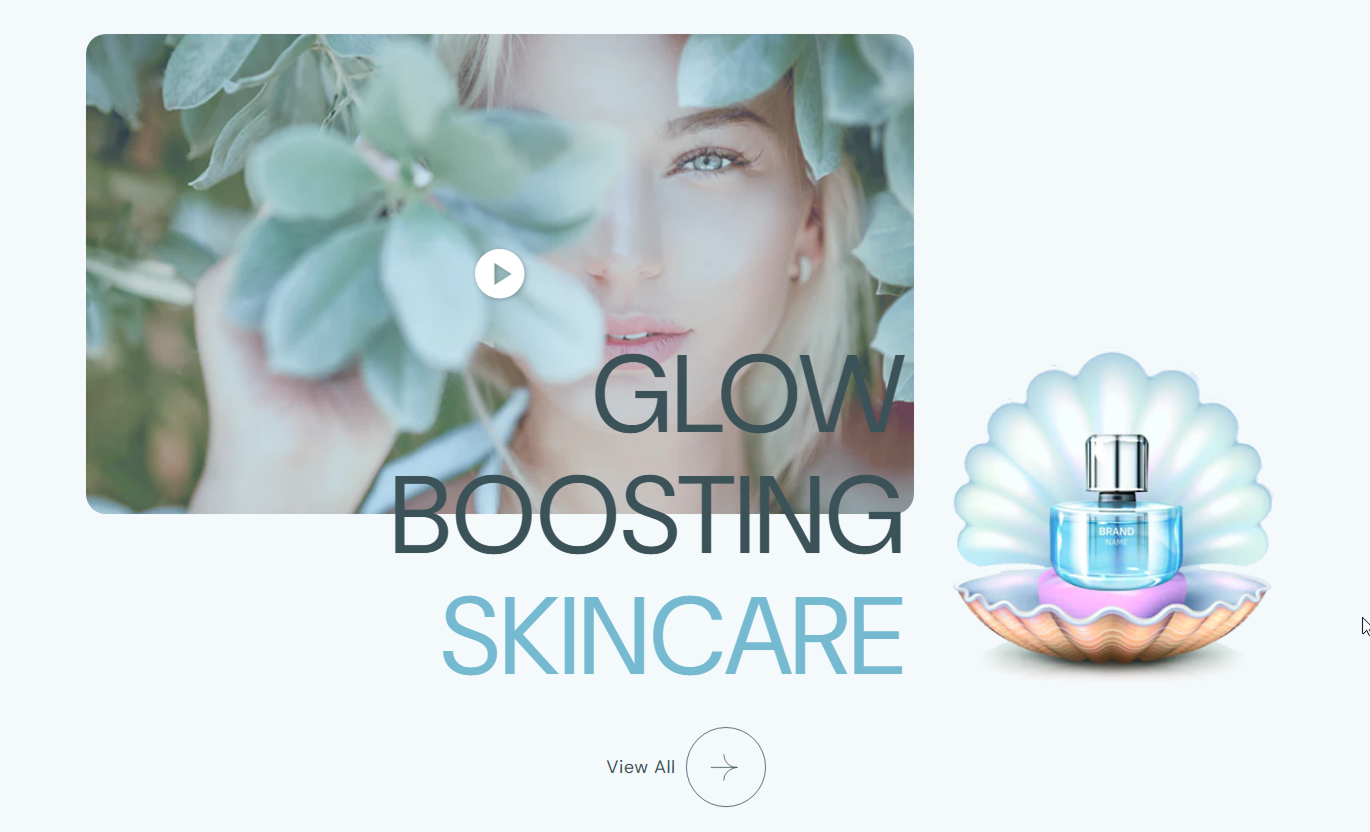


Combine video, large typography, a supporting image, highlighted words, and a linked CTA in one responsive section designed for visual storytelling.

Add a Shopify-hosted video as the main visual element to create an immersive product, campaign, or brand-focused presentation.

Choose a poster image for the video to provide a polished visual presentation before or around video playback.

Control autoplay, looping, and muted playback directly from the Shopify theme editor without changing the section code.

Show interactive play and pause controls for the video so visitors can manually manage playback when needed.

Use bold text inside the rich-text heading to apply a separate highlight color and emphasize important words or phrases.

Add a secondary image alongside the oversized heading to create a layered composition combining motion and static visual content.

Add a text link with a large circular arrow icon to guide visitors toward a relevant product, collection, page, or campaign.

The video, image, heading, CTA, and spacing adapt to smaller screens for a cleaner and more balanced mobile presentation.
Control video playback, heading styling, supporting imagery, CTA appearance, colors, spacing, and section width from the theme editor.

Applies to the whole section
Add rich text with optional bold words for emphasis.
Main HeadingChoose how the oversized heading is aligned.
Heading AlignmentUpload or select the main Shopify-hosted video for the section.
Featured VideoAdd an optional image displayed with the video presentation.
Video PosterControl autoplay, looping, mute, and play-pause controls.
Video PlaybackAdjust the corner radius applied to the video and supporting image.
Media Border RadiusAdd a CTA label, destination link, and control the arrow icon size.
CTA Link ControlsSet heading, highlighted text, link, and hover colors.
Color ControlsSet desktop and mobile top and bottom section spacing.
Section PaddingSet the maximum width of the overall section content.
Maximum Section WidthUse this section to combine motion, bold typography, imagery, and clear navigation across key Shopify pages that need stronger visual storytelling.
Use a large video, a statement heading, a supporting image, and a CTA to introduce your brand, highlight a campaign, or create a strong homepage storytelling moment.
Introduce your brand through motion and oversized typographyHighlight important words with a separate accent colorCombine video and imagery in one layered visual sectionGuide visitors toward an important store destinationCreate a strong break between standard homepage sectionsUse the section to introduce a collection theme, seasonal direction, campaign, or visual story before or after products with a more editorial presentation.
Introduce the mood or idea behind a collection visuallyUse video to support seasonal merchandising storiesHighlight key collection messaging with oversized textAdd a supporting image for another visual perspectiveDirect shoppers to another relevant collection or pageUse video, imagery, and bold text to explain product design, craftsmanship, usage, materials, or a key product message outside the standard detail area.
Show products in motion beyond standard gallery imagesHighlight an important product message with large textUse a secondary image to support the product storyLink shoppers toward related content or collectionsAdd an editorial visual section around product detailsCombine campaign video, statement typography, supporting imagery, and a clear CTA to create a high-impact storytelling moment within promotional landing pages.
Give campaign videos a strong supporting content layoutUse highlighted words to reinforce the main campaign messageAdd a clear linked CTA below the visual compositionMatch campaign colors through flexible styling controlsCreate an expressive section without adding multiple blocksCombine movement, oversized typography, supporting imagery, and direct navigation into a single section to create stronger, more memorable store storytelling.
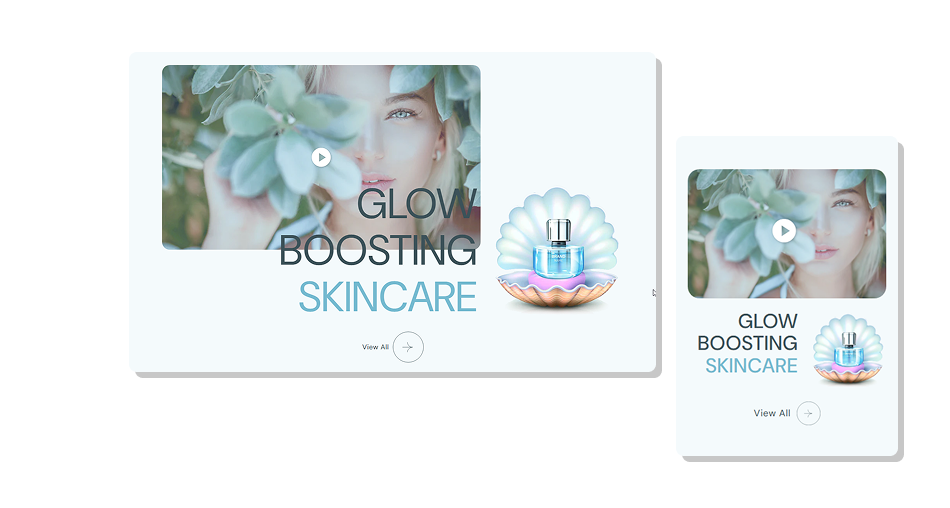
Use video, highlighted text, imagery, and a linked CTA together to build a focused visual story that feels more editorial and expressive.
Combine video and static imagery in one balanced compositionUse large typography to make key messages more noticeableHighlight selected bold words with a separate accent colorGive visitors direct control over video playback when enabledAdd a clear CTA with a distinctive circular arrow iconControl autoplay, looping, mute, and poster presentationAdjust styling and spacing for a consistent Shopify layout Use a short headline that works well at a large display size
Highlight only the words that genuinely need extra emphasis
Choose video and image content with the same visual direction
Use a clear CTA label that explains the next destination
Check mobile presentation when using very long heading text
Use a short headline that works well at a large display size
Highlight only the words that genuinely need extra emphasis
Choose video and image content with the same visual direction
Use a clear CTA label that explains the next destination
Check mobile presentation when using very long heading text  Don't use a long paragraph as the oversized main heading
Don't highlight too many words with the accent text color
Don't combine unrelated video and image content in one section
Don't use an unclear CTA label that hides where the link goes
Don't choose media with poor contrast against nearby content
Don't use a long paragraph as the oversized main heading
Don't highlight too many words with the accent text color
Don't combine unrelated video and image content in one section
Don't use an unclear CTA label that hides where the link goes
Don't choose media with poor contrast against nearby content Yes. The Featured Video setting lets you select a Shopify-hosted video as the layout's main visual.
Yes. You can choose a separate Video Poster image to provide a defined visual for the video presentation.
Yes. Autoplay, Loop, and Mute are separate settings that let you control how the featured video behaves for visitors.
Yes. When the Play/Pause Button option is enabled, visitors can use the overlay control to manually start or pause the video.
Text marked as bold inside the rich-text heading uses the separate highlighted heading color, helping selected words stand out from the rest of the heading.
Yes. The section includes a dedicated supporting image setting that adds another visual element alongside the oversized heading and video composition.
Yes. Add both a Link Label and Link to display a clickable CTA with a circular arrow icon beneath the main content area.
For Support or any Questions Email Us: [email protected]
Install SectionHub and add the Video with Text Showcase section to your theme in minutes - no coding required.
