Showcase Key Benefits on Your Homepage
Place the USP grid below hero content or featured products to quickly explain shipping, support, payment, quality, and other store advantages.

Showcase key store benefits with icons, images, headings, and short content in a clean, responsive grid that helps shoppers quickly understand your store value.
 Custom Icon Grid
Flexible USP Cards
Responsive Layout
Custom Icon Grid
Flexible USP Cards
Responsive Layout 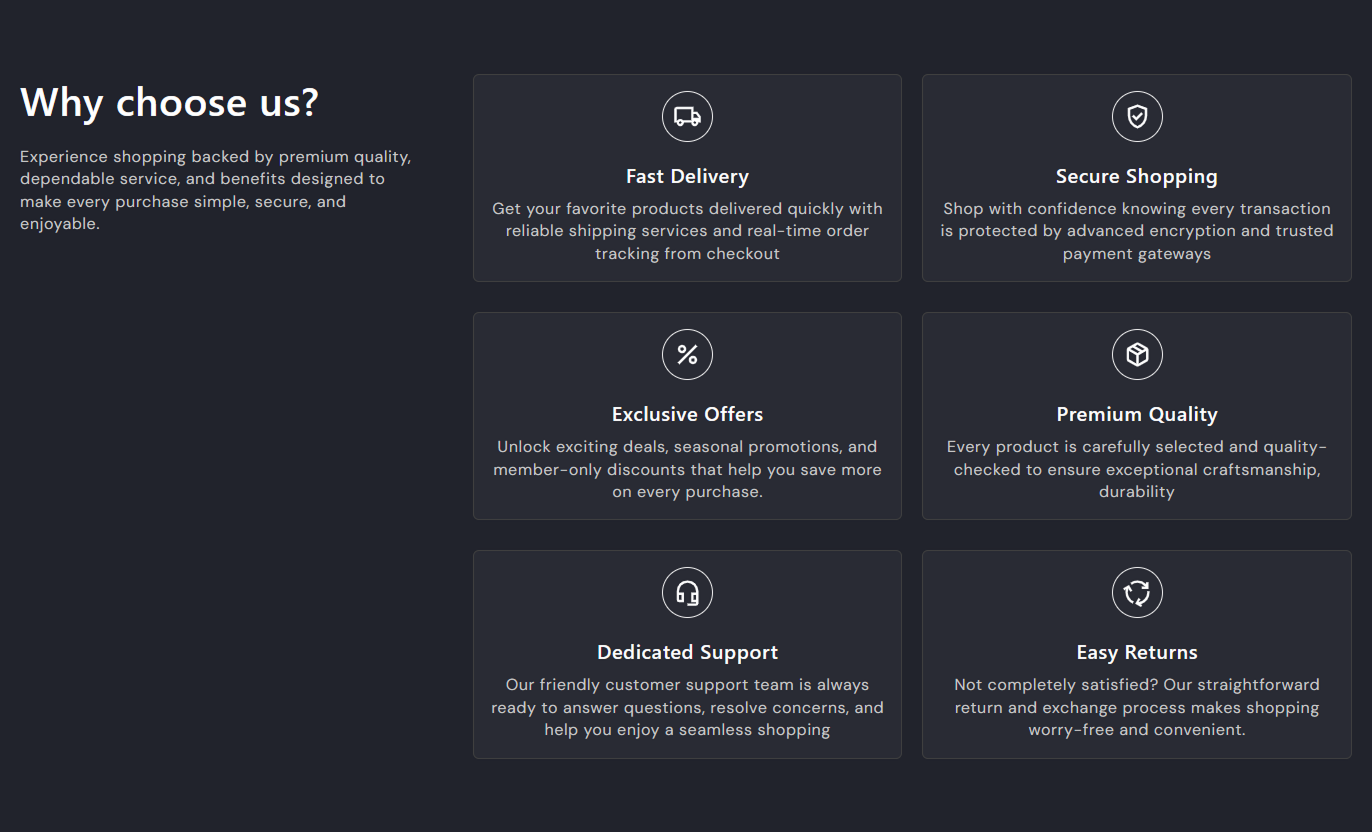
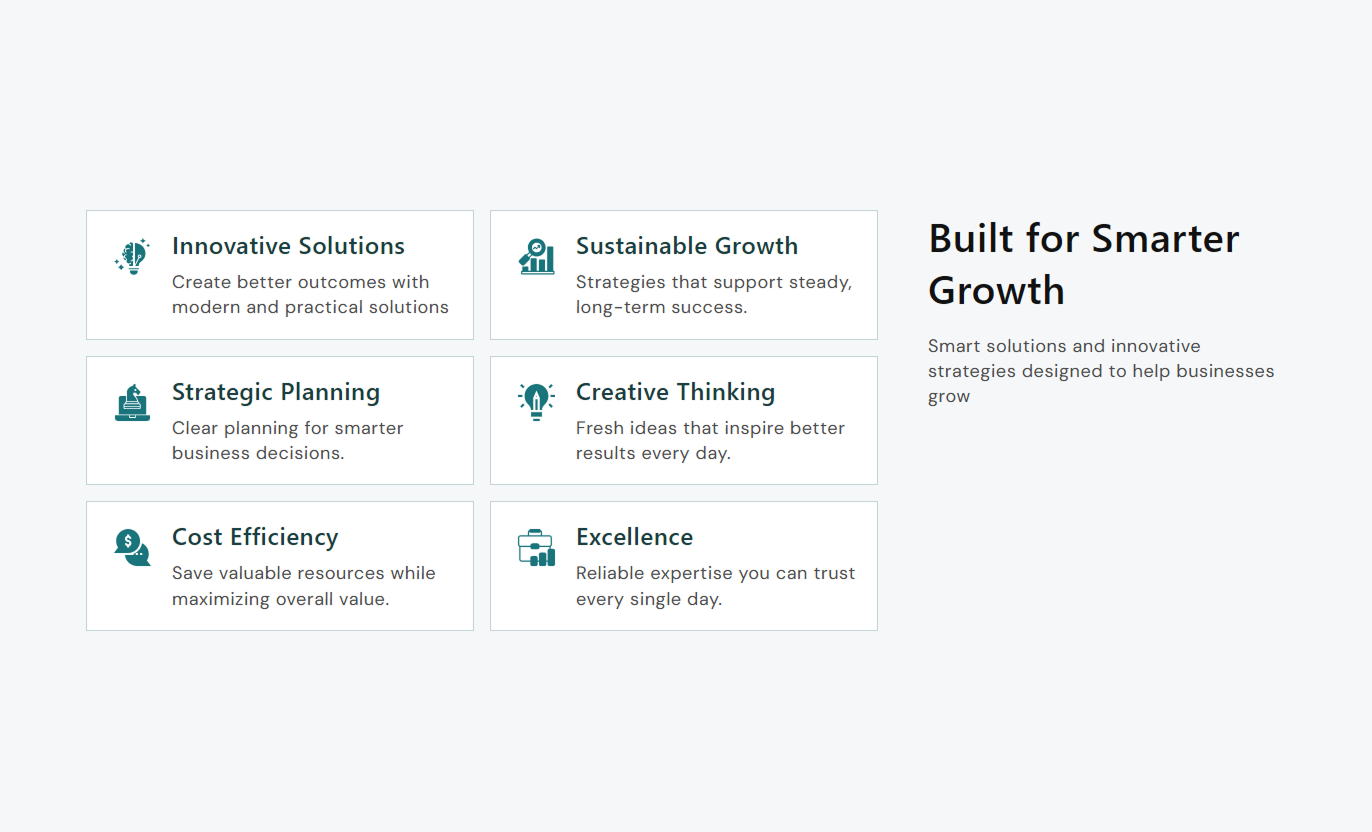


Highlight shipping, support, payment, quality, and other store benefits with flexible icons, images, content blocks, and responsive card layouts.

Choose from a wide range of icons to visually represent shipping, payment, support, returns, and other store benefits.

Upload an image for any USP block when a custom visual better matches your brand or specific store benefit.

Place icons above, beside, or alongside the content to create a layout that fits your storefront design.

Choose square, rounded, or circular icon styles to match the visual language of your Shopify store.

Add up to six benefit blocks to present multiple store advantages in a single organized, easy-to-scan section.

Add a clear heading and supporting rich-text content to explain each store benefit without lengthy copy.

Adjust card spacing, borders, radius, colors, and grid gaps to create a layout that fits your theme.

Keep your USP content easy to read on smaller screens with a responsive layout that stacks cards neatly.
Control the section layout, icons, cards, typography, colors, spacing, and width directly from the Shopify theme editor.

Applies to the whole section
Set the main title displayed above the USP grid.
HeadingAdd supporting text below the main section heading.
ContentChoose how the main heading and content are aligned.
Content AlignmentSet the vertical alignment of the content areas on the desktop.
Vertical Content AlignmentPlace the USP grid on the left or right side of the heading.
Content PositionControl the default size of the USP icons.
Icon SizeChoose where icons appear inside each USP card.
Icon PositionSelect a square, rounded, or circular icon shape.
Icon ShapeSet the thickness of the icon border around each visual.
Border ThicknessChoose whether the section uses the full available width.
Full Width
Applies to each USP block
Choose a built-in icon for the USP benefit.
IconUpload a custom image for the USP block.
ImageAdd the title displayed for the benefit.
HeadingAdd supporting rich-text content below the title.
ContentUse USP Icon Bar Card Grid on key storefront pages to explain important benefits, services, policies, or brand strengths in a clear visual format.
Place the USP grid below hero content or featured products to quickly explain shipping, support, payment, quality, and other store advantages.
Introduce important store benefits at a glanceBuild trust with clear service informationHighlight shipping and payment advantagesSupport your homepage value propositionHelp visitors understand your store quicklyAdd the USP grid around collection content to reassure shoppers about delivery, returns, customer support, or other store policies while they browse.
Reinforce benefits during product discoveryExplain important shopping policiesSupport confident collection browsingHighlight service benefits near productsAdd useful information without extra clutterUse USP cards near product details to explain shipping, returns, payment, support, quality, or other benefits that can help shoppers make informed decisions.
Highlight benefits before checkoutExplain shipping and return informationReinforce customer support availabilityCommunicate payment or quality benefitsAdd useful context beside product detailsUse the icon grid on landing pages to present campaign advantages, service highlights, product strengths, or key promises in a simple visual layout.
Communicate campaign benefits clearlyBreak supporting information into sectionsHighlight important product advantagesCreate a clean visual content structureGuide visitors through key selling pointsTurn key store information into clear visual blocks that help shoppers understand your services, policies, and value without having to read long sections.
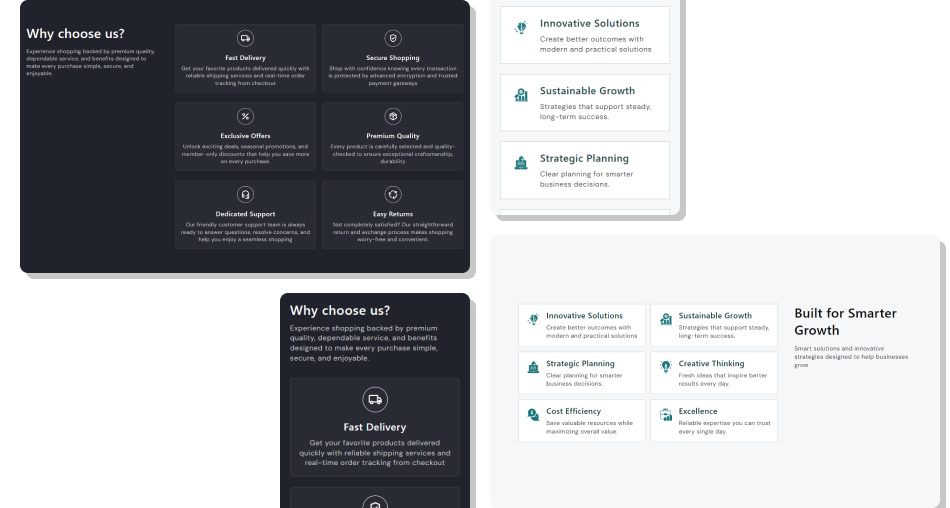
Use icons, images, short headings, and supporting content to present useful store information in a format shoppers can quickly scan.
Make important store benefits easier to noticeExplain services and policies in a compact formatGive shoppers useful information near key contentMatch USP cards with your existing store designUse custom icons or images for stronger visual contextOrganize multiple benefits into a structured gridKeep benefit content accessible across screen sizes Use icons that clearly match the benefit being explained
Keep USP headings short and easy for shoppers to scan
Use concise content that explains each benefit clearly
Keep icon styles consistent across the section
Highlight benefits that support the shopping experience
Use icons that clearly match the benefit being explained
Keep USP headings short and easy for shoppers to scan
Use concise content that explains each benefit clearly
Keep icon styles consistent across the section
Highlight benefits that support the shopping experience  Use unrelated icons that make benefits difficult to understand
Add long headings that take up too much space on cards
Fill every USP block with unnecessary information
Mix random visual styles across different benefit cards
Repeat the same store benefit across multiple blocks
Use unrelated icons that make benefits difficult to understand
Add long headings that take up too much space on cards
Fill every USP block with unnecessary information
Mix random visual styles across different benefit cards
Repeat the same store benefit across multiple blocks Yes. Each USP block supports a custom image, allowing you to replace the built-in icon with a visual that better matches your store.
You can add up to six USP blocks, giving you enough space to highlight several key store benefits in a single section.
Yes. The Icon Position setting lets you place the icon above, to the left, or to the right of the USP content.
Yes. You can choose between square, rounded, and circular icon shapes from the section settings.
Yes. The section includes controls for card padding, border radius, background color, border color, and grid spacing.
Yes. You can enable Full Width or use a custom maximum width, along with separate desktop and mobile padding controls.
Yes. It can be added to suitable theme pages, such as home, collection, product, and landing page, through the Shopify theme editor.
For Support or any Questions Email Us: [email protected]
Install SectionHub and add the USP Icon Bar Card Grid section to your theme in minutes - no coding required.
