Turn Your Homepage Into a Product Showcase
Feature trending or new products beside a strong visual and useful store message, giving visitors a clear path to explore products from the moment they land.

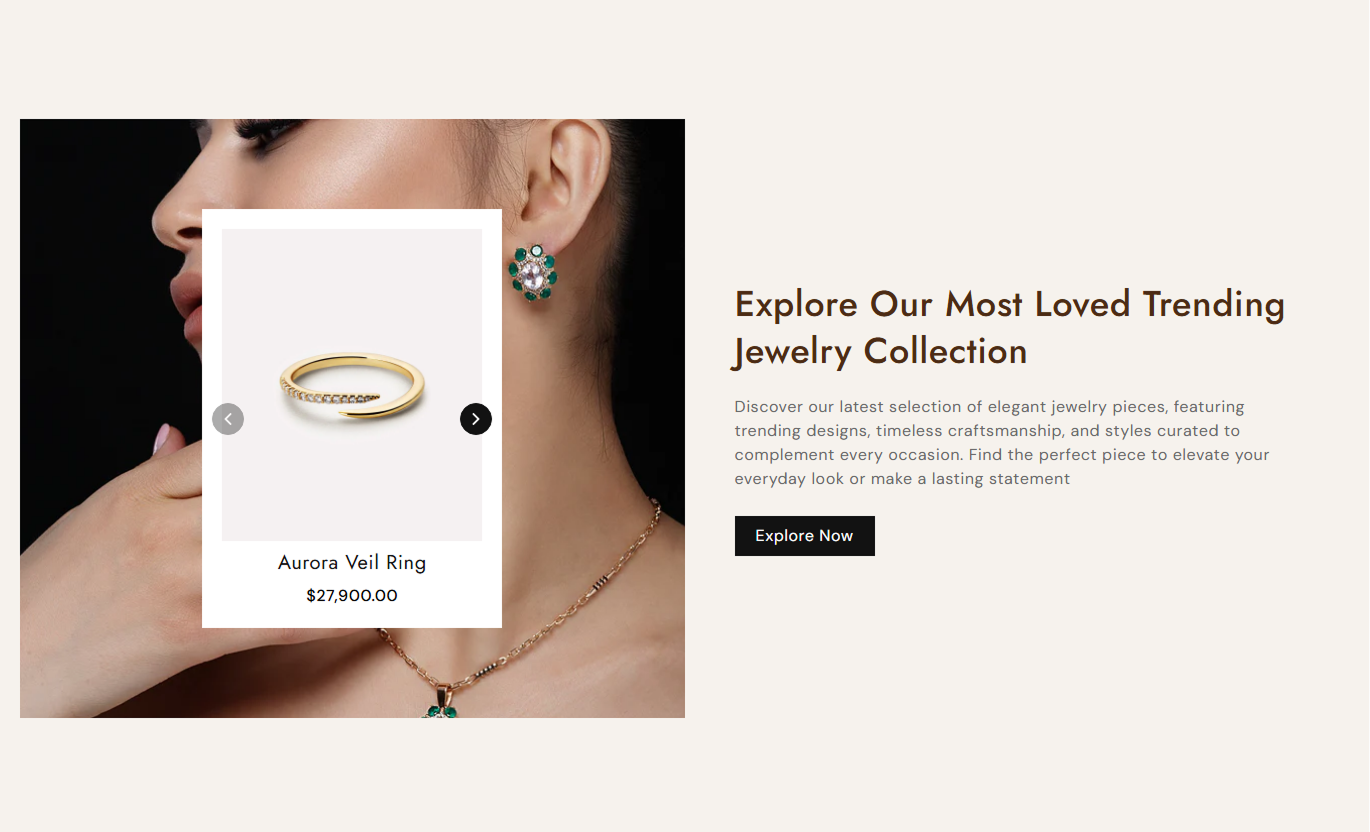
Highlight selected products with a split image and product slider. Add supporting content, pricing, and a clear button to help shoppers discover featured items.
 2.0 Compatible
Product Slider
Responsive Design
2.0 Compatible
Product Slider
Responsive Design 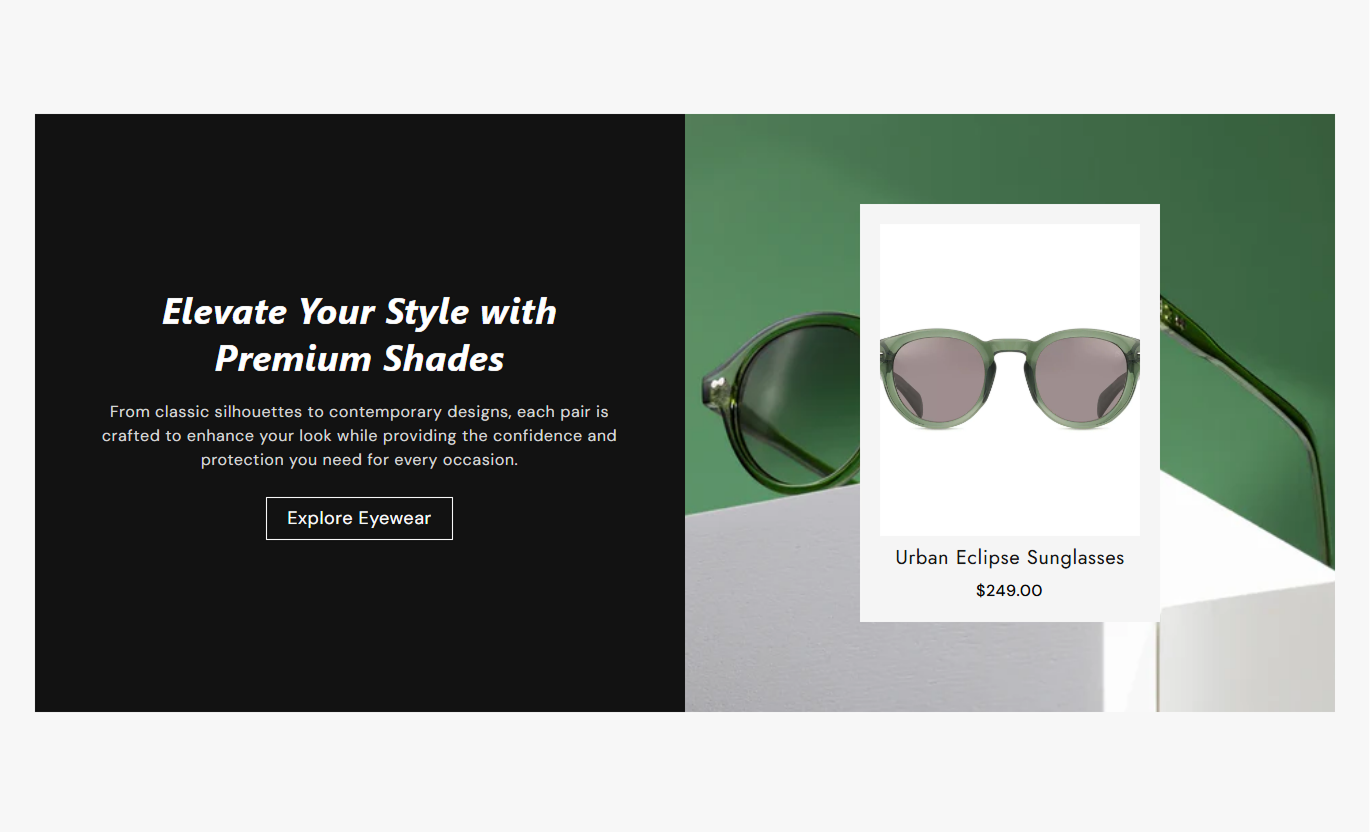


Create a focused product showcase with selected items, flexible layout controls, custom content, pricing styles, slider navigation, colors, and responsive spacing.

Choose the products you want to feature and display them together in a focused product slider.

Pair a promotional background image with a heading, supporting text, and a call-to-action button.

Let shoppers move through selected products with simple previous and next arrow controls as they browse.

Show current product prices and compare at prices when selected products have sale pricing.

Place the product showcase image area on the left or right to match your store layout.

Align product titles and prices to the left, center, or right within each product card.

Adjust button text, colors, border, radius, size, hover states, and outline button styling.

Keep the content, image, and product cards easy to browse across mobile and desktop screen sizes.
Control products, content, layout, styling, buttons, colors, spacing, and section width in the theme editor.

Applies to the whole section
Add the main title for the product showcase.
Section HeadingAdd supporting rich text below the heading.
Supporting ContentSet the text alignment for the content area.
Text AlignmentChoose the image displayed beside the products.
Background ImagePlace the image area on the left or right.
Image PositionSelect the products shown in the slider.
Featured ProductsAdd the call-to-action text for the button.
Button Text LabelSet the page shoppers visit after clicking.
Button DestinationChoose the main background color for the section.
Section Background ColorSet the section width or enable full width.
Section Width Control
Applies to the selected product cards
Align product titles and prices within cards.
Product Text AlignmentSet the font size for product titles.
Product Title SizeSet the font size for displayed prices.
Product Price SizeChoose the color used for product titles.
Product Title ColorChoose the color used for regular prices.
Product Price ColorChoose the color for compare-at sale prices.
Sale Price ColorSet the background color for product cards.
Product Card BackgroundUse a split product showcase to spotlight selected items, support product discovery, and guide shoppers from promotional content to relevant products.
Feature trending or new products beside a strong visual and useful store message, giving visitors a clear path to explore products from the moment they land.
Give new products a visible place above the foldUse product cards to support homepage browsingPair promotional imagery with selected productsCreate a clear route from content to shoppingRefresh the showcase with different productsAdd a visual product spotlight to a collection page to feature selected items, related products, or products you want shoppers to notice.
Feature products you want shoppers to notice firstAdd a visual spotlight within category browsingShow related products without leaving the collectionSupport discovery of selected products and offersGuide shoppers directly to product detail pagesUse the section to place a visual product feature near product-focused content and introduce other items shoppers may want to explore.
Introduce complementary products near product contentGive shoppers more items to discover and compareHighlight selected products with prices and imageryCreate an easy path to additional product pagesSupport cross-shopping without adding complex contentUse a split image and product slider to support campaigns, launches, seasonal offers, or curated product selections on dedicated pages.
Put campaign products beside your main promotionHighlight seasonal products with supporting imageryCreate a focused route from message to productUse selected products to support campaign goalsKeep promotional pages easy to browse and shopGive selected products a stronger visual presence while combining promotional content, product pricing, navigation, and flexible layout controls in one section.
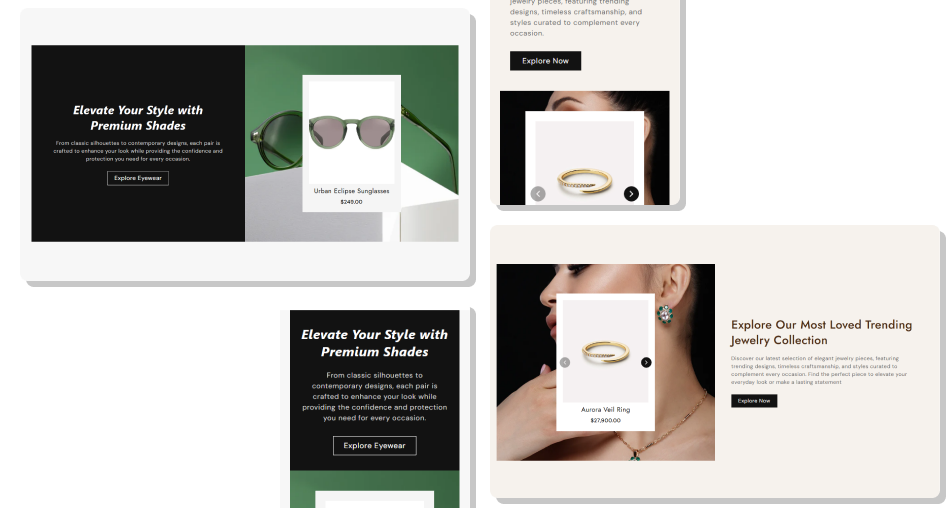
Bring attention to selected products with a visual layout combining store messaging, product cards, pricing, and direct links.
Give selected products a stronger visual presence on your storeCombine product cards with promotional content in one sectionHelp shoppers discover featured items without extra navigationShow current and compare-at prices when availableAdjust the section layout to fit different store designsUse custom colors and spacing to match your theme Choose clear product images that look consistent together
Feature products that support the section's main message
Keep the heading and supporting content concise
Link the button to a relevant collection or shopping page
Use spacing and colors that keep product cards easy to read
Choose clear product images that look consistent together
Feature products that support the section's main message
Keep the heading and supporting content concise
Link the button to a relevant collection or shopping page
Use spacing and colors that keep product cards easy to read  Do not mix unrelated products that confuse the section purpose
Do not use poor-quality or inconsistent product imagery
Do not add long content that pushes products out of focus
Do not send the button to an unrelated page
Do not over-style colors or buttons until products become hard to read
Do not mix unrelated products that confuse the section purpose
Do not use poor-quality or inconsistent product imagery
Do not add long content that pushes products out of focus
Do not send the button to an unrelated page
Do not over-style colors or buttons until products become hard to read Yes. Use the Product list setting to choose the specific products you want to feature in the slider.
Yes. Add a heading and rich text content to explain the product selection or support a promotional message.
Yes. Choose whether the image area appears on the left or right of the product content to suit your layout.
Yes. Set product content alignment to left, center, or right for a product card layout that suits your store.
Yes. Adjust button colors, borders, hover states, outline styling, and slider arrow colors and size in the theme editor.
Yes. The layout adapts for smaller screens, stacking the image and content areas for easier mobile browsing.
Yes. Enable Full Width to use the available page width, or set a maximum section width for a contained layout.
For Support or any Questions Email Us: [email protected]
Install SectionHub and add the Trending Products section to your theme in minutes - no coding required.
