Feature a Product on Your Store Homepage
Use the section to spotlight a trending, new, seasonal, or promotional product while showing supporting visuals and key product features in one layout.

Highlight a selected Shopify product alongside a video or image, along with supporting feature points, to create a focused product showcase for your store.
 Product Showcase Layout
Video & Image Support
Feature Highlights
Product Showcase Layout
Video & Image Support
Feature Highlights 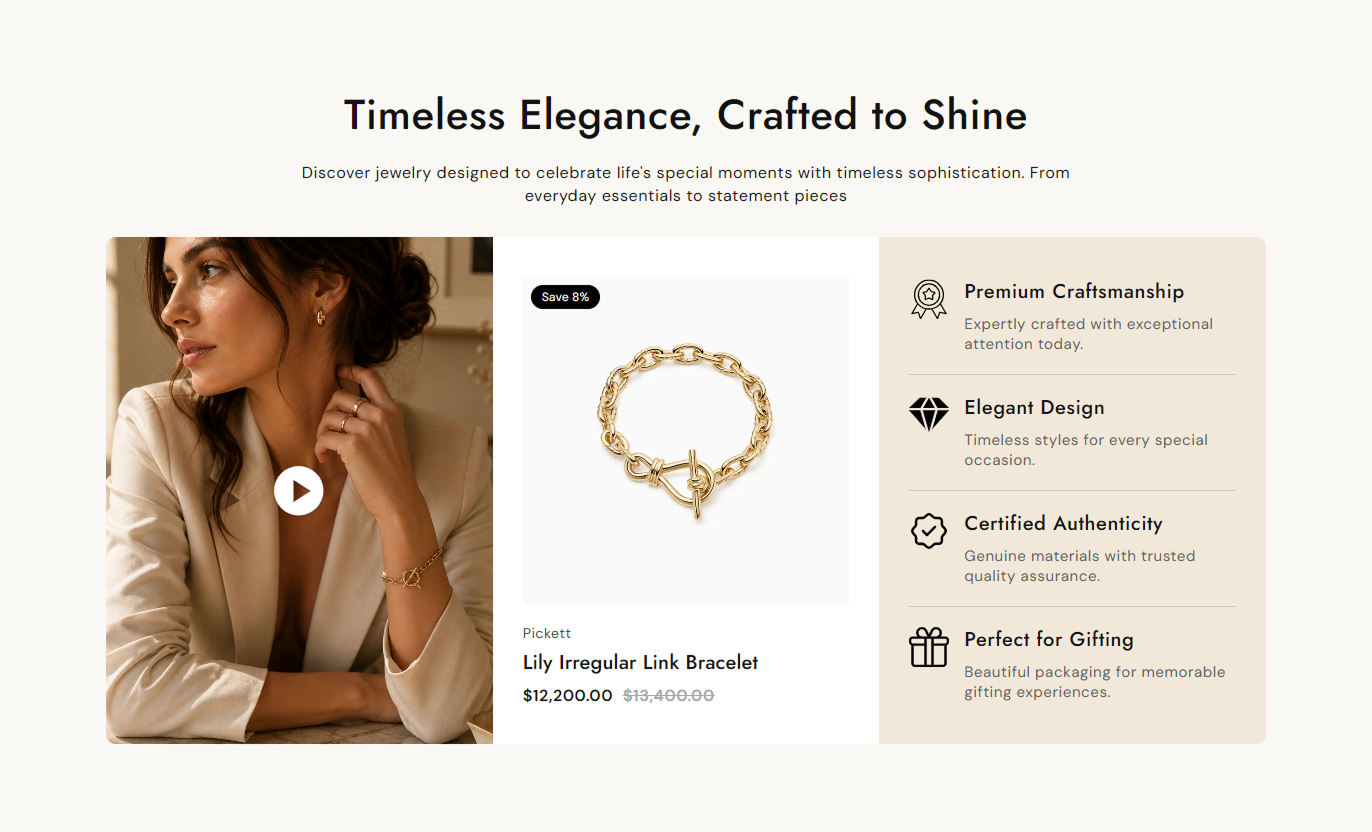
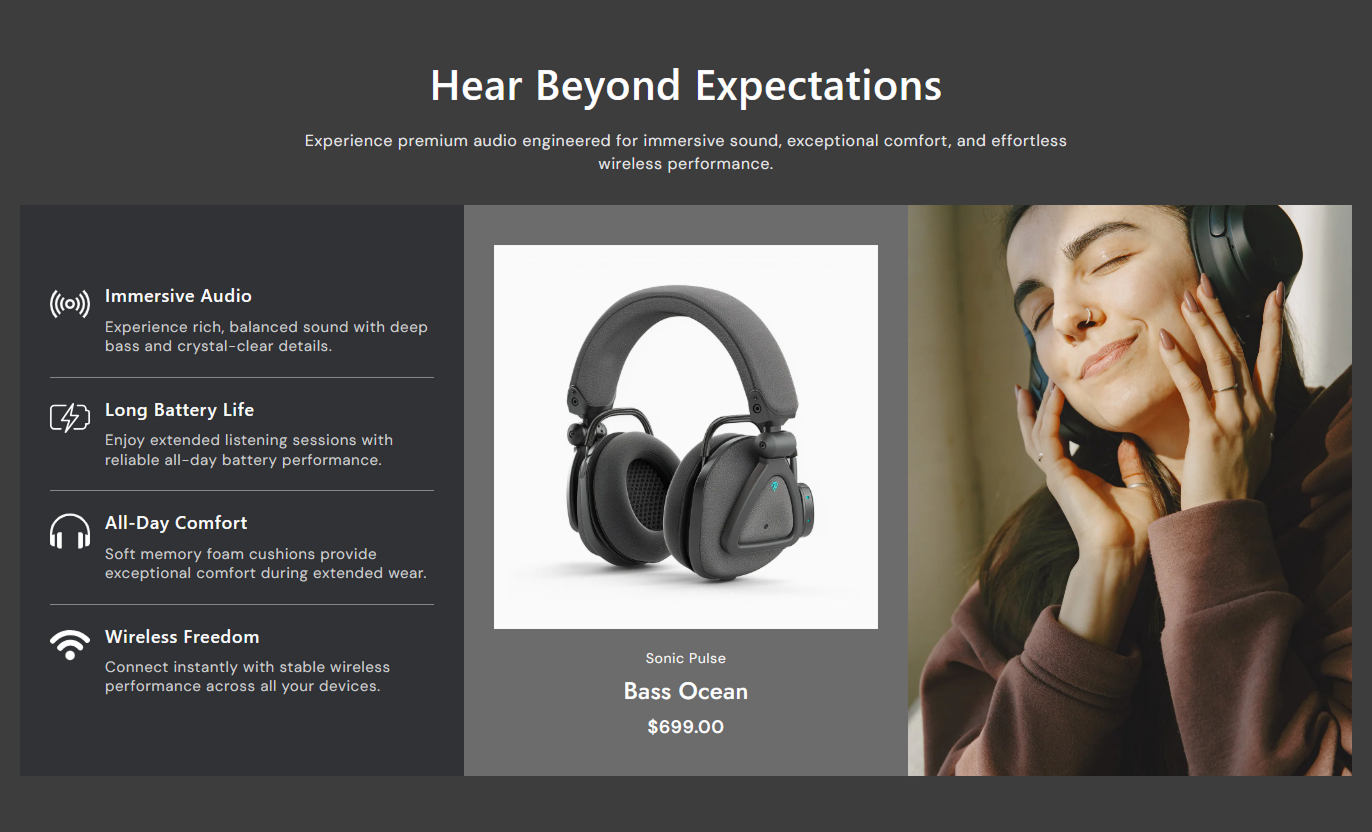


Combine product details, video or image media, pricing, badges, and feature highlights in one responsive section designed for focused product presentation.

Select a Shopify product to automatically display its image, vendor, title, price, and product link.

Use a Shopify-hosted video or image as the visual media beside the selected product.

Control autoplay, looping, mute, native controls, and the custom play or pause button for videos.

Add a poster image for the selected video to control its initial visual appearance.

Display the current product price along with the compare-at price when a sale price is available.

Show a custom sale tag or automatically display the calculated savings percentage for discounted products.

Show a second product image on hover to give shoppers an additional product view.

Add up to four feature blocks with optional images, headings, and supporting content.
Control the media, product details, feature blocks, colors, typography, spacing, alignment, and section width from the theme editor.

Applies to the complete section
Add the main heading above the showcase.
HeadingAdd supporting rich text below the heading.
ContentChoose how the section heading and content are aligned.
Text AlignmentRound the corners of the main showcase container.
Border RadiusSelect an image to display as the visual media.
ImageSelect a Shopify-hosted video for the media area.
VideoAdd an optional poster image for the video.
Poster ImageChoose whether the video appears before or after the product.
Video PositionSet the section background color.
Background ColorAdjust the desktop and mobile section spacing.
Section PaddingChoose a full-width or contained section layout.
Full WidthSet the maximum width for the contained section.
Section Width
Applies to each feature block
Add an icon or image for the feature.
Feature ImageAdd the feature heading.
Feature HeadingAdd supporting rich text for the feature.
Feature ContentUse this section to spotlight a trending, new, seasonal, or promotional product while showcasing supporting visuals and key product features in a single layout.
Use the section to spotlight a trending, new, seasonal, or promotional product while showing supporting visuals and key product features in one layout.
Highlight an important product near the top of the storeCombine product information with engaging visual mediaShow key product features without a separate pageDisplay current and compare-at pricing clearlyGive shoppers a direct path to the product pageUse the section to highlight a selected product within a collection experience and provide additional media and feature information alongside your products.
Feature a selected product within a collection experienceShow product details alongside visual mediaHighlight important product characteristicsMake sale pricing easier to noticeSupport discovery of a specific featured productPlace the section on a product page to present a selected product with supporting video, imagery, pricing, and feature content in a structured layout.
Add a visual product presentation to the pageHighlight important product informationShow additional product imagery on hoverPresent product features in a dedicated areaKeep product information easy to scanUse the section on campaign or product-focused landing pages to combine strong visual media, product information, pricing, and feature highlights.
Create a dedicated product showcase areaSupport campaign-specific product presentationsCombine video and product information togetherHighlight key product benefits and detailsDirect shoppers to the selected productCreate a focused product presentation that combines Shopify product data, visual media, pricing, sales information, and feature highlights into a single responsive layout.
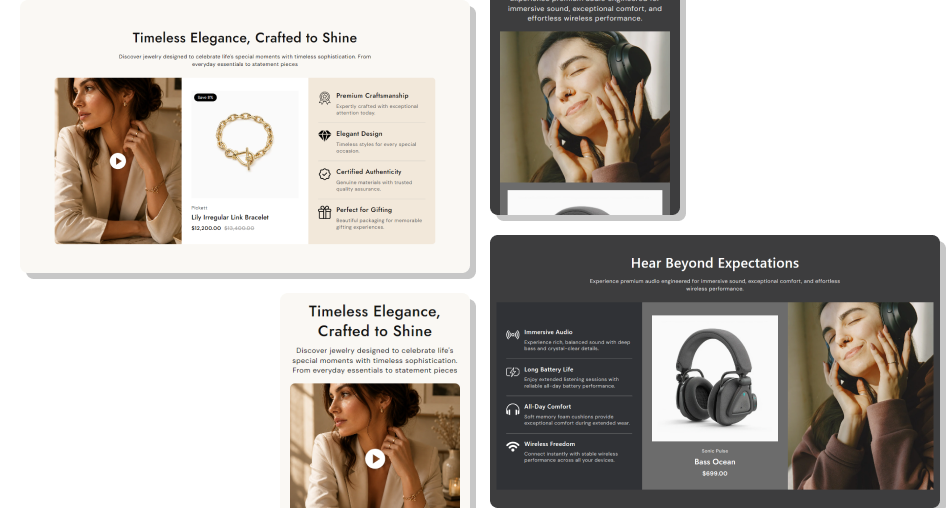
Use media, product information, and feature blocks together to help shoppers understand the product before visiting its dedicated page.
Create a Strong Product FocusShow Product Details AutomaticallyAdd More Visual Product ContextHighlight Important FeaturesMake Sale Pricing VisibleSupport Product Discovery Choose a product that matches the surrounding store content
Use clear video or imagery that supports the featured product
Keep feature headings short and easy for shoppers to scan
Use relevant feature content to explain product details
Keep product pricing and sale information easy to read
Choose a product that matches the surrounding store content
Use clear video or imagery that supports the featured product
Keep feature headings short and easy for shoppers to scan
Use relevant feature content to explain product details
Keep product pricing and sale information easy to read  Do not use unrelated media beside the selected product
Do not use low-quality or distracting product visuals
Do not fill feature blocks with long, difficult-to-scan text
Do not add features that are unrelated to the product
Do not use colors that make product details difficult to read
Do not use unrelated media beside the selected product
Do not use low-quality or distracting product visuals
Do not fill feature blocks with long, difficult-to-scan text
Do not add features that are unrelated to the product
Do not use colors that make product details difficult to read Yes. You can select a Shopify product, and the section automatically displays its image, vendor, title, price, and product link.
Yes. You can select a Shopify-hosted video as the main media and configure its playback settings from the theme editor.
Yes. An optional poster image can be selected for the video to control the visual shown before or during video load.
Yes. You can control autoplay, loop, mute, native video controls, and the custom play or pause button.
Yes. An optional poster image can be selected for the video to control the visual shown before or while the video loads.
Yes. You can enable the product badge and add custom sale text. If the custom text is empty, the discount percentage can be calculated automatically.
Yes. When the selected product has multiple images, you can enable the second-image hover effect to display an alternative product view.
You can add up to four feature blocks, with each block supporting an optional image, heading, and rich text content.
For Support or any Questions Email Us: [email protected]
Install SectionHub and add the Trending Product Showcase section to your theme in minutes - no coding required.
