Show Trending Products in an Interactive Homepage Grid
Use the section on your homepage to feature best sellers, new arrivals, or campaign products with interactive desktop previews and clear mobile shopping details.

Show up to eight products in an interactive grid with GSAP hover previews, rotating product images, mobile product details, custom buttons, and responsive styling.
 Interactive Product Grid
Hover Image Previews
Responsive Product Cards
Interactive Product Grid
Hover Image Previews
Responsive Product Cards 
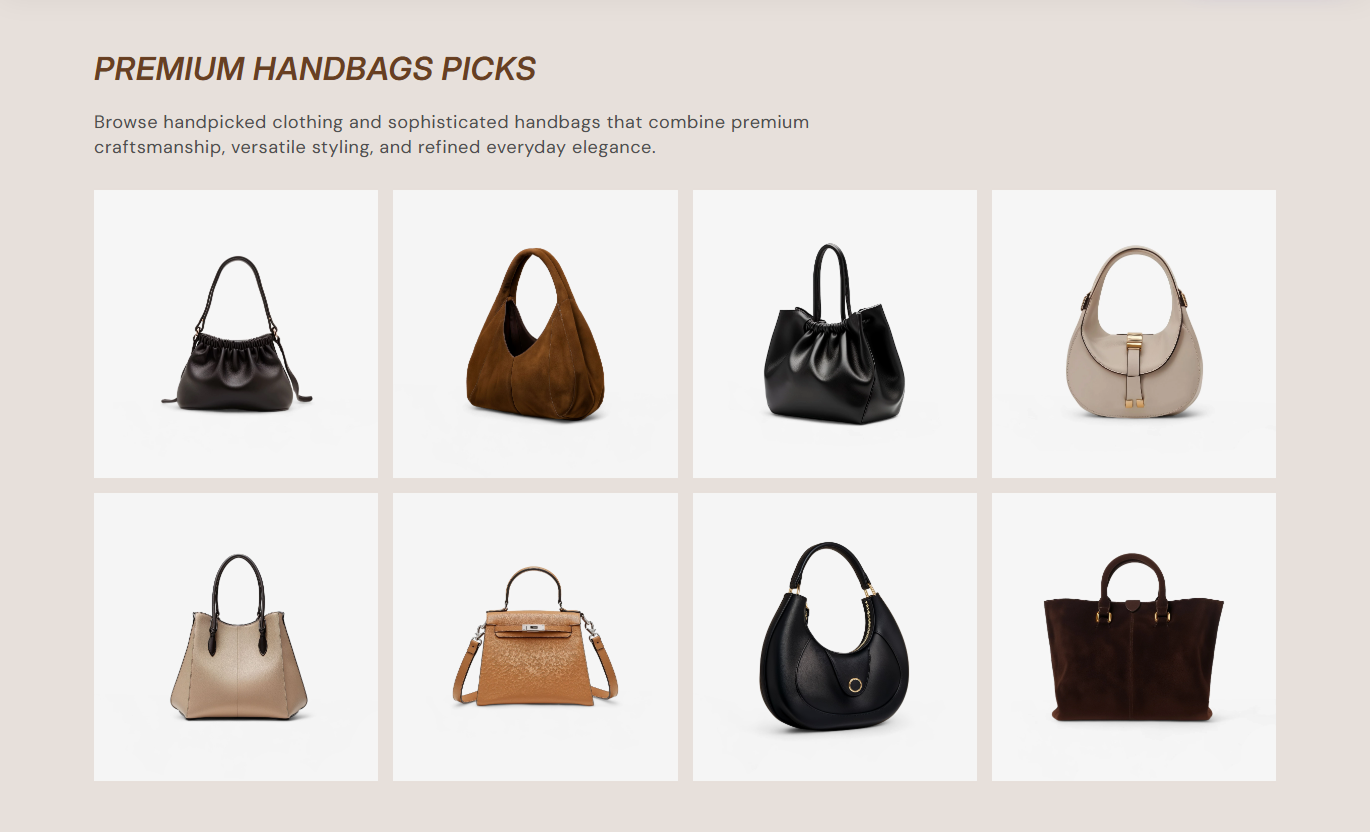


Present up to eight products in a visual grid with GSAP hover previews, rotating media, responsive product details, optional buttons, and flexible styling.

Hover product cards on desktop to shift nearby items and reveal a larger animated preview beside the active product.

Add up to 3 extra images per product, and rotate them automatically in the hover preview at 1-second intervals.

Use the selected Shopify product's title, price, URL, and featured image when a custom grid image is not provided.

Display up to eight product blocks in a four-column desktop grid that expands to two rows when more than four items are added.

Hover previews automatically appear on the opposite side of the active card while surrounding products shift to create space.

Show a product-linked Shop button with configurable label, opacity, size, radius, text color, background, and border.

On mobile, hover previews are removed, and each square card shows its product title, price, and optional button directly.

Control spacing, image radius, typography, colors, section padding, content alignment, and full-width or contained layout.
Control product grid layout, hover previews, buttons, typography, colors, spacing, alignment, and section width.

Applies to the whole section
Edit the section heading, rich text, and responsive alignment.
Heading & AlignmentAdjust desktop gaps and product image corner radius.
Grid Layout ControlsShow or hide the product-linked button on hover.
Hover Button ToggleSet button label, radius, opacity, and desktop size.
Button Style ControlsAdjust heading, content, product title, and price sizes.
Typography ControlsCustomize section, product, mobile, and button colors.
Color Style ControlsSet separate vertical section padding for desktop and mobile.
Responsive SpacingUse full width or define a maximum contained width.
Section Width Setup
Applies to each product block
Upload a custom image used in the main product grid.
Grid Product ImageChoose the Shopify product linked to this product card.
Selected ProductUpload the first image used in the desktop hover preview.
Hover Image OneUpload the second image used in the desktop hover preview.
Hover Image TwoUpload the third image used in the desktop hover preview.
Hover Image ThreeUse this interactive product grid across key Shopify pages to feature trending items, best sellers, launches, or curated product selections with visual hover effects.
Use the section on your homepage to feature best sellers, new arrivals, or campaign products with interactive desktop previews and clear mobile shopping details.
Visually feature best sellers, new arrivals, or campaign products.Reveal larger product imagery through desktop hover previews.Use up to three preview images for richer product storytellingKeep direct product shopping links inside each grid cardShow product title and price clearly on mobile screensPlace the grid on collection templates to spotlight best sellers, seasonal picks, or curated products without changing the main collection product grid.
Spotlight curated products beside the main collection gridAdd richer visual merchandising without replacing collection cardsUse hover previews to showcase extra product imageryLink shoppers directly to selected Shopify product pagesKeep product titles and prices visible on mobile layoutsUse the section on product pages to introduce complementary items, alternatives, or featured products through a visual grid with direct shopping links.
Promote complementary products without leaving the product pageUse interactive previews to make related items more engagingShow several product images without building separate slidersLink each grid card directly to its selected product pageKeep mobile product details clear inside each square cardUse Trending Product Grid on landing pages to present up to eight campaign products with strong imagery, desktop hover interactions, and mobile shopping details.
Build campaign assortments with up to eight product cardsUse animated hover previews to add visual depth on desktopAdd multiple preview images for selected campaign productsKeep calls to action linked directly to product destinationsUse responsive alignment and spacing to match campaign designTurn featured products into an interactive visual grid with animated desktop previews, multiple hover images, direct product links, and mobile-friendly details.
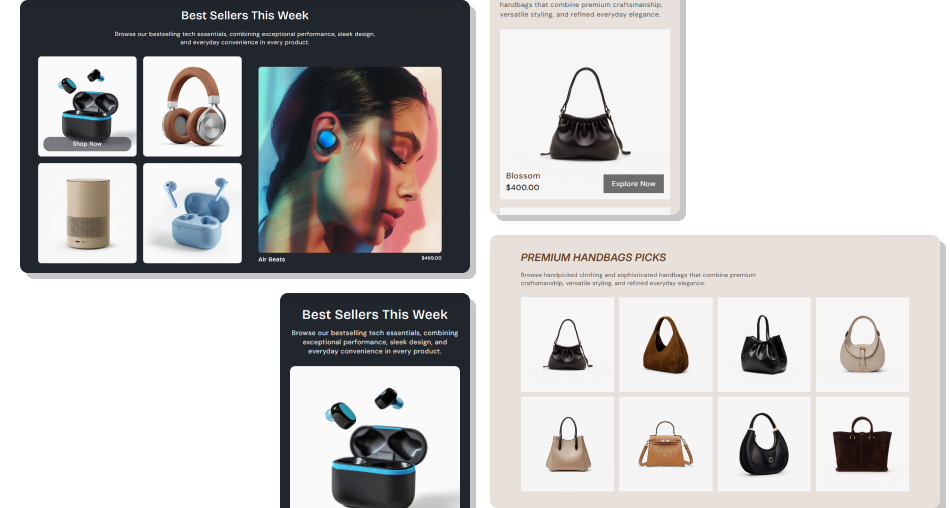
Use visual product cards, rotating hover previews, and direct links to make featured products engaging and easy to explore.
Present up to eight featured products in a structured visual gridAdd richer desktop product discovery through animated hover previewsRotate multiple images automatically inside each active previewUse Shopify product data for titles, prices, links, and image fallbacksKeep product details directly visible on mobile rather than hover-onlyAdd an optional linked Shop button for selected productsCustomize responsive alignment, spacing, typography, and colors Use consistent product images that crop well inside the grid
Add two or three hover images when they improve product context
Keep product selections focused on one clear merchandising theme
Test hover previews with a mouse and product cards on mobile
Use clear button text that matches the linked product destination
Use consistent product images that crop well inside the grid
Add two or three hover images when they improve product context
Keep product selections focused on one clear merchandising theme
Test hover previews with a mouse and product cards on mobile
Use clear button text that matches the linked product destination  Do not depend on hover previews for essential mobile information
Do not upload unrelated slideshow images for the same product
Do not exceed eight product blocks because the schema limits them
Do not use inconsistent image crops that make the grid look uneven
Do not leave product selections empty when enabling shop buttons
Do not depend on hover previews for essential mobile information
Do not upload unrelated slideshow images for the same product
Do not exceed eight product blocks because the schema limits them
Do not use inconsistent image crops that make the grid look uneven
Do not leave product selections empty when enabling shop buttons You can add up to eight Product blocks. The section is designed around a four-column desktop grid with up to two rows.
On compatible pointer devices, nearby cards shift, and a larger preview appears on the opposite side using that product's hover images.
Each Product block provides three optional slideshow image fields. When multiple images are available, the preview rotates every second.
The grid falls back to the selected product's featured image. If neither is available, Shopify product placeholder artwork is shown.
No. Below 768px, the preview media layer is hidden, and each square card displays the product title, price, and optional button directly.
The button renders only when Show on hover is enabled, button text is provided, and a Shopify product is selected for that block.
Yes. The section includes separate desktop and mobile alignment settings for the main heading and supporting section content.
No. The schema disables Trending Product Grid in Shopify header and footer groups, so use it within supported page-template areas.
For Support or any Questions Email Us: [email protected]
Install SectionHub and add the Trending Product Grid section to your theme in minutes - no coding required.
