Tell Your Brand Story Through Key Milestones
Use the timeline on your homepage to visually present key company milestones, growth stages, launches, achievements, or brand developments.

Present your brand journey, milestones, or important moments with image-based slides, timeline navigation, progress controls, and responsive layouts.
 Interactive Timeline Slider
Milestone Storytelling
Responsive Design
Interactive Timeline Slider
Milestone Storytelling
Responsive Design 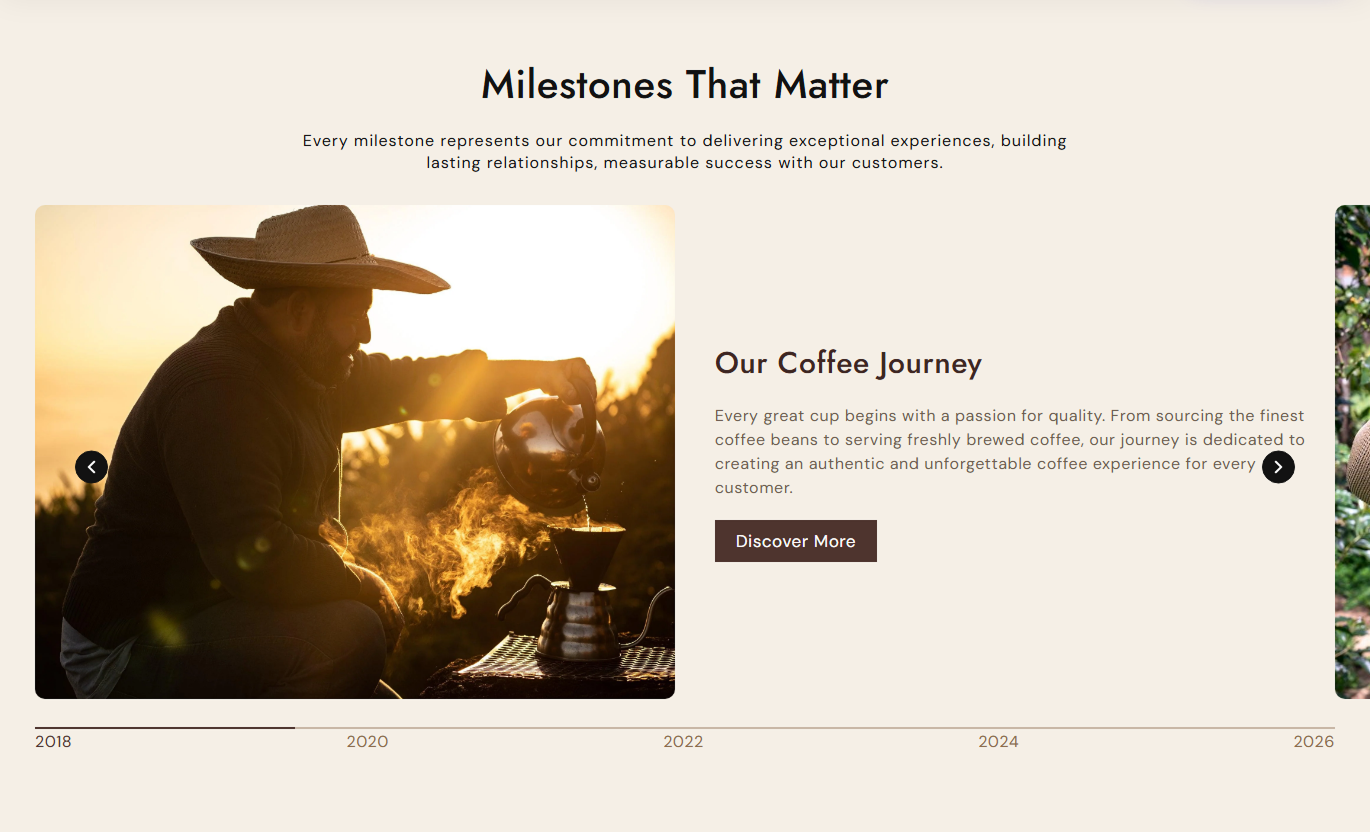
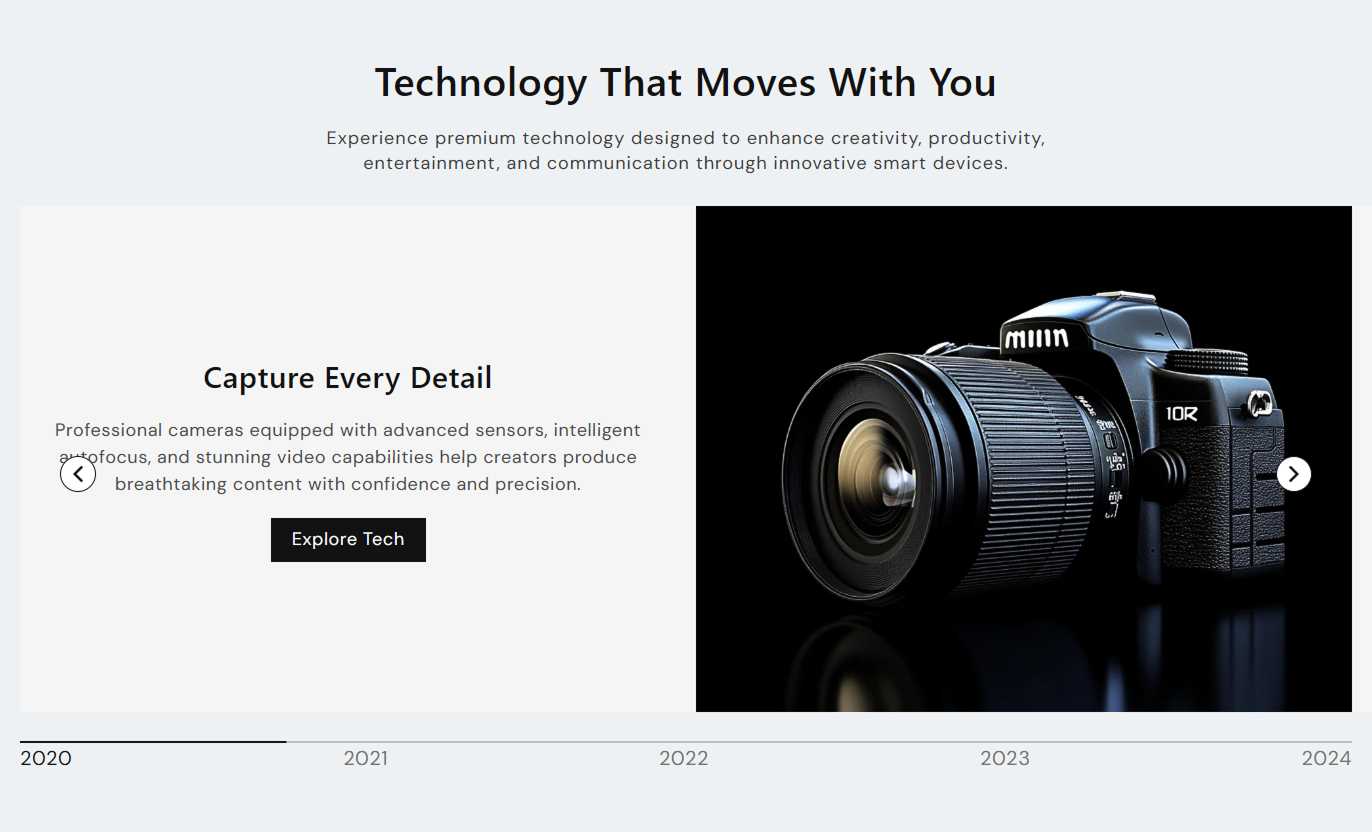


Create a visual timeline with milestone years, images, story content, navigation controls, buttons, autoplay, and flexible layouts for Shopify stores.

Display multiple timeline milestones as swipeable slides with connected year-based navigation.

Add a year or milestone label to each slide, so visitors can jump directly to that timeline point.

Add a custom image to each milestone to make your brand journey more visual and engaging.

Add a heading and supporting description to explain each milestone, achievement, or important event.

Place the timeline image on the left or right side of the story content to create different visual layouts.

Automatically move through timeline slides and optionally continue the presentation in a loop.

Show navigation arrows and a progress bar to help visitors move through timeline milestones.

The timeline changes to a stacked mobile layout with adjusted image and content sizing for smaller screens.
Control timeline content, slider behavior, buttons, colors, typography, spacing, and section width from the theme editor.

Applies to the whole section
Main heading displayed above the timeline.
HeadingSupporting text displayed below the main heading.
ContentChoose the alignment of the section heading and content.
Content AlignmentChoose the image height for timeline slides.
Image HeightChoose whether the image appears on the left or right.
Media PositionSet rounded corners for timeline images.
Image Border RadiusShow or hide the timeline navigation arrows.
Show ArrowsShow or hide the slider progress indicator.
Show PaginationRepeat timeline slides continuously when enabled.
Enable LoopAutomatically advance through timeline slides.
Enable AutoplaySet the delay between automatically changing slides.
Delay
Applies to each timeline milestone
Image displayed for the timeline milestone.
ImageHeading displayed with the milestone content.
HeadingDescription shown below the milestone heading.
ContentChoose the alignment of the milestone text.
Text AlignmentYear or milestone label shown in the timeline navigation.
Timeline TextText displayed inside the milestone button.
Button LabelPage or destination linked to the milestone button.
Button LinkUse Timeline History to present company milestones, brand stories, product development stages, campaigns, or other chronological content in a visual Shopify section.
Use the timeline on your homepage to visually present key company milestones, growth stages, launches, achievements, or brand developments.
Show important moments from your brand journeyIntroduce your company history visuallyHighlight major launches and achievementsCreate a stronger brand storyGuide visitors through your progressUse milestone slides to explain how a collection developed, highlight seasonal launches, or present the inspiration and key stages behind selected products.
Explain the story behind a collectionHighlight seasonal collection launchesShow product development stagesPresent collection inspiration clearlyConnect milestones with useful pagesAdd a timeline to explain product development, design stages, material choices, launches, or other milestones that help customers understand the product story.
Explain how a product was developedHighlight important product milestonesShare design and development stagesAdd useful supporting product contentCreate more context around productsUse the timeline to present campaign stages, product launches, event moments, or promotional stories, while providing visitors with clear navigation between steps.
Present campaign stages in orderHighlight important launch momentsCreate a visual promotional storyGuide visitors through key stepsLink milestones to campaign pagesTurn chronological information into an engaging visual experience that helps Shopify visitors understand your brand journey, milestones, launches, and stories.
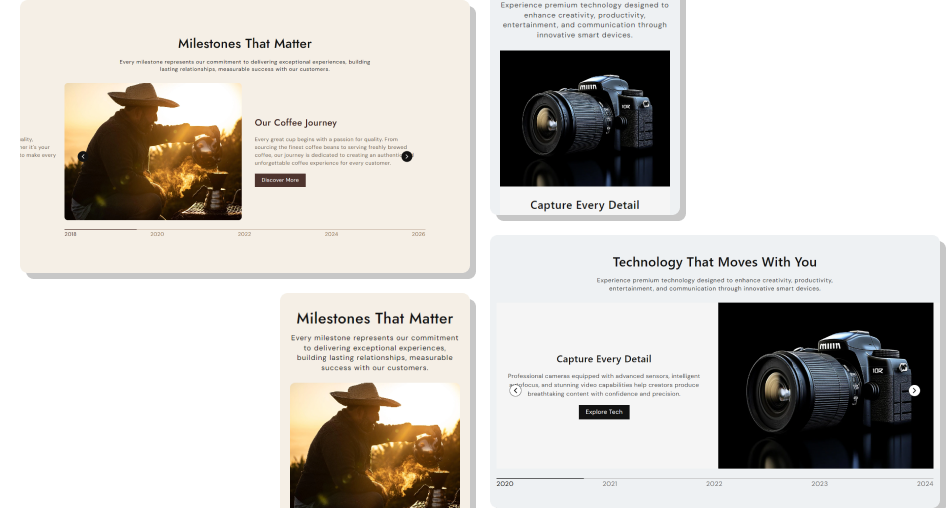
Combine images, timeline labels, story content, and navigation to make important moments easier for visitors to explore and understand.
Make brand history easier to explorePresent milestones in a clear sequenceCombine images with supporting storiesGive visitors simple timeline navigationHighlight important launches and achievementsConnect milestone stories with relevant linksCreate a responsive storytelling experience Use clear milestone years or timeline labels for each slide.
Choose relevant images that support the story behind each milestone.
Keep milestone headings short and easy to scan.
Link buttons to pages that provide useful additional information.
Use a consistent style across all timeline images and content.
Use clear milestone years or timeline labels for each slide.
Choose relevant images that support the story behind each milestone.
Keep milestone headings short and easy to scan.
Link buttons to pages that provide useful additional information.
Use a consistent style across all timeline images and content.  Do not use unrelated images that distract from the milestone story.
Do not add long blocks of text that are difficult to scan.
Do not use unclear milestone labels or inconsistent dates.
Do not link milestone buttons to unrelated store pages.
Do not overload every slide with too many details.
Do not use unrelated images that distract from the milestone story.
Do not add long blocks of text that are difficult to scan.
Do not use unclear milestone labels or inconsistent dates.
Do not link milestone buttons to unrelated store pages.
Do not overload every slide with too many details. Yes. You can add multiple Timeline blocks, with each block supporting its own image, heading, content, year, and button.
Yes. Each Timeline block includes an image setting so you can add a visual for every milestone or story point.
Yes. The Media Position setting lets you place timeline images on the left or right of the story content.
Yes. Each block can have a Timeline Text value, such as a year, which visitors can click to move to that milestone.
Yes. Enable Autoplay to automatically move through the timeline and use Delay to control the timing between slides.
Yes. Enable Loop to allow the timeline slider to continue cycling through the available milestones.
Yes. You can separately enable navigation arrows and the progress bar using the Show Arrows and Show Pagination settings.
Yes. On smaller screens, the image and story content stack vertically with mobile-specific sizing and spacing.
Yes. Each Timeline block supports a Button Label and a Button Link, allowing you to connect milestones to relevant store pages.
For Support or any Questions Email Us: [email protected]
Install SectionHub and add the Timeline History section to your theme in minutes - no coding required.
