Create a Shoppable Homepage Lookbook
Use Shop the Look on your homepage to turn lifestyle imagery into direct product discovery with clickable hotspots, product cards, and responsive collage layouts.

Build a shoppable collage with up to five images, product hotspots, click-open product cards, responsive hotspot positions, pricing, and flexible styling controls.
 Shoppable Image Hotspots
Click-to-Open Product Cards
Responsive Lookbook Grid
Shoppable Image Hotspots
Click-to-Open Product Cards
Responsive Lookbook Grid 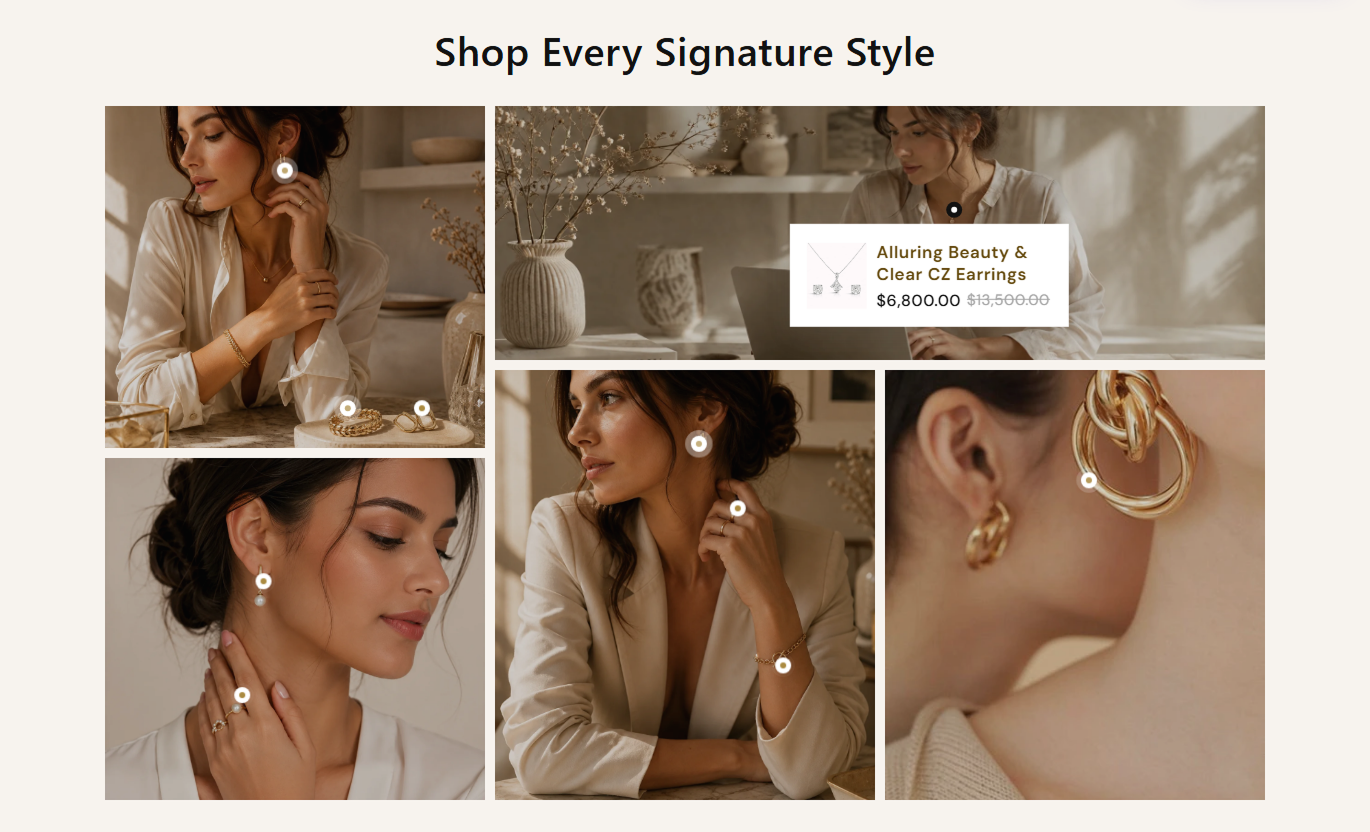
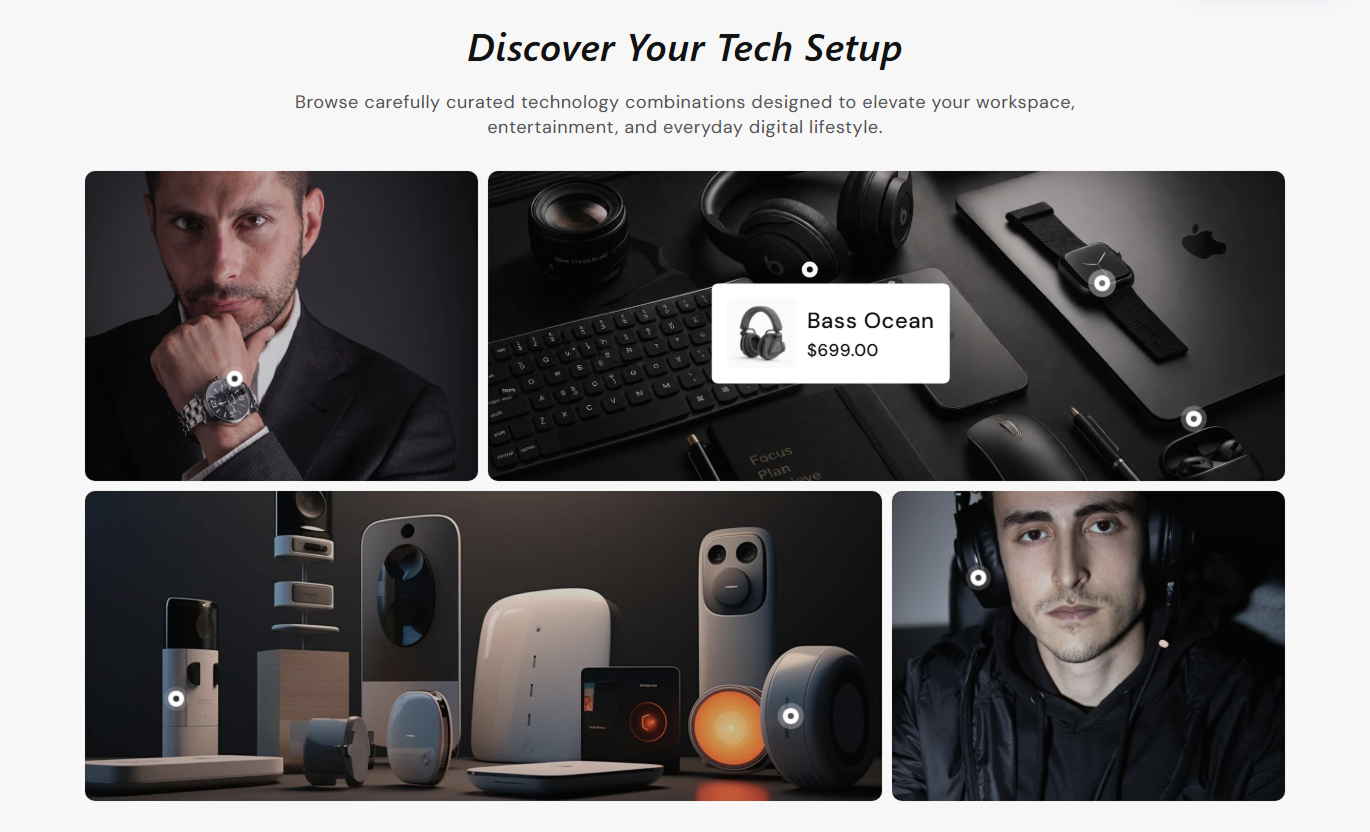


Turn editorial imagery into a shoppable experience with product hotspots, click-open cards, responsive positions, pricing, and flexible collage styling.

Build a structured desktop collage with up to five image blocks and alternate four-item layouts for flexible visual storytelling.

Assign up to five Shopify products to each image block, giving every selected product its own clickable hotspot and card.

Click a hotspot to reveal its product card, while opening a new hotspot automatically closes any previously active card.

Set separate horizontal and vertical hotspot positions for desktop and mobile so product markers stay aligned with the imagery.

Show each selected product's image, title, current price, and compare-at price when the product is discounted.

When an image block has no selected products, the section renders three placeholder hotspots with sample product details.

Use purpose-built collage layouts for four- or five-image blocks, with a redesigned two-column arrangement on mobile.

Customize hotspot size, pulse colors, active colors, product card radius, image radius, typography, overlays, and section spacing.
Control collage media, hotspots, product cards, typography, colors, spacing, responsive positions, and section width.

Applies to the whole section
Set heading, rich text, and desktop or mobile alignment.
Heading & AlignmentChoose collage row height, image radius, and overlay styling.
Gallery Media StyleAdjust the product title and price typography, as well as the card radii.
Product Card StyleCustomize hotspot colors, pulse effect, and active state.
Hotspot Color StyleSet separate desktop and mobile hotspot marker sizes.
Hotspot Size ControlsCustomize section, text, product, and card colors.
Color Style ControlsSet desktop and mobile top and bottom section padding.
Responsive SpacingUse full width or define a maximum contained width.
Section Width Setup
Applies to each lookbook item
Upload the main image used by this lookbook tile.
Lookbook ImageSelect up to five Shopify products for this image.
Product SelectionSet each hotspot's horizontal position on the desktop.
Desktop X PositionSet each hotspot's vertical position on the desktop.
Desktop Y PositionSet each hotspot's horizontal position on mobile.
Mobile X PositionSet each hotspot's vertical position on mobile.
Mobile Y PositionUse this shoppable lookbook across key Shopify pages to connect lifestyle imagery with products, collections, campaigns, and merchandising stories.
Use Shop the Look on your homepage to turn lifestyle imagery into direct product discovery with clickable hotspots, product cards, and responsive collage layouts.
Feature multiple products inside one visual storytelling sectionConnect lifestyle imagery directly to Shopify product pagesUse product hotspots without covering the entire image with linksKeep hotspot positions tailored for desktop and mobile screensCombine editorial merchandising with direct product discoveryPlace the section on collection templates to show styled outfits, room scenes, product pairings, or curated looks that complement the products shoppers are browsing.
Show curated combinations alongside the main collection gridHelp shoppers discover complementary products within one sceneUse lifestyle imagery to add context beyond standard product cardsPosition hotspots precisely over featured products in each imageLink each product card directly to its Shopify product pageUse the section on product pages to present complementary items, styled combinations, or related products through shoppable images and product popover cards.
Cross-sell complementary products through styled visual scenesShow related products without adding a traditional product gridUse current and compare-at prices inside hotspot product cardsGuide shoppers directly to each selected product pageKeep mobile hotspots aligned with separate positioning controlsUse Shop the Look on landing pages to build campaign lookbooks, seasonal stories, or curated visual edits where shoppers can explore products directly from imagery.
Create campaign storytelling with up to five image blocksTurn editorial imagery into direct product discovery pointsUse flexible hotspot positions for custom campaign compositionsShow pricing and product details without leaving the galleryAdapt the collage layout for desktop and mobile browsingTurn lifestyle imagery into a practical shopping experience with clickable product hotspots, responsive positioning, live pricing, and flexible visual styling.
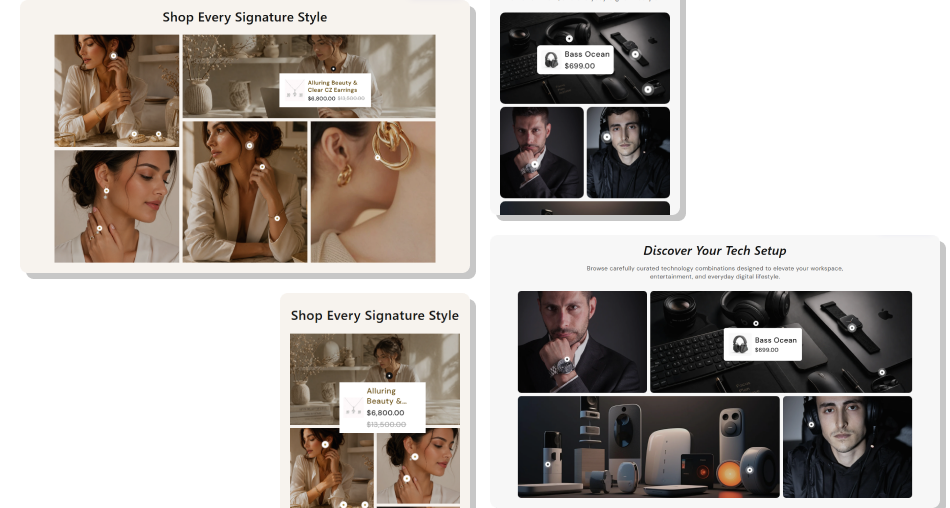
Connect products to editorial imagery with responsive hotspots, compact product cards, and clear pricing for easier discovery.
Turn lifestyle photography into direct product discoveryAdd up to five shoppable products to each image blockPosition hotspots independently for desktop and mobile layoutsShow live Shopify product titles, images, and pricingDisplay compare-at pricing automatically for discounted productsKeep one product popover active at a time for cleaner browsingCustomize hotspot, product card, overlay, and gallery styling Place hotspots directly over the product they represent in each image
Set separate mobile positions whenever the image crop changes noticeably
Use compare-at pricing only when the Shopify product actually has a sale
Keep product selections focused on items clearly visible in the scene
Test hotspot cards near image edges to avoid awkward popover placement
Place hotspots directly over the product they represent in each image
Set separate mobile positions whenever the image crop changes noticeably
Use compare-at pricing only when the Shopify product actually has a sale
Keep product selections focused on items clearly visible in the scene
Test hotspot cards near image edges to avoid awkward popover placement  Do not cluster several hotspots so closely that shoppers cannot tap them
Do not select products that are not clearly represented in the image
Do not rely on desktop hotspot coordinates for a very different mobile crop
Do not use overly dark overlays that hide important product details
Do not leave placeholder products visible on a published storefront
Do not cluster several hotspots so closely that shoppers cannot tap them
Do not select products that are not clearly represented in the image
Do not rely on desktop hotspot coordinates for a very different mobile crop
Do not use overly dark overlays that hide important product details
Do not leave placeholder products visible on a published storefront The schema allows up to five Item blocks. The layout includes dedicated desktop and mobile arrangements for both four-item and five-item galleries.
Each Item block supports up to five product selectors, with separate desktop and mobile controls for horizontal and vertical positioning for each hotspot.
The clicked hotspot opens its product card and closes any other active hotspot. Clicking the same hotspot again closes its card.
Selected products show the featured image, title, current price, and compare-at price when the compare-at price is higher than the current Shopify product price.
When no real product is selected in a block, the section creates three placeholder hotspots with sample product imagery, titles, and prices.
Yes. Every product hotspot includes separate horizontal and vertical percentage settings for desktop and mobile positioning.
Below 768px, the collage switches to a two-column layout with fixed grid rows, smaller hotspot markers, compact product cards, and mobile-optimized positions.
No. The schema disables this section in Shopify header and footer groups, so add it only within supported page-template section areas.
For Support or any Questions Email Us: [email protected]
Install SectionHub and add the Shop the Look section to your theme in minutes - no coding required.
