Promote Time-Sensitive Offers on Your Homepage
Use Sale Countdown Featured Products on your homepage to combine a campaign image, a live countdown, and selected products into a single promotional area that encourages faster shopping.

Create a sale section with a countdown timer, a promotional image, a product slider, sale badges, hover images, CTAs, autoplay, looping, and engaging, responsive styling.
 Countdown Sale Promo
Product Slider Deals
Responsive Sale Showcase
Countdown Sale Promo
Product Slider Deals
Responsive Sale Showcase 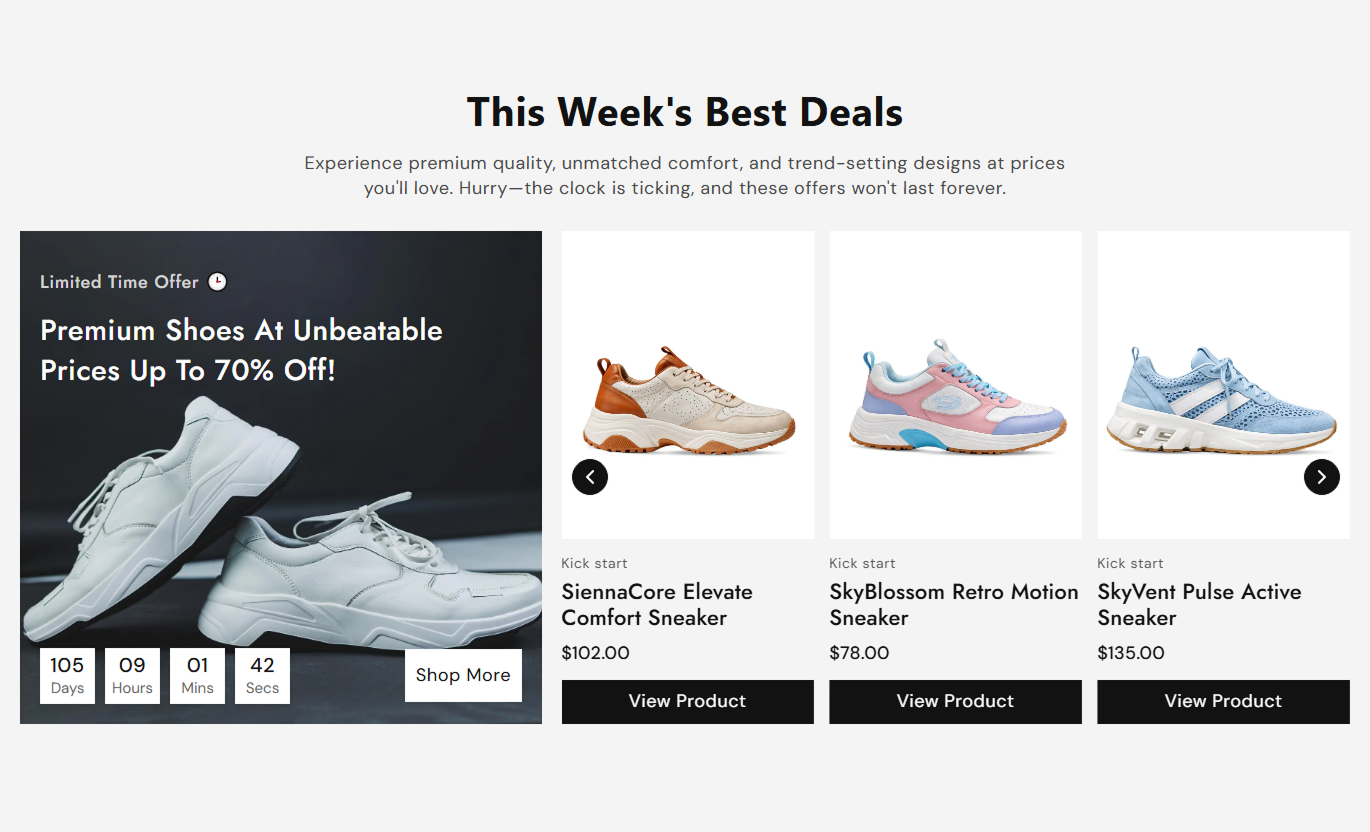
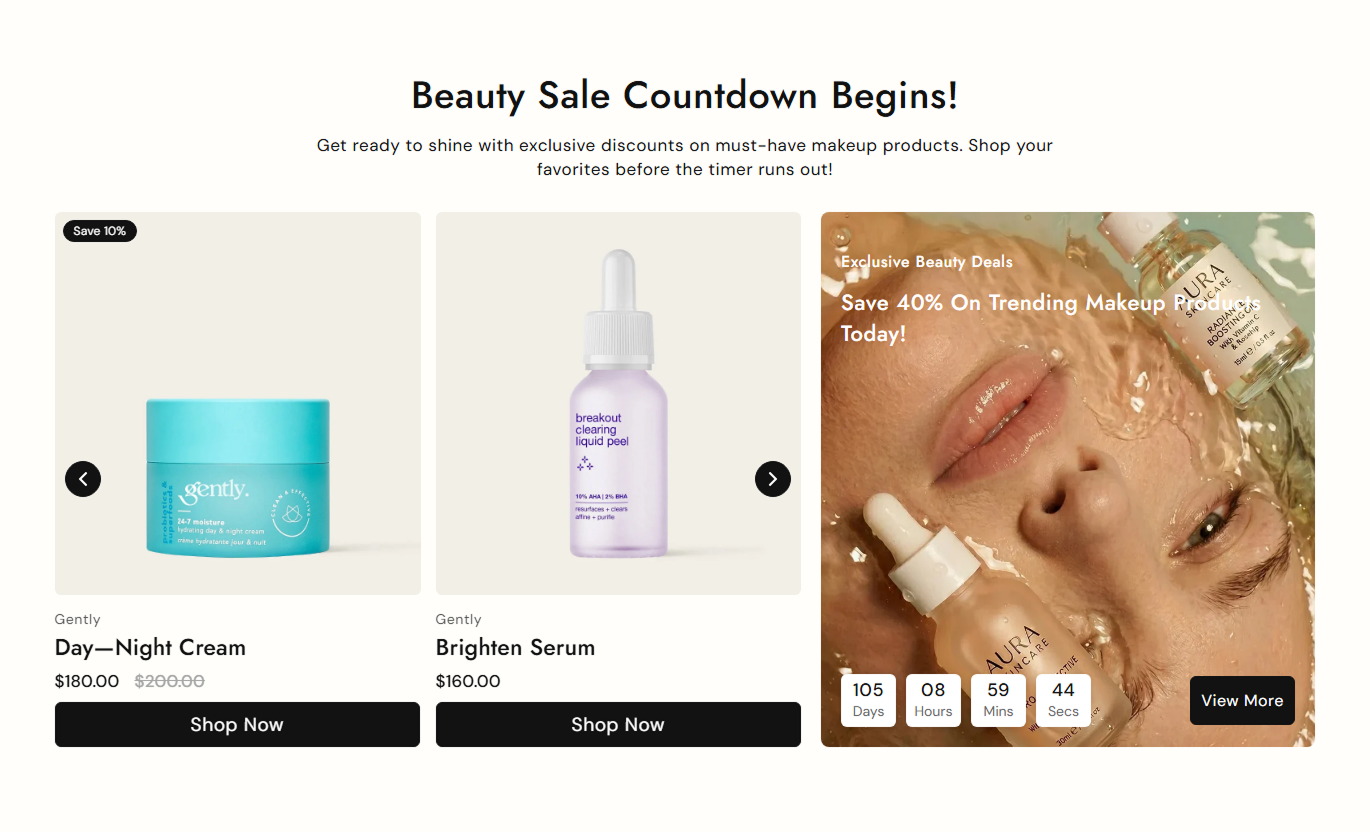
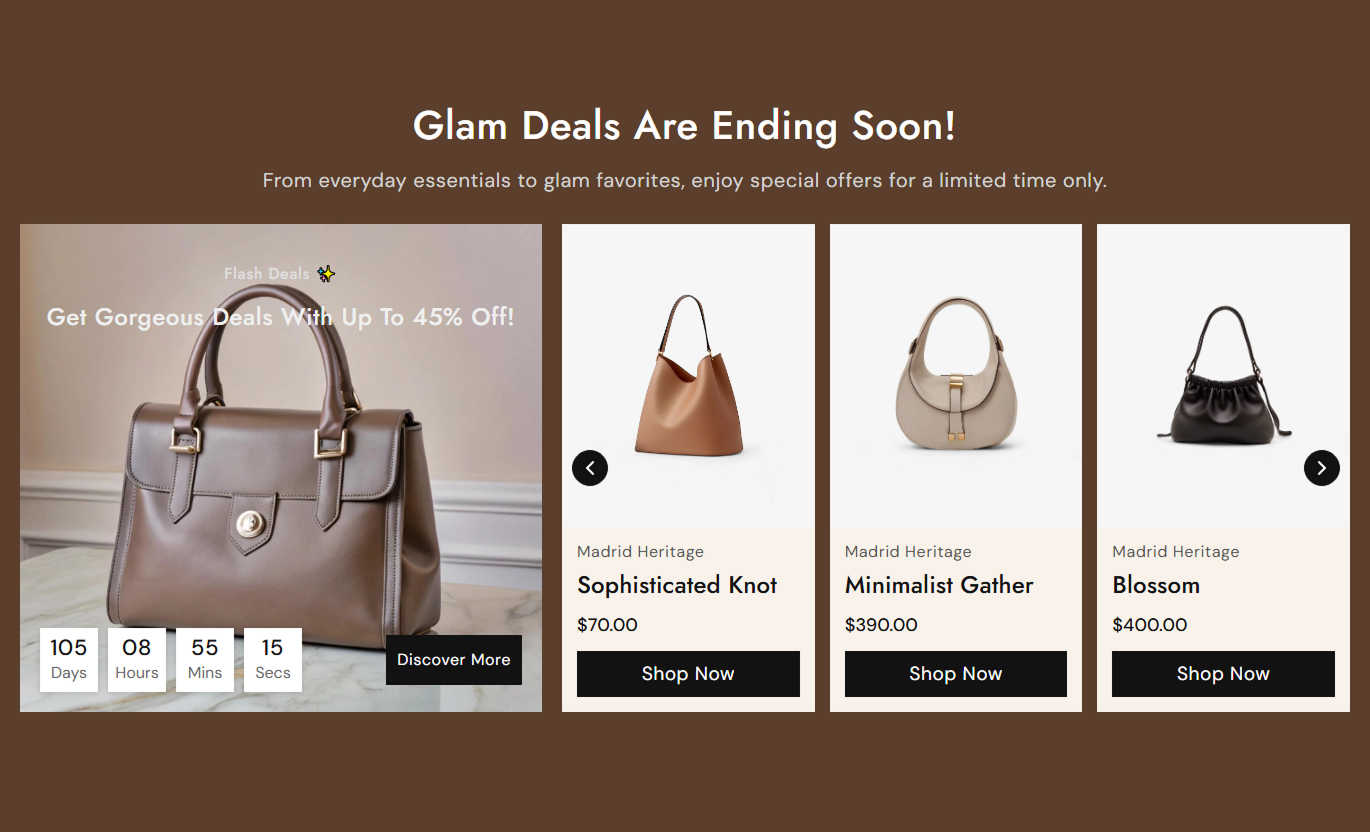


Combine a sale countdown, promotional media, product slider, badges, hover images, pricing, CTAs, and responsive layout controls in one section.

Use a dedicated promotional image with subheading, headline, timer boxes, and an optional CTA to highlight time-sensitive offers.

Show selected products in a Swiper carousel with arrows, autoplay, looping, and configurable desktop column counts.

Display Sold out, custom sale text, or an automatically calculated percentage discount based on compare-at pricing.

Optionally swap to a product's second image when shoppers hover over the product media for a richer preview.

Show each product's current price and compare-at price when discounted, with optional vendor information above the title.

Set a target year, month, date, hour, and minute, with separate labels for days, hours, minutes, and seconds.

Place the promotional media on the left or right, then stack media and products vertically on smaller screens.

Control card media height, badges, buttons, radius, padding, typography, colors, arrows, and responsive spacing.
Control countdown timing, promo media, products, slider behavior, badges, cards, colors, spacing, and section width.

Applies to the whole section
Edit the section heading, rich text, and responsive alignment.
Heading & AlignmentChoose up to 10 products and place promo media on the left or right.
Products & MediaSet the promo copy, countdown date and time, labels, and CTA.
Countdown ControlsAdjust product image height, cards, buttons, badges, and hover image.
Product Card StyleSet autoplay, looping, speed, and desktop slide columns.
Slider ControlsAdjust section, promo, timer, and product typography sizes.
Typography ControlsCustomize section, timer, product, button, badge, and arrow colors.
Color Style ControlsSet desktop and mobile padding plus full or contained width.
Spacing & Width
Not applicable
This section does not contain any Shopify blocks.
No Block SettingsUse this promotional countdown section across Shopify pages to highlight limited-time offers, featured products, launches, or seasonal campaigns with a sense of urgency.
Use Sale Countdown Featured Products on your homepage to combine a campaign image, a live countdown, and selected products into a single promotional area that encourages faster shopping.
Feature a limited-time offer with a visible countdown timerPair campaign imagery with a curated product carouselUse sale badges to make discounted products easier to spotAdd a direct CTA for the broader promotion or campaignKeep the section responsive across desktop and mobile screensPlace the section on collection templates to spotlight selected sale products, flash offers, or category promotions alongside the main collection shopping experience.
Promote selected sale items without replacing the product gridAdd urgency around category-specific offers or eventsShow current and compare-at pricing inside product cardsUse autoplay or arrows to browse featured promotional itemsPlace campaign media beside the product slider on desktopUse Sale Countdown Featured Products on product pages to promote related discounted items or a time-limited campaign while giving shoppers a clear countdown and browsing path.
Cross-sell discounted products beside the current productUse the timer to support a genuine limited-time promotionShow alternate product imagery through hover interactionGuide shoppers to related products with View Product buttonsKeep promotional content stacked clearly on smaller screensUse the landing pages section to combine promotional imagery, a countdown timer, selected products, and direct CTAs for seasonal launches or flash-sale campaigns.
Create a campaign centerpiece with strong sale-focused mediaDisplay up to ten selected products inside the sliderUse custom sale badges to reinforce campaign messagingChoose two or three product columns on desktop screensLink the main CTA and product buttons to relevant pagesTurn a standard product carousel into a stronger promotional experience with a live countdown, campaign imagery, sale badges, responsive cards, and flexible CTAs.
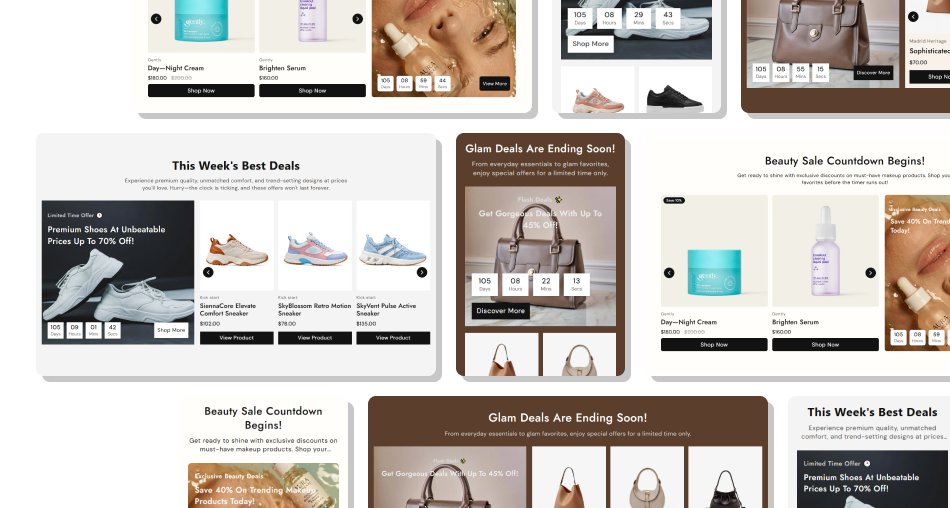
Combine countdown urgency, promotional media, product cards, pricing, and responsive slider controls for focused sale campaigns.
Combine sale urgency and product discovery inside one sectionSelect up to ten Shopify products for the promotional carouselAutomatically calculate discount percentages when neededShow optional vendor, badge, second image, and product CTAPosition the promotional image on either side on desktopConfigure autoplay, looping, speed, and desktop column countCustomize timer, product cards, arrows, buttons, and colors Set the countdown to a real promotion end date before publishing
Use products with accurate compare-at prices for discount badges
Keep promotional headings concise and easy to read over imagery
Test autoplay, arrows, hover images, and mobile stacking carefully
Use a clear CTA destination that matches the advertised promotion
Set the countdown to a real promotion end date before publishing
Use products with accurate compare-at prices for discount badges
Keep promotional headings concise and easy to read over imagery
Test autoplay, arrows, hover images, and mobile stacking carefully
Use a clear CTA destination that matches the advertised promotion  Do not use expired countdown dates on active storefront campaigns
Do not show misleading sale badges without genuine price reductions
Do not upload oversized promo images that slow page performance
Do not rely on autoplay alone for product slider navigation
Do not overcrowd product cards with unnecessary promotional copy
Do not use expired countdown dates on active storefront campaigns
Do not show misleading sale badges without genuine price reductions
Do not upload oversized promo images that slow page performance
Do not rely on autoplay alone for product slider navigation
Do not overcrowd product cards with unnecessary promotional copy The Product List setting supports up to ten selected Shopify products, which are rendered as individual slides in the promotional carousel.
Unavailable products show Sold out. Discounted products use custom sale text when provided, the code calculates and displays the percentage saved.
Yes. When Show Second Image on Hover is enabled, and a product has more than one image, the second image replaces the featured image on hover.
The timer interval stops once the target time has passed. The code does not replace the timer with an expired message or automatically hide the section.
Yes. The slider supports optional autoplay and looping, an autoplay speed from one to ten seconds, and either two or three desktop columns.
Below 1024px, the promo media and product grid become full width. Below 768px, the section uses smaller type, buttons, badges, and timer values.
Yes. The script creates a new Swiper instance, but this file does not import Swiper, so the theme or app environment must provide it globally.
No. The schema disables the section in Shopify header and footer groups, so add it only within supported page-template section areas.
For Support or any Questions Email Us: [email protected]
Install SectionHub and add the Sale Countdown Featured Products section to your theme in minutes - no coding required.
