Promote Major Sales From Your Homepage
Place the section prominently on your homepage to combine a limited-time offer with multiple collections and guide shoppers toward relevant products before the campaign ends.

Create a high-impact sales section with a promotional image, live a countdown timer, a collection grid, and a call-to-action button to guide shoppers toward your offers.
 Live Sale Countdown
Collection Grid Display
Responsive Sale Layout
Live Sale Countdown
Collection Grid Display
Responsive Sale Layout 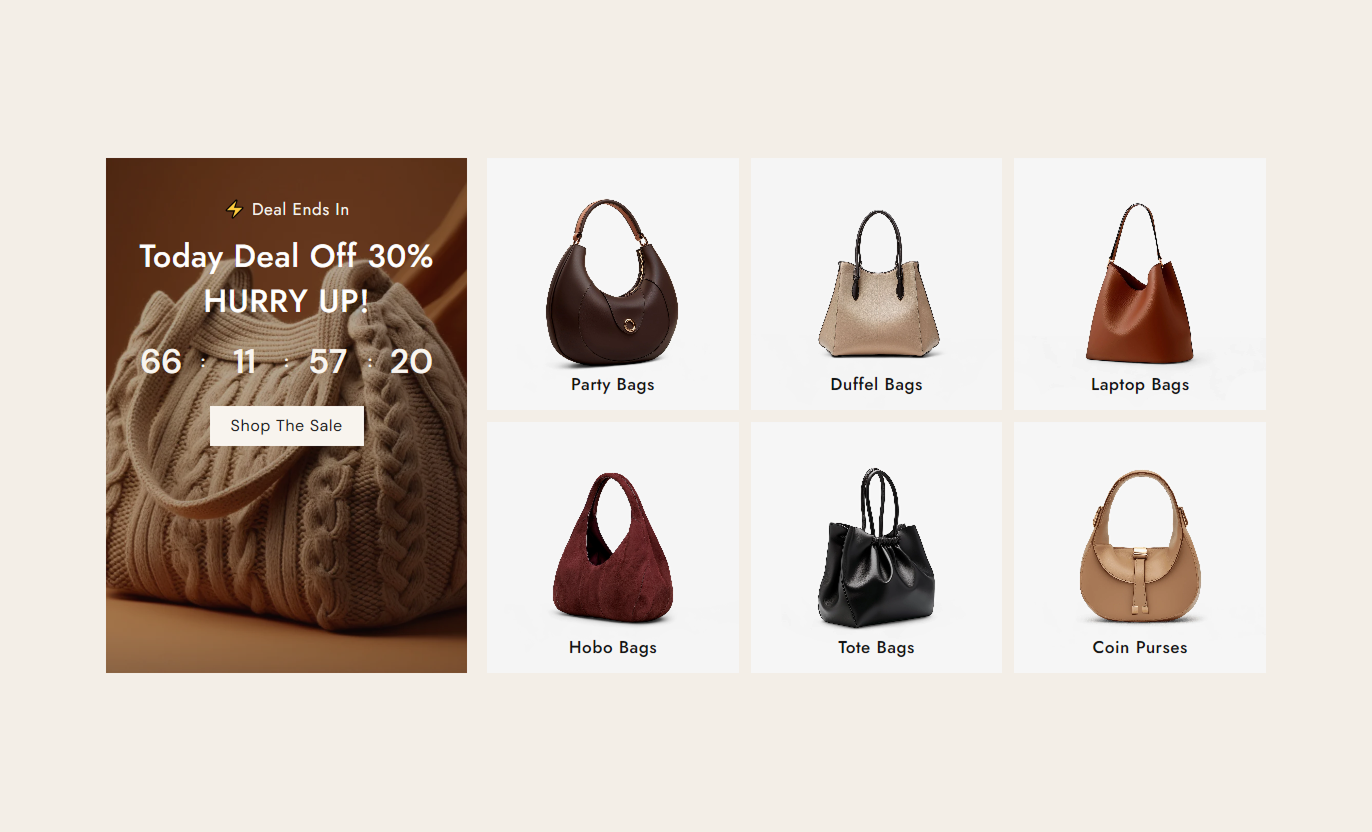
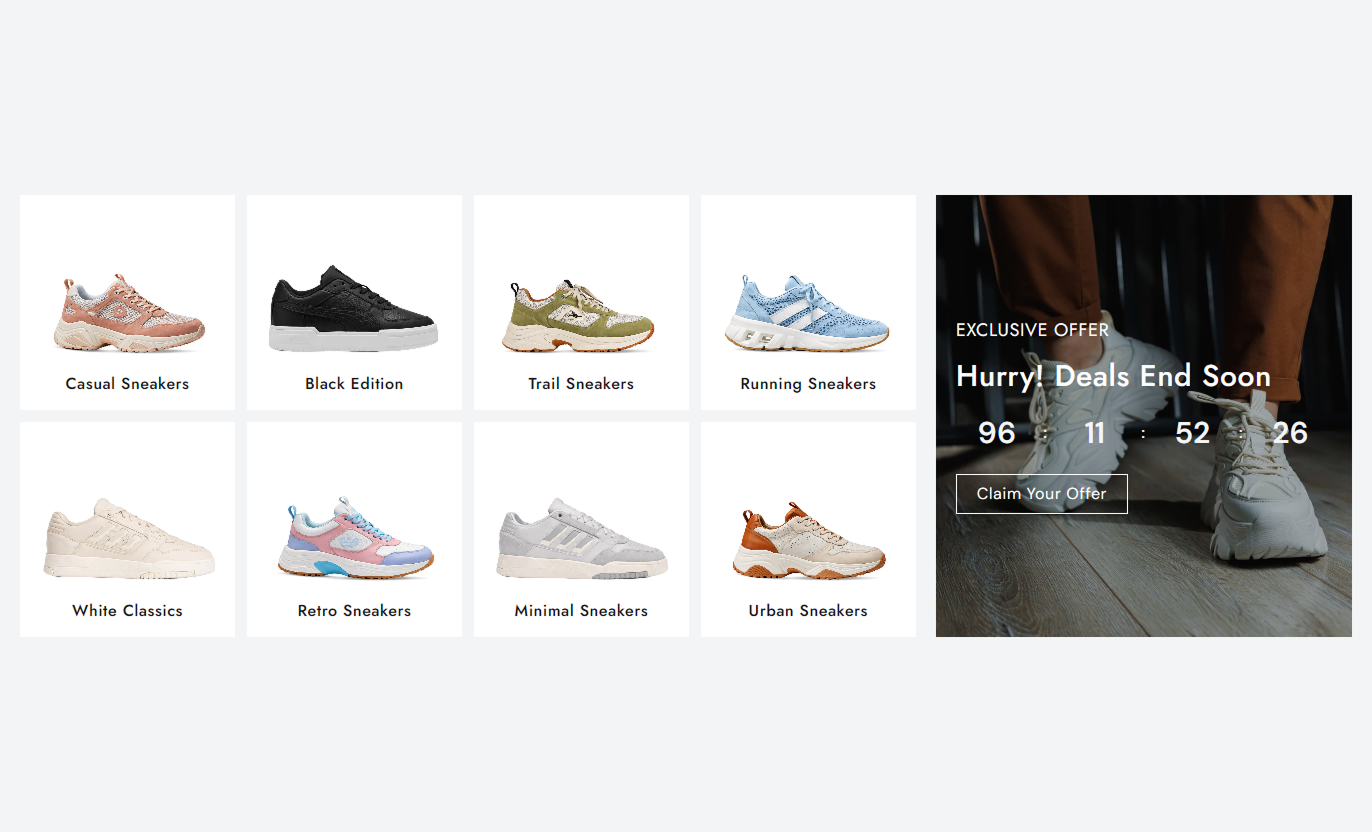
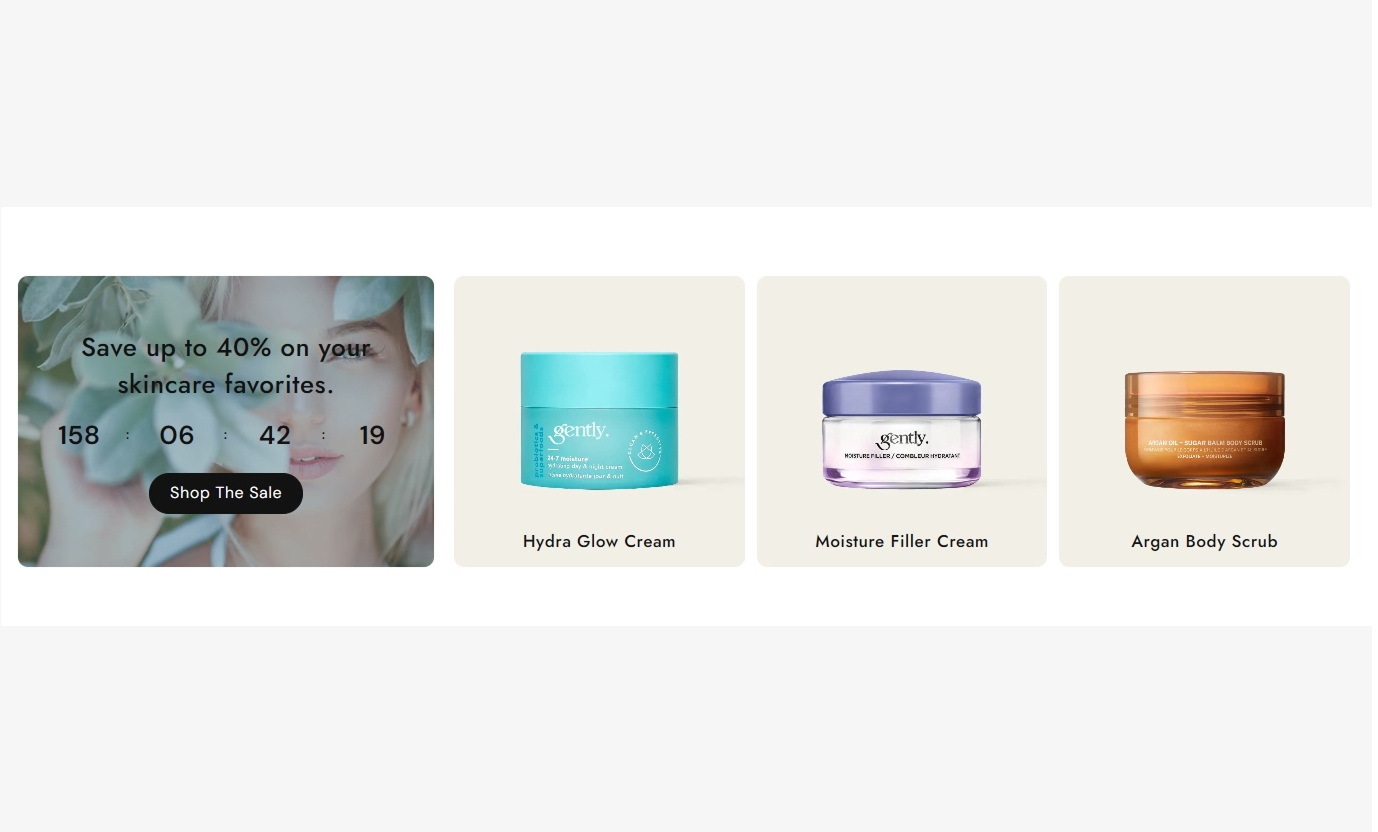


Pair a live sale timer with collection cards, promotional imagery, flexible layouts, custom buttons, and responsive grid controls to showcase limited-time campaigns.

Add a large promotional image with an adjustable overlay to create a strong visual focus for your sales campaign.

Display remaining days, hours, minutes, and seconds to clearly communicate when your limited-time promotion ends.

Show multiple Shopify collections beside the countdown to help shoppers discover products related to your sale campaign.

Add up to twelve collection blocks with custom images, selected collections, and headings to create flexible campaign layouts.

Use custom collection images or automatically display the selected Shopify collection's featured image when available.

Place the promotional image on the left or right side of the collection grid to match your preferred layout.

Add a customizable call-to-action button with a label, link, colors, border radius, and optional outline style.

Choose different collection column layouts and spacing for desktop and mobile devices to keep the campaign easy to browse.
Customize the promotional image, countdown, collection grid, button, typography, colors, alignment, spacing, and section width from the theme editor.

Applies to the whole section
Add the main promotional image for the sale campaign.
ImageChoose whether the image appears left or right.
Image positionAdjust the corner radius of the promotional image.
Border radiusControl the darkness of the image overlay.
OpacityChoose the color applied over the promotional image.
Overlay colorAdd supporting promotional text above the heading.
SubheadingAdd the main sale campaign heading.
HeadingSet the horizontal alignment of the sale content.
Content alignmentSet the vertical position of the sale content on the desktop.
Content vertical alignment (Desktop)Set the maximum width of the section container.
Width (in px)
Applies to each collection card
Add a custom image for the collection card.
ImageSelect the Shopify collection displayed in the card.
CollectionAdd a custom heading for the collection card.
HeadingControl the number of collection columns on the desktop.
ColumnsSet the spacing between collection cards on the desktop.
Space between collectionControl the number of collection columns on mobile.
ColumnsSet the spacing between collection cards on mobile.
Space between collectionUse Sale Countdown Collection Grid to promote flash sales, seasonal campaigns, collection discounts, product launches, clearance events, and other promotions with a clear deadline.
Place the section prominently on your homepage to combine a limited-time offer with multiple collections and guide shoppers toward relevant products before the campaign ends.
Highlight important store-wide promotionsCreate urgency with a live deadlineShowcase multiple sale collectionsGuide shoppers toward relevant productsAdd a direct promotional call-to-actionUse the countdown alongside related collections to promote category-specific discounts and help shoppers discover more products included in your current campaign.
Promote related collections togetherCreate urgency around collection offersHelp shoppers browse sale categoriesDisplay multiple collections in one areaConnect shoppers with relevant productsAdd a section near the promotional product content to remind shoppers about an active campaign and direct them to other collections included in the same sale.
Reinforce active promotional campaignsCreate urgency around limited-time offersIntroduce related sale collectionsEncourage additional product discoveryProvide a clear campaign destinationUse the section on dedicated campaign pages to combine promotional messaging, a countdown timer, and selected collections for seasonal or event-based promotions.
Create focused promotional experiencesHighlight campaign deadlines clearlyOrganize collections by sale themeSupport seasonal marketing campaignsGuide visitors toward featured collectionsCombine a live countdown with promotional imagery and collection cards to make limited-time campaigns easier to notice, explore, and act on.
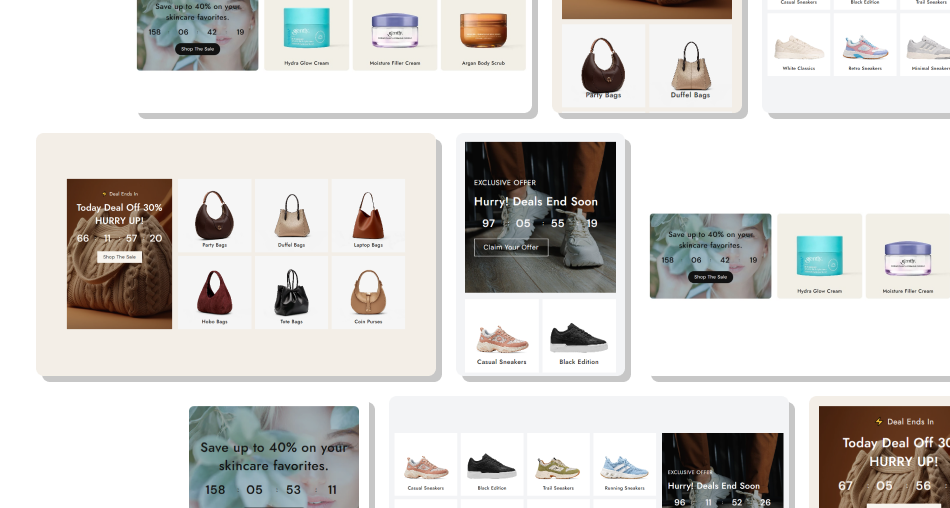
Give shoppers a visible campaign deadline while presenting multiple collections they can explore directly from the same promotional section.
Create urgency around limited-time campaignsShowcase multiple collections togetherMake sale deadlines easy to understandGuide shoppers toward relevant categoriesUse promotional imagery to attract attentionCustomize layouts for desktop and mobileKeep campaign navigation simple and focused Use a promotional image that matches the current campaign
Set an accurate countdown date and ending time
Select collections that are relevant to the promotion
Use clear headings for each collection card
Check the collection grid carefully on mobile devices
Use a promotional image that matches the current campaign
Set an accurate countdown date and ending time
Select collections that are relevant to the promotion
Use clear headings for each collection card
Check the collection grid carefully on mobile devices  Use unrelated images that distract from the sale message
Set an incorrect deadline for your promotional campaign
Add collections that are not part of the offer
Use vague or confusing collection card headings
Overload the grid with unnecessary campaign categories
Use unrelated images that distract from the sale message
Set an incorrect deadline for your promotional campaign
Add collections that are not part of the offer
Use vague or confusing collection card headings
Overload the grid with unnecessary campaign categories You can add up to 12 collection blocks, allowing you to showcase multiple sale categories or product groups within the same section.
Yes. Each collection block supports a custom image. If no image is added, the section can use the selected collection's featured image when available.
Yes. Each collection block has its own Shopify collection setting, so you can choose different collections for every card in the grid.
Yes. Add a custom heading for each collection card. If no custom heading is provided, the selected collection title can be displayed instead.
Yes. Use Image position to place the main promotional image on either the left or right side of the collection grid.
Yes. Set the year, month, date, hour, and minute to define when the countdown campaign should end.
Yes. You can choose 3 or 4 columns on desktop and 2 or 3 columns on mobile, giving you control over the collection grid layout.
Yes. Add a button label and link, then customize its colors, border radius, size, hover styling, and optional outline appearance.
Yes. The section provides separate mobile column and spacing controls so your collection cards remain organized and easy to browse on smaller screens.
For Support or any Questions Email Us: [email protected]
Install SectionHub and add the Sale Countdown Collection Grid section to your theme in minutes - no coding required.
