Show Key Product Ranges in One Space
Use tabs to feature best sellers, new arrivals, seasonal ranges, or selected product groups in a single compact homepage section, without creating separate grids.

Group products into clear tabs with responsive sliders, prices, custom descriptions, and direct product links, helping shoppers browse important ranges without extra scrolling.
 Tabbed Product Browsing
Responsive Product Slider
Flexible Card Styling
Tabbed Product Browsing
Responsive Product Slider
Flexible Card Styling 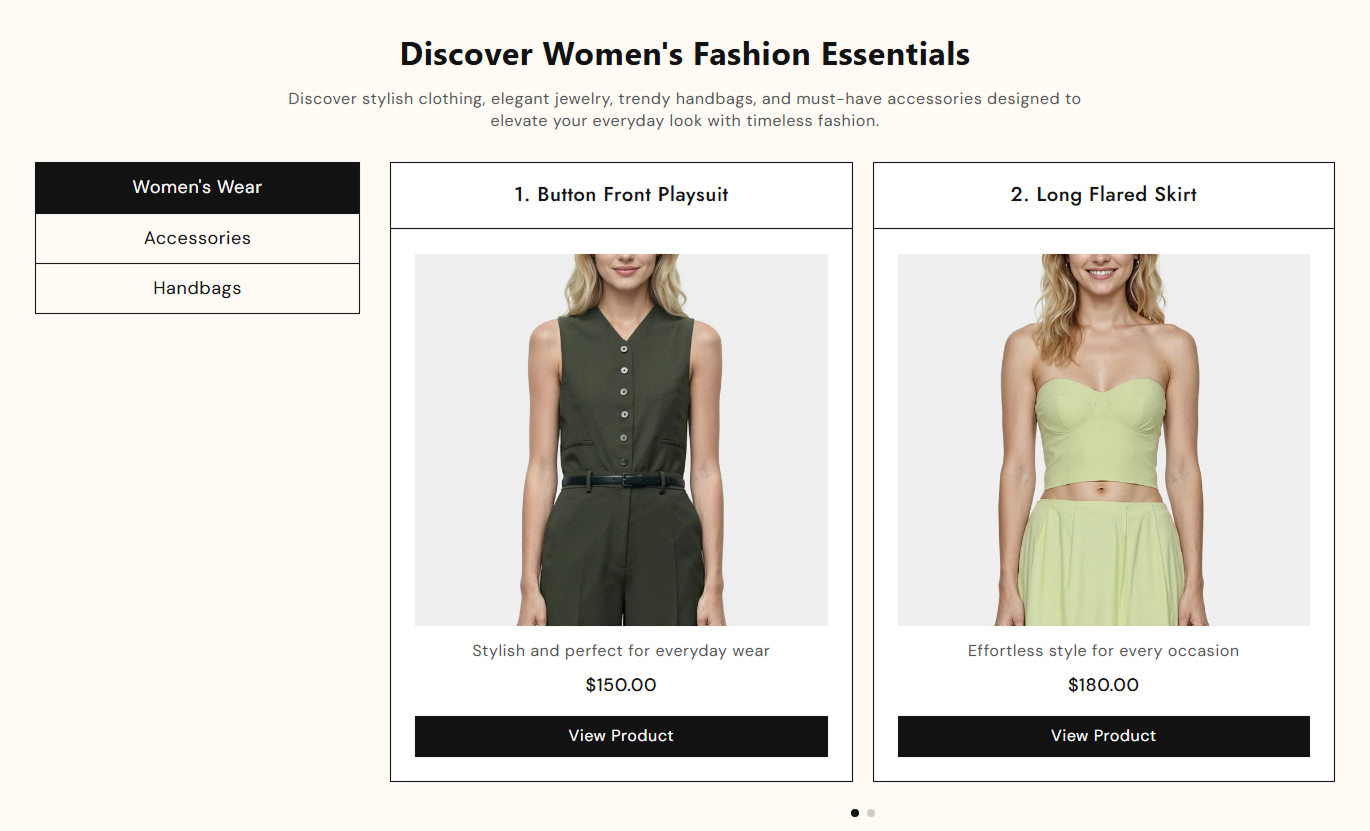
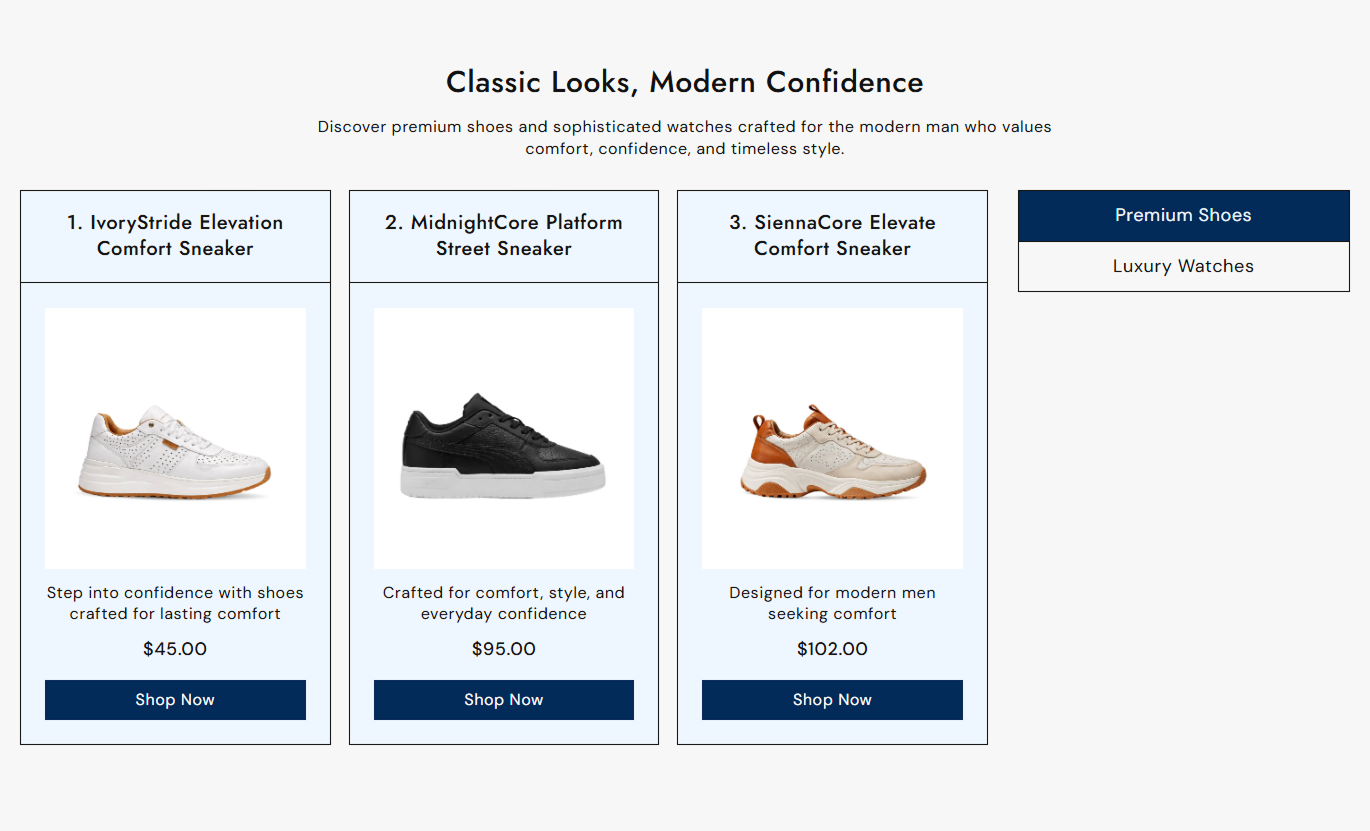


Show related products in clear tabs with flexible sliders, pricing, descriptions, navigation controls, and responsive cards that work smoothly across screen sizes.

Create separate product groups in clickable tabs so shoppers can switch between collections, themes, or featured ranges.

Add up to five selected Shopify products to each tab, with product details displayed automatically from your store.

Choose whether each active product slider shows two or three product cards per view on larger desktop screens.

Choose slider arrows or clickable pagination dots to control how shoppers move through products within each active tab.

Show each product's current price and automatically display the compare-at price when the selected variant has a higher compare-at price.

Add unique rich-text content beneath each selected product to explain benefits, features, uses, or other helpful details.

Product titles, images, and CTA buttons link shoppers directly to the matching Shopify product page for faster browsing.

Display one product per view on mobile while keeping touch swiping, spacing controls, and a clean stacked tab layout.
Control tabs, sliders, product cards, buttons, colors, spacing, and responsive section width from the theme editor.

Applies to the whole section
Set the main title displayed above the tabbed products.
Section HeadingAdd supporting rich text below the main heading.
Section ContentChoose the alignment of the section heading and text.
Section AlignmentPlace the vertical tab list on the left or right.
Product Tab SideShow two or three product cards per desktop view.
Desktop ColumnsChoose arrows or dots for slider navigation.
Pagination TypeSet horizontal spacing between product cards.
Product Card GapSet the label used on every product CTA button.
Product Button LabelMake the section full width or use a fixed maximum width.
Section Width ModeAdjust top and bottom spacing for desktop and mobile.
Section Padding
Applies to each tab
Set the clickable name shown for the product group.
Tab HeadingChoose the first Shopify product for this tab.
First ProductAdd custom supporting text for the first product.
Product 1 ContentChoose additional products for the same tab.
Products 2 - 5Add custom rich text for each selected product.
Product ContentUse tabbed product sliders to organize larger assortments, feature related ranges, and help shoppers compare products without leaving the page.
Use tabs to feature best sellers, new arrivals, seasonal ranges, or selected product groups in a single compact homepage section, without creating separate grids.
Group several featured ranges inside one compact sectionHelp shoppers switch between product categories quicklyPromote best sellers and new arrivals side by sideKeep the homepage cleaner than multiple product gridsSend shoppers directly to relevant product pagesAdd tabs to highlight subcategories, featured picks, complementary ranges, or special product groups while shoppers explore a broader collection.
Separate products into clear themes or subcategoriesSurface featured products without replacing the main gridShow complementary ranges near the collection contentMake larger assortments easier to browse and compareAdd custom descriptions to explain selected productsUse tabs to present complementary products, alternatives, accessories, or grouped recommendations below the main product information, making them easier to discover.
Organize cross-sells into easy-to-understand groupsShow alternatives without crowding the product pageDisplay prices before shoppers open another productAdd context to each recommended product cardSupport direct navigation to related product pagesUse separate tabs for campaign categories, offers, product types, or featured selections so visitors can explore several groups from one landing page.
Keep campaign products organized by clear categoriesShow multiple offers without building separate sectionsLet visitors swipe or click through selected productsUse product descriptions to support campaign messagingGuide visitors from the campaign to product pagesGive shoppers a faster way to explore multiple product groups in a single section while keeping product details, prices, and navigation easy to understand.
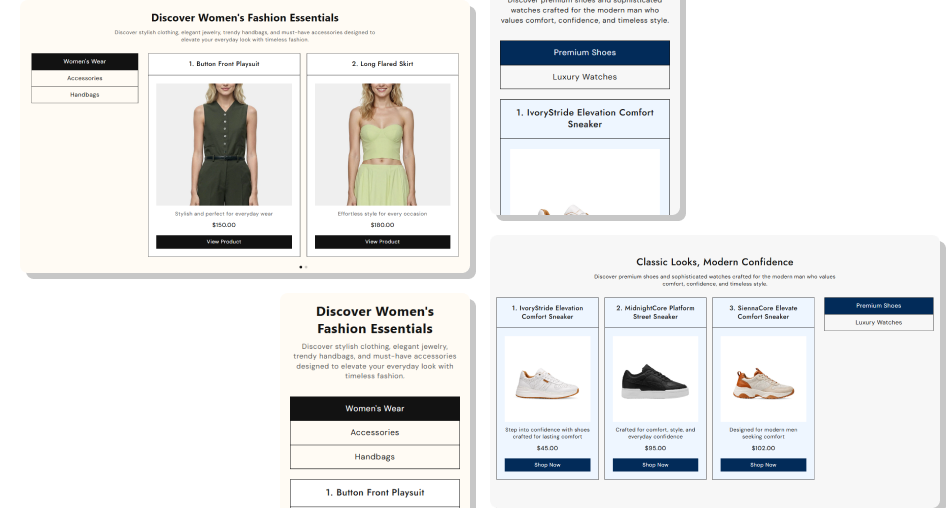
Combine tabs and sliders to show more products in less space while keeping every group clear, browsable, and easy to reach.
Organize multiple product groups inside one sectionReduce page length compared with separate product gridsShow prices and compare-at prices directly on cardsAdd unique supporting content for every selected productChoose two or three product columns on desktopUse arrow or dot navigation to match your store layoutKeep browsing touch-friendly with one card per mobile view Use short tab names that clearly describe each product group.
Keep products within each tab closely related to their labels.
Add helpful product descriptions instead of repeating titles.
Choose consistent product images for a cleaner card layout.
Test arrows, dots, and mobile swiping before publishing.
Use short tab names that clearly describe each product group.
Keep products within each tab closely related to their labels.
Add helpful product descriptions instead of repeating titles.
Choose consistent product images for a cleaner card layout.
Test arrows, dots, and mobile swiping before publishing.  Do not mix unrelated products inside the same tab group.
Do not use vague tab labels that shoppers cannot understand.
Do not overload custom descriptions with unnecessary text.
Do not add more tabs or products than the page needs.
Do not hide important product differences inside generic copy.
Do not mix unrelated products inside the same tab group.
Do not use vague tab labels that shoppers cannot understand.
Do not overload custom descriptions with unnecessary text.
Do not add more tabs or products than the page needs.
Do not hide important product differences inside generic copy. You can add up to five tab blocks. Each tab has its own heading and can contain up to five selected Shopify products.
Each tab supports up to five products, with a separate rich-text content field available for every selected product.
Yes. The section lets you display either two or three product cards per view on screens at or above the desktop breakpoint.
Yes. Choose either arrow navigation or clickable pagination dots. The selected option is applied to the product sliders in the section.
Yes. It shows the selected variant price and also shows the compare-at price when it is higher than the current product price.
Yes. Every product slot includes its own rich-text content field, allowing you to add supporting copy beneath the product image.
On mobile, the layout stacks the tabs above the products and shows one product card per view with touch movement enabled.
Yes. You can adjust section, tab, product card, price, button, arrow, dot, border, and hover colors, as well as button styling.
For Support or any Questions Email Us: [email protected]
Install SectionHub and add the Product Tabs Showcase section to your theme in minutes - no coding required.
