Highlight Key Product Groups Up Front
Use tabs on the home page to group best sellers, new arrivals, seasonal picks, or featured categories while keeping the layout compact and easy to explore.

Organize featured products into clickable tabs with images, videos, pricing, and mobile-friendly browsing so shoppers can explore collections with less effort today.
 Tabbed Product Browsing
Image and Video Cards
Mobile Swipe Layout
Tabbed Product Browsing
Image and Video Cards
Mobile Swipe Layout 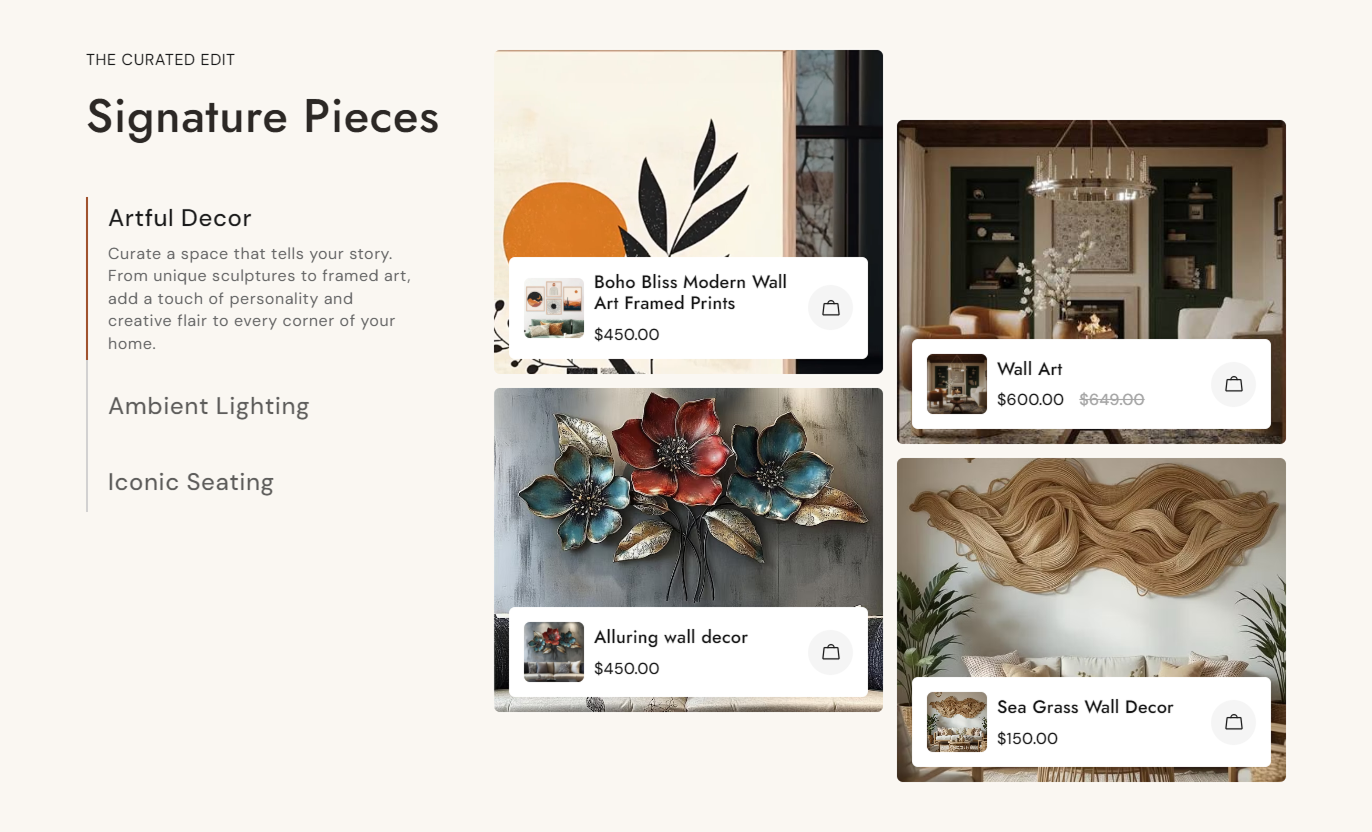
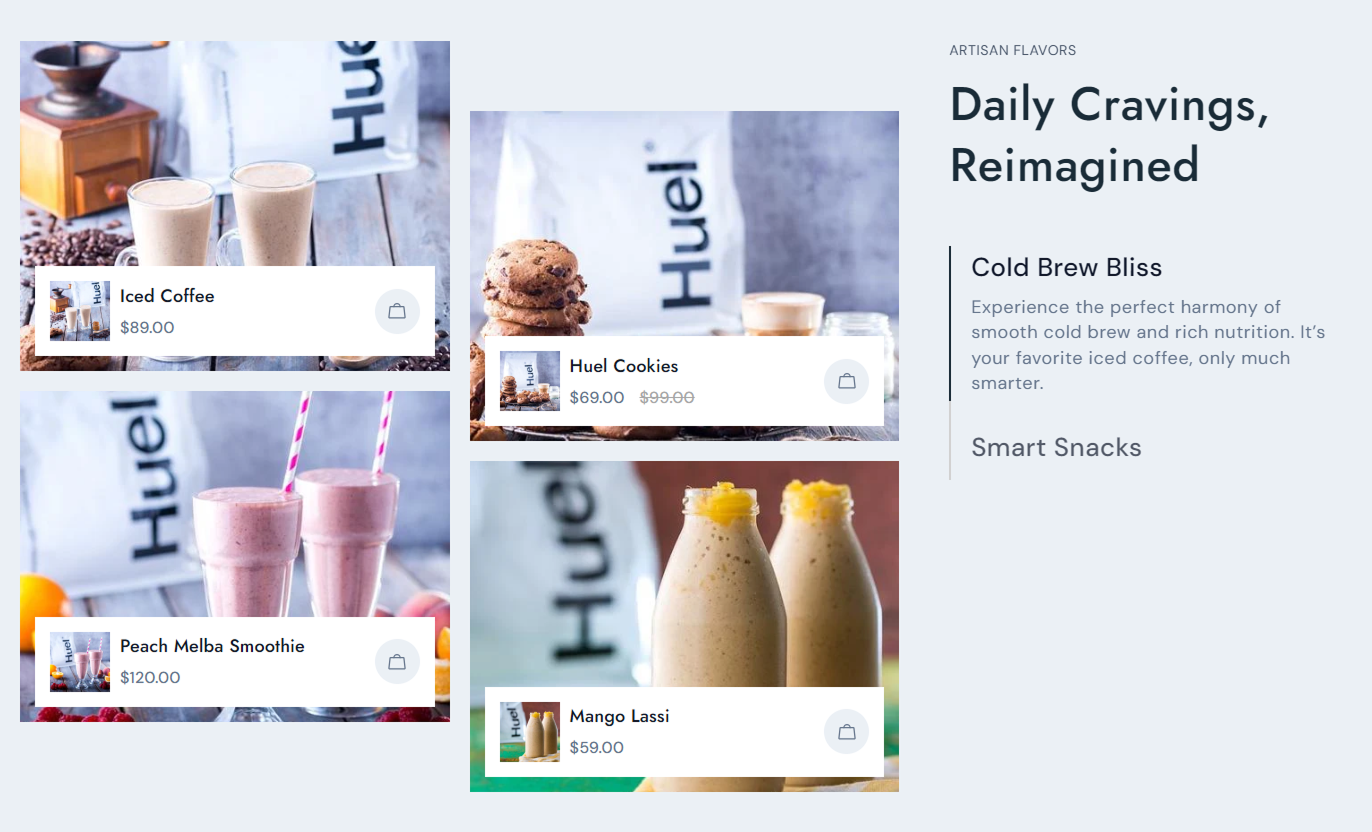


Create organized product tabs with custom media, pricing, responsive layouts, and flexible styling controls for a polished Shopify storefront.

Create multiple tabs so shoppers can switch between grouped products without leaving the section.

Add up to four selected Shopify products to each tab for a focused, easy-to-scan product showcase.

Use a custom image or Shopify-hosted video for each product card instead of relying only on its featured image.

Display each selected product's current price and compare-at price automatically from Shopify product data.

Let shoppers open the related product page directly by clicking the product card or its shopping bag icon.

On mobile, product cards become a swipeable slider with adjustable spacing for easier browsing on smaller screens.

Choose whether the tab area appears before or after the product grid to suit different storefront layouts.

Adjust colors, font sizes, borders, spacing, card radius, section width, and padding from the theme editor.
Control tab content, product cards, layout, colors, spacing, and responsive styling from the Shopify theme editor.

Applies to the whole section
Add supporting text above the main section heading.
Section SubheadingSet the main heading shown above the product tabs.
Section HeadingChoose how the section heading and tab text are aligned.
Section Text AlignmentPlace the tab list before or after the product grid.
Tab and Grid PositionSet the corner radius used across product cards and overlays.
Product Card RadiusAdjust spacing between product cards on desktop screens.
Desktop Product GapAdjust spacing between swipeable product cards on mobile.
Mobile Product GapCustomize section, tab, product card, price, and icon colors.
Section Color ControlsSet separate top and bottom spacing for desktop and mobile.
Section PaddingUse full width or set a maximum contained section width.
Section Width Control
Applies to each tab
Name the tab shoppers use to switch product groups.
Tab HeadingAdd descriptive text that explains the current tab.
Tab ContentChoose the first Shopify product shown in the tab.
First ProductChoose the second Shopify product shown in the tab.
Second ProductChoose the third Shopify product shown in the tab.
Third ProductChoose the fourth Shopify product shown in the tab.
Fourth ProductAdd a custom image or video for each selected product.
Product MediaUse tabbed product groups across key Shopify pages to organize related products, improve discovery, and keep larger selections easier to browse.
Use tabs on the home page to group best sellers, new arrivals, seasonal picks, or featured categories while keeping the layout compact and easy to explore.
Show several product groups without creating a long homepageGuide shoppers toward best sellers and new product launchesUse images or videos to make featured items more engagingKeep important product pricing visible within each product cardMake mobile product browsing easier with swipeable cardsAdd tabbed product groups to collection pages to surface complementary ranges, featured items, or curated subsets without interrupting normal collection browsing.
Highlight curated subsets within a broader product collectionSurface complementary products alongside the current categoryReduce visual clutter by separating products into clear tabsUse custom media to give priority products stronger visibilityHelp mobile shoppers browse selected products with less scrollingUse the section on product pages to present related items, matching products, alternative styles, or curated recommendations in a structured tabbed layout.
Present related products without overwhelming the product pageGroup alternatives, matching items, or accessories by purposeShow live Shopify pricing for every selected product cardLink shoppers directly from each card to its product pageUse custom image or video media for stronger visual contextUse tabs on landing pages to separate campaign products by theme, audience, season, or collection while keeping the experience focused and easy to navigate.
Group campaign products by theme, collection, or audienceKeep multiple product groups inside one focused sectionSupport visual storytelling with custom image or video mediaShow pricing clearly while keeping every product directly linkedCreate a cleaner mobile experience with swipeable product cardsTurn multiple product groups into a single organized section that helps shoppers compare options, browse faster, and navigate directly to relevant product pages.
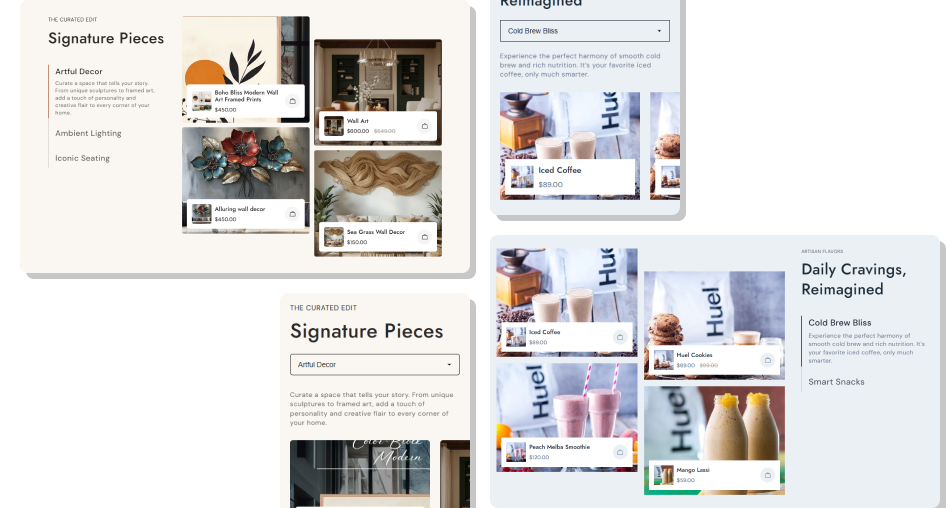
Use tabs to organize selected products into clear groups while keeping media, pricing, and direct product links easy to access.
Group related products into clear, shopper-friendly tabsShow up to four selected products within every tabUse custom image or video media to strengthen product presentationDisplay current and compare-at pricing from Shopify product dataSend shoppers directly to the relevant product page from each cardKeep mobile browsing smooth with a swipeable product sliderMatch the section to your theme with flexible style controls Group products by a clear theme, collection, use case, or audience
Keep tab headings short so shoppers can scan choices quickly
Use consistent product images or videos across the same tab
Choose products that genuinely belong together within each tab
Check mobile spacing and swipe behavior before publishing
Group products by a clear theme, collection, use case, or audience
Keep tab headings short so shoppers can scan choices quickly
Use consistent product images or videos across the same tab
Choose products that genuinely belong together within each tab
Check mobile spacing and swipe behavior before publishing  Do not mix unrelated products inside the same product tab
Do not use inconsistent media that makes the grid feel messy
Do not create vague tab names that hide what shoppers will see
Do not overload every tab when a smaller curated set works better
Do not ignore mobile layout, spacing, or media cropping
Do not mix unrelated products inside the same product tab
Do not use inconsistent media that makes the grid feel messy
Do not create vague tab names that hide what shoppers will see
Do not overload every tab when a smaller curated set works better
Do not ignore mobile layout, spacing, or media cropping Each tab supports up to four selected Shopify products, with separate controls for each product's position: product, image, and video.
Yes. Each product position includes an image picker and video setting, so you can replace the default featured image with custom media.
Yes. Product cards pull the selected variant's price and show the compare-at price when it is higher than the current product price.
On smaller screens, tabs use a select menu, and product cards become a swipeable slider with mobile spacing controlled in the section settings.
Yes. The Media Position setting lets you place the tab area before or after the product grid on larger screen layouts.
Yes. The section includes controls for headings, tab text, borders, product pricing, card backgrounds, icons, and several font sizes.
Yes. You can enable a full-width layout or set a maximum width, plus adjust desktop and mobile top and bottom padding.
Yes. The section uses Shopify section settings and tab blocks, so merchants can configure its content and styling from the theme editor.
For Support or any Questions Email Us: [email protected]
Install SectionHub and add the Product Tabs Details section to your theme in minutes - no coding required.
