Feature Products With More Visual Impact
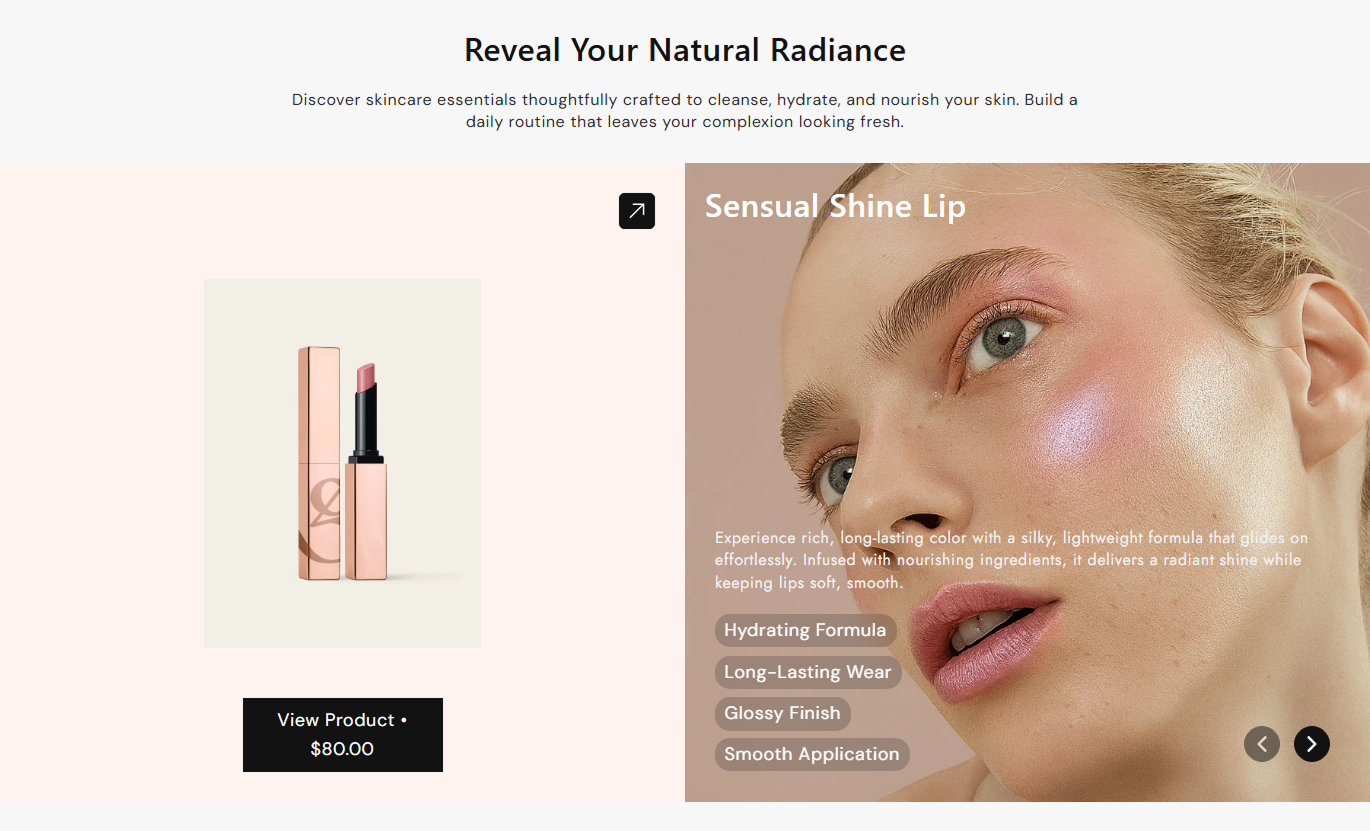
Use the slider to spotlight key products with images, descriptions, feature tags, and pricing while keeping the homepage focused and easy to browse.

Show products with synchronized visuals, pricing, feature tags, custom descriptions, and slide controls in a polished, responsive Shopify product showcase for easier browsing.
 Synced Product Slides
Autoplay & Loop
Responsive Showcase
Synced Product Slides
Autoplay & Loop
Responsive Showcase 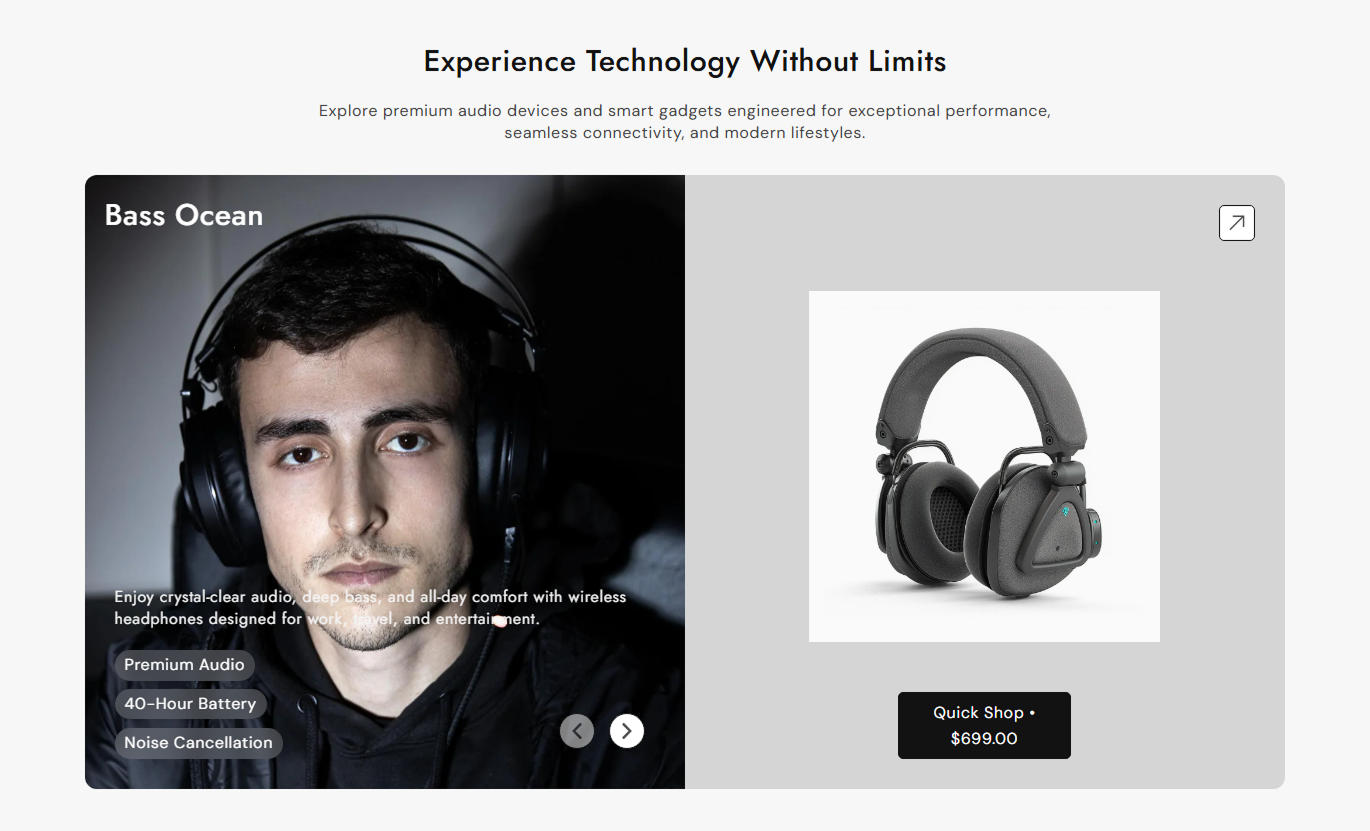


Showcase selected products with synchronized image and content slides, custom descriptions, feature tags, pricing, autoplay, and responsive controls.

Keep the product image and content panels in sync so both areas change together as shoppers move through the slides.

Pull the selected product title, featured image, price, and product link directly from your Shopify product data.

Add your own rich text for each slide, or leave it blank to use the selected product description automatically.

Add comma-separated feature tags to each product slide and display them as compact highlighted badges.

Show the current product price directly inside the main product button, giving shoppers useful pricing context before they click.

Choose whether the slider rotates automatically, repeats continuously, and how many seconds pass between autoplay changes.

Place the product image slider on the left or right side of the content area to match your storefront layout.

On mobile, the product image, content, CTA, and navigation adapt into a compact single-column shopping experience.
Control slider behavior, alignment, CTA styling, colors, spacing, width, and product slides directly from the Shopify theme editor.

Applies to the whole section
Add the main heading displayed above the product slider.
Section HeadingAdd supporting rich text below the section heading.
Section ContentChoose how the section heading and supporting content are aligned.
Content AlignmentPlace the product media on the left or right side of the content.
Product Media SideEnable looping, autoplay, and control the autoplay speed.
Slider PlaybackCustomize the button label, outline style, border radius, and size.
Button Style ControlsCustomize arrow color, background, border, and size.
Arrow Style ControlsUse the available page width or set a custom maximum section width.
Section Width ControlSet separate top and bottom spacing for desktop and mobile.
Responsive SpacingCustomize section heading, content, button, and navigation arrow colors.
Section Color Controls
Applies to each product slide
Select the Shopify product displayed in this slide.
Selected ProductAdd a background image behind the slide content area.
Background ImageAdd custom rich text or use the selected product description.
Slide ContentAdd comma-separated feature highlights for the product.
Feature TagsSet the background color behind the product image.
Image BackgroundCustomize heading, content, tag text, and tag background colors.
Slide Text ColorsUse this section to present products with richer visual context, feature highlights, pricing, and interactive navigation across key Shopify pages.
Use the slider to spotlight key products with images, descriptions, feature tags, and pricing while keeping the homepage focused and easy to browse.
Show selected products in a more editorial presentationCombine product imagery with useful supporting contentSurface current pricing directly inside the CTA buttonRotate through multiple products without stacking separate sectionsUse autoplay to keep featured products moving through the showcaseHighlight selected products from a collection with richer descriptions, feature tags, and direct product links before or between standard product grids.
Draw attention to priority products inside large collectionsExplain product differences with custom slide descriptionsUse feature tags to highlight important product attributesLink shoppers directly to each featured product pageAdd a visual break between standard collection contentUse the slider to present complementary or alternative products with richer copy, feature tags, images, pricing, and direct links to each product page.
Recommend complementary products with stronger contextPresent alternatives without using a basic product gridShow feature tags for quick product detail scanningKeep product pricing visible inside each CTA buttonHelp shoppers move directly to another product pageUse synchronized visuals and content to introduce campaign products, key features, prices, and supporting messages in a focused slider experience.
Show campaign products in a polished visual sequenceCombine promotional copy with useful product informationUse custom background images for stronger visual storytellingControl autoplay speed to match the campaign paceGuide visitors to product pages with clear CTAsPresent products with more context than a basic carousel by combining synchronized media, custom copy, feature tags, pricing, and direct product links.
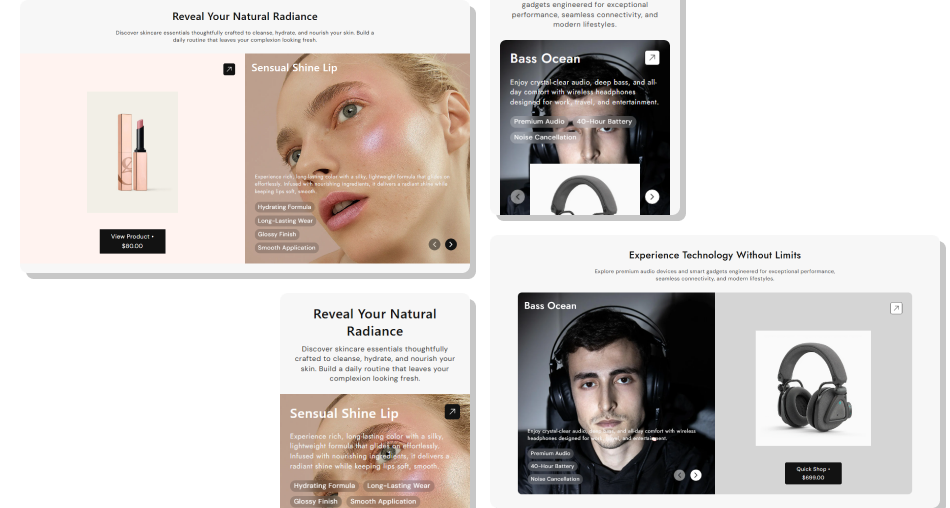
Give shoppers a clearer product overview by pairing each item with imagery, supporting copy, features, price, and a direct CTA.
Keep product imagery and supporting content synchronizedShow current product pricing directly inside each main CTAAdd custom product messaging without changing product pagesUse feature tags to make important details easier to scanControl autoplay, looping, arrows, and slide timingChoose left or right media placement to suit your layoutDeliver a compact mobile experience with touch-friendly slides Use short descriptions that add useful context to each product.
Keep feature tags concise and clearly related to the product.
Choose background images that support the featured product.
Set autoplay speed, so shoppers have enough time to read.
Check product links, pricing, and mobile layout before publishing.
Use short descriptions that add useful context to each product.
Keep feature tags concise and clearly related to the product.
Choose background images that support the featured product.
Set autoplay speed, so shoppers have enough time to read.
Check product links, pricing, and mobile layout before publishing.  Do not overload feature tags with long sentences or unnecessary details.
Do not use unrelated background images behind product content.
Do not set autoplay too fast for shoppers to read the slide.
Do not repeat full product descriptions when shorter copy works.
Do not rely on slider content for essential purchase information.
Do not overload feature tags with long sentences or unnecessary details.
Do not use unrelated background images behind product content.
Do not set autoplay too fast for shoppers to read the slide.
Do not repeat full product descriptions when shorter copy works.
Do not rely on slider content for essential purchase information. Yes. Each block lets you select its own Shopify product, and the product image, product title, and CTA can direct shoppers to that selected product page.
Yes. Add custom rich text in the Slide Content field. If you leave it blank, the section can use the selected product description instead.
Yes. The CTA displays the price associated with the selected product, so pricing can be pulled directly from the chosen Shopify product.
Yes. Enter comma-separated tags in each product block. They are displayed as compact feature badges within that slide's content area.
Yes. You can enable autoplay and looping separately, then choose the autoplay interval from the available slider settings.
Yes. The Product Media Side setting lets you place the product image slider on either the left or right side of the content area.
On mobile, the layout adapts into a single-column experience with adjusted product media, content, buttons, and navigation for smaller screens and touch browsing.
For Support or any Questions Email Us: [email protected]
Install SectionHub and add the Product Slider Showcase section to your theme in minutes - no coding required.
