Highlight Featured Products With Visual Storytelling
Showcase featured products beside promotional imagery and supporting content to create an engaging homepage section that encourages customers to explore products.

Showcase products with large visuals, supporting content, product information, pricing, vendor details, and responsive slider controls in one engaging store section.
 Visual Product Showcase
Product Slider Experience
Responsive Store Design
Visual Product Showcase
Product Slider Experience
Responsive Store Design 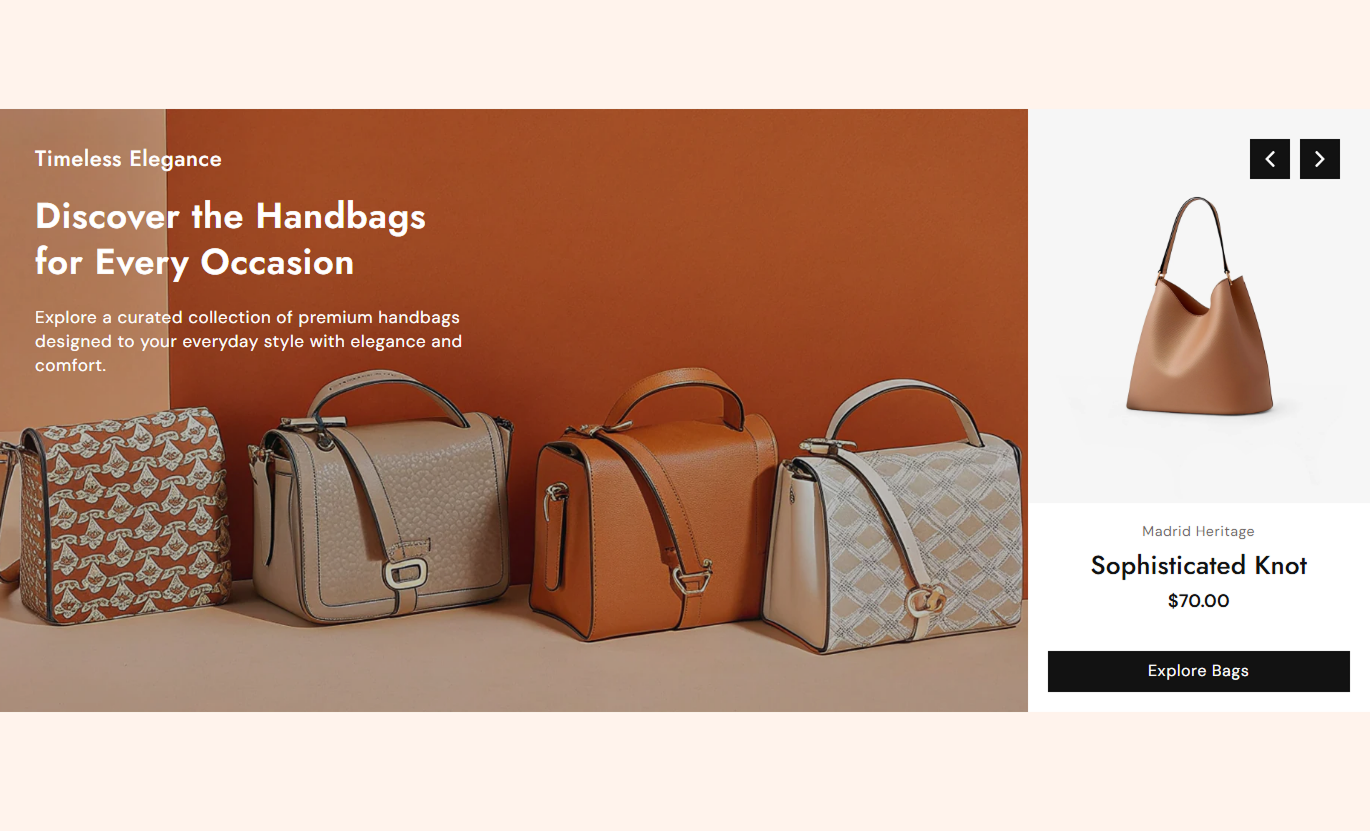
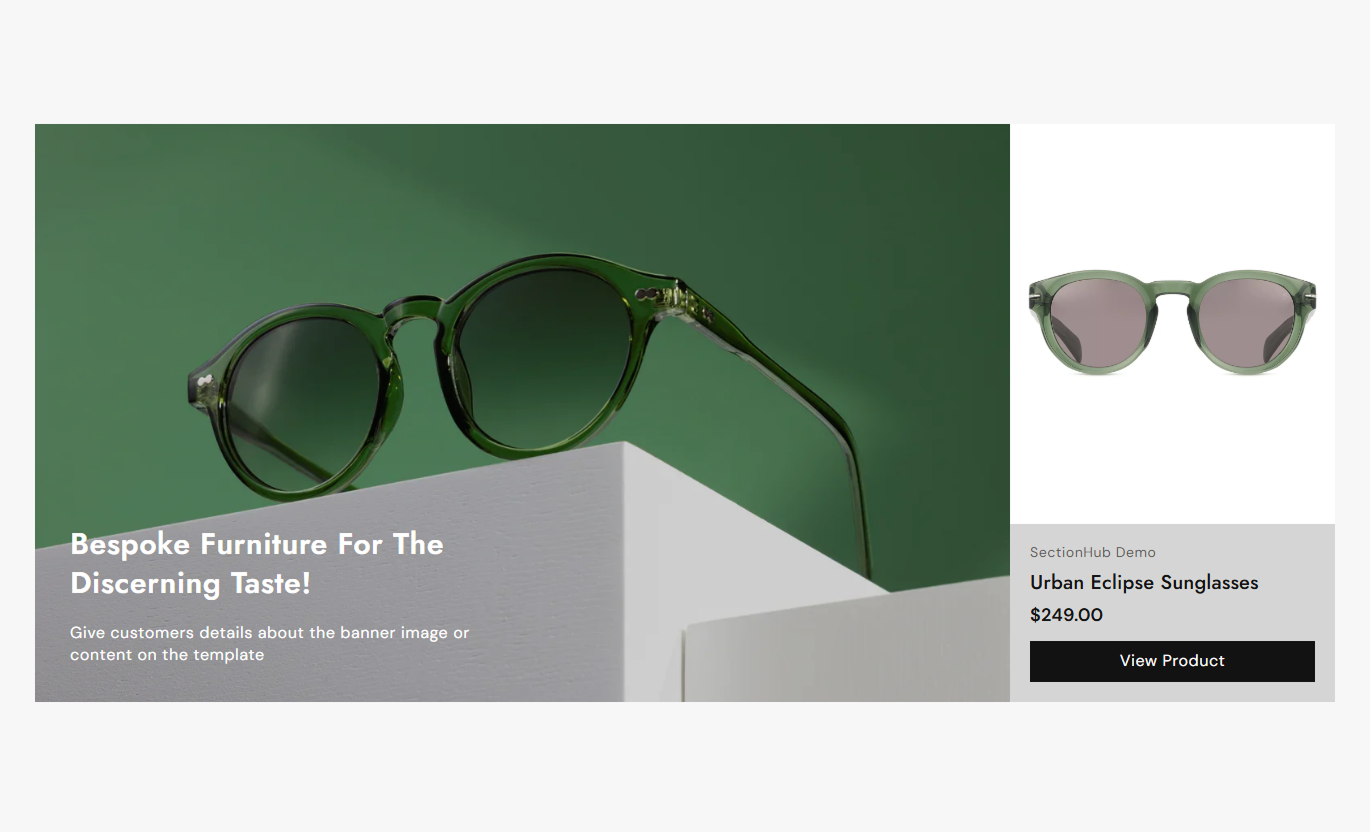


Combine product imagery, promotional content, product details, pricing, autoplay, navigation, and responsive layouts to create an engaging shopping experience.

Display a large promotional image alongside product information for a strong visual shopping experience.

Use separate desktop and mobile images to create better visual layouts across different screen sizes.

Show the selected product image, title, vendor, pricing, and product link beside the main visual.

Add a subheading, heading, and rich text content over each promotional image.

Enable automatic slide changes and control how frequently the product slides transition.

Position slide content at the top, middle, or bottom with left, center, or right alignment.

Add a customizable button that links directly to the selected product page.

Use navigation arrows with customizable colors, borders, size, and styling for easy browsing.
Control slider behavior, product content, typography, colors, spacing, navigation, and section width from one place.

Applies to the whole section
Choose the main image height for each product slide.
HeightEnable automatic movement between product slides.
Enable autoplaySet how often the slider changes slides.
Change slides everyChoose the overlay color displayed over slide images.
Overlay colorControl the transparency of the image overlay.
Overlay opacitySet the alignment of product information.
Text alignmentDisplay or hide the product vendor name.
Show vendorSet the label displayed on the product button.
Button labelChoose whether the product button uses an outline style.
Use outline buttonSet the button corner radius for the product panel.
Button border radiusChoose the desktop button text size.
Size (Desktop)Set the background color for the product information area.
Product Panel Background ColorControl the section's background color when not full width.
Section Background Color
Applies to each product slide
Choose the main image displayed on desktop devices.
Desktop imageChoose an alternate image specifically for mobile devices.
Mobile imageSelect the Shopify product shown in the product panel.
Select productAdd supporting text above the main slide heading.
SubheadingAdd the main heading displayed over the slide image.
HeadingAdd rich text content below the slide heading.
ContentChoose where slide content appears on desktop.
Content positionSet left, center, or right text alignment for the slide.
Text alignmentCustomize the subheading, heading, and content colors.
Slide ColorsUse the product slider across key storefront pages to combine promotional imagery, product information, pricing, and direct product links in a responsive layout.
Showcase featured products beside promotional imagery and supporting content to create an engaging homepage section that encourages customers to explore products.
Showcase important products prominentlyCombine imagery with product informationAdd promotional messaging beside productsLink shoppers directly to product pagesCreate a strong visual homepage experienceUse the slider to introduce selected products within collection pages while combining product details with supporting promotional imagery and custom slide messaging.
Highlight selected collection productsAdd visual context around productsFeature specific products prominentlyProvide direct product page accessCreate variety within collection layoutsPresent related or complementary products with large imagery, product details, pricing, and supporting content to help shoppers discover more items.
Showcase complementary productsSupport product discoveryDisplay product pricing clearlyAdd useful promotional contentEncourage shoppers to explore more productsBuild focused promotional sections for campaigns, launches, or special product collections using large visuals, custom messaging, product details, and direct links.
Build focused product campaignsHighlight launch products visuallyCombine promotional and product contentGuide shoppers to selected productsCreate responsive campaign sectionsGive your store a flexible way to present products through large imagery, custom messaging, product details, pricing, navigation, and responsive layouts.
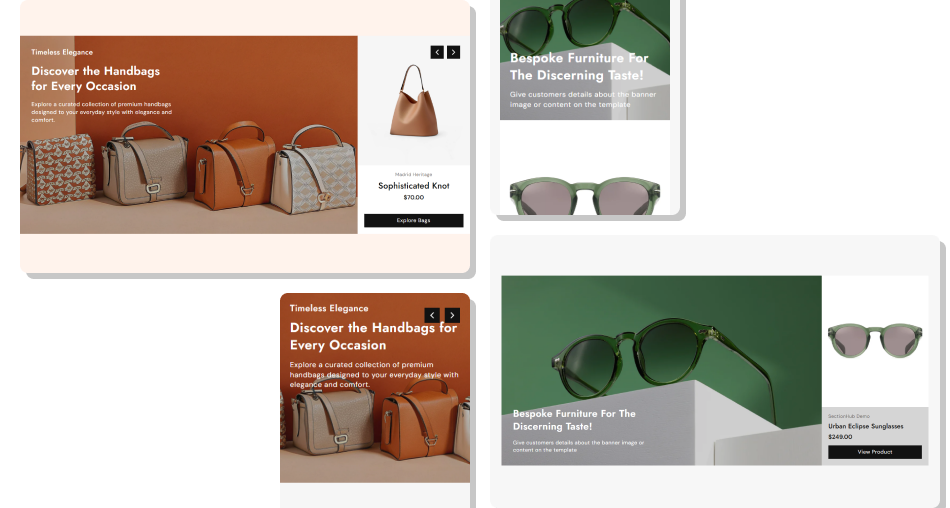
Make product discovery more engaging with visual slides that combine promotional content, product details, pricing, autoplay, and responsive navigation.
Showcase products with large visualsAdd separate desktop and mobile imagesCombine product details with promotionsDisplay vendor and pricing informationAdd custom slide messagingLink shoppers directly to productsKeep the experience responsive Use clear product images with good visual quality.
Keep slide headings short and easy to understand.
Choose relevant products for each promotional slide.
Use readable text colors over image overlays.
Check the slider carefully on mobile devices.
Use clear product images with good visual quality.
Keep slide headings short and easy to understand.
Choose relevant products for each promotional slide.
Use readable text colors over image overlays.
Check the slider carefully on mobile devices.  Avoid using low-quality or unrelated product images.
Don't add overly long headings or content.
Avoid choosing products that do not match the slide.
Don't use overlays that make text difficult to read.
Don't ignore mobile image and content spacing.
Avoid using low-quality or unrelated product images.
Don't add overly long headings or content.
Avoid choosing products that do not match the slide.
Don't use overlays that make text difficult to read.
Don't ignore mobile image and content spacing. Yes. Each Product Slide block has its own product selector, allowing you to display a different Shopify product with its image, title, vendor, and pricing.
Yes. Each slide supports separate Desktop Image and Mobile Image settings so you can provide visuals that work better for different screen sizes.
Yes. Enable autoplay from the section settings and choose the slide change interval from 1 to 10 seconds.
Yes. Each slide supports a subheading, heading, and rich text content. You can also control the desktop content position and text alignment.
Yes. The vendor can be shown or hidden using the Show Vendor setting, while the product panel automatically displays pricing and compare-at pricing when available.
Yes. You can set the button label, use an outline style, adjust the border radius, and customize its colors, hover colors, and desktop text size.
Yes. The arrow background, arrow color, border color, and desktop arrow size can all be customized from the section settings.
Yes. The layout automatically adapts for mobile devices, including stacked media and product content, mobile images, adjusted typography, spacing, buttons, and navigation.
For Support or any Questions Email Us: [email protected]
Install SectionHub and add the Product Slider section to your theme in minutes - no coding required.
