Showcase Products From the First Visit
Feature selected products with strong visuals and clear pricing to help visitors discover your store's key products.

Showcase featured products with eye-catching images, product details, pricing, and buttons in a flexible layout built for modern Shopify stores.
 2.0 Compatible
Product-Focused Layout
Responsive Design
2.0 Compatible
Product-Focused Layout
Responsive Design 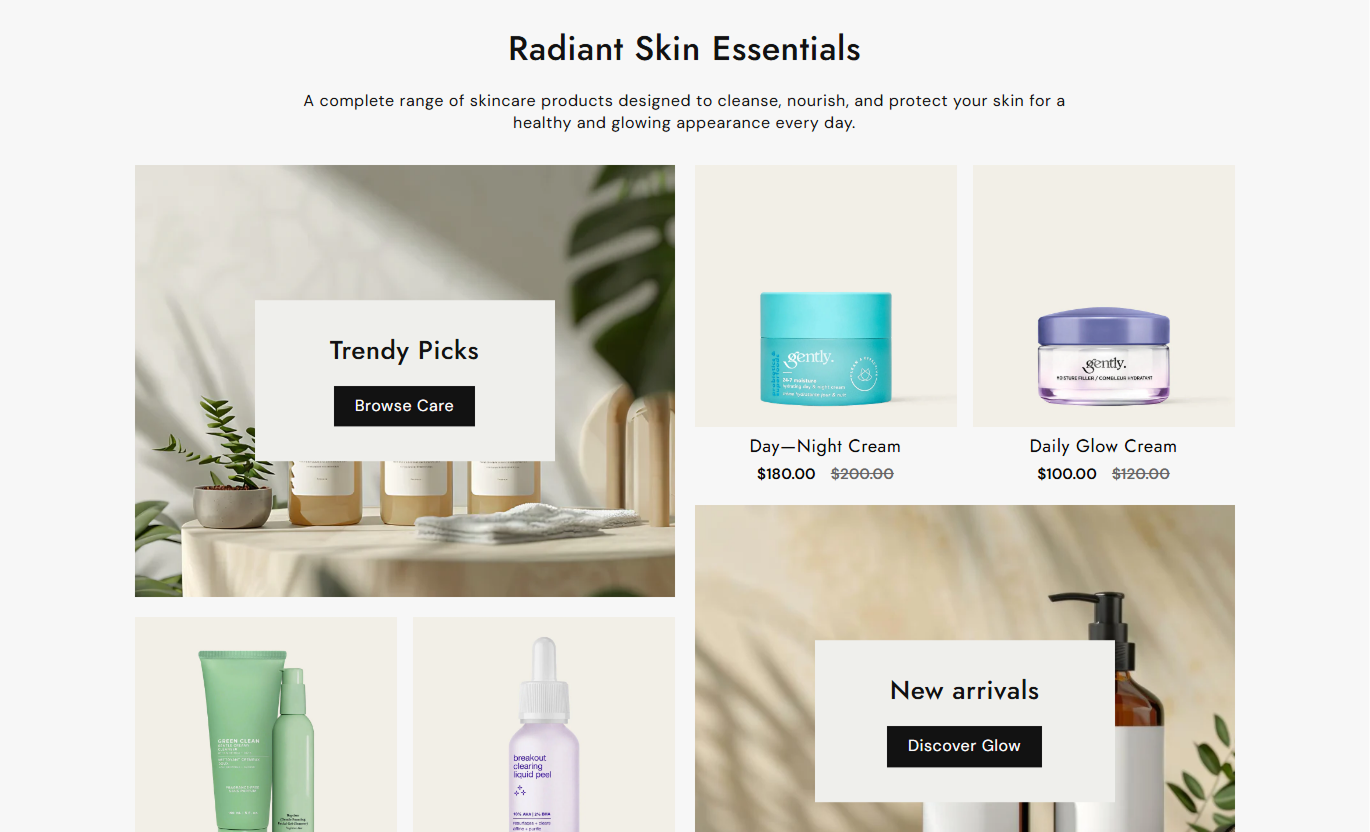


Create product-focused sections with custom images, product selections, pricing, text alignment, buttons, colors, and responsive layouts.

Showcase selected products in a visually engaging layout designed to bring attention to featured product collections.

Use custom images as the main visual for each showcase block and create a strong presentation around your products.

Automatically display the current price of each selected Shopify product directly within the product showcase.

Display compare-at prices alongside current prices when products are offered at a discounted or sale price.

Add a custom heading to each showcase block to introduce products, collections, campaigns, or promotional content.

Add custom button labels and links to guide shoppers toward relevant pages, collections, products, or other destinations.

Control the alignment of product information to create a clean and consistent presentation within each showcase block.

Present showcase images, products, content, and pricing in a responsive layout that adapts smoothly across screen sizes.
Customize the showcase layout, product content, buttons, colors, spacing, and section width to match your Shopify store.

Applies to the whole section
Set the main heading displayed above the product showcases.
Section HeadingAdd supporting content below the main section heading.
Section ContentChoose how the main section text is aligned.
Text AlignmentChoose a small, medium, or large image height.
Image HeightSet the font size for the main section heading.
Heading Font SizeSet the font size for the section description.
Content Font SizeCustomize the background color of the section.
Background ColorChoose the section's maximum content width.
Maximum Section WidthEnable a full-width layout across the store.
Full Width LayoutAdjust the spacing above and below the section.
Section Padding
Applies to each product showcase
Choose the image displayed in the showcase area.
Showcase ImageSelect up to two products for the product grid.
Select ProductsAdd a heading displayed over the showcase image.
Showcase HeadingAdd text for the showcase button.
Button LabelSet the destination URL for the showcase button.
Button LinkChoose the alignment of the image content.
Image Content AlignmentChoose the alignment of product titles and prices.
Product Content AlignmentUse Product Showcase to highlight selected products with visuals, pricing, headings, and links across different Shopify store pages.
Feature selected products with strong visuals and clear pricing to help visitors discover your store's key products.
Highlight featured productsPromote new arrivalsShowcase trending productsGuide shoppers to product pagesAdd a visual product section to feature selected items and create more opportunities for shoppers to explore your products.
Feature selected productsHighlight seasonal picksPromote best-selling productsCreate curated product groupsShowcase related or complementary products to help customers discover more items while browsing a product page.
Promote related productsShowcase complementary itemsHighlight product alternativesEncourage product discoveryCreate dedicated product showcases for launches, promotions, featured selections, and other focused shopping experiences.
Promote campaign productsHighlight special selectionsShowcase new collectionsDrive shoppers to productsGive shoppers a clear way to explore featured products with images, pricing, supporting content, and direct links across desktop and mobile.
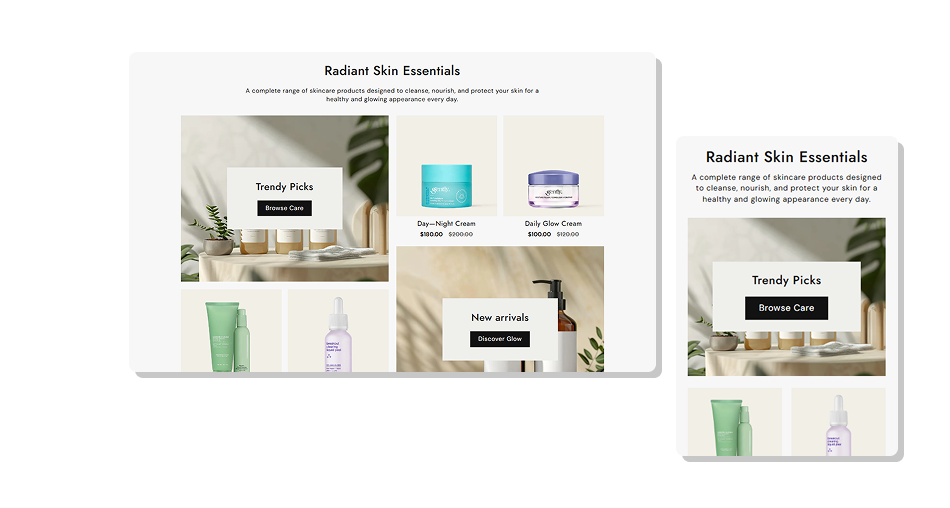
Combine product imagery and product details in one flexible section that helps shoppers discover products while keeping your store visually engaging.
Showcase featured productsMake product discovery easierHighlight new arrivalsDisplay product pricing clearlyPromote selected productsAdd visual product storytellingKeep product sections organizedImprove mobile product browsing Use clear showcase images that match your products.
Feature products that are relevant to the page.
Keep showcase headings short and easy to scan.
Use buttons with clear actions such as "Shop Now".
Keep product selections focused for better browsing.
Use clear showcase images that match your products.
Feature products that are relevant to the page.
Keep showcase headings short and easy to scan.
Use buttons with clear actions such as "Shop Now".
Keep product selections focused for better browsing.  Don't use unrelated product images.
Don't overload the showcase with too many products.
Don't use long headings over images.
Don't choose buttons with unclear actions.
Don't mix products without a clear purpose.
Don't use unrelated product images.
Don't overload the showcase with too many products.
Don't use long headings over images.
Don't choose buttons with unclear actions.
Don't mix products without a clear purpose. It is a Shopify section that combines showcase images with selected products, product names, prices, and optional buttons.
The section supports up to two Image Product Grid blocks.
You can select up to two products for each showcase block.
Yes. Each showcase block lets you add a custom image that appears behind the showcase content.
Yes. Each block includes a heading that can be displayed over the showcase image.
Yes. You can add custom button text and a link to each showcase block.
Yes. You can separately control the alignment of image content and product content.
Yes. The layout adjusts for smaller screens, with the product showcases displayed in a mobile-friendly layout.
For Support or any Questions Email Us: [email protected]
Install SectionHub and add the Product Showcase section to your theme in minutes - no coding required.
