Create a Stronger Product Showcase
Feature best sellers, new arrivals, or seasonal products in a visual grid that gives shoppers product links, pricing, and optional video previews.

Display up to six products in a visual grid with optional videos, product pricing, hover effects, and a clear content area for your store. Help shoppers explore products faster.
 Product Grid Showcase
Video Product Previews
Responsive Store Layout
Product Grid Showcase
Video Product Previews
Responsive Store Layout 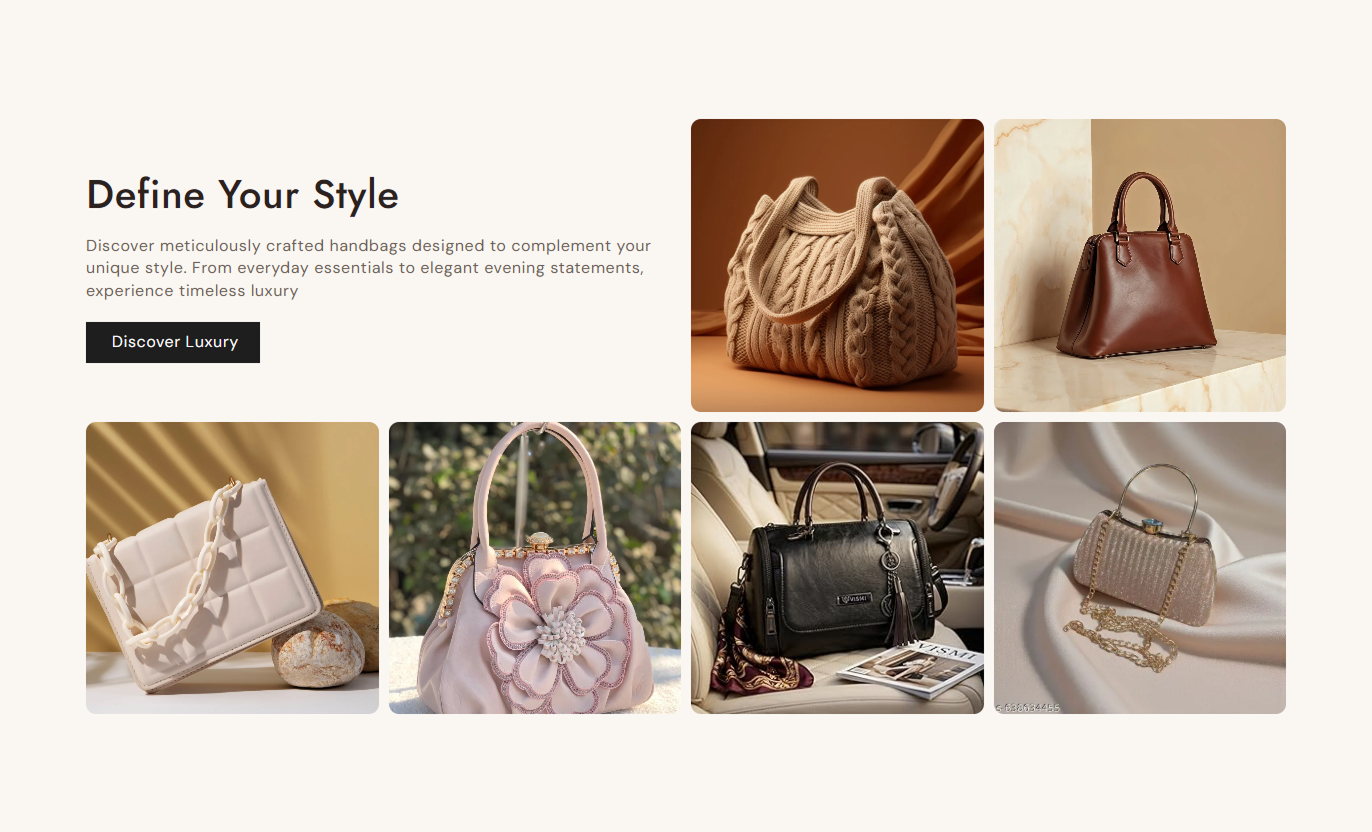
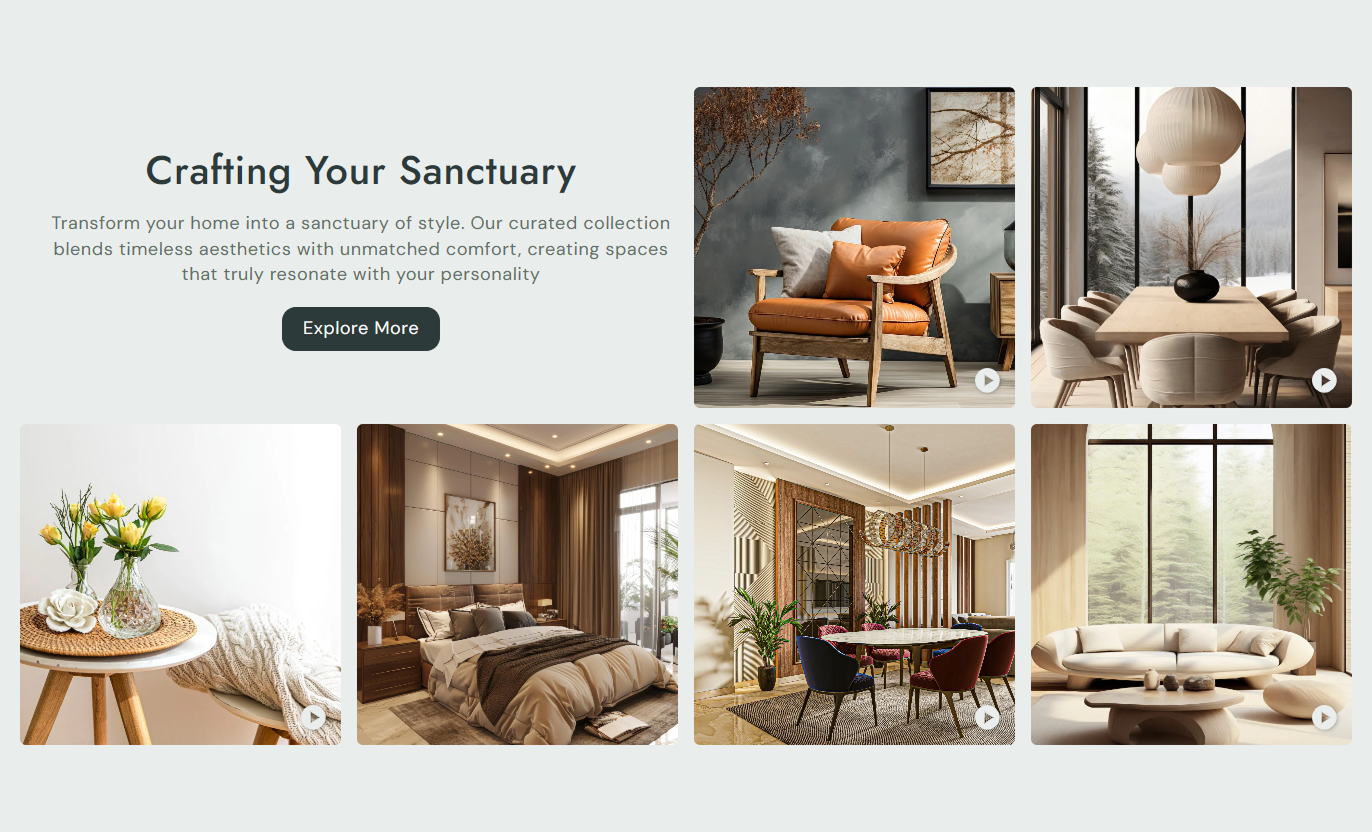


Create a focused product grid with selected Shopify products, custom images, optional videos, pricing details, cart actions, and responsive layouts.

Add up to six product blocks to build a focused product grid for featured items, best sellers, or new arrivals.

Choose a Shopify product for each card so its product page link and current pricing can be displayed.

Use a custom image for a product card or let the selected product image provide the visual automatically.

Add an optional video to a product card for a richer preview that appears when shoppers interact with the card.

Product videos play on hover and return to the image when the pointer leaves the card for a clean browsing experience.

Show the product price and compare-at price on the card so shoppers can quickly see current pricing details.

Enable the cart icon on product cards to add a clear shopping action alongside the product presentation.

The product grid adjusts column widths across screen sizes so the section remains practical on desktop and mobile.
Control product cards, content, buttons, colors, spacing, and section width from one place.

Applies to the whole section
Add the main heading displayed above the product grid.
Section HeadingAdd supporting text to explain the featured products.
Section ContentChoose left, center, or right alignment for the section text.
Text AlignmentPosition the text block at the top, middle, or bottom on the desktop.
Desktop Text PositionSet the label shown on the section call-to-action button.
Button Label TextChoose the page that opens when shoppers click the button.
Button Destination LinkShow the button with a transparent outline style.
Outline Button StyleSet the background color for the entire product list section.
Section Background ColorLet the section span the full available page width.
Full Width LayoutSet the maximum section width when full width is disabled.
Maximum Section Width
Applies to each product card
Choose the Shopify product shown in the card.
Select ProductAdd a custom image for the product card.
Custom Product ImageAdd a video that plays when the card is hovered.
Product Preview VideoUse Product List Grid to clearly feature selected products, support focused merchandising, and provide shoppers with useful product visuals across different Shopify store pages.
Feature best sellers, new arrivals, or seasonal products in a visual grid that gives shoppers product links, pricing, and optional video previews.
Highlight featured products in a visual gridGive shoppers a quick product overviewShow new arrivals with clear product cardsAdd motion to selected product cardsGuide visitors directly toward product pagesUse Product List Grid to spotlight selected products from a collection, highlight key items, and add visual previews without replacing the main collection grid.
Feature priority products within a collectionShowcase selected products with custom imagesAdd optional video previews to selected cardsSurface product pricing at a glanceCreate a focused product showcase sectionAdd a related product showcase to introduce complementary items, alternative choices, or featured products while keeping the browsing experience visually focused.
Present complementary product choices clearlyHighlight selected related products visuallyShow current and compare-at pricesAdd optional product video previewsEncourage shoppers to explore more productsBuild a focused product section for campaigns, launches, or promotions with selected products, supporting copy, and visual card interactions.
Showcase products tied to a specific campaignSupport product launch storytelling with visualsPair promotional copy with selected productsUse video to add useful product contextDirect shoppers toward relevant product pagesPresent selected Shopify products in a clean visual grid with optional video previews, pricing, product links, and responsive layouts for focused merchandising.
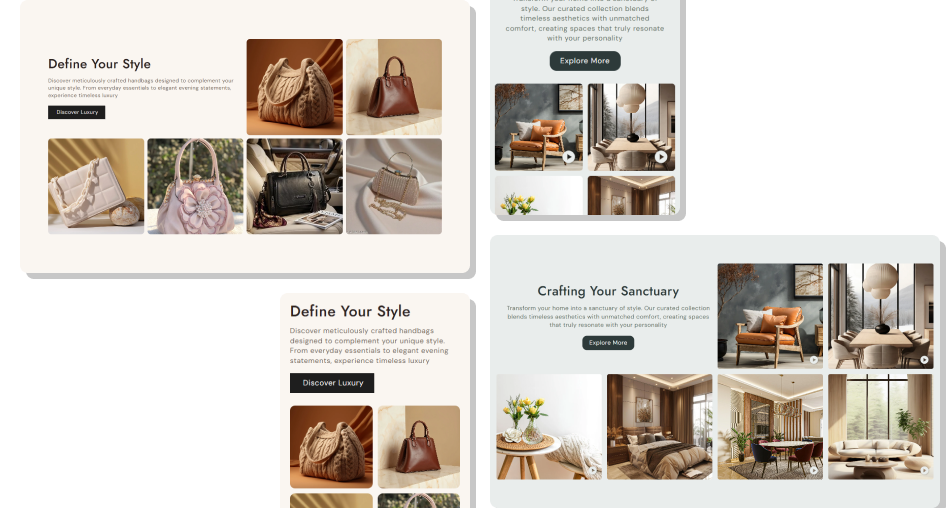
Choose products, images, videos, and display options to build a product showcase that fits your store and merchandising goals.
Showcase up to six selected products in one sectionAdd custom images when product visuals need more controlUse optional videos to give product cards more visual contextDisplay sale and compare-at pricing directly on cardsKeep product browsing clear across desktop and mobileAdd a section button to guide shoppers to another page Use products that support the page goal and current merchandising focus.
Choose clear product images that stay consistent across the grid.
Add videos that show useful product details or visual movement.
Keep the heading and supporting content short and easy to scan.
Link the section button to a relevant collection, page, or campaign.
Use products that support the page goal and current merchandising focus.
Choose clear product images that stay consistent across the grid.
Add videos that show useful product details or visual movement.
Keep the heading and supporting content short and easy to scan.
Link the section button to a relevant collection, page, or campaign.  Do not mix unrelated products that make the section feel unfocused.
Do not use blurry or poorly framed images for product cards.
Do not add videos that distract from the product or load unnecessarily.
Do not overload the heading and content with too much information.
Do not send the section button to a page unrelated to the products.
Do not mix unrelated products that make the section feel unfocused.
Do not use blurry or poorly framed images for product cards.
Do not add videos that distract from the product or load unnecessarily.
Do not overload the heading and content with too much information.
Do not send the section button to a page unrelated to the products. You can add up to six product blocks. Each block can use a selected Shopify product, a custom image, and an optional video.
Yes. Each product block includes a product selector, so you can choose the exact products you want to feature in the grid.
Yes. Add a custom image to a product block to control the visual shown on the product card.
Yes. Each product block can include an optional video. The video is used as an interactive preview when shoppers hover over the card.
The section uses a responsive grid for smaller screens. Video behavior is designed around the card interaction used by the section.
Yes. Product pricing is shown on the card, and a compare-at price appears when the selected product has a higher compare-at price.
Yes. You can enable the cart icon from the Product card settings to add a visible shopping action to the product cards.
Yes. You can choose full width or set a maximum section width, plus adjust desktop and mobile section padding and card spacing.
For Support or any Questions Email Us: [email protected]
Install SectionHub and add the Product List Grid section to your theme in minutes - no coding required.
