Introduce Your Services Clearly
Show your main services on the homepage with interactive tabs that help visitors quickly understand what your business offers.

Showcase your services with interactive tabs, supporting images, and clear descriptions so visitors can explore your offerings in one organized section.
 2.0 Compatible
Interactive Service Tabs
Responsive Design
2.0 Compatible
Interactive Service Tabs
Responsive Design 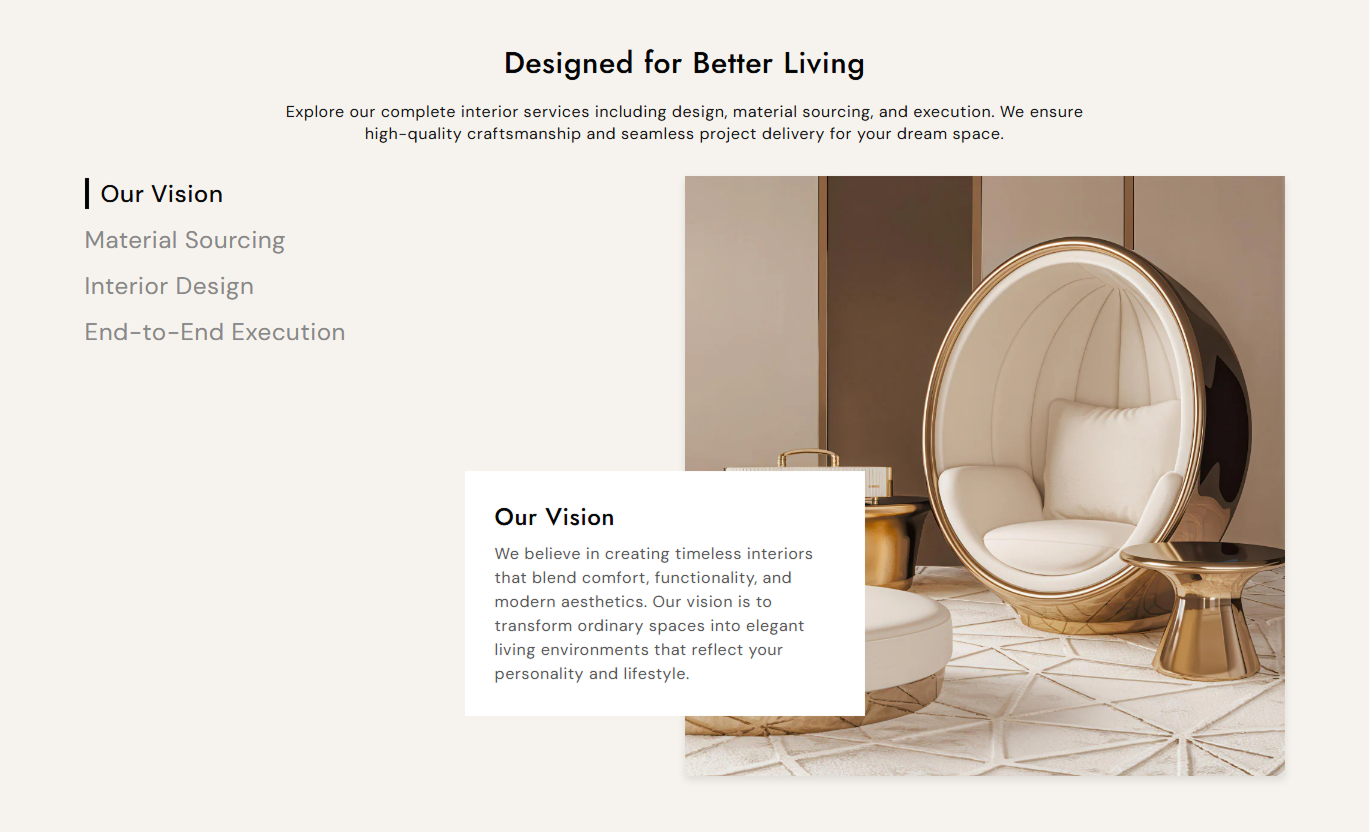



Present multiple services in an interactive layout with clickable tabs, images, descriptions, flexible positioning, and customizable styling.

Let visitors switch between services with simple clickable tabs.

Add a relevant image to represent each service visually.

Add headings and detailed content for every service.

Place the service tabs and visual content on the left or right.

Clearly highlight the selected service for easier navigation.

Align headings and descriptions to match your layout.

Adjust colors, typography, spacing, and border radius.

Keep service content easy to browse across desktop and mobile devices.
Control your service tabs, images, content, colors, typography, and section layout from the Shopify theme editor.

Applies to the whole section
Main heading displayed above the services.
HeadingSupporting text displayed below the heading.
ContentChoose the alignment of the section text.
Text AlignmentChoose the alignment of service content.
Tab Content AlignmentPlace the service tabs on the left or right.
Content PositionSet the main heading font size.
Heading Font SizeSet the supporting content font size.
Content Font SizeSet the service tab text size.
Tab Font SizeSet the service content heading size.
Service Heading SizeSet the service content text size.
Service Content SizeAdjust the roundness of service images and boxes.
Border RadiusSet the section background color.
Background ColorSet the main heading color.
Heading ColorSet the section content color.
Content ColorSet the default service tab color.
Tab ColorSet the active service tab color.
Active Tab ColorSet the service content box background.
Service Box ColorSet the section maximum width.
Section Width
Applies to each service
Image displayed for the service.
ImageService name displayed in the tab and content box.
HeadingDescription explaining the service.
ContentUse interactive service tabs to organize your offerings, explain what you provide, and help visitors explore different services without leaving the section.
Show your main services on the homepage with interactive tabs that help visitors quickly understand what your business offers.
Highlight key servicesIntroduce your business offeringsKeep service information organizedMake browsing more interactiveOrganize different services with dedicated images and descriptions so visitors can explore each offering from a single section.
Organize service categoriesAdd visual service detailsExplain each offering clearlyMake service discovery easierUse service tabs to present creative, marketing, design, development, or consulting services in a clean and structured layout.
Highlight areas of expertiseExplain your solutionsShowcase different offeringsCreate a professional presentationPresent your professional services with clear titles, supporting images, and descriptions that help visitors understand each offering.
Present services clearlyAdd supporting visualsOrganize multiple offeringsImprove service discoveryUse interactive tabs to organize services, combine visuals with useful information, and give visitors an easy way to explore your offerings.
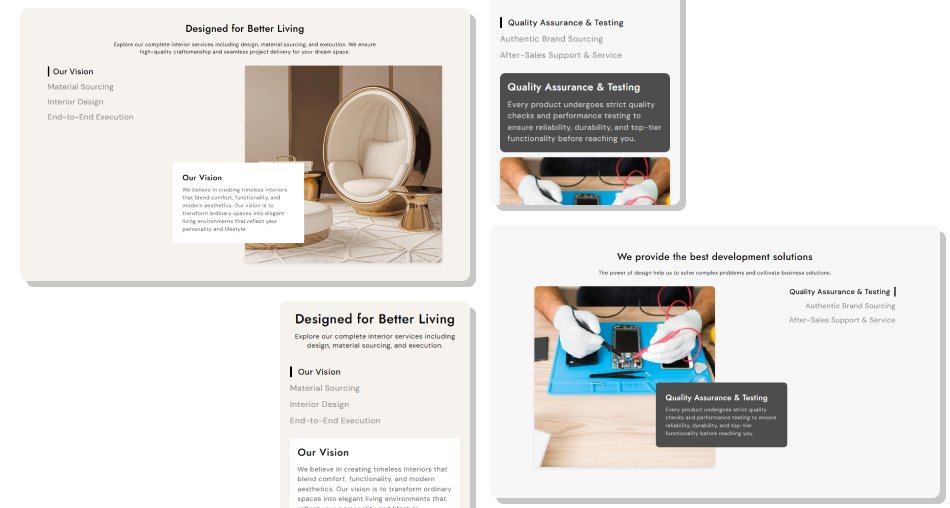
Present each service with an image, heading, and description while letting visitors switch between offerings through simple interactive tabs.
Organize multiple services in one sectionAdd a unique image to each serviceSwitch between services with one clickHighlight the active service clearlyAdd clear service descriptionsChoose the image and content positionCustomize colors and typographyKeep the layout responsive across devices Use relevant service images
Keep service titles clear
Write short, useful descriptions
Group related services together
Keep all service content consistent
Use relevant service images
Keep service titles clear
Write short, useful descriptions
Group related services together
Keep all service content consistent  Use unrelated images
Use vague service titles
Add overly long descriptions
Mix unrelated services
Overload each service with information
Use unrelated images
Use vague service titles
Add overly long descriptions
Mix unrelated services
Overload each service with information Yes. You can add multiple service blocks, each with its own image, heading, and description.
Yes. Visitors can click the service tabs to switch between different service details.
Yes. Each service block includes an image option for showcasing the selected service visually.
Yes. You can choose whether the service tabs appear on the left or right side of the content.
Yes. You can set a separate color for the active service tab to make the selected option stand out.
Yes. You can adjust its background color, heading color, content color, alignment, and border radius.
Yes. The layout automatically adapts for smaller screens, making the services easier to browse on mobile devices.
Yes. You can set the maximum section width and adjust desktop and mobile padding from the theme editor.
For Support or any Questions Email Us: [email protected]
Install SectionHub and add the Our Services section to your theme in minutes - no coding required.
