Showcase Your Best Work at a Glance
Highlight featured products, collections, projects, or brand work with tabs that help visitors explore different categories.

Display projects, products, collections, or visual work in organized tabs with image cards, titles, descriptions, and links that help visitors explore more.
 2.0 Compatible
Tabbed Portfolio
Responsive Design
2.0 Compatible
Tabbed Portfolio
Responsive Design 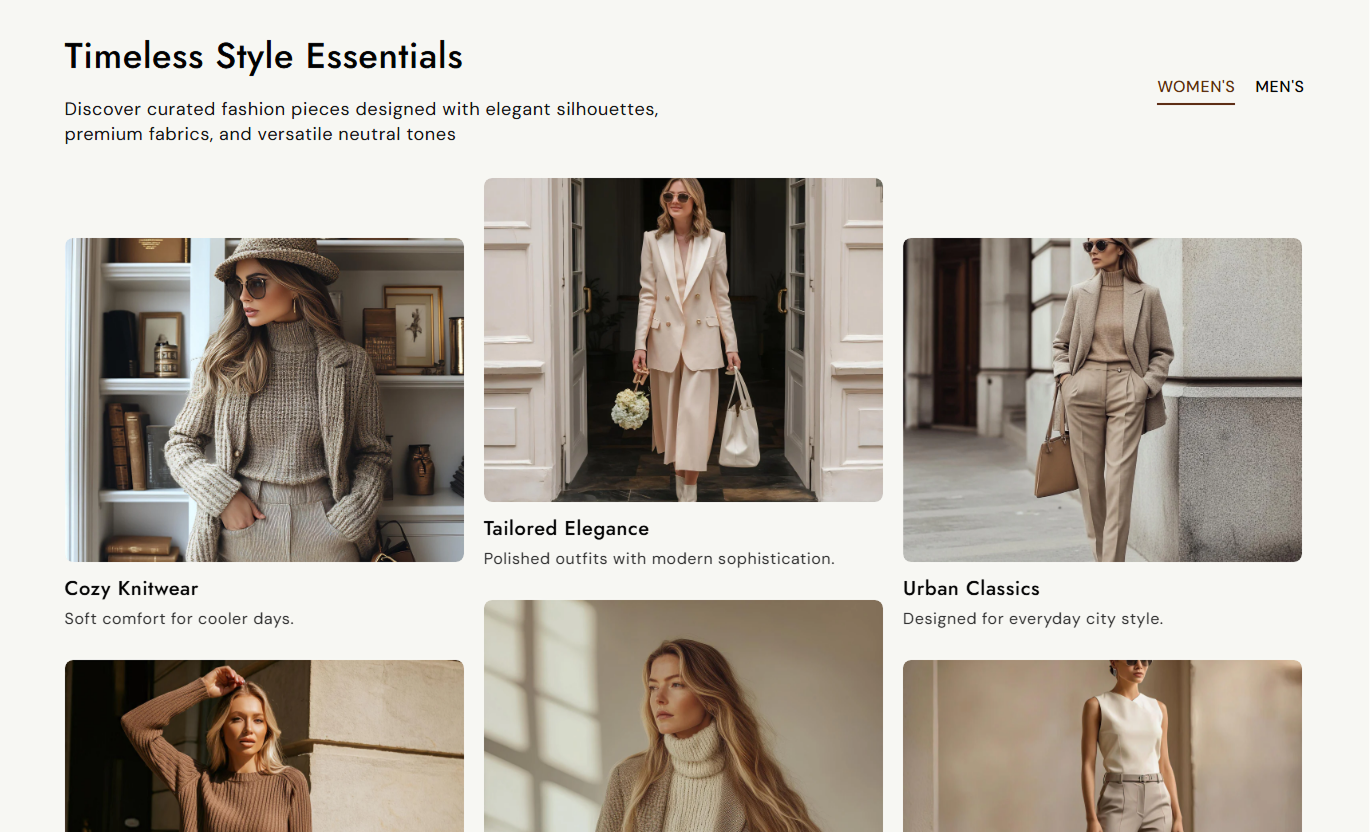
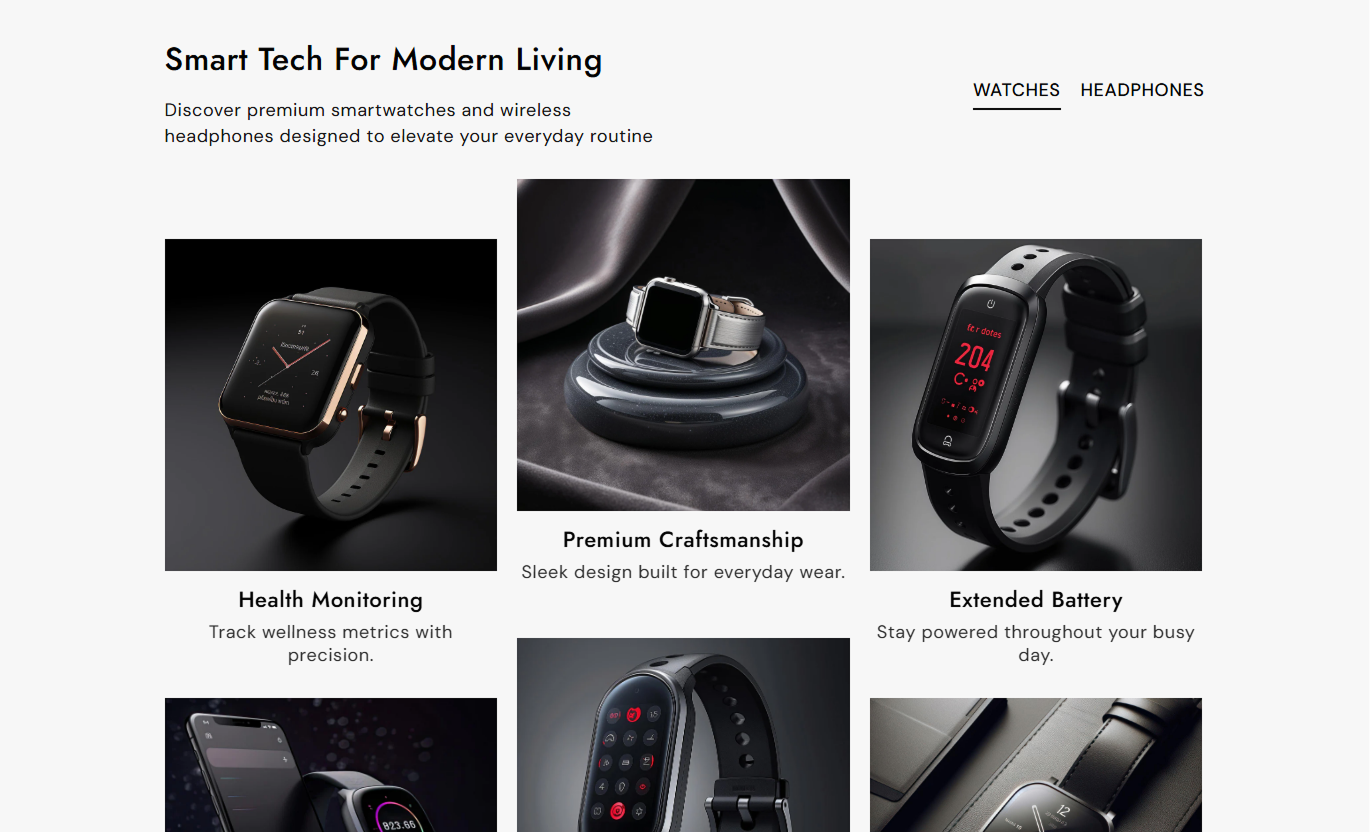


Create a visual portfolio with category tabs, image cards, custom content, links, image sizing, and responsive layouts for a polished store experience.

Organize different portfolio categories with clickable tabs.

Showcase multiple images in a clean three-column layout.

Add headings, short descriptions, and links to each item.

Create up to four portfolio groups for different categories.

Choose small, medium, or large image proportions.

Adjust image corners to match your store design.

Highlight the selected tab with a custom color.

Portfolio cards stack neatly on smaller screens.
Customize portfolio content, tabs, images, colors, spacing, and layout from the Shopify theme editor.

Applies to the whole section
Main heading displayed above the portfolio.
HeadingSupporting text displayed below the heading.
ContentAlign text within portfolio cards.
Content AlignChoose the image size ratio for portfolio cards.
Image HeightRound the corners of portfolio images.
Image Border RadiusSet the main heading font size.
Heading Font SizeSet the supporting content font size.
Content Font SizeSet the portfolio tab text size.
Tab Title SizeSet the portfolio card heading size.
Card Heading SizeSet the portfolio card description size.
Card Subheading SizeSet the section background color.
Background ColorSet the maximum width of the section.
Section Width
Applies to each portfolio tab
Name displayed on the portfolio tab.
Tab TitleImage displayed in the portfolio card.
ImageTitle displayed below the image.
HeadingShort description shown below the title.
SubheadingLink assigned to the portfolio item.
LinkUse organized portfolio tabs to showcase projects, products, collections, services, or visual work while making different categories easy to explore.
Highlight featured products, collections, projects, or brand work with tabs that help visitors explore different categories.
Highlight featured workOrganize content by categoryCreate visual interestGuide visitors to key pagesUse portfolio tabs to present related collections, categories, or product groups in an easy-to-browse visual layout.
Organize product groupsHighlight related collectionsImprove content discoverySupport deeper browsingDisplay related products, complementary items, or visual content in separate tabs to give shoppers more useful options.
Show related productsHighlight complementary itemsAdd visual contextEncourage product discoveryUse portfolio tabs to organize campaign visuals, services, projects, or featured content and direct visitors to relevant pages.
Organize campaign contentShowcase multiple categoriesCreate visual storytellingAdd clickable contentGive visitors a simple way to explore different categories while showcasing images, titles, descriptions, and links in one organized portfolio section.
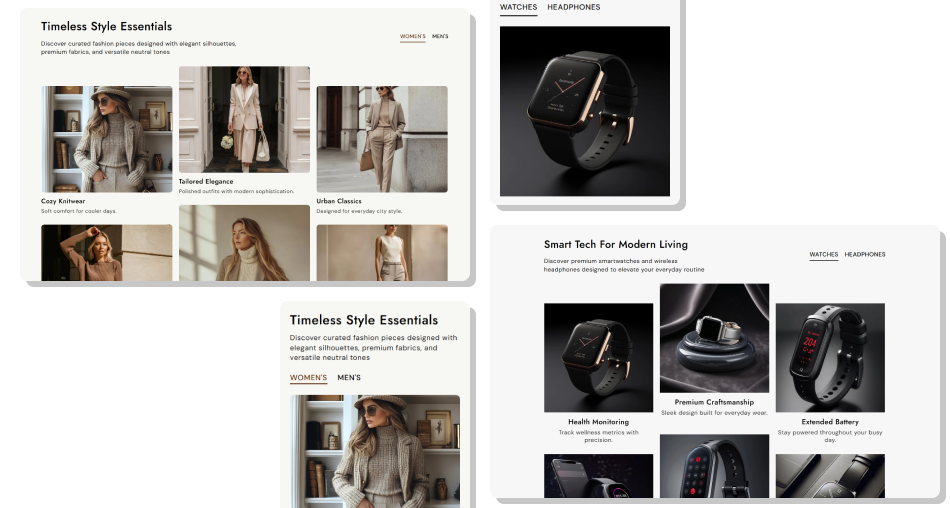
Group related visuals into tabs so shoppers can explore different collections, projects, products, or content without leaving the same section.
Organize content with easy-to-use tabsShowcase multiple images in each groupAdd titles and supporting descriptionsLink cards to relevant store pagesCreate multiple portfolio categoriesChoose flexible image proportionsHighlight the active tab clearlyKeep the layout responsive across devices Use clear category names
Choose high-quality images
Keep descriptions short
Link to relevant pages
Keep card styles consistent
Use clear category names
Choose high-quality images
Keep descriptions short
Link to relevant pages
Keep card styles consistent  Use unclear tab names
Add low-quality images
Write long descriptions
Add unrelated links
Mix inconsistent visuals
Use unclear tab names
Add low-quality images
Write long descriptions
Add unrelated links
Mix inconsistent visuals Yes. Add portfolio blocks to create separate categories with clickable tabs.
You can add up to four portfolio blocks, each representing a different tab.
Yes. Each portfolio tab can include up to six image-based content items.
Yes. Add a link to each portfolio item to send visitors to a relevant page.
Yes. Choose from small, medium, or large image proportions.
Yes. Use the Image Border Radius setting to adjust the corners.
Yes. Set separate colors for regular and active tabs.
Yes. Portfolio cards automatically adjust to a single-column layout on mobile devices.
For Support or any Questions Email Us: [email protected]
Install SectionHub and add the Our Portfolio section to your theme in minutes - no coding required.
