Answer Important Customer Questions on Your Homepage
Create a compact FAQ area that answers common customer questions while keeping detailed information organized and separate from your main homepage content.

Display FAQs, policies, product information, and helpful answers in a structured accordion layout, with a dedicated content area for a clean, focused customer experience.
 Clean FAQ Accordion
Flexible FAQ Position
Responsive Content Layout
Clean FAQ Accordion
Flexible FAQ Position
Responsive Content Layout 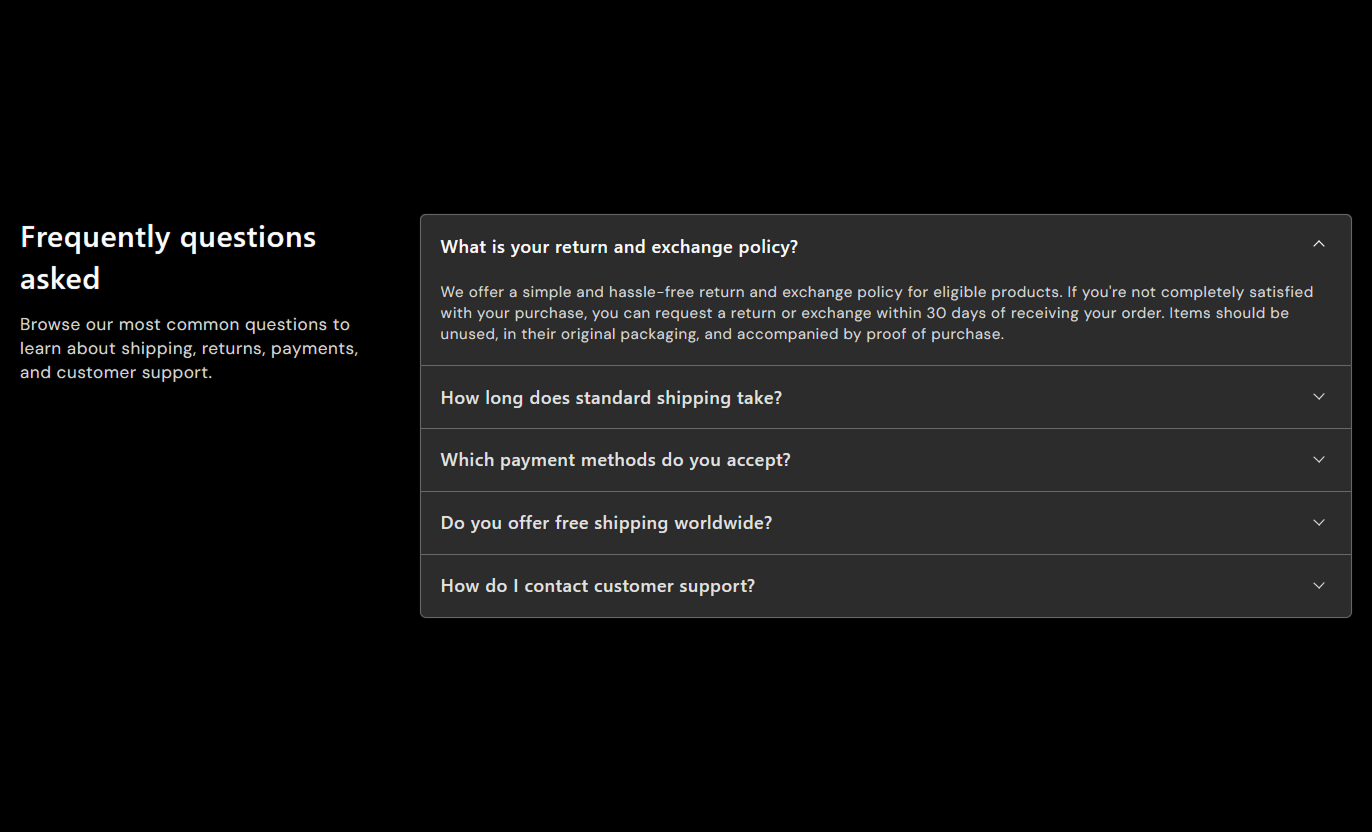
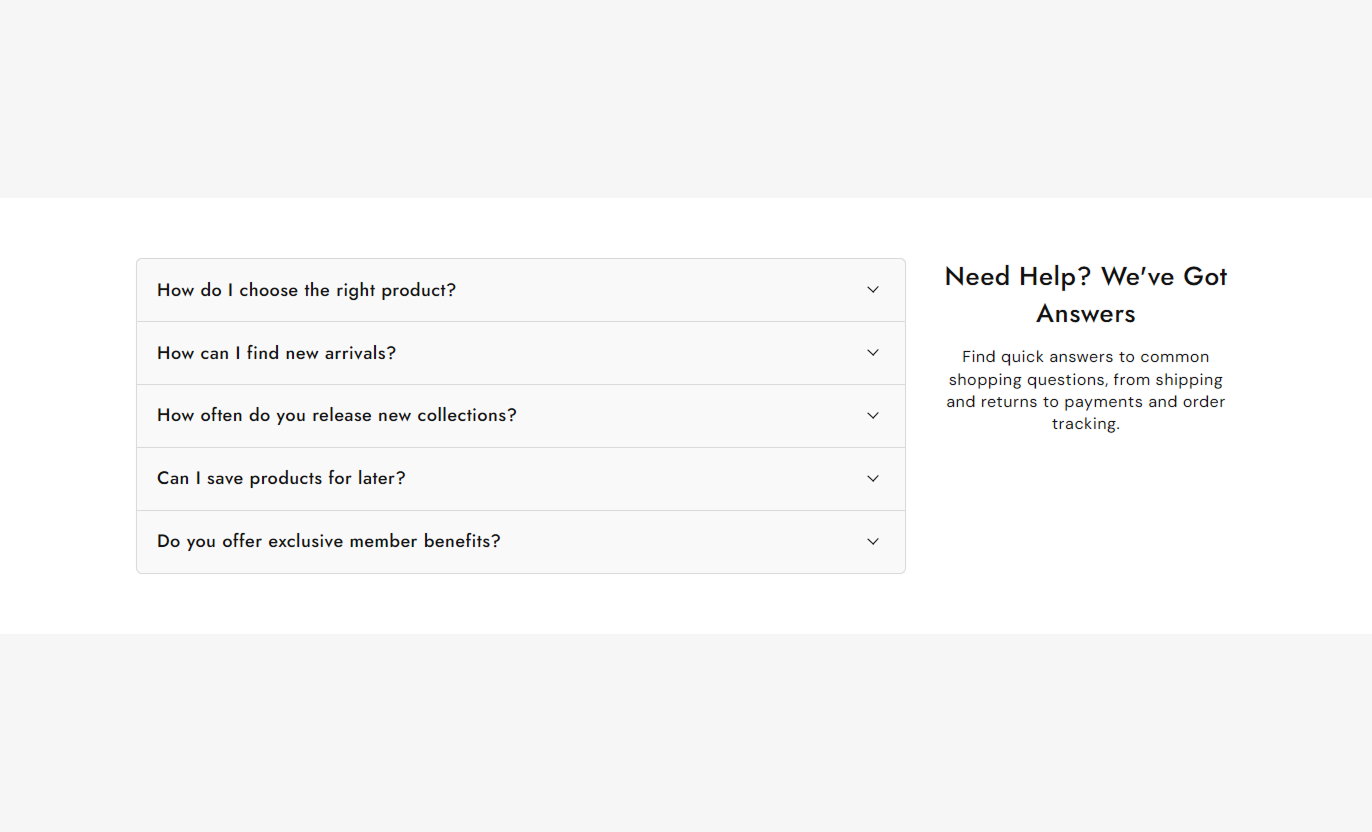


Combine a dedicated heading and content area with expandable FAQ rows to organize detailed information while keeping the storefront clean, readable, and easy to navigate.

Display a section heading and supporting rich text separately from the expandable FAQ content for a clear visual hierarchy.

Place the FAQ accordion on the left or right side of the content area to match your preferred desktop layout.

Add individual collapsible rows with custom headings and rich-text answers to organize customer information.

Opening an FAQ automatically closes the previously expanded row, keeping the accordion focused and easy to browse.

Choose whether the first FAQ should be expanded automatically when customers initially view the section.

Control row backgrounds, borders, heading colors, hover colors, answer text, and corner radius for a tailored design.

The content and FAQ areas stack vertically on smaller screens with adjusted spacing and typography for easier reading.

Use a full-width layout or set a maximum section width while controlling desktop and mobile section padding.
Customize the content area, FAQ positioning, accordion typography, colors, borders, spacing, and section width to match your storefront design.

Applies to the whole section
Add a main heading above the section content.
Section HeadingAdd rich text to support the FAQ accordion.
Section ContentAlign the heading and supporting content within its area.
Content AlignmentPlace the FAQ area on the left or right on the desktop.
FAQ PositionChoose whether the first FAQ opens automatically.
Open First RowSet the corner radius for the FAQ group.
Border RadiusAdjust the main heading font size for the section.
Heading Font SizeAdjust the supporting content font size.
Content Font SizeCustomize the main section background color.
Background ColorCustomize heading and supporting content colors.
Text ColorsAdjust desktop spacing above and below the section.
Desktop PaddingAdjust mobile spacing above and below the section.
Mobile PaddingEnable a full-width section or define a maximum width.
Section Width
Applies to each FAQ or collapsible content row
Add a question, title, or information heading.
Row HeadingAdd rich text that appears when the row is expanded.
Row ContentSet the font size for FAQ headings.
Question Font SizeSet the font size for expanded answers.
Answer Font SizeCustomize the background color of each row.
Row BackgroundSet the default heading color for closed rows.
Question ColorSet the hover and active heading color.
Hover ColorCustomize the text color of expanded answers.
Answer ColorDefine the border color around the FAQ rows.
Border ColorUse this clean accordion layout across key storefront pages to organize FAQs, policies, product information, service details, and other customer-focused content.
Create a compact FAQ area that answers common customer questions while keeping detailed information organized and separate from your main homepage content.
Address common questions without creating long visible textKeep shipping and return information easy to accessIntroduce support information in a structured formatKeep the homepage clean and focused on key contentLet visitors expand only the answers they needUse expandable rows to explain collection details, shipping information, buying guidance, or policies without overwhelming customers while they browse products.
Explain collection-specific information in a compact layoutAdd useful guidance without cluttering product listingsAnswer common questions related to the collectionKeep detailed information available below the productsSupport better browsing with organized, expandable contentUse the accordion to present product specifications, care instructions, shipping details, warranties, and frequently asked questions in a clean, easy-to-scan format.
Keep detailed product information organizedAnswer common questions near product-related contentHide lengthy details until customers need themPresent specifications without overwhelming the pageCreate a cleaner product information experienceAdd expandable information to campaign and landing pages where visitors may need additional details about offers, services, processes, or policies.
Organize campaign details into easy-to-expand sectionsExplain services or offers without lengthy visible copyKeep important information available without distractionsCreate a structured supporting section for campaignsLet visitors choose which details they want to exploreMinimal Collapsible Content uses a focused two-column desktop layout to separate introductory content from expandable FAQs, creating a clean and easy-to-browse information section.
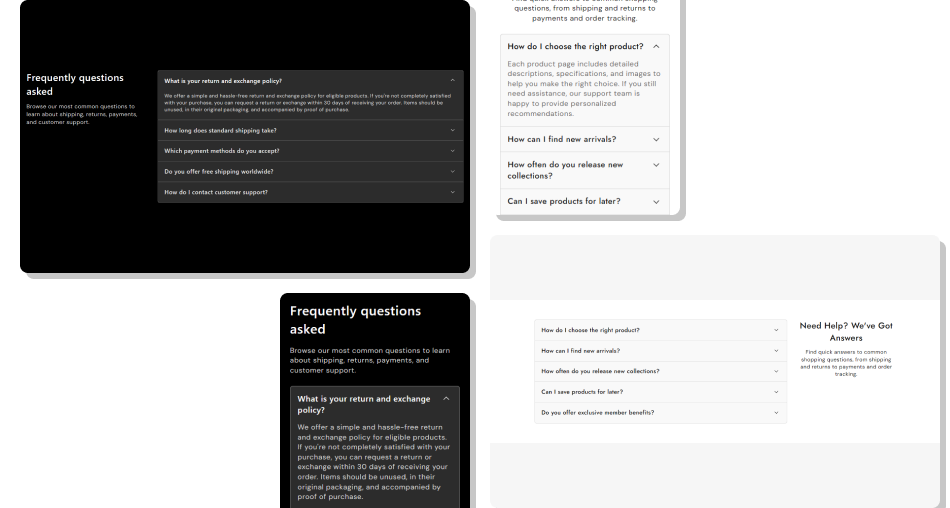
Present questions clearly while keeping detailed answers hidden until customers choose to open the relevant accordion row.
Reduce Visible ContentCreate Clear Information HierarchyImprove FAQ NavigationKeep the Layout FlexibleCustomize the Accordion DesignSupport Mobile BrowsingMaintain a Focused Experience Use concise questions that clearly describe each answer.
Group related FAQs together in a logical order.
Keep answers useful, readable, and focused on one topic.
Use consistent wording across all FAQ headings and answers.
Match accordion colors and borders with your storefront design.
Use concise questions that clearly describe each answer.
Group related FAQs together in a logical order.
Keep answers useful, readable, and focused on one topic.
Use consistent wording across all FAQ headings and answers.
Match accordion colors and borders with your storefront design.  Don't use unclear questions that leave customers guessing.
Don't combine several unrelated topics inside one FAQ answer.
Don't make answers unnecessarily long or difficult to scan.
Don't add decorative styling that reduces question readability.
Don't place critical information only inside overly complex FAQs.
Don't use unclear questions that leave customers guessing.
Don't combine several unrelated topics inside one FAQ answer.
Don't make answers unnecessarily long or difficult to scan.
Don't add decorative styling that reduces question readability.
Don't place critical information only inside overly complex FAQs. The section supports collapsible row blocks, allowing you to add as many FAQ rows as needed within your Shopify theme's section block limits.
Yes. The FAQ Position setting lets you place the accordion on the left or right side of the introductory heading and content area on desktop.
Yes. Enable Open First Row to display the first available FAQ in its expanded state when the section loads.
No. The accordion is designed to keep one row open at a time. Opening another question automatically closes the previously expanded row.
Yes. You can customize the row background, border color, question color, hover or active color, answer color, typography, and border radius.
Yes. On mobile, the introductory content and FAQ accordion stack vertically, with adjusted typography, spacing, and row sizing for smaller screens.
Yes. Each collapsible row uses a rich text field, allowing you to add formatted content and links inside the expanded answer area.
For Support or any Questions Email Us: [email protected]
Install SectionHub and add the Minimal Collapsible Content section to your theme in minutes - no coding required.
