Create a Shoppable Visual Experience on Your Homepage
Use lifestyle imagery to showcase a complete look while linking featured products to specific areas of the image for a more engaging, visually oriented homepage experience.

Showcase a featured image with connected products, clickable hotspots, product details, sale badges, and responsive layouts for an engaging shopping experience.
 Interactive Product Lookbook
Clickable Product Hotspots
Responsive Shopping Design
Interactive Product Lookbook
Clickable Product Hotspots
Responsive Shopping Design 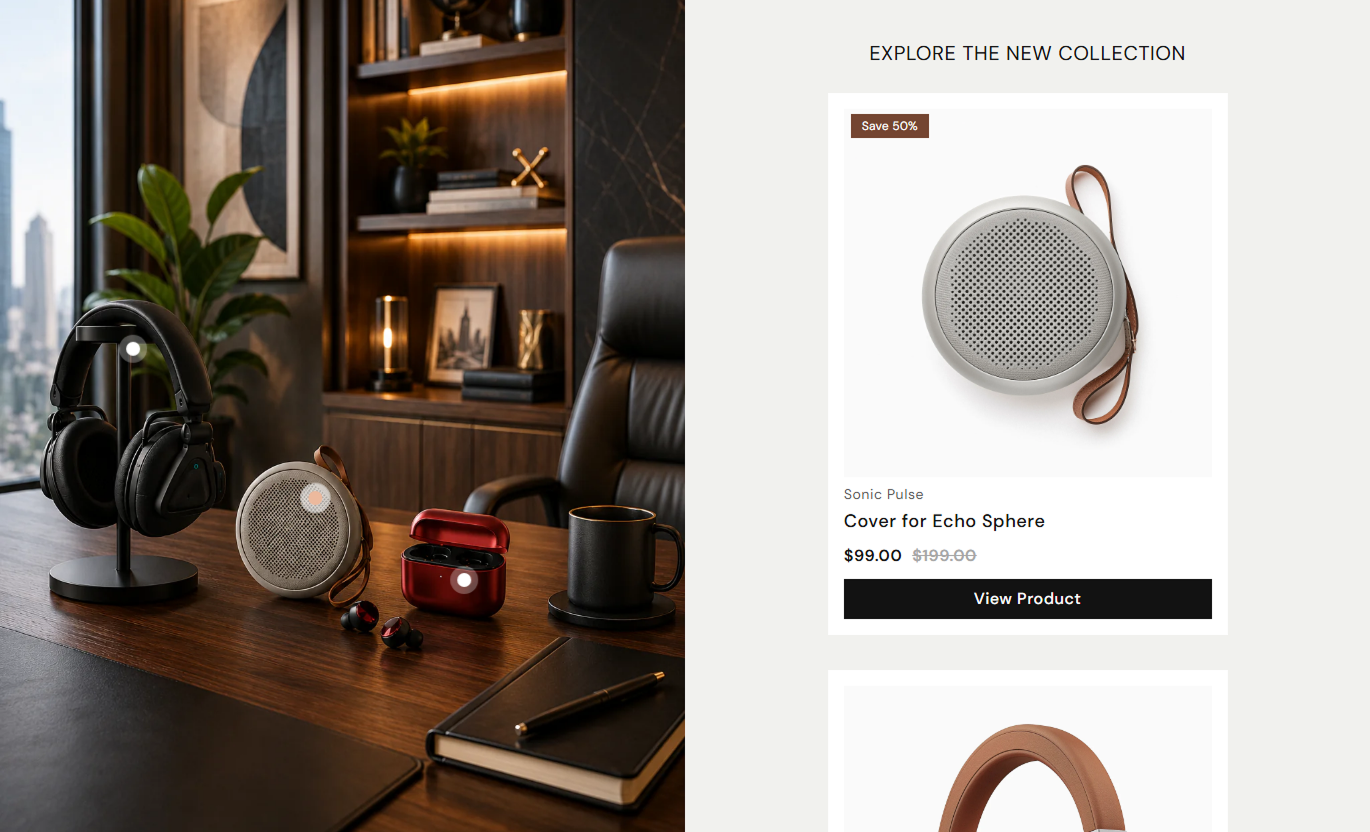
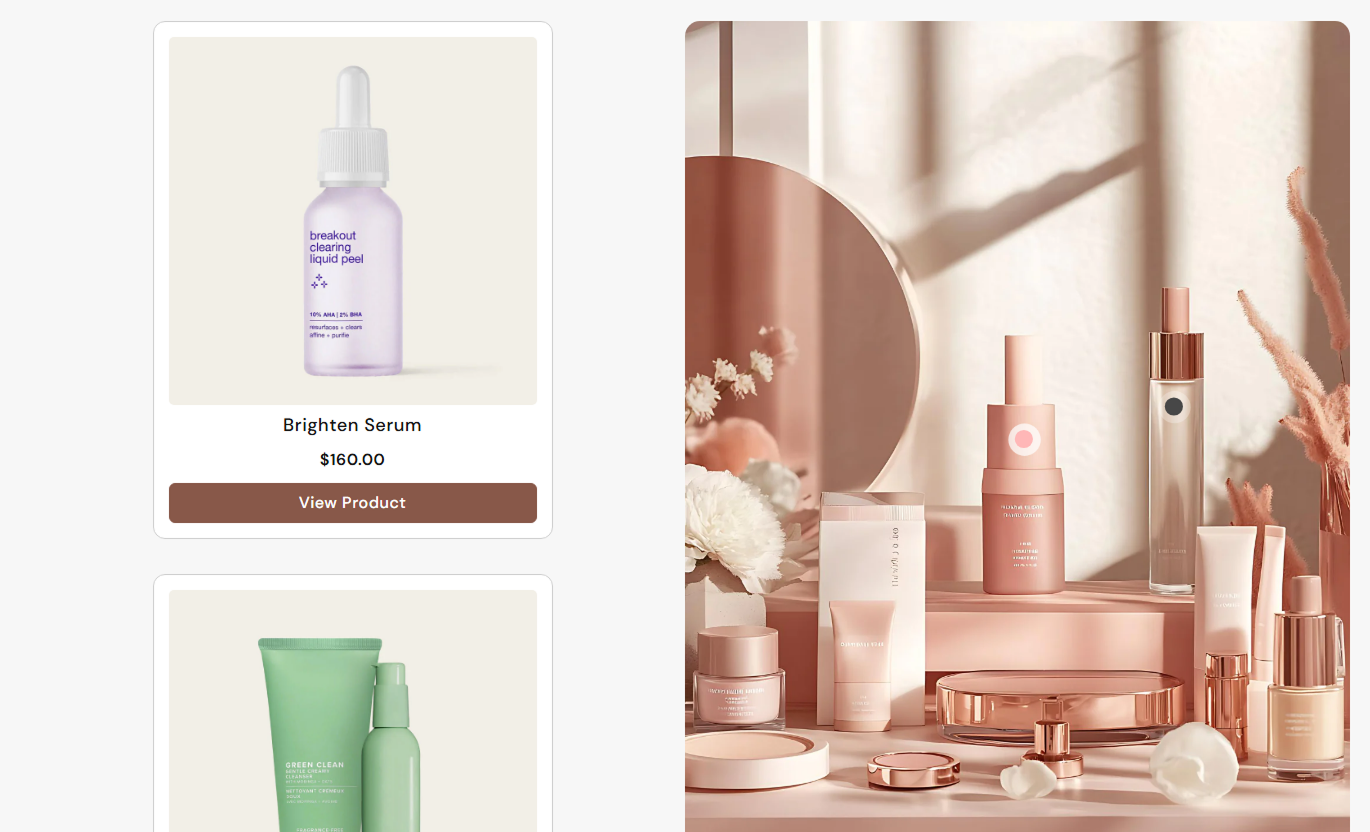


Create a visual shopping experience with product hotspots, connected product cards, hover images, sale tags, responsive layouts, and customizable navigation controls.

Place clickable product bullets over the featured image to connect products directly with specific visual areas.

Display a large lifestyle or collection image that creates the visual foundation for your interactive shopping experience.

Show product images, vendor names, titles, prices, compare-at prices, and product buttons alongside the lookbook image.

Display a second product image on hover to give shoppers another visual view before visiting the product page.

Highlight sold-out products or sale savings with customizable tags that automatically calculate discounts when needed.

Provide a mobile-friendly layout where product details open in an easy-to-use popup while the main image remains prominent.

Use clickable pagination bullets positioned above the featured image to link each visual hotspot to its product.

Customize product alignment, card appearance, buttons, colors, borders, typography, spacing, and responsive settings.
Control your lookbook image, product cards, hotspots, buttons, colors, spacing, responsive layout, and section width from one place.

Applies to the whole section
Select the main image displayed in the lookbook.
ImageChoose whether the lookbook image appears left or right.
Image PositionAdjust the roundness of the main lookbook image.
Border RadiusAdjust the roundness of product cards.
Card Border RadiusAdjust the roundness of product images.
Image Border RadiusChoose how product information is aligned.
Content AlignmentShow or hide the product vendor name.
Show VendorEnable product sale or availability tags.
Enable TagSet custom text for the product sale tag.
Sale Tag ContentSet the overall section background color.
Background ColorSet the heading color above the product slider.
Heading ColorSet the product slider background color.
Slider Background ColorSet the product card background color.
Card Background ColorSet the product card border color.
Card Border ColorSet the product title color.
Title ColorSet the sale price color.
Sale Price ColorSet the regular compare-at price color.
Regular Price ColorSet the product tag background color.
Tag Background ColorSet the product tag text color.
Tag Text ColorSet the normal pagination bullet color.
Bullet ColorSet the active pagination bullet color.
Active Bullet ColorSet the desktop pagination bullet size.
Size (Desktop)Set the inner spacing of the mobile product card.
Padding
Applies to each product
Select the product connected to the lookbook hotspot.
ProductSet the horizontal position of the product hotspot.
HorizontalSet the vertical position of the product hotspot.
VerticalTurn lifestyle imagery into a shoppable experience by connecting products to visual hotspots, making it easier for customers to discover and explore featured items.
Use lifestyle imagery to showcase a complete look while linking featured products to specific areas of the image for a more engaging, visually oriented homepage experience.
Showcase complete product look in one visual sectionConnect featured products directly to the imageMake product discovery more interactiveHighlight multiple products togetherCreate a stronger visual shopping journeyPresent a collection through a curated lifestyle image and connect relevant products to visual hotspots, helping shoppers discover multiple items in a single experience.
Present multiple collection products togetherBuild a stronger visual collection storyConnect products with relevant image areasMake browsing more engaging and interactiveEncourage shoppers to explore featured productsUse the lookbook to show how products work together in a complete style, while connected product cards provide direct access to additional items in the look.
Demonstrate complete product combinationsIntroduce complementary products visuallyHelp shoppers discover related itemsProvide direct paths to product pagesMake product inspiration easier to exploreCreate focused landing page experiences around seasonal collections, campaigns, new arrivals, or curated looks with connected products and interactive visual navigation.
Turn campaign imagery into shoppable contentHighlight selected products in one experienceCreate visually focused campaign sectionsGuide shoppers toward featured productsSupport seasonal and promotional storytellingTransform lifestyle imagery into an interactive shopping experience where customers can discover products through visual hotspots and connected product details.
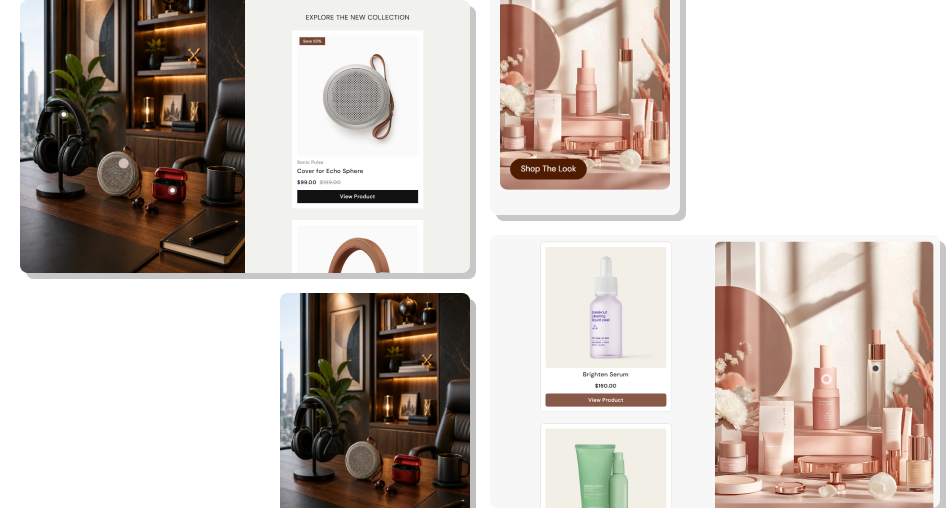
Make product discovery more visual with connected hotspots, product cards, hover images, responsive layouts, sale tags, and direct shopping actions.
Showcase complete product looksMake product discovery more visualConnect products directly to imageryHighlight multiple products togetherCreate interactive shopping experiencesSupport desktop and mobile shoppersMatch your store branding Use a clear lifestyle image with visible products.
Position hotspots near related products.
Keep product selections relevant to the look.
Use concise and useful product button labels.
Check hotspot positions carefully on the desktop.
Use a clear lifestyle image with visible products.
Position hotspots near related products.
Keep product selections relevant to the look.
Use concise and useful product button labels.
Check hotspot positions carefully on the desktop.  Avoid using blurry or low-quality lifestyle images.
Don't place hotspots far from related products.
Avoid adding too many unrelated products.
Don't use overly long button labels.
Don't ignore the mobile shopping experience.
Avoid using blurry or low-quality lifestyle images.
Don't place hotspots far from related products.
Avoid adding too many unrelated products.
Don't use overly long button labels.
Don't ignore the mobile shopping experience. It lets you combine a large featured image with connected products, allowing shoppers to explore items through interactive visual hotspots.
Each product block has horizontal and vertical hotspot settings that determine where its clickable pagination bullet appears on the image.
Yes. The section supports multiple product blocks, allowing you to connect several products to different areas of the featured image.
Yes. When enabled, products with multiple images display the second image when shoppers hover over the product image.
Yes. Tags can be enabled to show sold-out status or sale savings. If the custom sale text is empty, the discount percentage is calculated automatically.
Yes. You can change its label, outline style, colors, border radius, font size, hover colors, and shadow settings.
On mobile, the product details are displayed in a popup-style panel, while the main lookbook image remains visible and the product navigation adapts for smaller screens.
Yes. You can enable Full Width for the section, or set a custom maximum width when Full Width is disabled.
For Support or any Questions Email Us: [email protected]
Install SectionHub and add the Lookbook Slider Shop The Look section to your theme in minutes - no coding required.
