Showcase Trusted Brands and Partners
Display client, partner, supplier, or featured brand logos to build credibility and help visitors understand who your store works with.

Display brand, partner, client, or featured logos in a continuously scrolling slider with adjustable speed, spacing, sizing, links, and responsive controls.
 2.0 Compatible
Auto Scrolling Logos
Responsive Design
2.0 Compatible
Auto Scrolling Logos
Responsive Design 


Showcase multiple logos with continuous scrolling, custom links, adjustable spacing, animation speed, logo sizes, and responsive display settings.

Display logos in a smooth, continuously moving horizontal slider.

Add a custom link to each logo so visitors can open a relevant page.

Choose from multiple scrolling speeds, from fast movement to a slow crawl.

Change the scrolling direction to create a different visual flow.

Pause the logo animation when visitors hover over the slider.

Set different logo sizes for desktop and mobile screens.

Adjust the space between logos independently for desktop and mobile.

The logo slider adapts to smaller screens with mobile-specific sizing and spacing.
Control the logos, animations, spacing, typography, colors, section widths, and responsive layout in the Shopify theme editor.

Applies to the whole section
Add the main heading displayed above the logo slider.
HeadingAdd supporting text below the section heading.
ContentChoose the alignment of the heading and content.
Text AlignmentSet the spacing between logos on desktop screens.
Desktop Logo SpacingSet the spacing between logos on mobile screens.
Mobile Logo SpacingSet the logo width for desktop screens.
Desktop Logo SizeSet the logo width for mobile screens.
Mobile Logo SizeChoose how quickly the logos move across the slider.
Animation SpeedReverse the direction of the logo animation.
Reverse DirectionPause the scrolling animation when hovering over logos.
Pause on HoverSet the heading font size for the section.
Heading Font SizeSet the supporting content font size.
Content Font SizeCustomize the section background and text colors.
Section ColorsAdjust the spacing between the top and bottom sections.
Section PaddingMake the logo slider span the available screen width.
Full WidthSet the maximum width for a contained layout.
Section Width
Applies to each logo
Add the logo image displayed in the slider.
Logo ImageAdd a destination page for the logo.
Logo LinkUse scrolling logos to build trust, showcase brands, highlight partners, or feature companies on key pages of your Shopify store.
Display client, partner, supplier, or featured brand logos to build credibility and help visitors understand who your store works with.
Build customer trustShowcase partner brandsHighlight featured brandsStrengthen brand credibilityUse a logo slider to introduce brands related to your collections and give shoppers another way to explore your store.
Showcase collection brandsSupport brand discoveryHighlight featured partnersAdd visual varietyPlace relevant logos near product content to highlight brands, partners, certifications, or companies connected with your products.
Highlight product brandsShowcase relevant partnersBuild customer confidenceAdd supporting brand contentUse a scrolling logo display to showcase clients, partners, brands, or featured companies and add credibility to campaign-focused pages.
Create a strong trust signalShowcase important brandsSupport campaign credibilityAdd engaging visual contentShowcase multiple logos in a smooth scrolling layout that keeps your store visually engaging while giving you control over links, speed, spacing, and sizing.
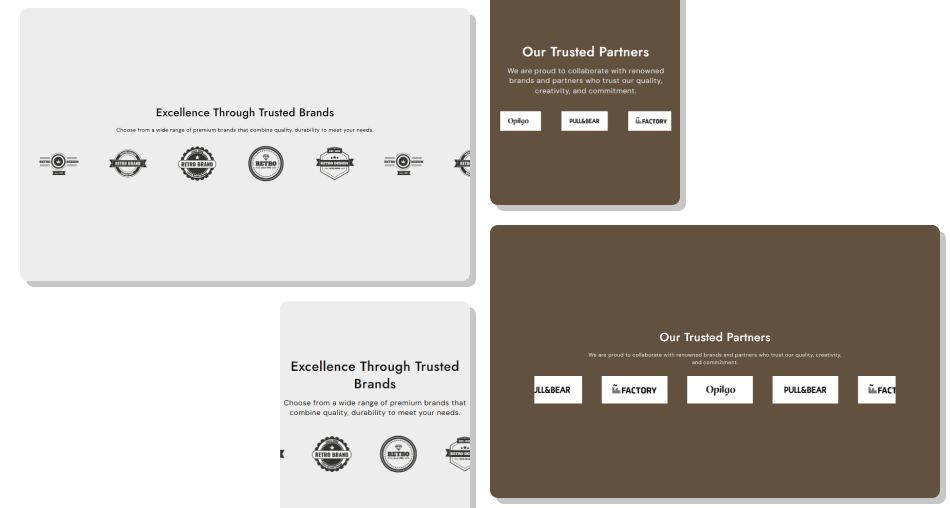
Use continuous animation, clickable logos, responsive sizing, and customizable spacing to create a polished logo display that fits your Shopify store.
Showcase multiple brands in one sectionCreate continuous scrolling movementAdd links to individual logosChoose different animation speedsReverse the scrolling directionPause animation on hoverControl logo size across devicesAdjust spacing for desktop and mobile Add at least five logos for a better preview
Use clear and high-quality logo images
Keep logo sizes visually consistent
Link logos to relevant destinations
Choose an animation speed that is easy to follow
Add at least five logos for a better preview
Use clear and high-quality logo images
Keep logo sizes visually consistent
Link logos to relevant destinations
Choose an animation speed that is easy to follow  Add low-quality or stretched logos
Use unrelated brand logos
Set extremely fast animation for important logos
Add broken or irrelevant links
Overload the section with too many logos
Add low-quality or stretched logos
Use unrelated brand logos
Set extremely fast animation for important logos
Add broken or irrelevant links
Overload the section with too many logos Yes. You can add multiple logo blocks, with each block containing its own image and optional link.
Yes. Each logo can have its own custom link to a relevant page or destination.
The section recommends adding at least 5 logos to ensure a proper preview and smooth visual display.
Yes. You can choose from multiple animation speeds, ranging from the fastest option to a very slow crawl.
Yes. Enable the Reverse Direction setting to reverse logo animation.
Yes. Enable Pause on Hover to stop the animation while visitors hover over the logo slider.
Yes. Desktop and mobile logo sizes can be adjusted separately.
Yes. You can set different logo spacing values for desktop and mobile screens.
Yes. Enable Full Width, or use the Section Width setting when using a contained layout.
Yes. The section includes separate settings for mobile logo sizing, spacing, typography, and padding for smaller screens.
For Support or any Questions Email Us: [email protected]
Install SectionHub and add the Logo Slider section to your theme in minutes - no coding required.
