Showcase Your Store Highlights Visually
Use the three image blocks to highlight featured collections, brand values, popular products, or important store categories and link shoppers to relevant pages.

Create a balanced image and content grid to showcase products, collections, services, or brand highlights with custom images, text, links, colors, and layouts.
 2.0 Compatible
Visual Content Grid
Responsive Design
2.0 Compatible
Visual Content Grid
Responsive Design 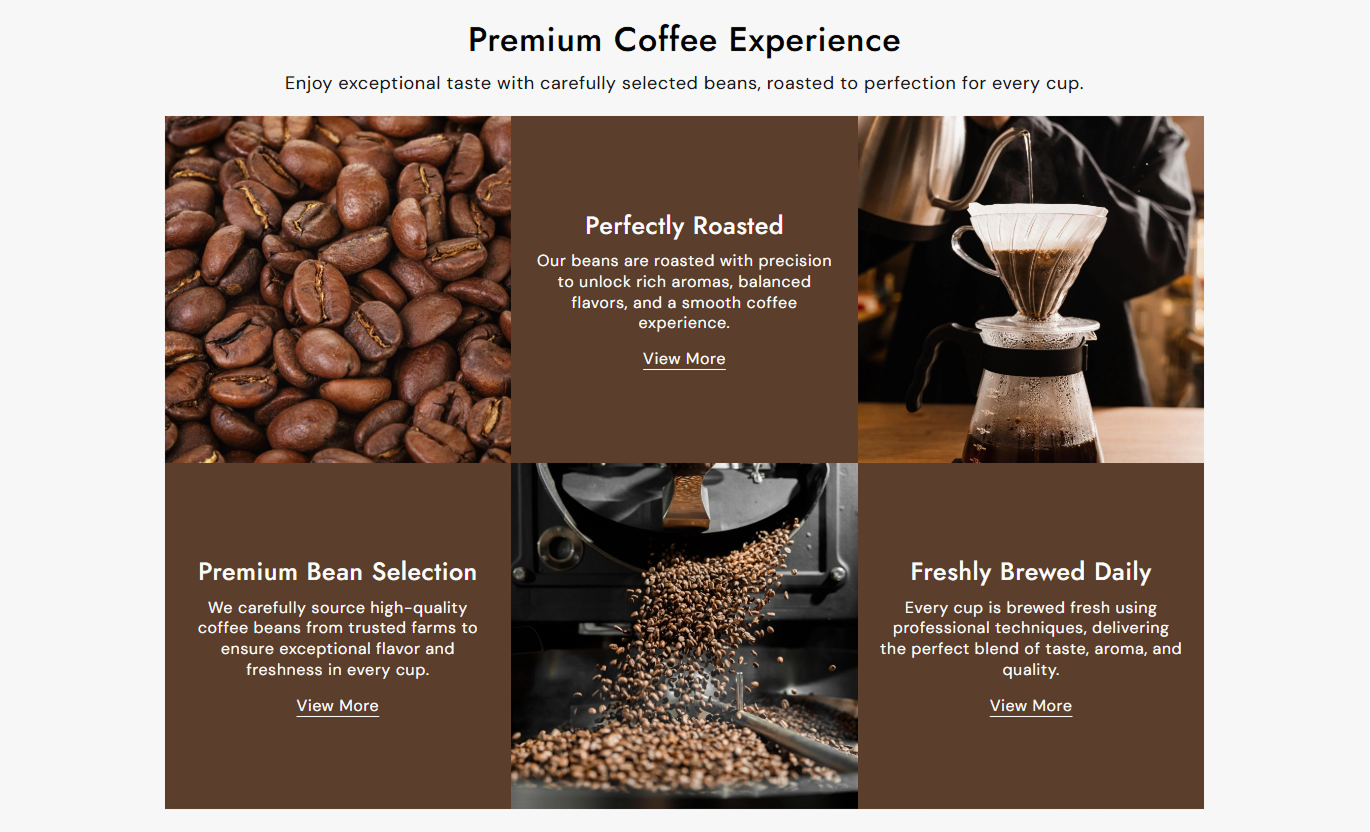
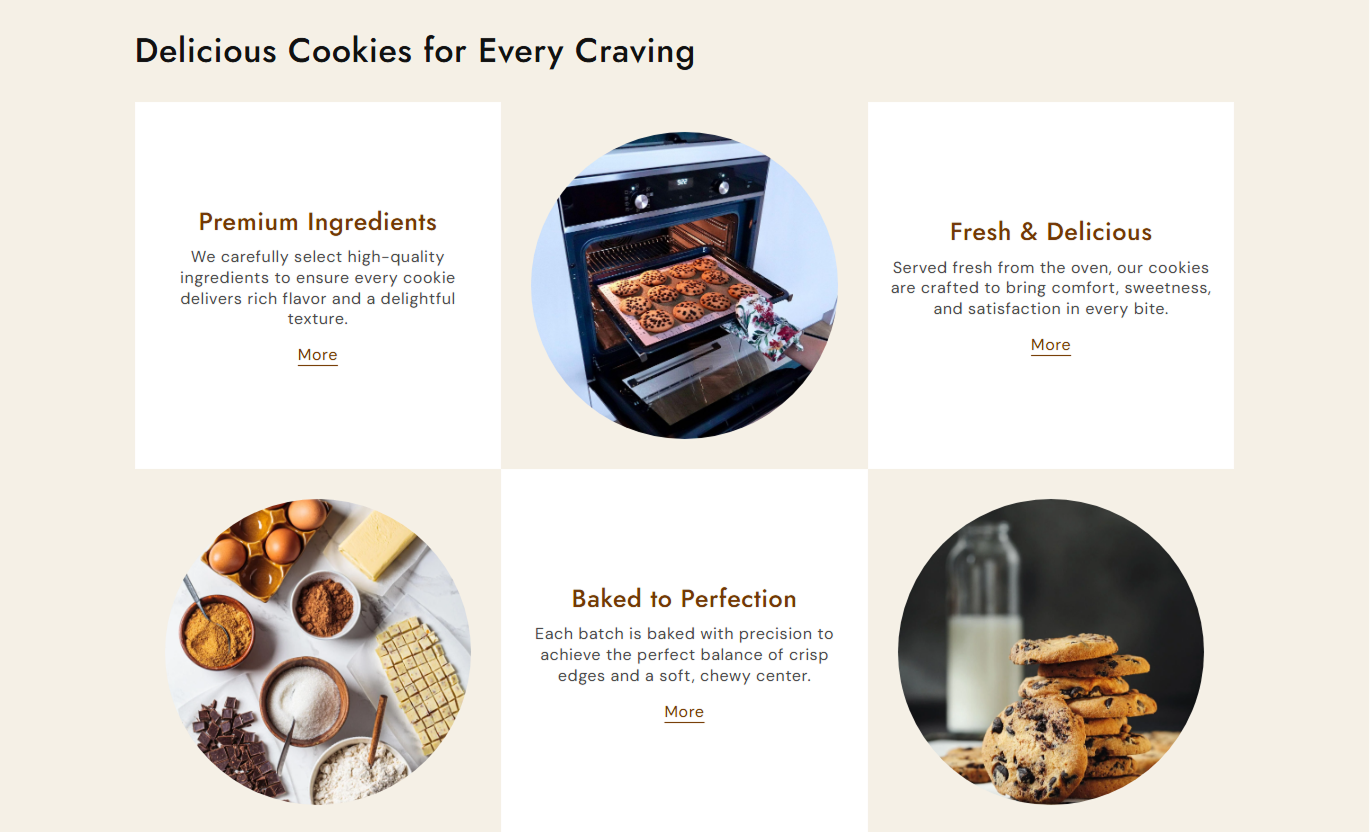


Build a visual content grid with images, headings, descriptions, links, custom shapes, colors, positioning, typography, spacing, and responsive layouts.

Add up to three content blocks to showcase products, collections, services, or other important store highlights.

Add a unique image to each block and use visuals to support your featured content.

Choose between round and square image shapes to create a layout that fits your storefront style.

Choose whether each block displays its image above or below the content on desktop screens.

Add a heading, a description, a link label, and a destination to each grid block for clear navigation.

Customize the background, heading, content, link, and hover colors for every content block.

The grid changes to a stacked layout on mobile devices for easier viewing and browsing.

Control typography, background color, section width, and desktop or mobile spacing from the theme editor.
Control the grid layout, images, content, colors, typography, links, spacing, and section width from the Shopify theme editor.

Applies to the whole section
Main heading displayed above the image grid.
HeadingSupporting text displayed below the heading.
ContentChoose the alignment of section text.
Text AlignmentChoose round or square image shapes.
Image ShapeSet the main heading font size.
Heading Font SizeSet the section content font size.
Content Font SizeSet the section background color.
Background ColorSet the main heading color.
Heading ColorSet the supporting content color.
Content ColorSet the maximum width of the section.
Section Width
Applies to each image grid block
Add an image for the content block.
ImageAdd the block heading.
HeadingAdd supporting block content.
ContentAdd text for the clickable link.
Link LabelChoose the page linked from the block.
LinkChoose image placement on desktop.
Image PositionCustomize block colors and hover styling.
Block ColorsUse the image grid to present products, collections, services, brand highlights, or other important store content in a simple, visually oriented three-block layout.
Use the three image blocks to highlight featured collections, brand values, popular products, or important store categories and link shoppers to relevant pages.
Highlight featured collectionsShowcase important store categoriesIntroduce key brand messagesAdd links to important pagesCreate a strong visual content sectionUse image blocks to introduce related categories, featured products, collection highlights, or shopping ideas that help visitors discover more of your store.
Highlight related categoriesShowcase selected collection itemsSupport product discoveryAdd useful collection linksCreate a more visual browsing experienceUse the image grid to showcase related products, complementary collections, product benefits, or supporting information that adds context around the current product.
Showcase related productsHighlight complementary collectionsAdd supporting product visualsLink shoppers to relevant pagesEncourage further store explorationPresent campaign highlights, services, products, or key messages in three structured blocks with images, descriptions, and links that support your landing page goal.
Present campaign highlights clearlyShowcase multiple offers or servicesCreate a structured content flowAdd direct links to key pagesKeep landing page content easy to scanUse a three-block visual layout to present key products, collections, services, or brand messages, featuring images, content, links, and custom styling.
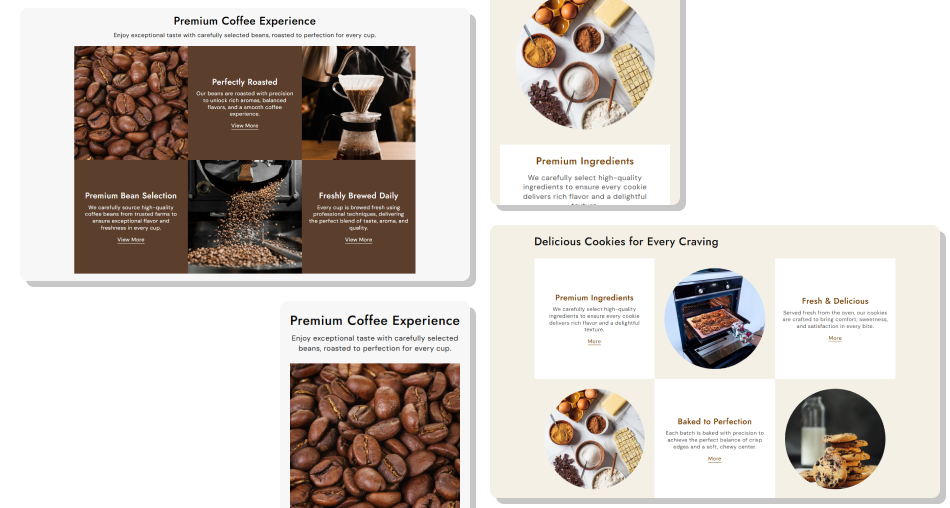
Organize three content blocks with images, headings, descriptions, links, and flexible styling to highlight important store content in one section.
Showcase three key content blocksAdd relevant images to each blockChoose round or square imagesPosition images above or below contentAdd clickable links to each blockCustomize individual block colorsAdjust typography and section spacingCreate a responsive content layout Use high-quality images that match each content block
Keep headings short and easy to understand
Write concise descriptions for each block
Link blocks to relevant store pages
Keep colors and imagery consistent with your brand
Use high-quality images that match each content block
Keep headings short and easy to understand
Write concise descriptions for each block
Link blocks to relevant store pages
Keep colors and imagery consistent with your brand  Use unrelated images across the three blocks
Add long headings that are difficult to scan
Fill blocks with unnecessary text
Link visitors to unrelated pages
Mix distracting colors and inconsistent visuals
Use unrelated images across the three blocks
Add long headings that are difficult to scan
Fill blocks with unnecessary text
Link visitors to unrelated pages
Mix distracting colors and inconsistent visuals Yes. You can add up to three image grid blocks, each with its own image, heading, content, link, and colors.
Yes. Use the Image Shape setting to display your grid images as either round or square.
Yes. On desktop, each block can display its image at the top or bottom of the content area.
Yes. Add a separate Link Label and Link to each block so shoppers can visit the most relevant page.
Yes. Each block has separate settings for its background, heading, content, link, and link hover colors.
Yes. You can adjust the font sizes of the main heading, section content, grid heading, grid content, and link label.
Yes. The three-column desktop layout changes to a stacked layout on mobile for easier viewing and interaction.
Yes. Set a custom section width and control desktop and mobile padding to fit your storefront layout.
For Support or any Questions Email Us: [email protected]
Install SectionHub and add the Image Grid Showcase section to your theme in minutes - no coding required.
