Showcase Your Brand with Interactive Image Galleries
Use Image Gallery Portfolio on your homepage to highlight featured products, brand photography, and new collections. Organize visuals into tabs with different gallery layouts.

Showcase your brand, products, and visual content with three unique gallery layouts, interactive tabs, customizable image links, and responsive grid designs.
 2.0 Compatible
Responsive Design
3 Gallery Layouts
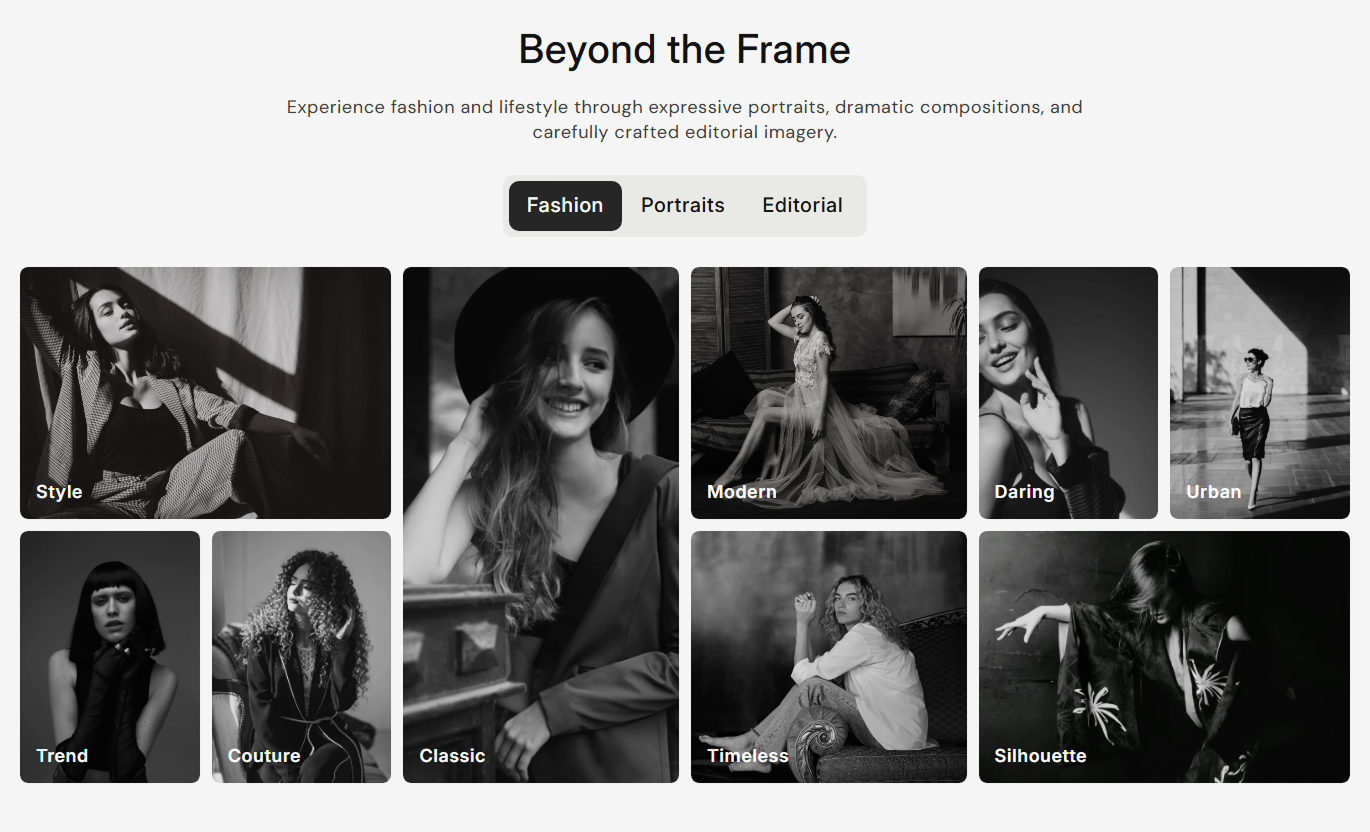

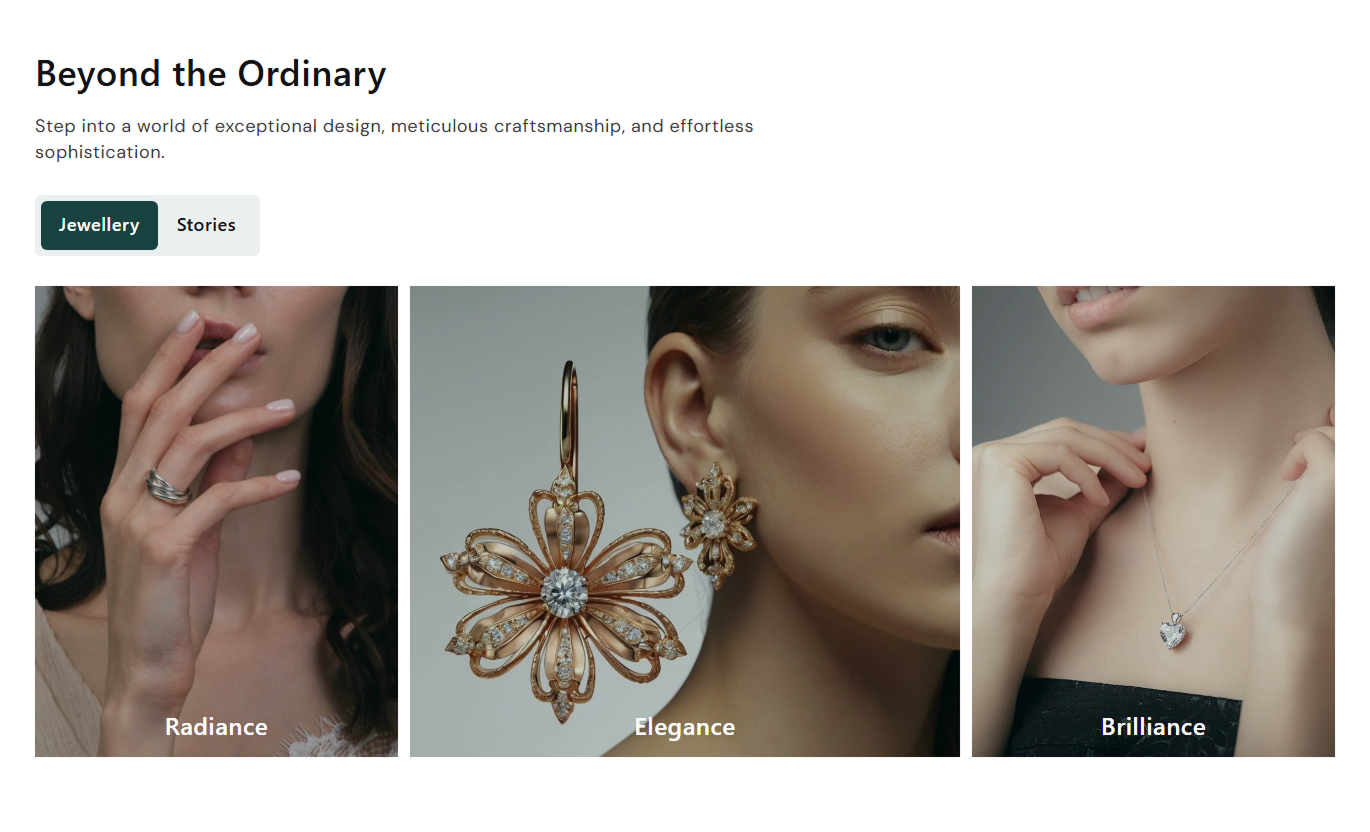


Create engaging visual galleries with three layout options, interactive tabs, customizable images, clickable links, and responsive designs for desktop and mobile screens.

Choose from three different image arrangements to create varied visual presentations for your products, collections, or brand content.

Add up to three gallery tabs and let visitors switch between different image groups without leaving the section.

Add up to nine images in Layout 1, three in Layout 2, or six in Layout 3 to suit your visual content needs.

Add individual headings to gallery images to highlight products, categories, collections, or other visual content.

Assign destination links to gallery images in supported layouts, allowing visitors to navigate to relevant store pages.

Adjust the overlay color and opacity to create visual contrast and improve the presentation of image headings.

Display gallery images in layouts adapted for desktop, tablet, and mobile screens to maintain an organized visual experience.

Customize tab styles, image corners, spacing, typography, colors, and section width to match your store's branding.
Customize gallery layouts, tabs, image presentation, typography, colors, and responsive spacing to create a visual section that fits your store.

Applies to the whole section
Add a main heading and description to introduce your image gallery.
Heading & ContentChoose the alignment of the section heading and description.
Content AlignmentSet the alignment of the gallery tabs.
Tab AlignmentCustomize tab corners and the active tab corners.
Tab Border RadiusAdjust image corner rounding and spacing between gallery images.
Image Border Radius & Image SpacingControl the heading alignment displayed over gallery images.
Image Heading AlignmentAdjust heading, description, tab text, and image heading sizes.
Font Size SettingsCustomize section, tab, active tab, image overlay, and text colors.
Color SettingsControl the overlay strength displayed over gallery images.
Overlay OpacityAdjust top and bottom spacing separately for desktop and mobile.
Desktop & Mobile PaddingChoose a full-width gallery or set a maximum section width.
Full Width & Section Max Width
Applies to each gallery tab
Add a title for each gallery tab.
Tab HeadingChoose one of the three available gallery layouts.
Layout 1, Layout 2 & Layout 3Upload images for each gallery item.
ImageAdd individual headings to describe gallery images.
Image HeadingSet destination links for gallery images in supported layouts.
Image LinkUse Image Gallery Portfolio to present products, collections, brand visuals, and lifestyle photography in organized image galleries across different Shopify store pages.
Use Image Gallery Portfolio on your homepage to highlight featured products, brand photography, and new collections. Organize visuals into tabs with different gallery layouts.
Create an attractive visual introduction to your brandShowcase featured products through multiple image layoutsOrganize product categories using interactive gallery tabsAdd image headings to highlight important collectionsLink gallery images to relevant store pagesUse different gallery layouts on collection pages to showcase product categories, styles, or collection themes. Add image headings and links to help shoppers explore related pages.
Present collection themes through organized image gridsShowcase different product styles within separate tabsHighlight category visuals using individual image headingsLink gallery images to relevant collection destinationsUse multiple layouts to create varied visual presentationsAdd Image Gallery Portfolio to product pages to showcase product photography, lifestyle images, and related visuals. Organize supporting images into tabs for easier exploration.
Display product and lifestyle photography togetherHighlight different product details through image headingsOrganize supporting visuals into separate gallery tabsLink images to relevant product information pagesUse responsive layouts to present product imagery clearlyUse Image Gallery Portfolio on landing pages to present campaign imagery, featured collections, and brand stories. Separate visual themes into tabs with customized images and links.
Create campaign-specific galleries with distinct layoutsSeparate promotional themes using interactive tabsShowcase campaign images with customizable overlaysAdd individual links to guide visitors to relevant pagesAdjust gallery spacing and styling to suit campaign designsPresent products, collections, and brand imagery through multiple gallery layouts that help Shopify merchants organize visual content and improve store presentation.
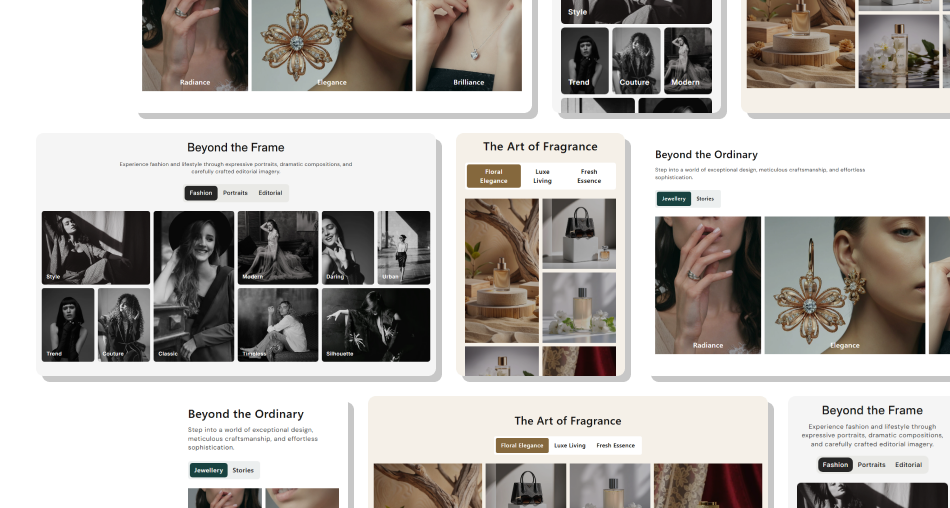 Choose from three unique image gallery layoutsOrganize image groups with interactive tabsDisplay up to nine images in Layout 1Add individual headings to gallery imagesCustomize image overlays and corner stylingAdjust desktop and mobile image spacingLink supported gallery images to store pagesMatch gallery styling with your brand identity
 Choose a gallery layout that suits your image content.
Use high-quality images with consistent visual styling.
Add clear tab headings to organize different image groups.
Use descriptive image headings to explain visual content.
Check image spacing and alignment on mobile devices.
 Use unrelated images within the same gallery tab.
Add too many text elements over images.
Choose overlay colors that hide important image details.
Leave tab headings blank, as those tabs will not display.
Forget to test image links before publishing your gallery.
Image Gallery Portfolio includes three layouts: Layout 1 supports nine images, Layout 2 supports three images, and Layout 3 supports six images.
You can add up to three gallery blocks. Each block creates a separate tab with its own title, layout, and image settings.
Yes. Each gallery block has its own image settings, allowing you to upload separate images and create different visual groups.
Yes. You can add a separate heading to each image to describe products, categories, collections, or other visual content.
Yes. Visitors can click the tab headings to switch between gallery blocks and view the images arranged in their selected layouts.
Yes. Layout 1 and Layout 3 support individual image links in the current code. Layout 2 has a link-setting mismatch that needs to be corrected for custom links to work.
Yes. You can adjust the overlay color, opacity, image border radius, tab styling, typography, and other design settings.
Yes. The gallery uses separate responsive grid arrangements and mobile spacing settings to adapt its image presentation to smaller screens.
For Support or any Questions Email Us: [email protected]
Install SectionHub and add the Image Gallery Portfolio section to your theme in minutes - no coding required.