Create a Visual Product Showcase
Feature selected products on your homepage with large images, short descriptions, changing background colors, and direct links that encourage visitors to explore more.

Create an eye-catching product showcase with a centered image slider, changing focus colors, supporting content, and clickable buttons to highlight featured products.
 2.0 Compatible
Visual Product Slider
Responsive Design
2.0 Compatible
Visual Product Slider
Responsive Design 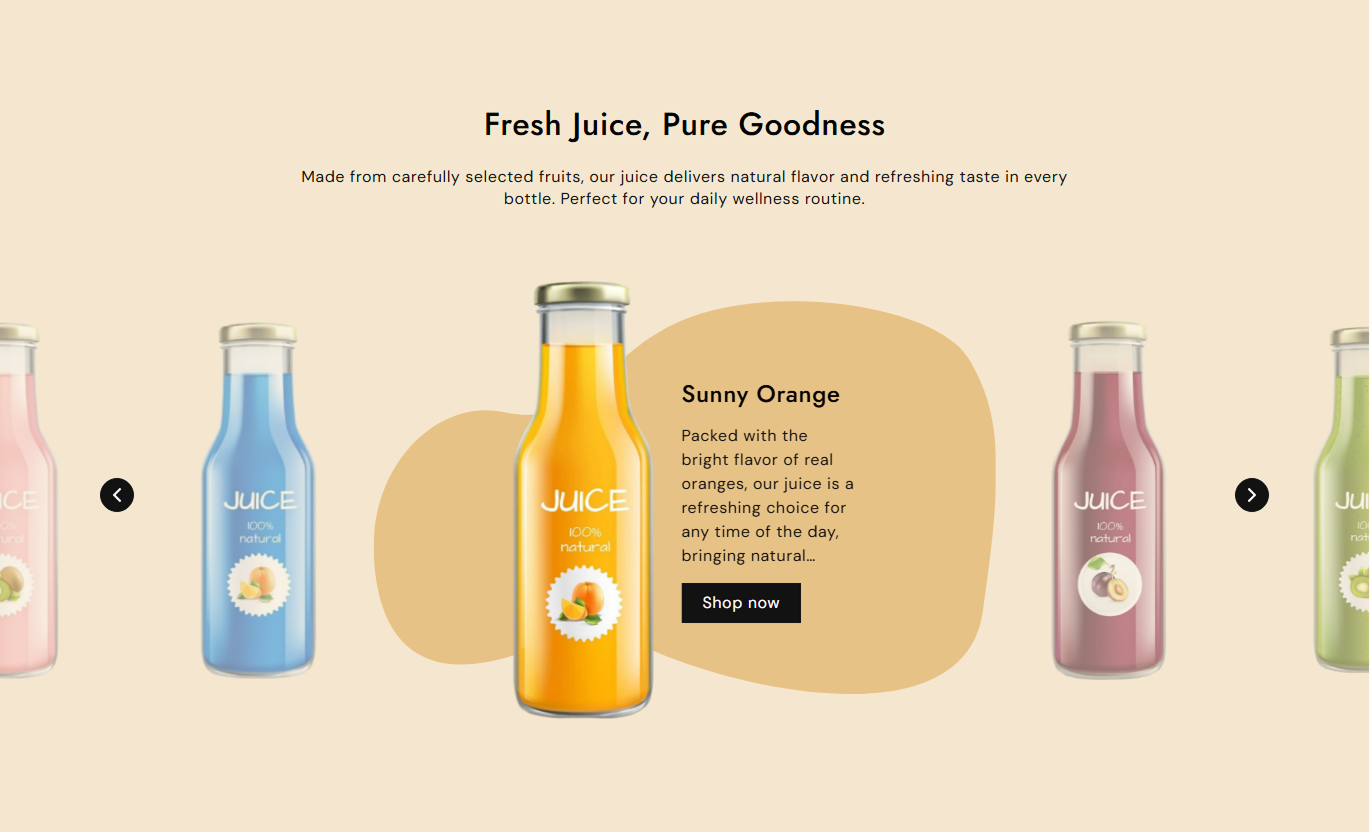
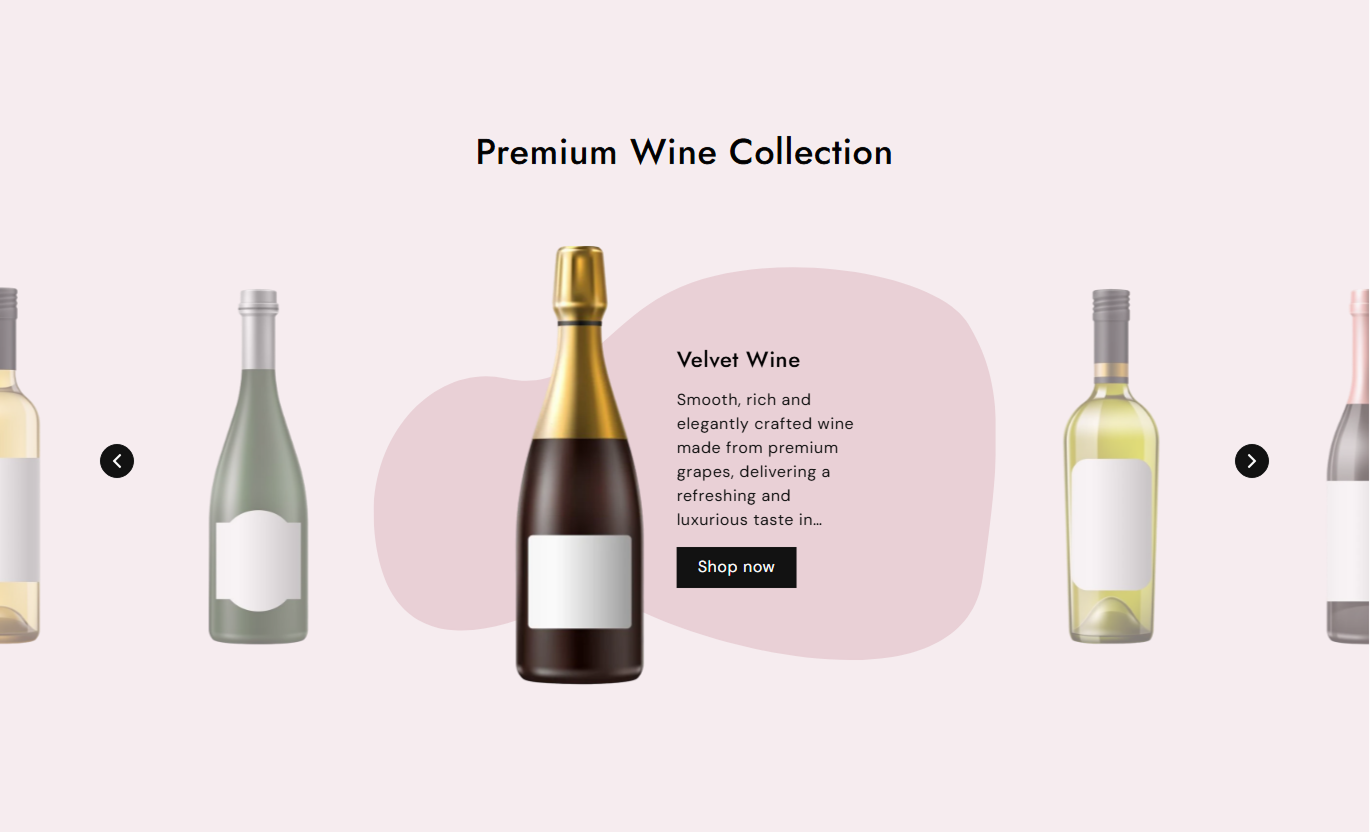


Create a visual product slider with focused images, changing background colors, product details, buttons, navigation arrows, and responsive layouts for every screen.

Highlight one featured slide at a time while surrounding products remain visible for an engaging browsing experience.

Add individual images to each slide and showcase products with clear, visually focused imagery.

Assign a unique focus color to each slide for a changing visual background as shoppers move through products.

Add a heading and supporting rich text to provide useful information alongside each featured product.

Add a button label and link to guide shoppers directly from a featured slide to a relevant store page.

Let shoppers move through featured products using simple previous and next navigation controls.

Adjust button colors, borders, hover styles, size, radius, and outline appearance to match your store.

The slider adjusts its presentation across desktop and mobile screens for a smooth browsing experience.
Control slider content, colors, buttons, arrows, typography, opacity, and section spacing from the Shopify theme editor.

Applies to the whole section
Main heading displayed above the slider.
HeadingSupporting text displayed below the heading.
ContentChoose the alignment of section text.
Text AlignmentControl the background color opacity.
Background OpacitySet the main heading font size.
Heading Font SizeSet the section content font size.
Content Font SizeChoose the main heading color.
Heading ColorChoose the supporting content color.
Content ColorSet colors for slider headings and content.
Slider Text ColorsControl spacing above and below the section.
Section Padding
Applies to each slide
Add the product or feature image.
ImageAdd the slide heading.
HeadingAdd supporting slide information.
ContentAdd text for the slide button.
Button LabelLink the button to a store page.
Button LinkSet the slide's visual focus color.
Focus ColorUse the Highlight Slider to feature products, collections, launches, or campaigns with large visuals, supporting content, changing colors, and clickable store links.
Feature selected products on your homepage with large images, short descriptions, changing background colors, and direct links that encourage visitors to explore more.
Showcase products with strong visual focusHighlight selected products or new arrivalsAdd short product descriptionsGuide shoppers to product pagesCreate an engaging homepage sectionUse the slider to spotlight selected products from a collection and give shoppers a visual way to explore featured items with supporting details and links.
Spotlight selected collection productsGive featured items more visual attentionAdd useful product informationLink directly to relevant product pagesEncourage shoppers to explore more itemsFeature related or complementary products in a visual slider to give shoppers more discovery options while keeping product images, details, and links easy to access.
Display related products visuallyHighlight complementary product optionsAdd supporting product informationProvide direct shopping linksEncourage additional product discoveryPresent campaign products, featured items, or selected offers in a focused slider that combines large visuals, short content, changing colors, and clickable buttons.
Highlight products for campaignsCreate a strong visual content flowSupport promotional storytellingAdd direct links to featured itemsKeep campaign content interactiveUse a focused product slider to showcase featured items with strong visuals, supporting content, custom colors, and direct links to important store pages.
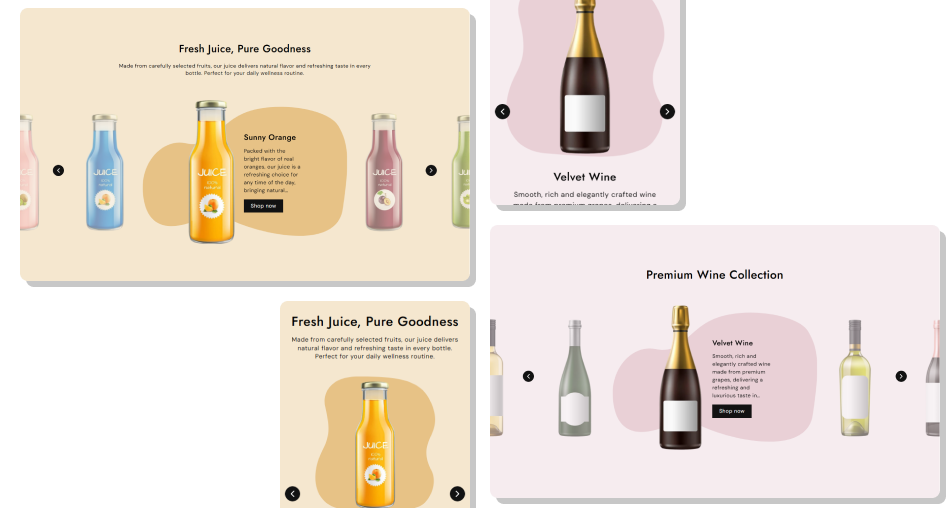
Highlight selected products in an interactive slider with custom content, colors, buttons, and navigation controls that fit your storefront.
Highlight featured products visuallyShowcase multiple products in one sectionAdd useful product descriptionsGive each slide a unique focus colorAdd clickable shopping buttonsCustomize button and arrow stylesCreate a responsive product showcaseMatch colors and styling to your brand Use clear product images with consistent visual quality
Feature products that are relevant to the page
Keep slide descriptions short and useful
Link buttons to the correct product or store page
Choose focus colors that work well with your imagery
Use clear product images with consistent visual quality
Feature products that are relevant to the page
Keep slide descriptions short and useful
Link buttons to the correct product or store page
Choose focus colors that work well with your imagery  Use unrelated products in the same slider
Add blurry or poorly cropped product images
Fill slides with long blocks of text
Send shoppers to unrelated pages
Use distracting colors that reduce readability
Use unrelated products in the same slider
Add blurry or poorly cropped product images
Fill slides with long blocks of text
Send shoppers to unrelated pages
Use distracting colors that reduce readability Yes. Add multiple Slide blocks, with each block supporting an image, heading, content, button, link, and focus color.
Yes. Each slide has its own Focus Color setting, which changes the visual background as shoppers move through the slider.
Yes. Add a Button Label and Button Link to each slide to guide shoppers to a relevant product or store page.
Yes. You can customize button colors, borders, hover styles, size, radius, outline settings, and slider arrow styling.
Yes. The section includes separate settings for the main heading, content, slider heading, and slider content font sizes.
Yes. The layout adjusts for mobile screens, with the product image and supporting content displayed in a mobile-friendly format.
Yes. Use the Background Opacity setting to control how strongly the slide focus color appears behind the content.
Yes. Separate desktop and mobile padding settings let you control the space above and below the Highlight Slider.
For Support or any Questions Email Us: [email protected]
Install SectionHub and add the Highlight Slider section to your theme in minutes - no coding required.
