Create an Attention-Grabbing Homepage Hero
Showcase featured collections, new arrivals, campaigns, or brand messages using large images and video slides with clear calls to action.

Create an engaging hero banner with image or video slides, overlay content, clickable buttons, and interactive thumbnail navigation for desktop and mobile stores.
 Image & Video Slides
Interactive Thumbnail Slider
Responsive Hero Design
Image & Video Slides
Interactive Thumbnail Slider
Responsive Hero Design 
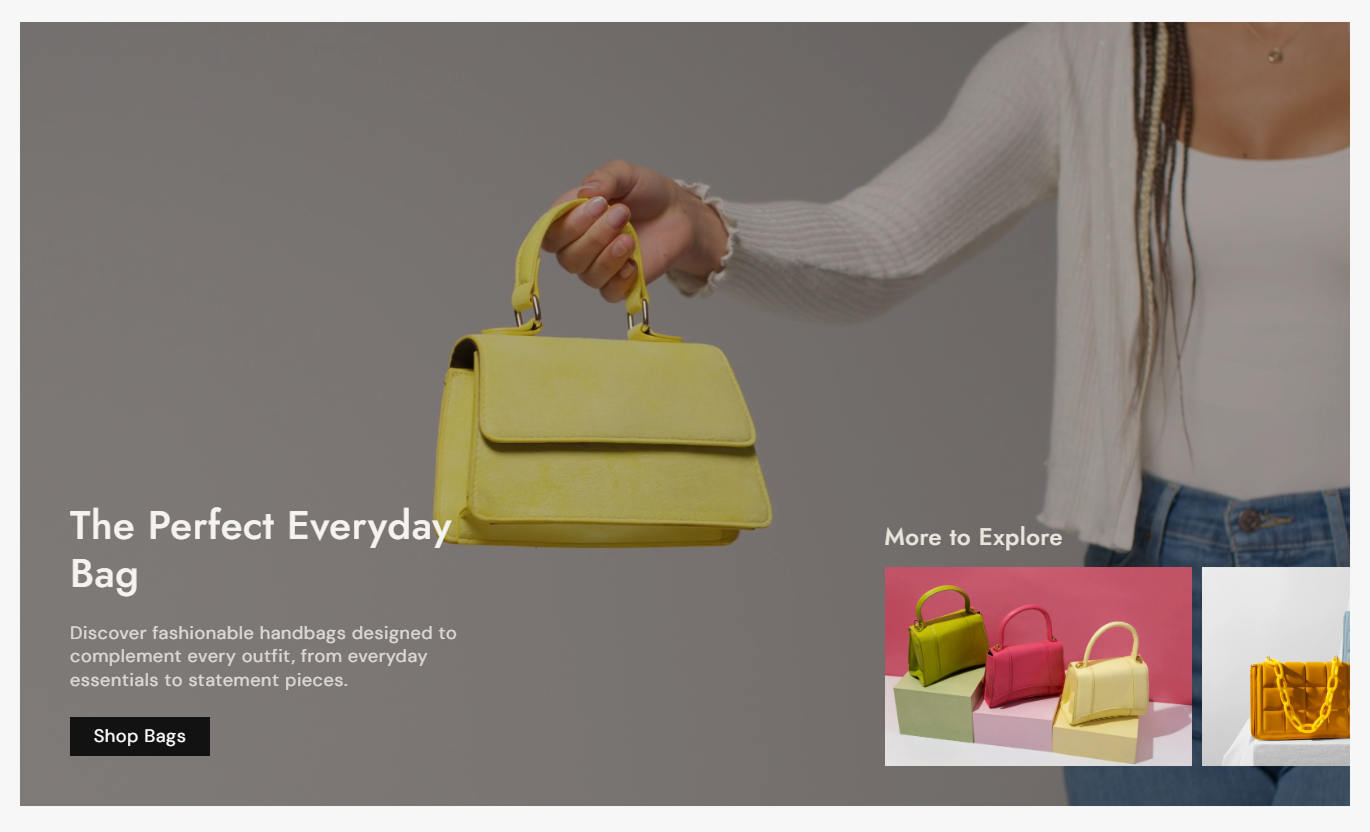


Build dynamic hero experiences with image or video slides, responsive content positioning, thumbnail navigation, autoplay, overlays, and flexible styling options.

Add high-quality desktop images to create visually engaging hero slides for your storefront.

Upload separate mobile images to optimize each slide for smaller screens and responsive layouts.

Use Shopify-hosted videos as hero slides with autoplay, muted playback, looping, and inline viewing.

Let customers switch slides quickly using clickable thumbnail previews displayed below the hero content.

Position slide text at the top, center, or bottom with separate desktop and mobile alignment controls.

Enable automatic slide changes and control the transition interval from 1 to 10 seconds.

Add headings, rich text, and clickable buttons over each image or video slide with flexible styling.

Adjust slide heights, thumbnail sizes, spacing, text alignment, and section width for different devices.
Control slide height, thumbnails, autoplay, typography, colors, spacing, width, and individual slide content from one place.

Applies to the whole section
Controls the main hero slide height and media proportion.
HeightAdds a heading above the thumbnail navigation.
HeadingControls the size of thumbnail slides.
HeightSets how thumbnail text is aligned on hover.
Text AlignmentAutomatically changes slides at a selected interval.
Enable AutoplaySets how often the main slide changes.
Change Slides EveryMake the slideshow full width or set a custom width.
Full Width / WidthControls heading, content, and thumbnail typography sizes.
Font SizeControls styling for thumbnail text, heading, and image overlay.
Colors & Overlay
Applies to each image or video slide
Adds the main media used for the desktop slide.
Desktop ImageAdds an alternate image specifically for mobile devices.
Mobile ImageAdds the image displayed in thumbnail navigation.
Thumbnail ImageAdds the slide heading and supports rich text content.
Heading / ContentAdds a clickable button and destination link to the slide.
Button Label / LinkControls text position and alignment on desktop and mobile.
Content Position & AlignmentFor video slides, controls the video, thumbnail, and desktop content box.
Video / Show Container BoxUse image and video slides to introduce collections, products, campaigns, services, and seasonal promotions across important storefront pages.
Showcase featured collections, new arrivals, campaigns, or brand messages using large images and video slides with clear calls to action.
Highlight important campaigns above the fold.Combine visuals with clear promotional messaging.Guide visitors toward key store pages.Use video to create a stronger visual impact.Keep homepage content easy to explore.Use slideshow banners to introduce collection themes, seasonal edits, or featured categories before customers begin browsing products.
Present collection themes more visually.Highlight seasonal product stories.Add focused links to collection content.Support multiple promotional messages.Create a stronger collection introduction.Use hero slides to highlight product benefits, launches, campaigns, or related shopping messages, paired with compelling images and videos.
Support important product campaigns.Explain key product messages visually.Add direct shopping buttons to slides.Use video for product storytelling.Keep promotional content highly visible.Create visual landing pages for promotions, launches, events, or brand campaigns with flexible media, messaging, buttons, and thumbnail navigation.
Build focused campaign experiences.Combine several messages in one section.Add clear calls to action.Use image and video storytelling together.Adapt content for desktop and mobile.Give visitors a visually rich introduction with image and video slides, interactive thumbnails, responsive content controls, and flexible calls to action.
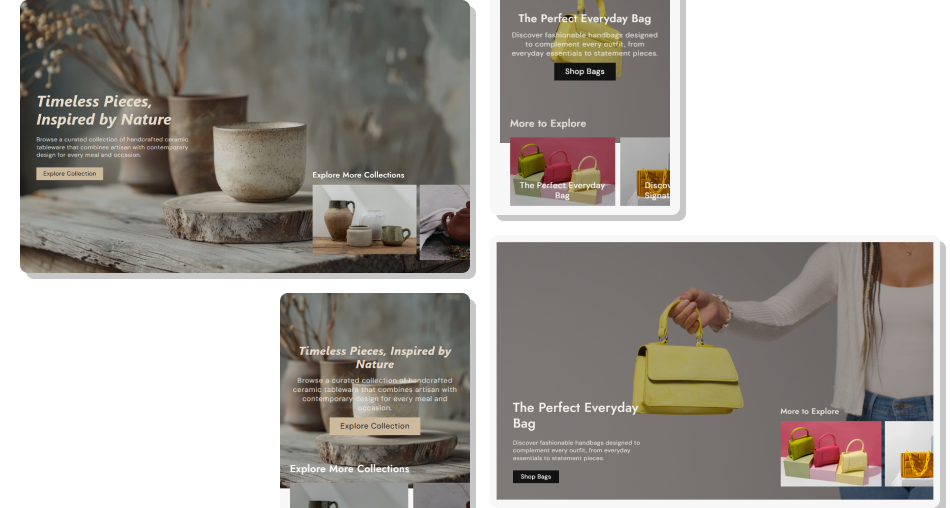
Turn valuable hero space into an interactive storytelling area that helps showcase campaigns, collections, products, and brand content across devices.
Showcase important content above the foldCombine images and videos in one sliderGuide visitors with clear calls to actionCreate interactive thumbnail navigationKeep slide content responsive across devicesSupport campaigns and seasonal promotionsMatch slide styling with your store branding Use high-quality images with clear focal points.
Keep slide headings short and easy to scan.
Choose strong buttons with clear action text.
Use mobile-specific images when layouts differ.
Keep autoplay timing comfortable for reading.
Use high-quality images with clear focal points.
Keep slide headings short and easy to scan.
Choose strong buttons with clear action text.
Use mobile-specific images when layouts differ.
Keep autoplay timing comfortable for reading.  Avoid overcrowding slides with too much content.
Don’t use low-quality or stretched media.
Avoid buttons with unclear action labels.
Don’t ignore mobile image composition.
Avoid autoplay speeds that feel too fast.
Avoid overcrowding slides with too much content.
Don’t use low-quality or stretched media.
Avoid buttons with unclear action labels.
Don’t ignore mobile image composition.
Avoid autoplay speeds that feel too fast. Yes. The section supports separate image and video slide types, allowing you to combine different media formats within the same hero slideshow.
Yes. Image slides include a dedicated mobile image setting. If no mobile image is added, the desktop image is used instead.
Yes. Each image or video slide can include a custom button label and link, with options for outline styling and button customization.
Yes. Autoplay can be enabled from the section settings, with the slide interval adjustable between 1 and 10 seconds.
Yes. The thumbnail slider is interactive, and customers can click thumbnail previews to switch the main hero slide.
Yes. Desktop and mobile settings allow you to position content at the top, center, or bottom and control its text alignment.
Yes. You can select the main slide height and thumbnail height, including adaptive sizing options based on the media.
Yes. You can customize heading and content colors, image overlay settings, button colors, borders, hover states, outline styling, and shadows.
For Support or any Questions Email Us: [email protected]
Install SectionHub and add the Hero Slideshow Media Slider section to your theme in minutes - no coding required.
