Show Multiple Collections in an Interactive Area
Use Flexible Product Tabs on your homepage to organize featured collections, new arrivals, best sellers, or seasonal ranges inside expandable product sliders.

Show up to five expandable collection tabs with product sliders, animated card reveals, fraction counters, autoplay, responsive slide counts, and flexible styling.
 Expandable Product Tabs
Collection Product Sliders
Animated Card Reveals
Expandable Product Tabs
Collection Product Sliders
Animated Card Reveals 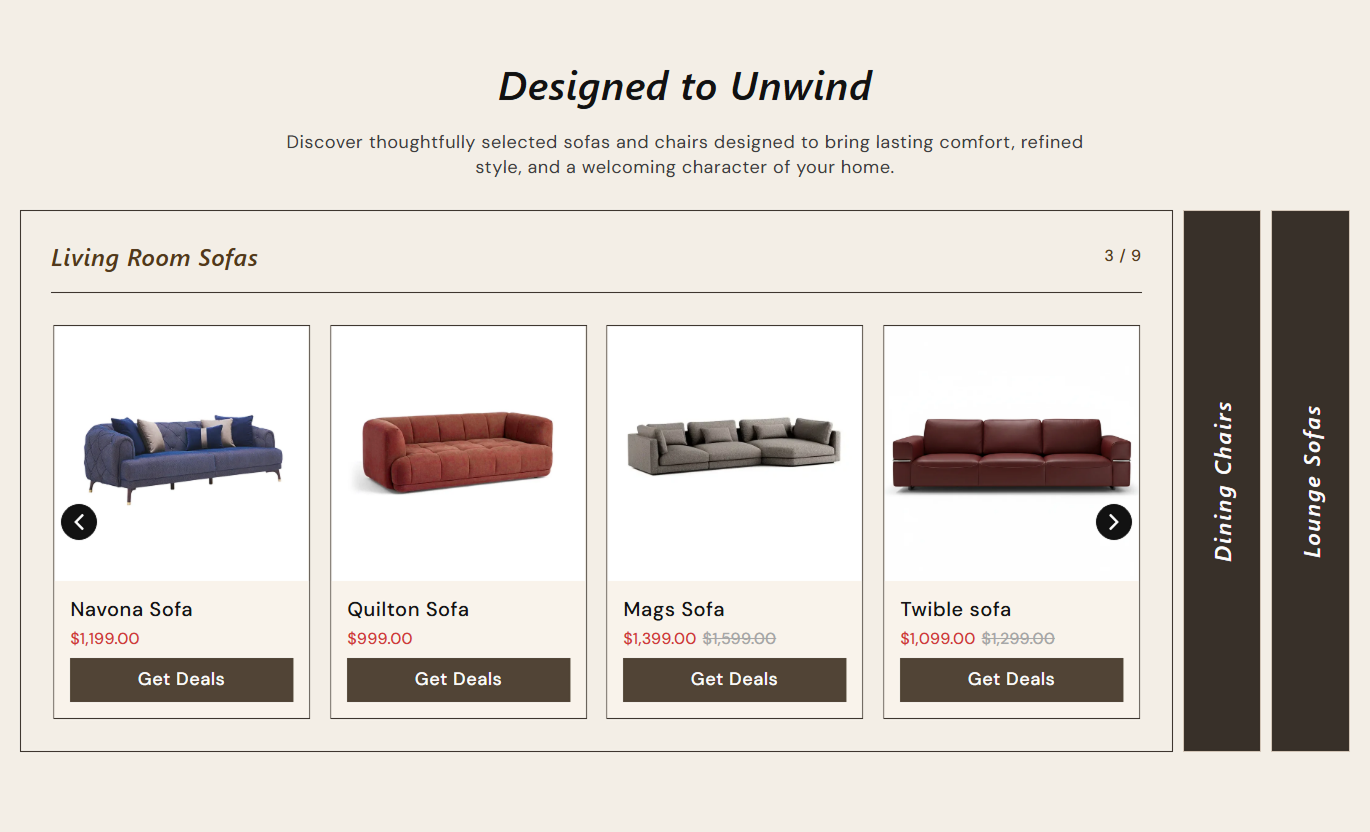
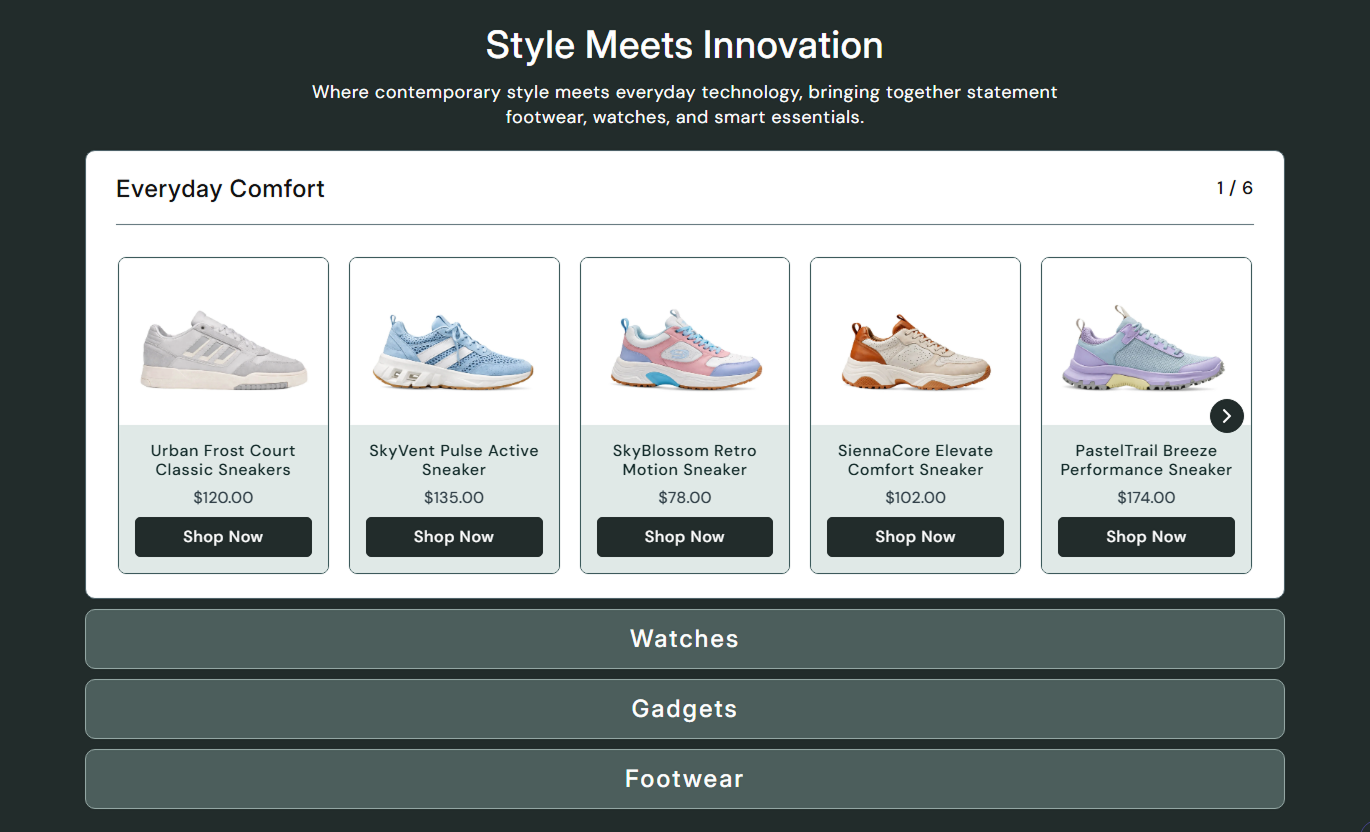


Organize collections into expandable tabs with product sliders, staggered card reveals, live pricing, counters, responsive layouts, and flexible styling.

Display up to five collection tabs that expand when active, while inactive tabs remain compact for quick category switching.

Keep tabs side by side with rotated collapsed titles, or switch the section to a vertical accordion-style arrangement.

Each active tab contains its own Swiper product carousel with responsive slide counts, optional autoplay, looping, and arrows.

Product cards fade in and out of view with staggered timing whenever a different tab is opened, for a polished transition.

Show the active slide position as a Swiper fraction counter beside each tab heading for clearer product browsing.

Display the selected or first available variant price and show compare-at pricing whenever a product is discounted.

Show one slide on small screens, two from 768px, three from 1024px, and a configurable desktop count from 1240px.

Control image height, card radius, text alignment, buttons, colors, arrows, tab styling, spacing, and section width.
Control tab direction, sliders, product cards, typography, colors, arrows, responsive spacing, and section width.

Applies to the whole section
Switch between horizontal tabs and a vertical stacked layout.
Tab Layout DirectionChoose product media height and card content alignment.
Product Card LayoutSet button text, outline mode, size, and corner radius.
Product Button StyleEnable autoplay, looping, arrows, speed, and desktop slides.
Slider ControlsAdjust section, tab, product title, price, and counter sizes.
Typography ControlsCustomize section, tab, product, button, and arrow colors.
Color Style ControlsSet separate desktop and mobile top and bottom padding.
Responsive SpacingUse full width or define a maximum contained section width.
Section Width Setup
Applies to each tab
Choose the Shopify collection displayed in this tab.
CollectionSet the label shown on the collapsed tab.
Custom Tab TitleSet the heading shown inside the expanded tab.
Tab HeadingUp to five Tab Item blocks can be added.
Block LimitUse this expandable product section across Shopify pages to organize collections, related ranges, campaigns, or curated products inside interactive sliders.
Use Flexible Product Tabs on your homepage to organize featured collections, new arrivals, best sellers, or seasonal ranges inside expandable product sliders.
Group several collections without creating a long product gridLet shoppers open one product category at a timeUse product sliders to keep each active tab compactShow live prices and direct product buttons inside cardsStack tabs vertically for a mobile-friendly browsing flowPlace the section on collection pages to promote related ranges, subcollections, or complementary categories without replacing the main collection grid.
Surface related collections beside the primary product listingGive each collection its own expandable product sliderShow multiple products without extending the page excessivelyUse fraction counters to clarify progress through each sliderKeep active and inactive category states visually distinctUse Flexible Product Tabs on product pages to show accessories, alternatives, or matching products from related collections in interactive expandable sliders.
Cross-sell complementary items without a long static gridOrganize related products into clear collection categoriesLink product images, titles, and buttons to product pagesShow compare-at pricing automatically when discountedUse responsive slide counts across screen sizesUse Flexible Product Tabs on landing pages to organize campaign edits, seasonal ranges, or curated collections with expandable panels and responsive product sliders.
Create several campaign shopping paths in one sectionUse up to five tab items for focused merchandisingEnable autoplay when passive product browsing is usefulMatch tab, card, and arrow colors to campaign stylingSwitch to vertical tabs for a stacked editorial layoutTurn multiple collections into an interactive shopping area with expandable tabs, responsive product sliders, live pricing, counters, and flexible styling.
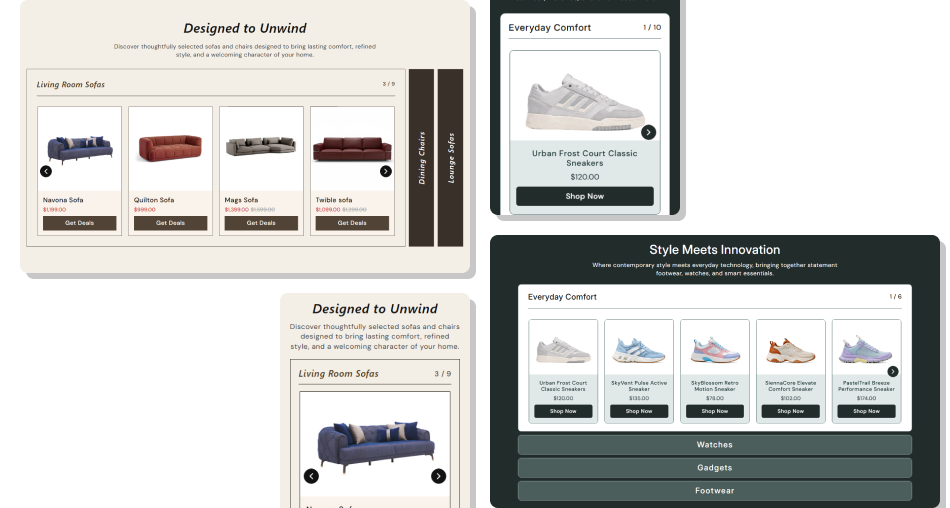
Combine collection tabs, product sliders, counters, and animated reveals to make browsing multiple product ranges easier.
Organize up to five collection destinations in one sectionGive each tab its own independent product sliderReveal product cards with staggered animation after switchingShow live variant and compare-at pricing automaticallyUse fraction counters to show slider progressConfigure autoplay, looping, arrows, and desktop slide countsSwitch between horizontal and vertically stacked tab layouts Use short tab titles that remain readable when tabs collapse
Select collections that support a clear merchandising goal
Keep product imagery consistent across related tab categories
Test autoplay, arrows, and responsive slide counts before launch
Use a desktop slide count that suits your available section width
Use short tab titles that remain readable when tabs collapse
Select collections that support a clear merchandising goal
Keep product imagery consistent across related tab categories
Test autoplay, arrows, and responsive slide counts before launch
Use a desktop slide count that suits your available section width  Do not use vague tab names that hide the products inside
Do not enable autoplay if rapid movement hurts readability
Do not rely on rotated tab labels for essential long copy
Do not mix unrelated collections that confuse product discovery
Do not publish placeholder tabs when real collections are ready
Do not use vague tab names that hide the products inside
Do not enable autoplay if rapid movement hurts readability
Do not rely on rotated tab labels for essential long copy
Do not mix unrelated collections that confuse product discovery
Do not publish placeholder tabs when real collections are ready The schema allows up to five Tab Item blocks, and a tab becomes visible when either its custom tab title or selected collection is present.
The code loops through the selected collection's products without a per-tab product limit, so all products returned by that collection are included.
The expanded tab renders six placeholder product slides with sample titles, prices, images, and the configured product button.
The slider shows one product by default, two from 768px, three from 1024px, and the configured three-to-five desktop count from 1240px.
Yes. Enabling Vertically Position stacks the tab items and removes the rotated collapsed-title treatment used by the horizontal layout.
The previous tab collapses, the new tab expands, its slider resets to the first slide in the loop, and its product cards animate into view.
Yes. The script creates Swiper instances but does not import or guard against a missing Swiper library, so the environment must provide it.
No. The schema disables this section in Shopify header and footer groups, so use it only within supported page-template section areas.
For Support or any Questions Email Us: [email protected]
Install SectionHub and add the Flexible Product Tabs section to your theme in minutes - no coding required.
