Create a Moving Visual Showcase
Add a Filmstrip to your homepage to display products, lifestyle images, videos, or campaigns in a continuous visual layout that catches attention.

Create a scrolling visual strip with images and videos to highlight products, collections, campaigns, or brand content while keeping important text and links nearby.
 Image & Video Support
Scrolling Filmstrip
Responsive Layout
Image & Video Support
Scrolling Filmstrip
Responsive Layout 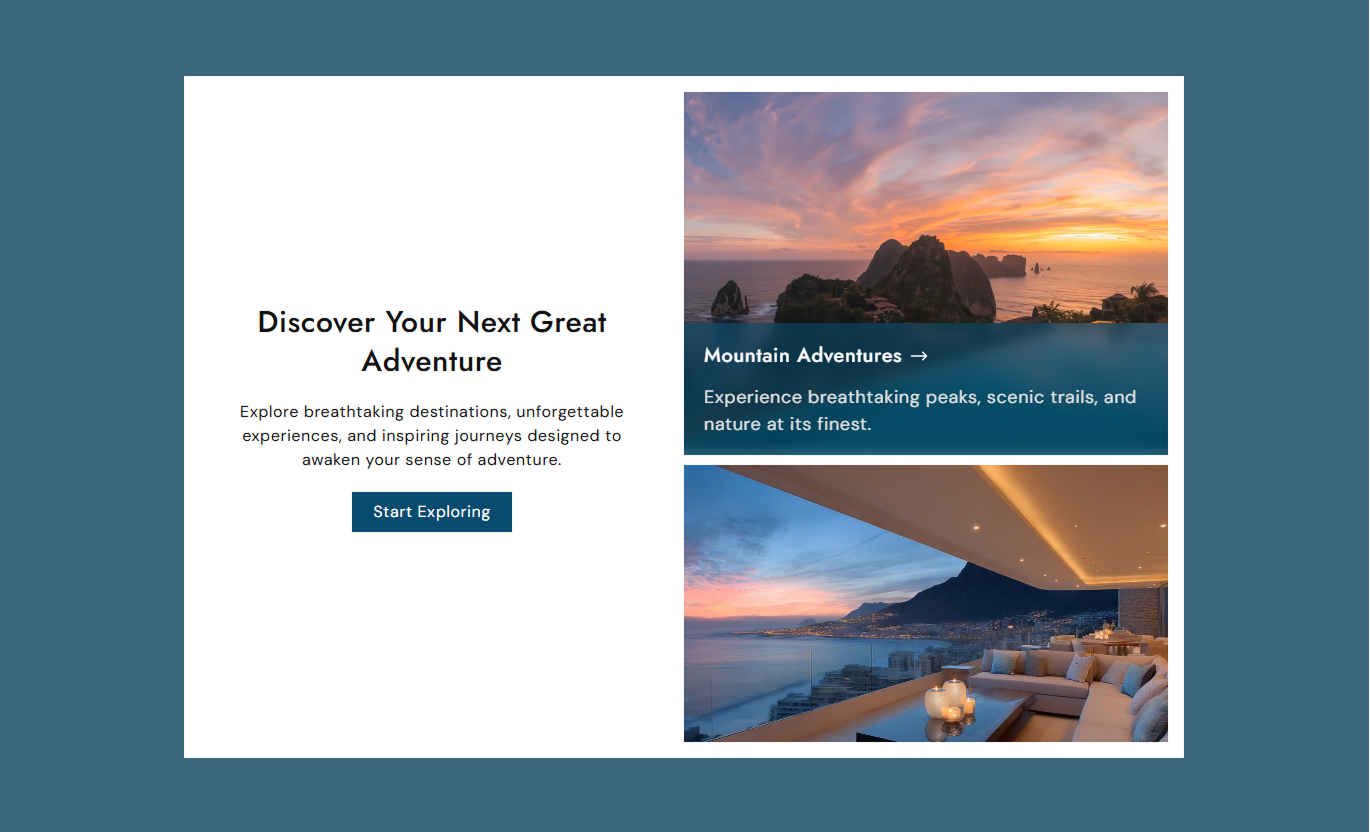
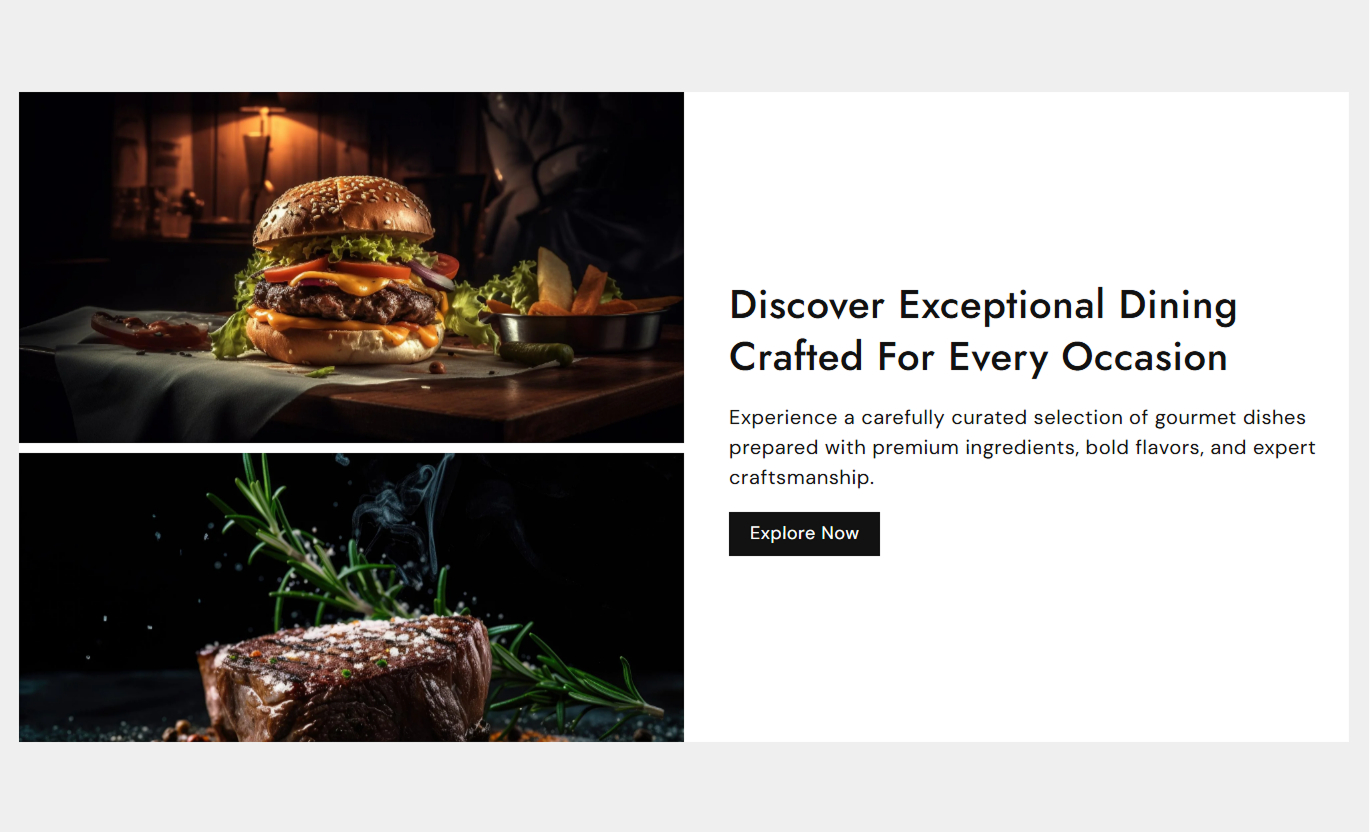
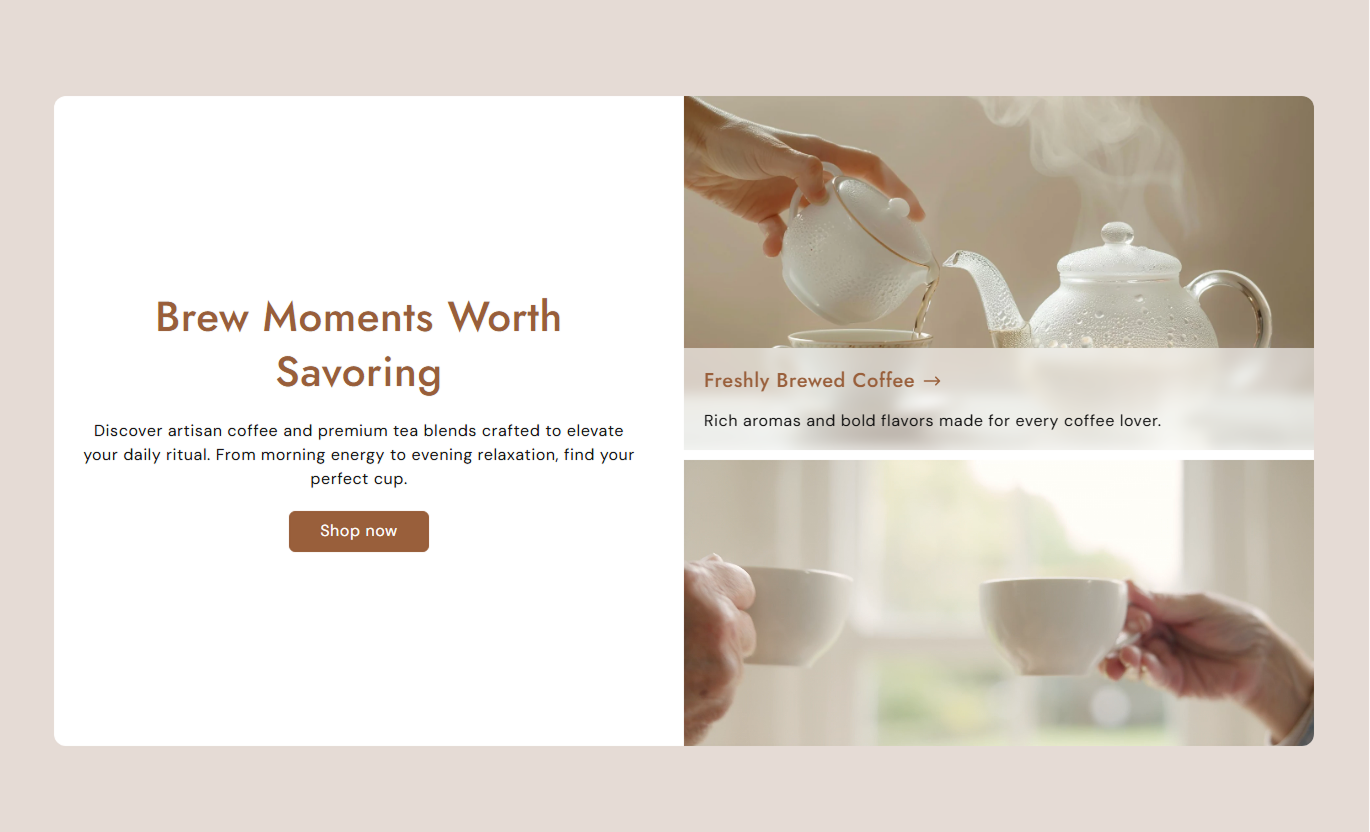


Combine images and videos in a continuous scrolling layout with custom captions, links, animation speed, media sizing, and flexible section controls.

Add images and videos together to create a varied visual strip for your Shopify store.

Keep media moving continuously in a vertical filmstrip for an engaging browsing experience.

Add a heading and content to each image or video to provide useful context.

Connect media captions to relevant pages so shoppers can explore related content.

Choose from multiple animation speeds to control how quickly the filmstrip moves.

Set the filmstrip to move from top to bottom or bottom to top.

Choose from 21:9, 16:9, 4:3, 1:1, or auto for your media presentation.

The filmstrip adapts its layout, content, and spacing for smaller mobile screens.
Customize your content, marquee animation, media sizing, captions, colors, spacing, and section width from the Shopify theme editor.

Applies to the whole section
Add the main heading above the filmstrip.
HeadingAdd supporting text below the heading.
ContentAdd text and a destination for the main button.
Button SettingsChoose the main content alignment.
Text AlignmentChoose whether content appears left or right.
Content PositionSet the filmstrip animation direction.
Animation DirectionChoose the filmstrip scrolling speed.
SpeedChoose the media aspect ratio.
Media Aspect RatioSet the space between media items.
Space Between MediaChoose the filmstrip section height.
Section HeightAdjust the media corner radius.
Media Border RadiusCustomize section, text, button, and caption colors.
Color SettingsAdjust desktop and mobile section spacing.
Section PaddingChoose full width or a maximum section width.
Section Width
Applies to each image or video
Upload an image for the filmstrip.
ImageAdd a video to the filmstrip.
VideoAdd a title for the media caption.
HeadingAdd supporting media content.
ContentConnect the media content to a destination.
LinkUse the Filmstrip to showcase visual content in motion across key store pages. Combine images, videos, captions, and links to guide shoppers toward relevant content.
Add a Filmstrip to your homepage to display products, lifestyle images, videos, or campaigns in a continuous visual layout that catches attention.
Showcase multiple visuals in one sectionAdd movement to your homepageMix product images and videosHighlight featured store contentCreate more visual browsing opportunitiesUse the Filmstrip to showcase collection imagery, product highlights, or related visual content while shoppers browse and discover products.
Highlight collection visualsSupport product discoveryAdd movement between product sectionsShowcase related contentCreate a stronger visual collection layoutAdd supporting images and videos around product content to show different views, usage ideas, or related visuals without replacing your main product information.
Show additional product visualsAdd product usage contentInclude supporting videosHighlight related visual detailsMake product pages more engagingUse a Filmstrip on landing pages to create a moving visual showcase for campaigns, launches, promotions, or brand content with links to relevant destinations.
Create engaging campaign visualsShowcase launch contentCombine images and videosGuide visitors through linked contentAdd movement without extra page sectionsShowcase images and videos in a continuous filmstrip that adds movement while keeping supporting content and links close to the visual experience.
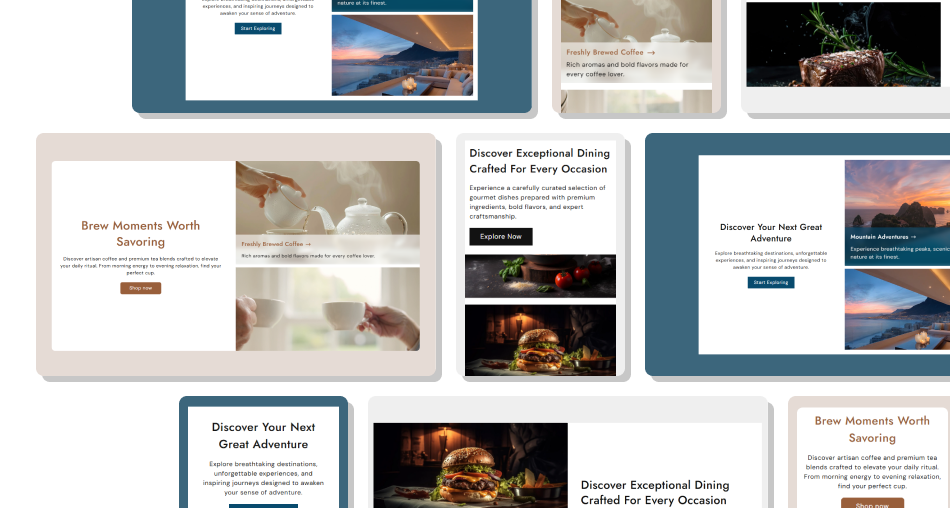
Combine different media types into a single flexible section and present them in a clean, responsive layout built for Shopify stores.
Combine images and videos togetherKeep visual content moving continuouslyAdd captions to explain each media itemLink media content to relevant destinationsControl speed and animation directionAdjust the layout for mobile screens Use high-quality images and videos.
Keep captions short and useful.
Choose a comfortable scrolling speed.
Mix media that supports the same message.
Link content to relevant store pages.
Use high-quality images and videos.
Keep captions short and useful.
Choose a comfortable scrolling speed.
Mix media that supports the same message.
Link content to relevant store pages.  Don't use unrelated media together.
Don't make the animation too fast.
Don't add long caption text.
Don't overload the strip with too much content.
Don't use low-quality visuals.
Don't use unrelated media together.
Don't make the animation too fast.
Don't add long caption text.
Don't overload the strip with too much content.
Don't use low-quality visuals. Yes. The section supports separate Image and Video blocks, allowing you to combine both media types into a single scrolling filmstrip.
Yes. Each image or video block can include its own heading and supporting content as a media caption.
Yes. Add a link to an image or video block so shoppers can open a relevant destination from the block's caption.
Yes. Choose from several speed options, ranging from Fastest to Crawl, to control the marquee animation.
Yes. You can choose Top to Bottom or Bottom to Top from the Animation Direction setting.
Yes. Choose 21:9, 16:9, 4:3, 1:1, or Auto depending on how you want the media displayed.
Yes. Use Space Between Media to control the spacing between images or videos in the filmstrip.
Yes. The layout adjusts for smaller screens, including media sizing, caption spacing, text sizes, and content layout.
For Support or any Questions Email Us: [email protected]
Install SectionHub and add the Filmstrip section to your theme in minutes - no coding required.
