Highlight Products Worth Exploring First
Place featured products on your homepage to introduce shoppers to best-selling, seasonal, discounted, or newly promoted items as soon as they enter your store.

Highlight selected Shopify products in a clean, responsive section with product images, pricing, sale tags, vendor details, and optional slider navigation.
 2.0 Compatible
Mobile Responsive
Slider or Grid
2.0 Compatible
Mobile Responsive
Slider or Grid 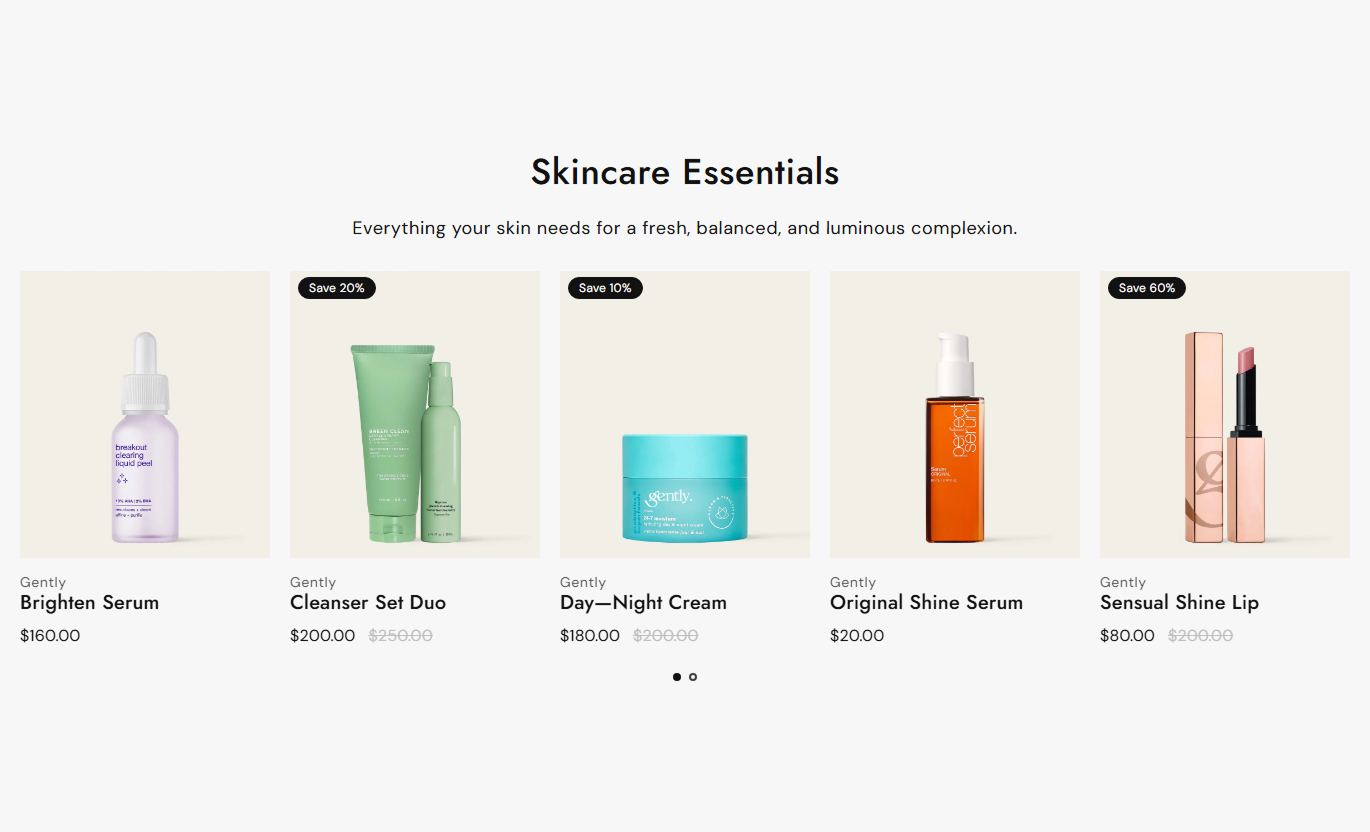
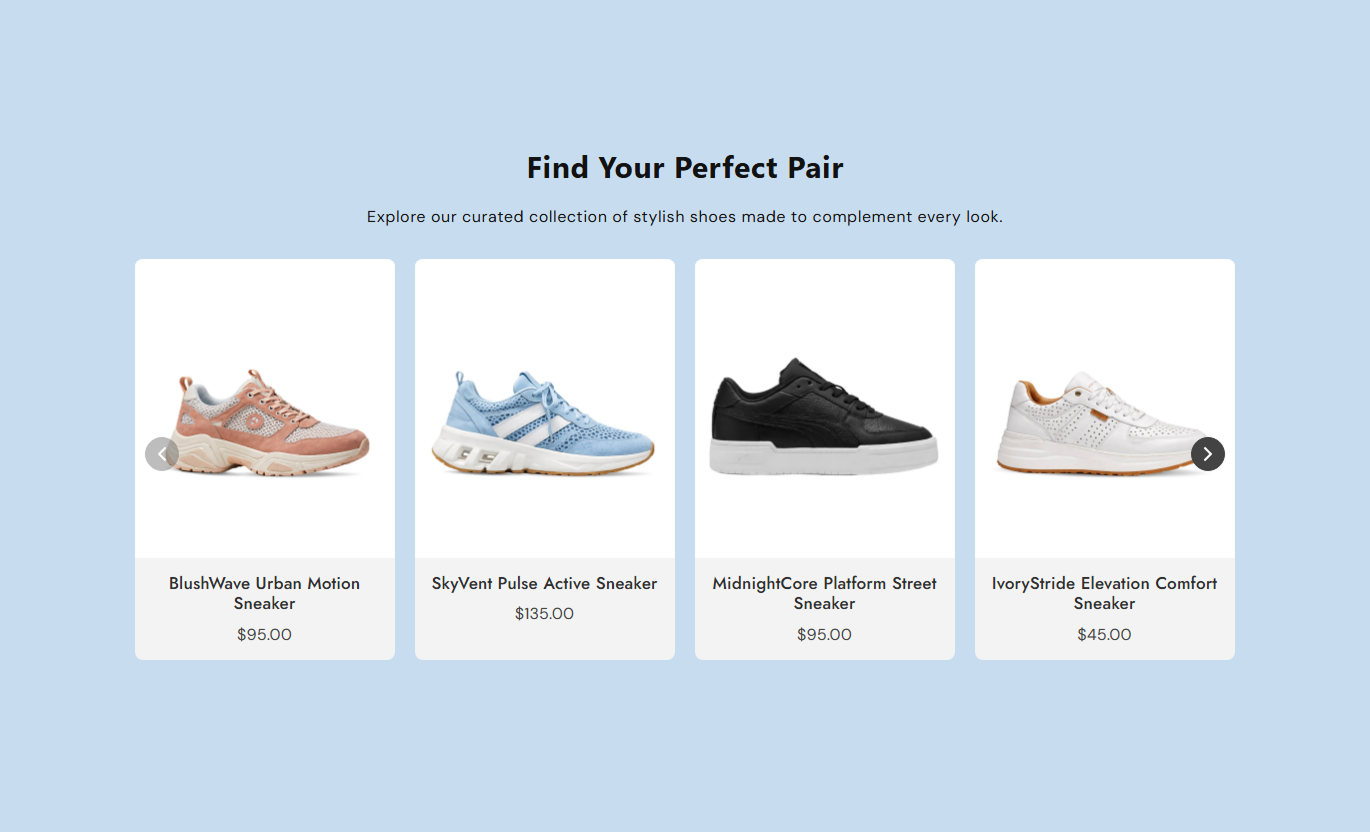


Create a polished product showcase with flexible columns, optional sliders, product details, sale tags, responsive layouts, and custom styling controls.

Choose specific Shopify products for each card and build a curated featured product section.

Turn the product list into a slider so shoppers can browse featured items without taking extra page space.

Choose 3-6 products per row on the desktop to create a layout that fits your storefront.

Show one or two product cards per row on mobile for a cleaner and easier shopping experience.

Display sale tags with custom text or automatically show the percentage saved on discounted products.

Show product vendors, current prices, and compare-at prices to give shoppers useful product information.

Use arrows or dots for slider navigation and adjust their colors, borders, backgrounds, and sizes.

Keep product images, titles, prices, badges, and card spacing organized across desktop and mobile screens.
Control products, layout, cards, colors, navigation, spacing, and section width directly from the Shopify theme editor.

Applies to the whole section
Main heading displayed above the product list.
HeadingSupporting text displayed below the heading.
ContentChoose the alignment of the section text.
Text AlignmentSet the number of visible products on the desktop.
Desktop ColumnsSet the number of product columns on mobile.
Mobile ColumnsTurn the product slider on or off.
Enable SliderChoose arrows or dots for slider navigation.
Pagination TypeShow or hide the vendor name on product cards.
Show VendorShow or hide product sale tags.
Enable TagSet custom text for the product sale tag.
Sale Tag ContentSet the product card content alignment.
Content AlignmentSet the section background color.
Background ColorSet the heading color.
Heading ColorSet the section content color.
Content ColorMake the section span the available width.
Full WidthSet the maximum section width.
Section Width
Applies to each product card
Choose the Shopify product displayed in the card.
ProductAdd a custom image for the product card.
ImageAdd a custom title for the product card.
TitleUse the section across your Shopify store to highlight selected products, guide shoppers to key items, and create focused product displays without complex layouts.
Place featured products on your homepage to introduce shoppers to best-selling, seasonal, discounted, or newly promoted items as soon as they enter your store.
Put important products in front of new visitorsHighlight seasonal or promotional productsCreate a focused product discovery areaShow prices and sale information at a glanceGuide shoppers toward selected productsUse a featured product list to complement collection browsing with selected products that deserve extra attention, such as promotions or popular items.
Spotlight selected products within a collectionPromote discounted items near related productsAdd curated product recommendationsHelp shoppers discover popular itemsCreate another path to product pagesAdd a product list below or around your main product content to introduce shoppers to complementary, popular, or specially selected products.
Introduce complementary productsPromote other items from your storeEncourage continued product browsingHighlight discounted products nearbyKeep shoppers exploring your catalogUse the section on campaign pages to present selected products with clear images, prices, sale tags, and optional slider navigation that supports focused browsing.
Feature products tied to a campaignCreate a compact product showcaseHighlight promotional pricing clearlyKeep campaign pages visually organizedLink shoppers directly to productsGive shoppers a clear way to browse selected products while keeping control over layout, card content, navigation, colors, spacing, and responsive behavior.
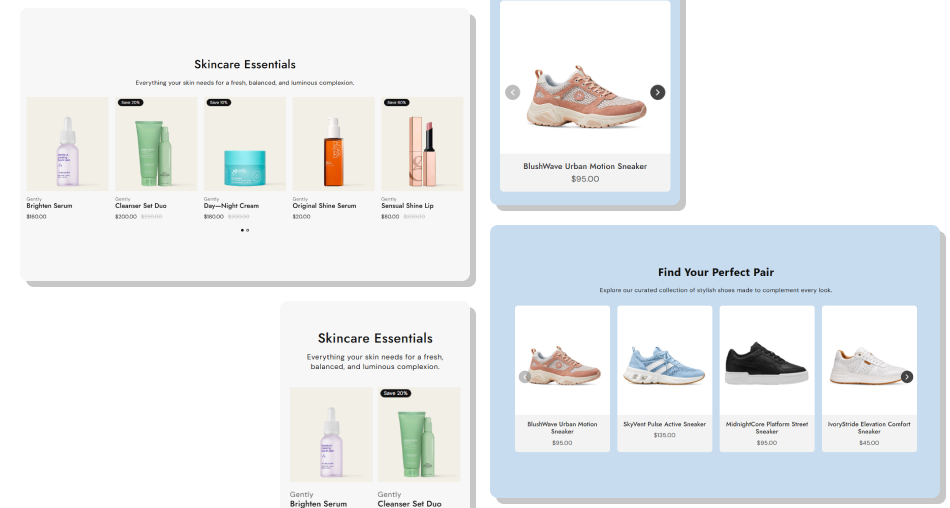
Adjust the product section to fit your theme with flexible columns, card styling, colors, spacing, and navigation choices.
Highlight specific products instead of showing an entire catalogGive shoppers quick access to product images and pricingPromote discounted products with visible sale tagsChoose between a standard grid and an interactive sliderAdapt product displays for desktop and mobile screensMatch cards and navigation to your store's visual styleControl section width and spacing for better page balance Select products that support the page's main shopping goal
Use clear product images that look consistent across cards
Keep custom product titles short and easy to scan
Use sale tags when discounts are important to shoppers
Choose columns that leave products comfortable to browse
Select products that support the page's main shopping goal
Use clear product images that look consistent across cards
Keep custom product titles short and easy to scan
Use sale tags when discounts are important to shoppers
Choose columns that leave products comfortable to browse  Add unrelated products just to fill empty card spaces
Mix inconsistent image styles across featured products
Use long titles that make product cards harder to scan
Overuse sale tags when products are not actually on sale
Choose too many columns for comfortable mobile browsing
Add unrelated products just to fill empty card spaces
Mix inconsistent image styles across featured products
Use long titles that make product cards harder to scan
Overuse sale tags when products are not actually on sale
Choose too many columns for comfortable mobile browsing Yes. Select a Shopify product in each product block to create a curated list of featured products.
Yes. Enable the slider setting so shoppers can browse featured products using arrows or dots.
On a desktop, you can choose between 3 and 6 product columns in the section settings.
Yes. You can display products in either 1 or 2 columns on mobile for a responsive layout.
Yes. Enable Show Vendor to display the vendor name on each product card when available.
Yes. Enable product tags and add custom sale text, or let the section calculate the discount percentage automatically.
Yes. Add a custom image to a product block. If no image is selected, the product's featured image is used.
Yes. You can choose arrows or dots and customize arrow colors, backgrounds, borders, and sizes.
Yes. You can adjust card colors, text colors, tag styling, content spacing, border radius, and section padding.
Yes. The section includes separate mobile column settings and responsive styling for product cards, images, text, and spacing.
For Support or any Questions Email Us: [email protected]
Install SectionHub and add the Featured Product List section to your theme in minutes - no coding required.
