Showcase Your Store's Featured Visuals
Place the frame section on your homepage to highlight four important products, collections, campaigns, or brand visuals with supporting text for each image.

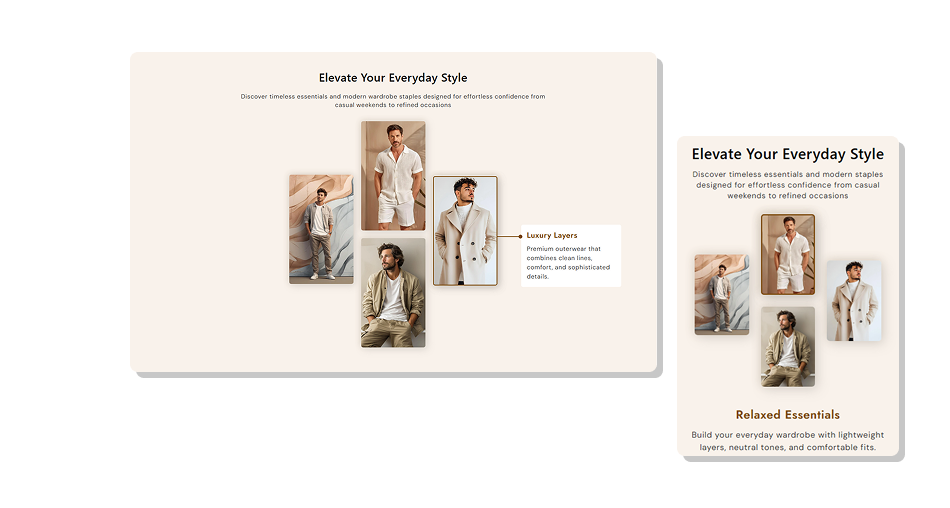
Present four featured images in a frame-style layout with hover details on desktop and selectable image content on smaller screens. Build a visual story without complex navigation.
 Visual Product Showcase
Interactive Image Frames
Responsive Store Layout
Visual Product Showcase
Interactive Image Frames
Responsive Store Layout 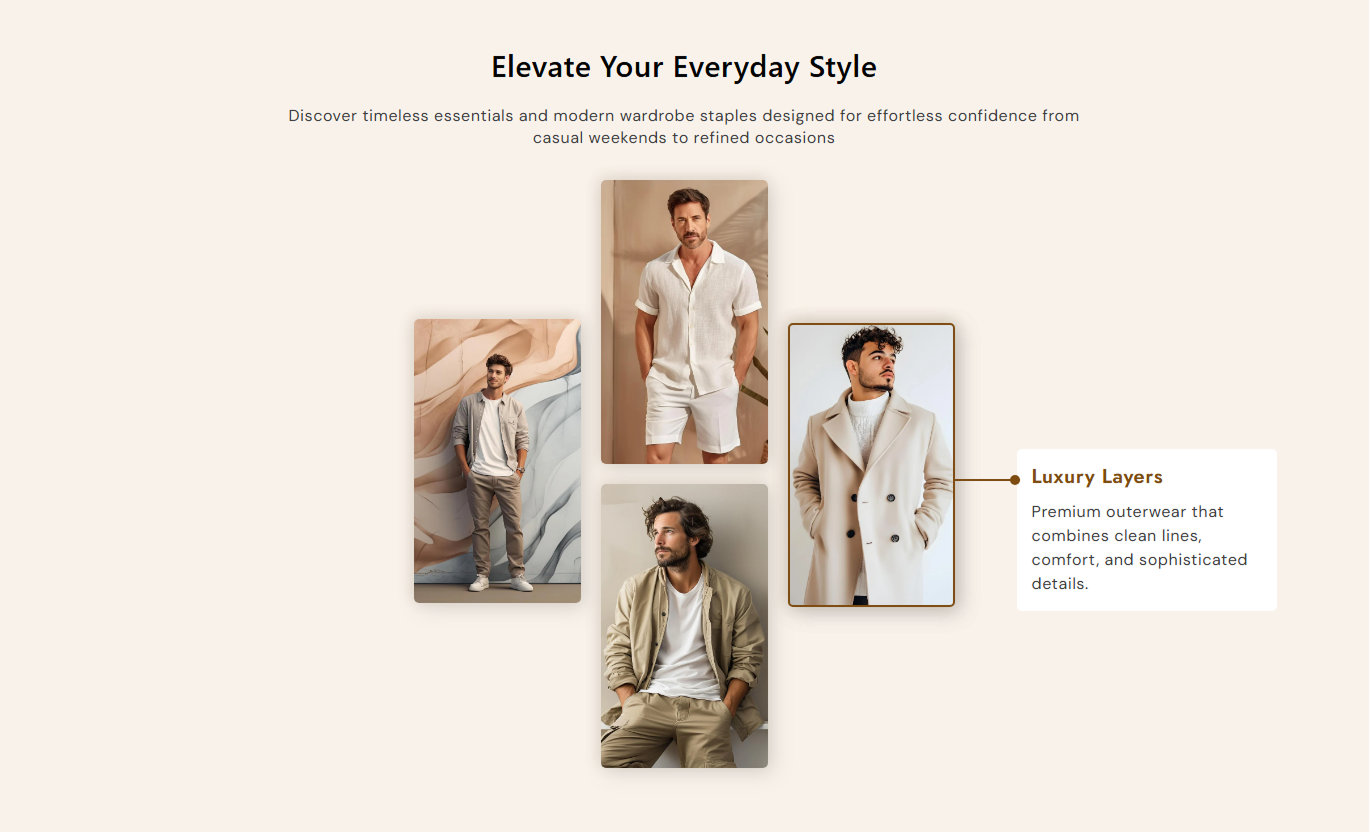


Create a focused image display with four frames, hover details, responsive selection, custom text, and styling controls for your Shopify store.

Showcase up to four images in a structured frame layout designed to create a strong visual presentation.

Give each image its own heading and supporting content to explain products, collections, or featured visuals.

Display frame headings and content when shoppers hover over images on larger screens.

Let mobile visitors select different image frames to view the related heading and content below.

Highlight the selected frame with a border effect to make the active image easier to identify.

Use individual image uploads and adjust the frame corner radius to match your store's visual style.

Control the alignment of the main section and the mobile frame content for a cleaner layout.

The frame arrangement adapts to smaller screens, keeping the image showcase usable on mobile devices.
Customize frame images, text, alignment, colors, typography, spacing, borders, and section width from the Shopify theme editor.

Applies to the whole section
Add the main heading above the image frames.
Section HeadingAdd supporting content below the main heading.
Section ContentChoose the alignment of the main section content.
Content AlignmentChoose the alignment of frame text on mobile.
Mobile Text AlignmentSet the corner radius for image frames.
Frame Border RadiusSet the corner radius for frame text boxes.
Text Box Border RadiusAdjust the heading font size for the section.
Section Heading SizeAdjust the supporting text font size.
Section Content SizeSet the background color of the section.
Section Background ColorSet the maximum width of the section.
Section Width
Applies to each individual image frame
Upload the image shown inside the frame.
Frame ImageAdd a heading for the selected frame.
Frame HeadingAdd supporting text for the frame.
Frame ContentSet the heading size inside each frame.
Frame Heading SizeSet the content text size inside each frame.
Frame Content SizeChoose the background color for frame details.
Frame Content BackgroundUse the four-frame image layout to introduce featured products, collections, brand visuals, or key store content in a more engaging and structured way.
Place the frame section on your homepage to highlight four important products, collections, campaigns, or brand visuals with supporting text for each image.
Give featured products a strong visual presenceIntroduce multiple store highlights in one sectionAdd useful context beside each featured imageCreate a more engaging homepage browsing experienceOrganize key visual content in a structured layoutUse the frame layout to introduce selected products, collection themes, or visual categories, and provide short supporting details for each featured image.
Highlight important products within a collectionPresent collection themes through strong imageryAdd context to selected visual highlightsBreak up long product grids with visual contentHelp shoppers notice featured collection contentAdd the section below product information to showcase complementary products, product details, lifestyle imagery, or other visuals that support the buying experience.
Add more visual context to product informationShowcase related product imageryPresent lifestyle visuals in a focused layoutExplain supporting visuals with individual contentCreate a richer product page experienceUse four image frames on campaign or promotional landing pages to introduce key themes, products, services, or visual messages, each accompanied by concise supporting content.
Present campaign visuals in a clear sequenceHighlight four important promotional themesAdd supporting copy to each visualCreate a focused visual storytelling sectionKeep landing page content easy to scanTurn important store visuals into a structured showcase that combines multiple images with supporting content for a more engaging shopping experience.
Present featured images in an organized layout that helps shoppers explore products, collections, campaigns, or brand content with ease.
Make important visuals easier to noticeShowcase multiple images in one sectionAdd titles and supporting descriptionsLink images to relevant store pagesOrganize content with portfolio tabsCreate interactive image experiencesKeep layouts responsive on mobileMatch image styling with your store design Use high-quality images that clearly represent each featured item.
Keep frame headings short so shoppers can scan them quickly.
Write supporting content that adds useful context to each image.
Use consistent image styles to create a balanced four-frame layout.
Check the frame selection and text display carefully on mobile.
Use high-quality images that clearly represent each featured item.
Keep frame headings short so shoppers can scan them quickly.
Write supporting content that adds useful context to each image.
Use consistent image styles to create a balanced four-frame layout.
Check the frame selection and text display carefully on mobile.  Don't use unrelated images that make the section feel disconnected.
Don't fill frame content with long paragraphs that are hard to scan.
Don't use inconsistent image proportions or heavily mismatched visuals.
Don't rely on hover details as the only way to explain key content.
Don't overcrowd the section with too much text around the frames.
Don't use unrelated images that make the section feel disconnected.
Don't fill frame content with long paragraphs that are hard to scan.
Don't use inconsistent image proportions or heavily mismatched visuals.
Don't rely on hover details as the only way to explain key content.
Don't overcrowd the section with too much text around the frames. The section is designed with four image frames. Each frame has its own image, heading, and supporting content settings.
Yes. Each of the four frames has separate settings for an image, heading, and supporting content.
Yes. On the desktop, the frame heading and content can appear as shoppers hover over the corresponding image.
On smaller screens, the layout changes to a simpler frame view. Shoppers can select an image to display its related content.
Yes. You can adjust the image frame's border radius and the supporting content box's border radius.
Yes. You can control the main section's alignment and set the frame content alignment for mobile screens.
Yes. The section includes controls for background, heading, content, frame details, borders, and font sizes.
Yes. It is built as a Shopify theme section and can be added and customized through the Shopify theme editor.
For Support or any Questions Email Us: [email protected]
Install SectionHub and add the Featured Image Frames section to your theme in minutes - no coding required.
