Capture Homepage Visitors With a Timed Offer
Use the popup on your homepage to present a welcome discount, campaign incentive, or first-order code after visitors have had time to explore the storefront.

Show a timed Shopify discount popup with a copyable code, optional product recommendations, image-backed offer content, repeat-frequency control, and responsive styling.
 Timed Discount Popup
Copyable Promo Code
Optional Product Picks
Timed Discount Popup
Copyable Promo Code
Optional Product Picks 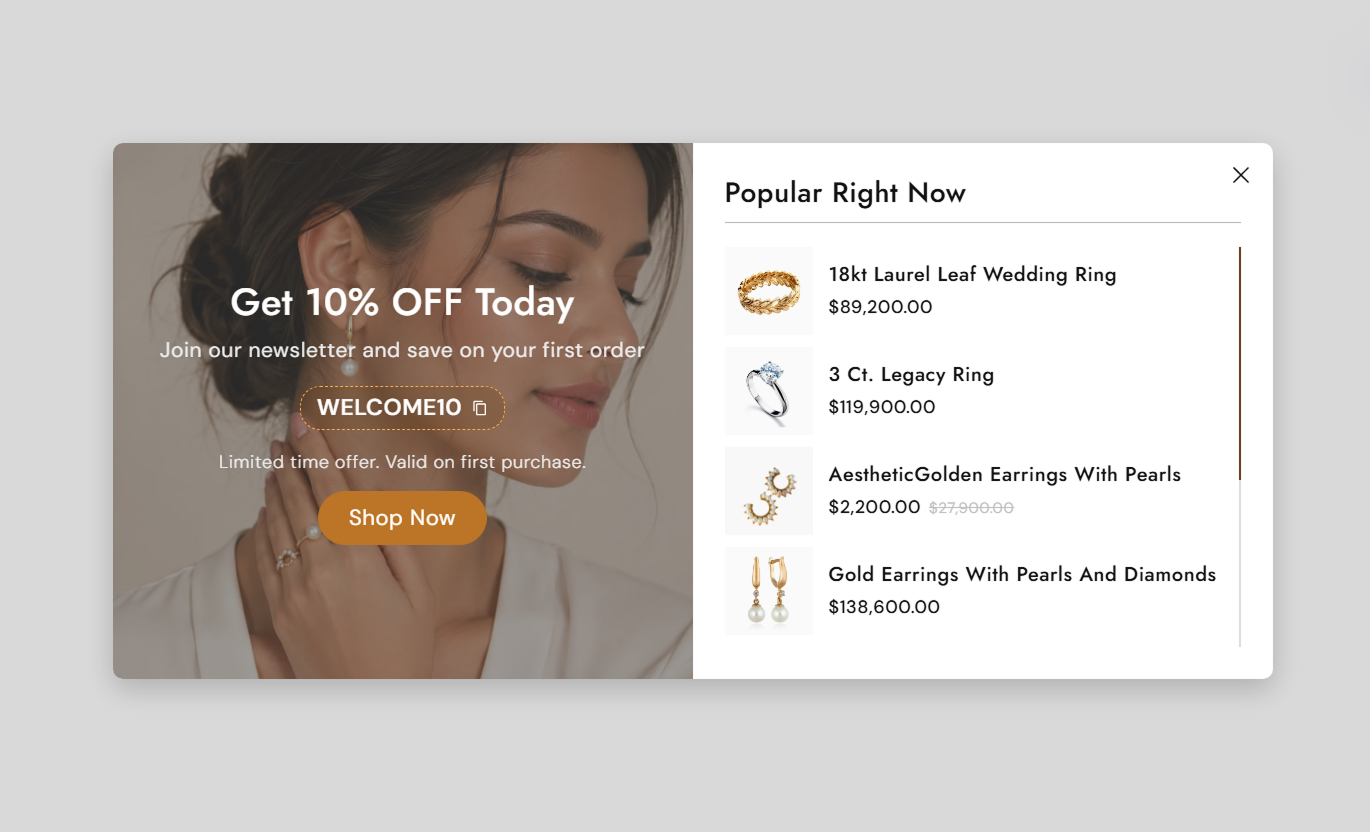


Promote offers with delayed timing, copyable codes, product recommendations, repeat-frequency control, responsive styling, and clear close actions.

Delay the popup from zero to thirty seconds after page load so offers can appear at the right moment in the shopper journey.

Choose how many days should pass before a dismissed popup appears again, or set zero to show it on every page load.

Let shoppers click the coupon area to copy the discount code, showing "COPIED!" temporarily. Feedback is displayed for confirmation.

Enable a scrollable product list that supports up to 12 selected products, including titles, prices, and compare-at prices.

Place the offer image and messaging on the left or right of the product recommendation panel on desktop screens.

Allow shoppers to close the popup with the close icon, by clicking the overlay, or by pressing the Escape key.

Add a background image behind the offer content, and control the overlay color and opacity to improve text readability.

Stack offers and product areas vertically on mobile, reduce typography, and limit the product list height for compact browsing.
Control offers content, timing, products, coupon styling, typography, colors, layout, and scrollbar appearance.

Applies to the whole section
Edit the image, heading, rich text, and extra offer details.
Offer Content SetupSet discount code styling, hover color, and corner radius.
Discount Code StyleChoose left or right offer placement and content alignment.
Popup Content LayoutConfigure CTA label, link, outline mode, radius, and size.
CTA Button ControlsEnable recommendations, edit title, and select up to 12 products.
Product List SetupSet popup width, radius, display delay, and repeat frequency.
Popup Behavior SetupAdjust popup, discount, product, and close-button text sizes.
Typography ControlsCustomize offer, button, product, close, and scrollbar colors.
Color Style ControlsSet the scrollbar track and thumb colors, and a custom width.
Scrollbar Styling
Not applicable
This section does not use Shopify blocks. Offer content, timing, discount styling, CTA controls, and product recommendations are all managed with section settings.
No Block SettingsUse this promotional popup across Shopify page templates to deliver timed offers, coupon codes, and optional product recommendations outside the header and footer groups.
Use the popup on your homepage to present a welcome discount, campaign incentive, or first-order code after visitors have had time to explore the storefront.
Introduce a welcome offer without changing homepage sectionsDelay the popup so visitors can first understand your brandShow a copyable code for faster checkout redemptionRecommend popular products inside the same popup experienceControl how often dismissed visitors see the offer againUse the popup on collection pages to surface a discount as shoppers browse categories, with optional product recommendations to guide them toward selected items.
Promote a collection-wide discount during active campaignsKeep the coupon easy to copy while shoppers browse productsRecommend selected products alongside the main offer messageUse repeat timing to avoid showing the popup too oftenClose the popup easily without interrupting collection browsingUse the popup on product pages to present a timed incentive, a copyable coupon, and optional recommended products while shoppers evaluate a purchase.
Offer a purchase incentive without editing product contentGive shoppers a one-click way to copy the discount codeRecommend complementary or popular products in the popupUse a background image to strengthen campaign presentationLet shoppers dismiss the offer with several close methodsUse the popup on landing pages to reinforce campaign incentives with offer messaging, a copyable code, optional product picks, and frequency-controlled display.
Support campaign messaging with a focused discount popupUse delayed display to match the intended campaign journeyPair the offer with selected product recommendationsControl repeat visibility after shoppers dismiss the popupKeep the mobile experience compact with stacked contentUse a timed promotional overlay to highlight discounts, recommend products, and control repeat exposure while keeping shoppers in the current storefront experience.
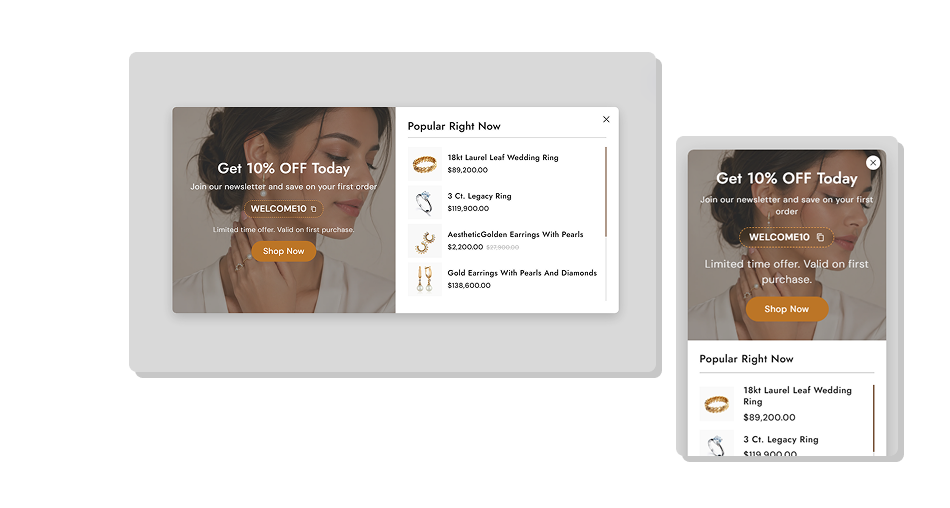
Combine a copyable coupon, optional recommendations, flexible visuals, and repeat controls inside one focused promotional popup.
Present discount offers without permanently occupying page spaceDelay the popup to better match the shopper journeyReduce repeated exposure with configurable dismissal frequencyMake coupon codes easy to copy directly from the popupAdd up to twelve selected Shopify product recommendationsLet shoppers dismiss the popup through several familiar actionsUse image overlays, colors, typography, and CTA styling for campaigns Use a clear discount message that shoppers can understand quickly
Set a reasonable delay so the popup does not appear immediately
Choose a repeat frequency that avoids overexposing the same offer
Select relevant products when recommendations are enabled
Test copy, close, overlay, and Escape interactions before launch
Use a clear discount message that shoppers can understand quickly
Set a reasonable delay so the popup does not appear immediately
Choose a repeat frequency that avoids overexposing the same offer
Select relevant products when recommendations are enabled
Test copy, close, overlay, and Escape interactions before launch  Do not use aggressive repeat timing for visitors who already closed it
Do not overload the offer panel with long promotional messaging
Do not select unrelated products just to fill the recommendation list
Do not use low-contrast imagery behind important offer text
Do not publish without checking the popup on smaller mobile screens
Do not use aggressive repeat timing for visitors who already closed it
Do not overload the offer panel with long promotional messaging
Do not select unrelated products just to fill the recommendation list
Do not use low-contrast imagery behind important offer text
Do not publish without checking the popup on smaller mobile screens The Delay to Show setting supports zero to thirty seconds. Outside the theme editor, the popup opens after the chosen delay, when its frequency check allows.
When shoppers close the popup, the script stores a dismissal time locally. The popup can appear again once the configured number of days has passed.
Yes. Clicking the discount code box copies the visible code to the clipboard via the Clipboard API and temporarily changes the displayed text to "COPIED!" for about 1.5 seconds.
Yes. Enable the product list, then select up to 12 Shopify products. The popup shows product images, titles, prices, and compare-at prices when available.
Shoppers can use the close icon, click the dark overlay outside the popup container, or press the Escape key to dismiss the popup.
The code does not save a dismissal timestamp when frequency is zero, so the popup is eligible to appear again on each new page load after the configured delay.
Below 768px, both halves stack vertically, text sizes reduce, the close button gains a circular background, and the product list height is limited to 240px.
No. The section schema disables it in Shopify header and footer groups, so it should be added within supported page-template section areas.
For Support or any Questions Email Us: [email protected]
Install SectionHub and add the Discount Popup section to your theme in minutes - no coding required.
