Highlight Featured Collections on Your Homepage
Showcase important collections with large visuals, layered imagery, collection titles, and direct shopping buttons to guide visitors toward key categories.

Showcase collections with large images or videos, layered visuals, collection titles, shopping buttons, and smooth scrolling interactions across desktop and mobile.
 Visual Collection Showcase
Image & Video Support
Responsive Scroll Experience
Visual Collection Showcase
Image & Video Support
Responsive Scroll Experience 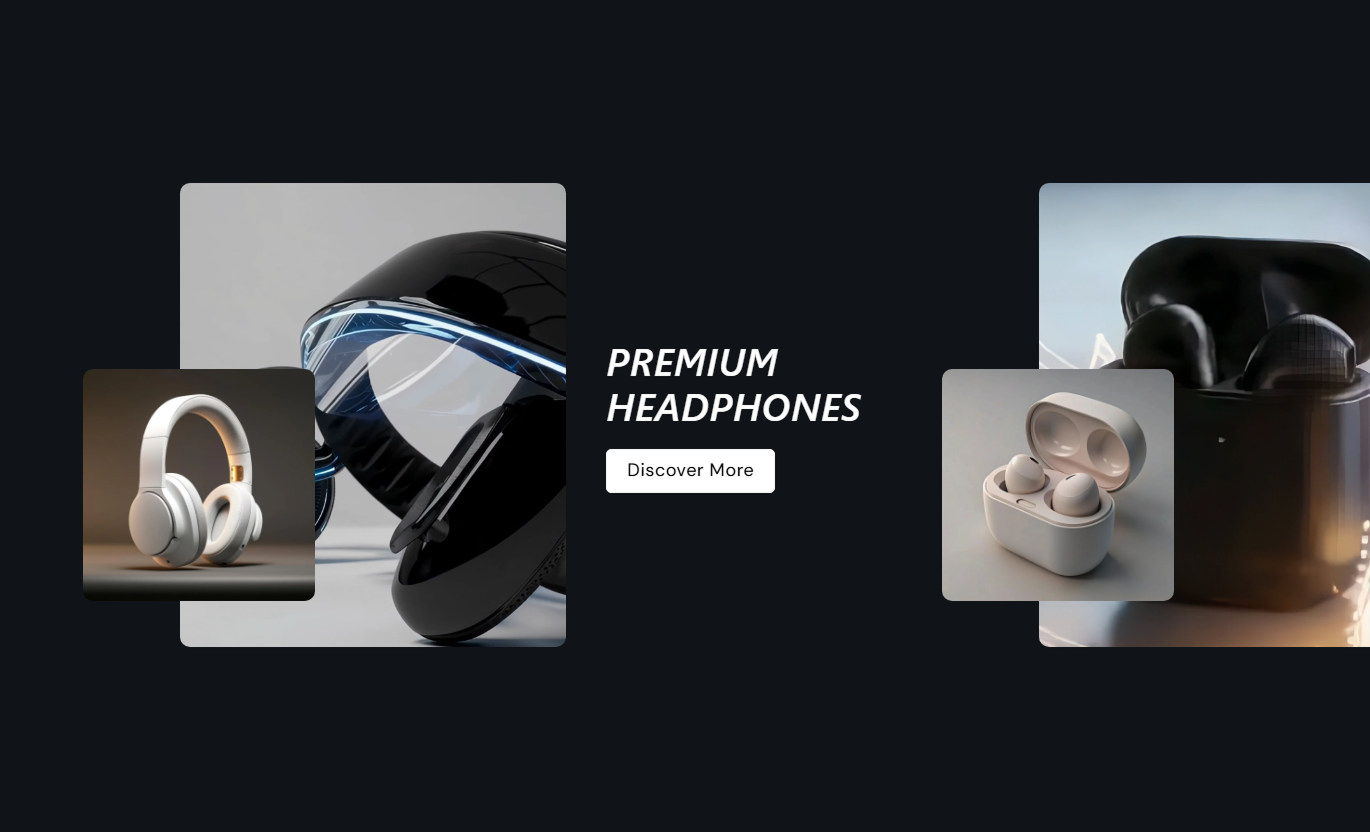
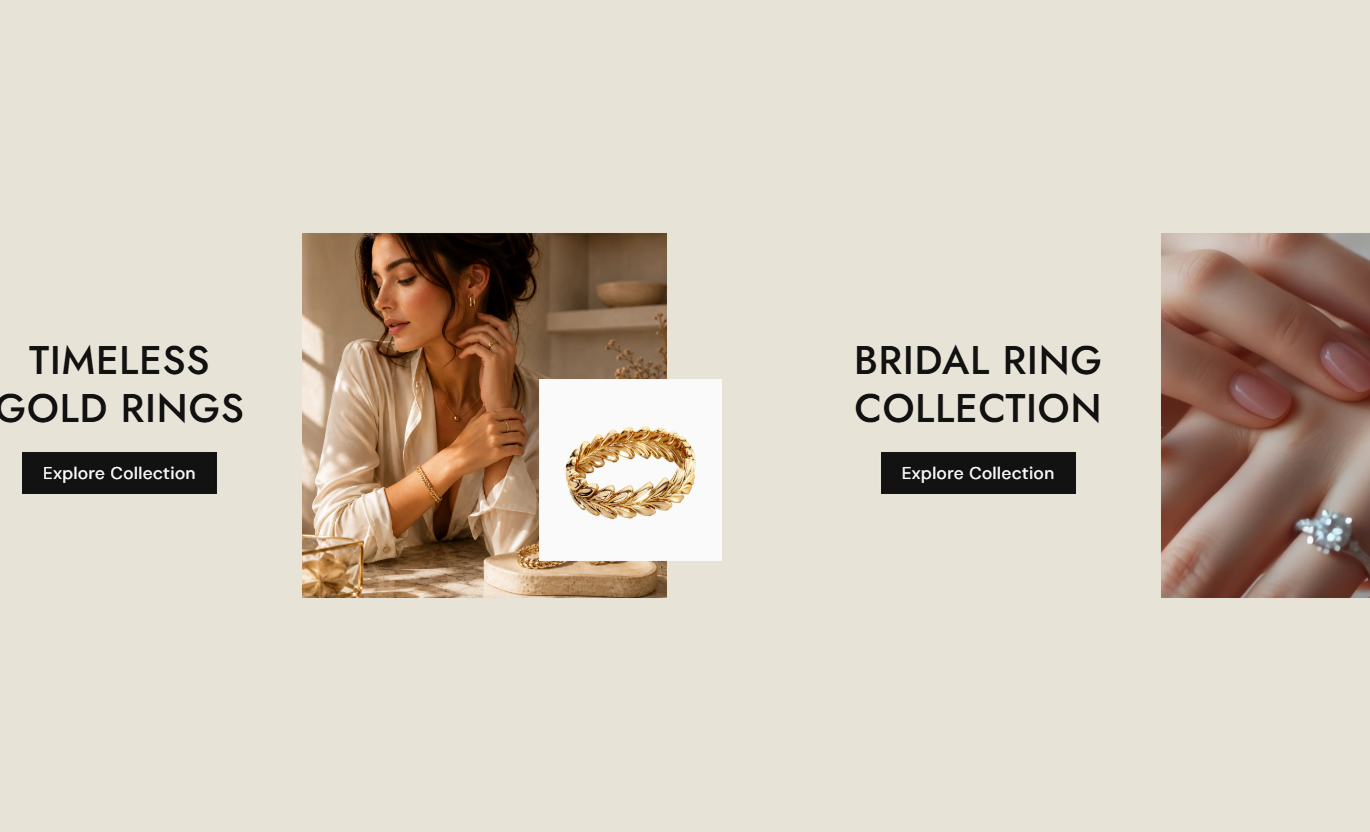


Create an engaging collection showcase with image or video media, layered small images, responsive layouts, collection links, buttons, and mobile pagination.

Use a large collection image or Shopify-hosted video as the main visual for each collection slide.

Use a large collection image or a Shopify-hosted video as the main visual for each collection slide.

Place the visual content on the left or right side of each collection layout for different design styles.

Connect each slide to a Shopify collection so visitors can move directly from the showcase to collection pages.

Create a sticky desktop experience where mouse wheel movement scrolls through collection slides horizontally.

Allow mobile visitors to horizontally swipe between collections with smooth scroll snapping and pagination dots.

Add a shared button label with filled or outline styling and customize its colors, size, radius, and hover effects.

Choose small, medium, or large media heights, and the layout will automatically adapt for mobile screens.
Control media layout, collection content, buttons, typography, colors, spacing, and mobile navigation from one place.

Applies to the whole section
Controls whether the main media appears on the left or right side.
PositionSets the main collection media height for the layout.
HeightControls the corner rounding of collection media.
Border RadiusSets the alignment of collection titles and buttons.
Text AlignmentControls vertical content placement on desktop.
Content PositionSets the button text displayed for collection links.
LabelSwitches the collection button between filled and outline styles.
Use Outline ButtonControls button size, radius, and outline appearance.
Button StylingControls heading typography and collection visual colors.
Font Size / ColorsCustomizes mobile pagination dot colors and active states.
Pagination Dots
Applies to each collection
Adds the main image displayed for the collection slide.
ImageAdds a Shopify-hosted video when used instead of an image.
VideoAdds the smaller layered image over the main media.
Small ImageAdds the collection slide heading shown to visitors.
HeadingSelects the Shopify collection linked to the slide.
CollectionUse the section to introduce important collections, seasonal edits, product categories, or curated shopping destinations with visual storytelling.
Showcase important collections with large visuals, layered imagery, collection titles, and direct shopping buttons to guide visitors toward key categories.
Make important collections visually prominent.Guide visitors toward key categories.Add direct links to collection pages.Combine imagery with shopping actions.Create an engaging homepage experience.Introduce related categories or curated collections with a visual layout that helps shoppers discover additional products as they browse your store.
Connect shoppers with related collections.Make category discovery more visual.Highlight curated product groups.Add clear collection navigation.Support a stronger browsing journey.Use the section to showcase related or complementary collections and help shoppers discover more products beyond the item they are currently viewing.
Encourage broader product discovery.Showcase complementary categories.Link directly to collection pages.Add visual context around products.Keep collection discovery accessible.Create focused collection showcases for seasonal campaigns, curated edits, launches, or promotional pages using layered media and direct collection links.
Create focused collection presentations.Support seasonal collection campaigns.Combine visual storytelling with links.Highlight curated product categories.Build flexible promotional experiences.Turn collection browsing into an engaging visual experience with layered media, smooth scrolling, direct collection links, responsive layouts, and mobile navigation.
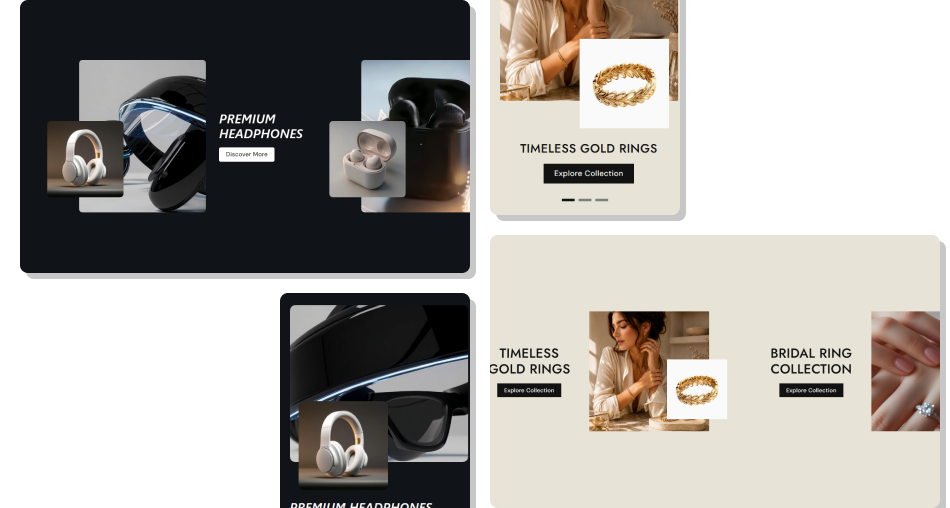
Give shoppers a clear visual path to explore collections while combining large media, supporting imagery, collection titles, and direct shopping actions.
Showcase collections with strong visual impactMake category discovery more engagingConnect visuals directly to collectionsHighlight curated shopping destinationsCreate smooth desktop scrolling experiencesSupport simple mobile swipe navigationMatch buttons and colors to your branding Use clear images that represent each collection.
Keep collection headings short and easy to scan.
Choose relevant small images for layered visuals.
Use clear button labels for collection links.
Check the layout carefully on mobile devices.
Use clear images that represent each collection.
Keep collection headings short and easy to scan.
Choose relevant small images for layered visuals.
Use clear button labels for collection links.
Check the layout carefully on mobile devices.  Avoid using unrelated collection imagery.
Don't make collection titles overly long.
Avoid cluttering the layered image composition.
Don't use unclear or generic button labels.
Don't ignore mobile spacing and navigation.
Avoid using unrelated collection imagery.
Don't make collection titles overly long.
Avoid cluttering the layered image composition.
Don't use unclear or generic button labels.
Don't ignore mobile spacing and navigation. Yes. Each collection block supports either an image or a Shopify-hosted video as the main media displayed in the collection showcase.
Yes. Each collection block includes a Small Image setting that adds a layered visual overlay to the main collection media.
Yes. Select a Shopify collection for each block, and the collection title and button will link directly to that collection page.
On the desktop, collection slides create a sticky horizontal scrolling experience. Mouse wheel movement moves the collection content horizontally.
On mobile, the section becomes a horizontal swipe slider with scroll snapping. Pagination dots show the active collection and allow direct navigation.
Yes. The Position setting lets you place the main media on the left or right side of the collection content on the desktop.
Yes. You can customize its label, filled or outline style, colors, hover states, border radius, size, and shadow appearance.
Yes. You can choose Small, Medium, or Large media heights, with separate responsive sizing applied automatically on mobile.
For Support or any Questions Email Us: [email protected]
Install SectionHub and add the Collection List Horizontal Scroll section to your theme in minutes - no coding required.
