Help Shoppers Know Your Categories
Use showcase blocks on your homepage to introduce important categories with large visuals and direct links to related pages.

Create engaging category showcases with large images, supporting content, and up to four clickable category links per block to help shoppers explore your store.
 2.0 Compatible
Clickable Categories
Responsive Layout
2.0 Compatible
Clickable Categories
Responsive Layout 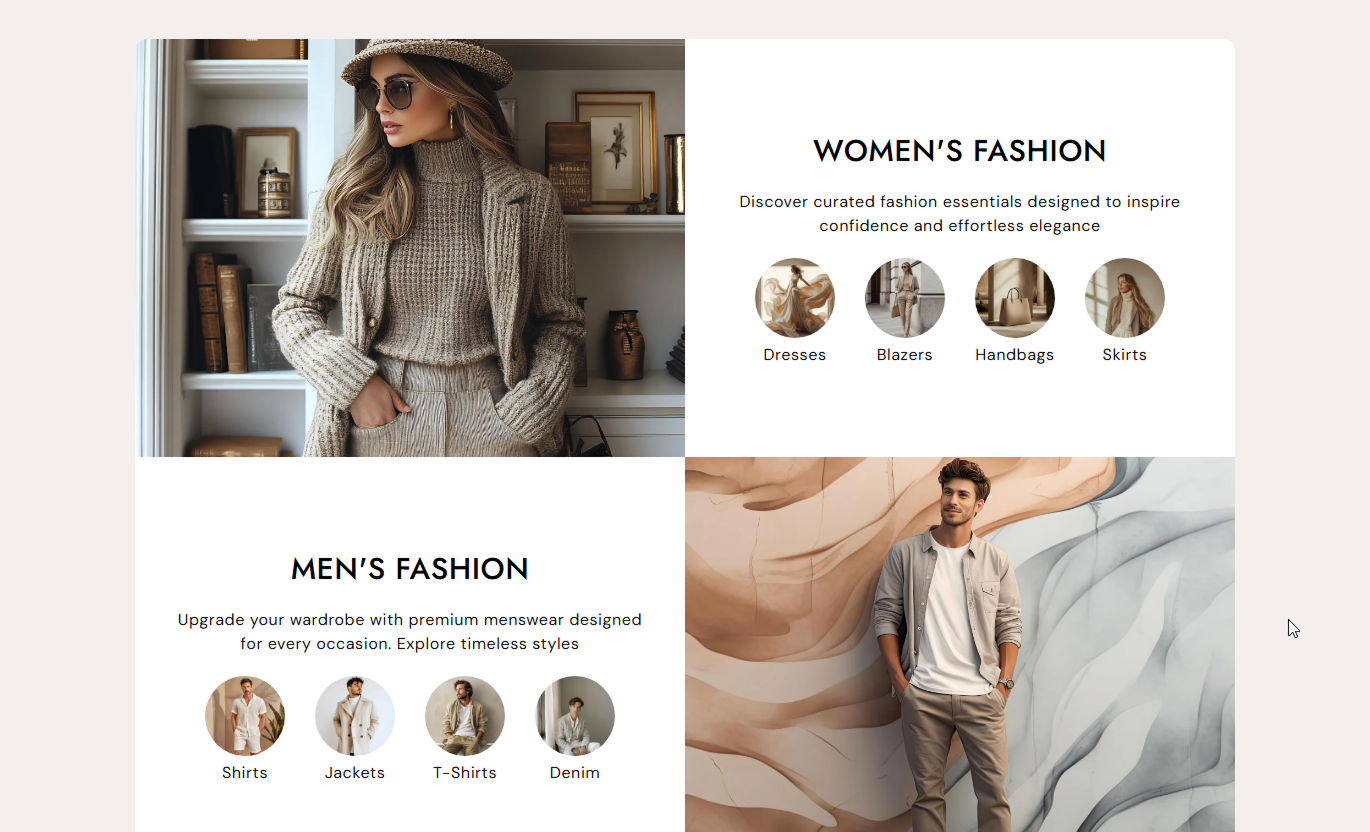
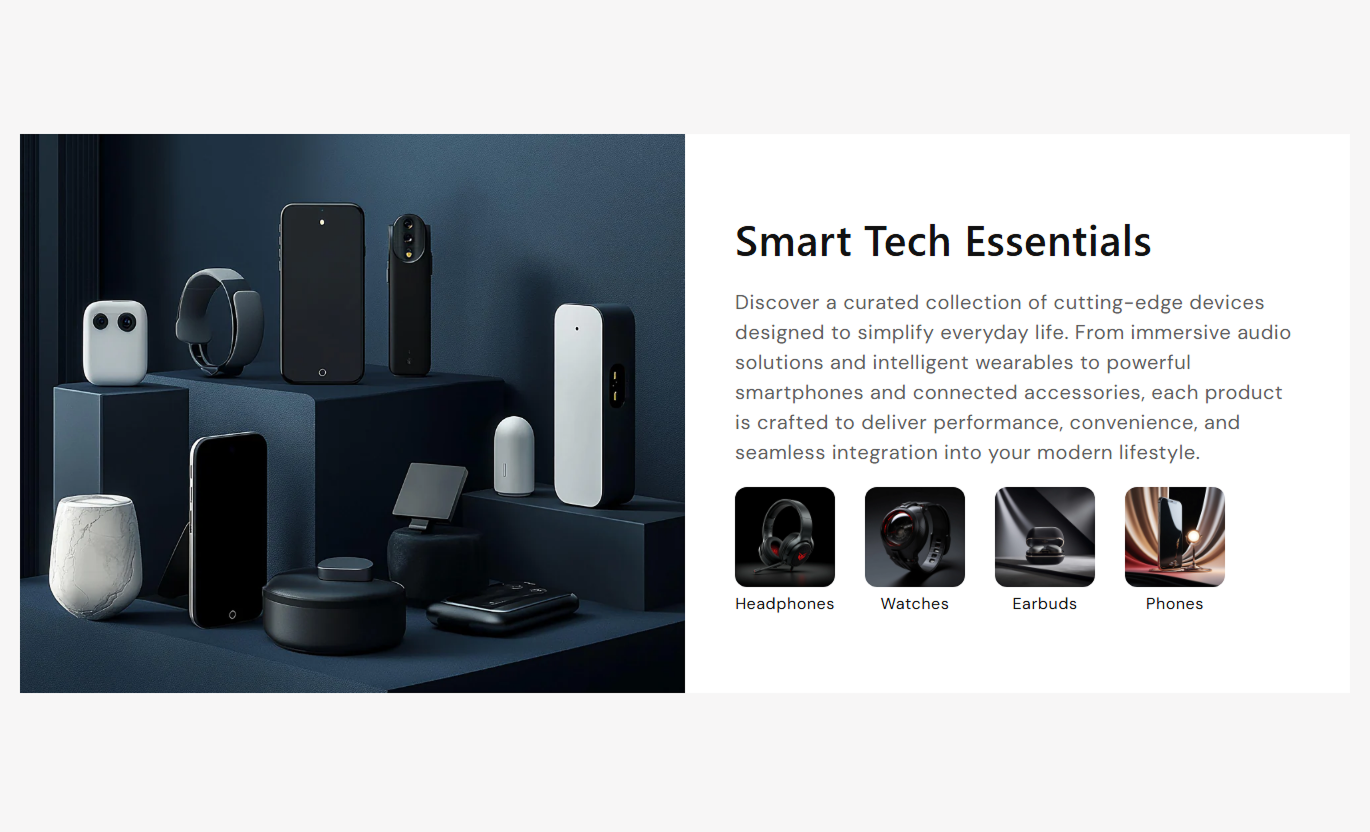


Showcase categories with images, headings, descriptions, clickable category icons, flexible layouts, and responsive styling for a better Shopify shopping experience.

Create separate showcase blocks with an image, heading, description, and category links.

Place the main category image on the left or right of the content for different layouts.

Add up to four clickable category icons and titles inside each showcase block.

Link each category item to a relevant collection, product, or store page.

Choose how the heading, description, and category links are aligned within each block.

Choose small, medium, large, or automatic image height for showcase visuals.

Adjust category icon size and corner radius to match your store design.

Images and content stack on mobile while category icons remain easy to browse.
Customize showcase images, category links, layout, typography, colors, spacing, and section width.

Applies to the whole section
Choose the height style for showcase images.
Image HeightSet rounded corners for each category showcase item.
Item Border RadiusSet rounded corners for the main showcase images.
Image Border RadiusAdjust the shape of category icons.
Icon Border RadiusSet the desktop size of category icons.
Icon SizeControl the inner spacing around showcase content.
Content PaddingAdjust the gap between category showcase blocks.
Item GapCustomize heading, content, and category title font sizes.
Font SizesSet background and text colors for the section and categories.
Color SettingsSet desktop and mobile top and bottom spacing.
Section PaddingControl full-width display and maximum section width.
Section Width
Applies to each category showcase
Add the main image for the category showcase.
Showcase ImageChoose whether the image appears on the left or right.
Image PositionAdd the showcase heading and support rich text.
Showcase ContentChoose the alignment of the block content and category links.
Text AlignmentAdd an icon for the first category link.
Category 1 IconAdd a title and destination for the first category.
Category 1 LinkAdd icons, titles, and links for up to four categories.
Category LinksUse Category Showcase to introduce collections, product groups, store categories, or curated shopping paths with visuals and direct links.
Use showcase blocks on your homepage to introduce important categories with large visuals and direct links to related pages.
Highlight popular categoriesCreate visual shopping pathsLink directly to collectionsIntroduce multiple product groupsUse the section to present related categories and help shoppers discover other collections or product groups.
Show related categoriesImprove category discoveryAdd direct navigation linksOrganize related shopping optionsAdd category showcases to help shoppers explore related product groups and discover other areas of your store.
Highlight related categoriesEncourage further browsingCreate category navigationLink to relevant collectionsUse category showcases on landing pages to organize different product groups and give visitors clear paths to explore your store.
Present multiple shopping optionsCreate focused navigation pathsCombine visuals with descriptionsLink visitors to key pagesCombine large category images with supporting content and clickable links to create an engaging way for shoppers to explore your store.
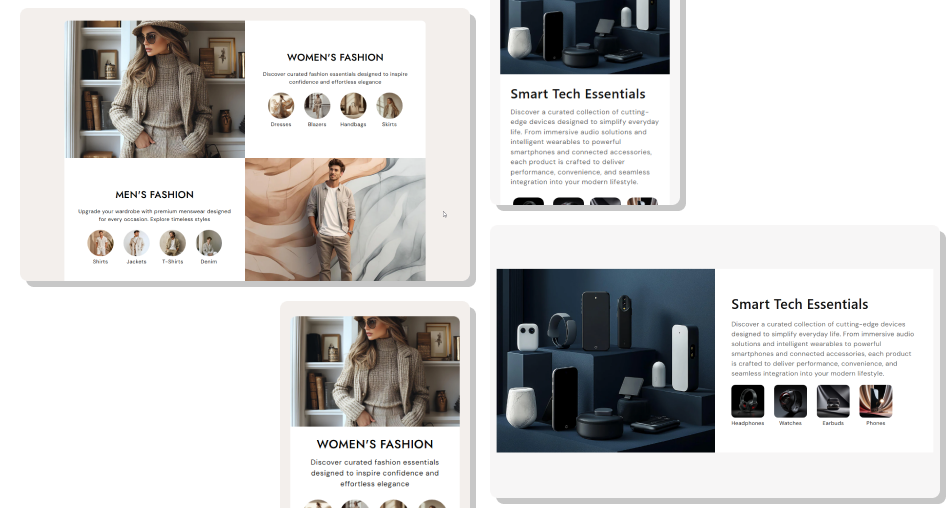
Use multiple showcase blocks and control image position, icon styling, typography, colors, spacing, and responsive layouts from the theme editor.
Create multiple category showcase blocksAdd a large image to each blockPosition images on either sideAdd up to four category links per blockMake category icons directly clickableCustomize category text alignmentAdjust image and icon stylingCreate responsive mobile layouts Use clear images that represent each category
Keep category titles short and easy to scan
Link each icon to a relevant store page
Group related categories within each showcase
Keep image and content styles consistent
Use clear images that represent each category
Keep category titles short and easy to scan
Link each icon to a relevant store page
Group related categories within each showcase
Keep image and content styles consistent  Use images that do not match the category
Add vague or confusing category titles
Link categories to unrelated pages
Overload one block with unrelated categories
Use inconsistent icon styles across the section
Use images that do not match the category
Add vague or confusing category titles
Link categories to unrelated pages
Overload one block with unrelated categories
Use inconsistent icon styles across the section Yes. The section uses repeatable Category blocks, so you can create multiple showcase areas on the same section.
Each Category block supports up to four category items, each with an icon, title, and link.
Yes. Each category item has its own Link setting, allowing you to direct shoppers to different pages.
Yes. The Image Position setting lets you place the main image on the left or right of the content.
Yes. Each Category block has its own Text Alignment setting for the heading, description, and category links.
Yes. You can choose Small, Medium, Large, or Auto image height.
Yes. The Icon Size setting controls the desktop size of the category icons. The section uses a smaller responsive size on mobile.
Yes. You can adjust background and text colors, content padding, item gaps, section spacing, font sizes, and section width.
Yes. On mobile, the image and content stack vertically, while category icons use responsive sizing and spacing for easier browsing.
For Support or any Questions Email Us: [email protected]
Install SectionHub and add the Category Showcase section to your theme in minutes - no coding required.
