Showcase Featured Blog Content on Your Homepage
Feature selected articles on your homepage to introduce your brand, share useful guides, highlight announcements, and give visitors more content to explore.

Display selected Shopify blog posts in a clean slider with custom images, titles, content previews, and author details to help visitors discover useful content.
 Shopify Ready
Responsive Design
Blog Content Slider
Shopify Ready
Responsive Design
Blog Content Slider 
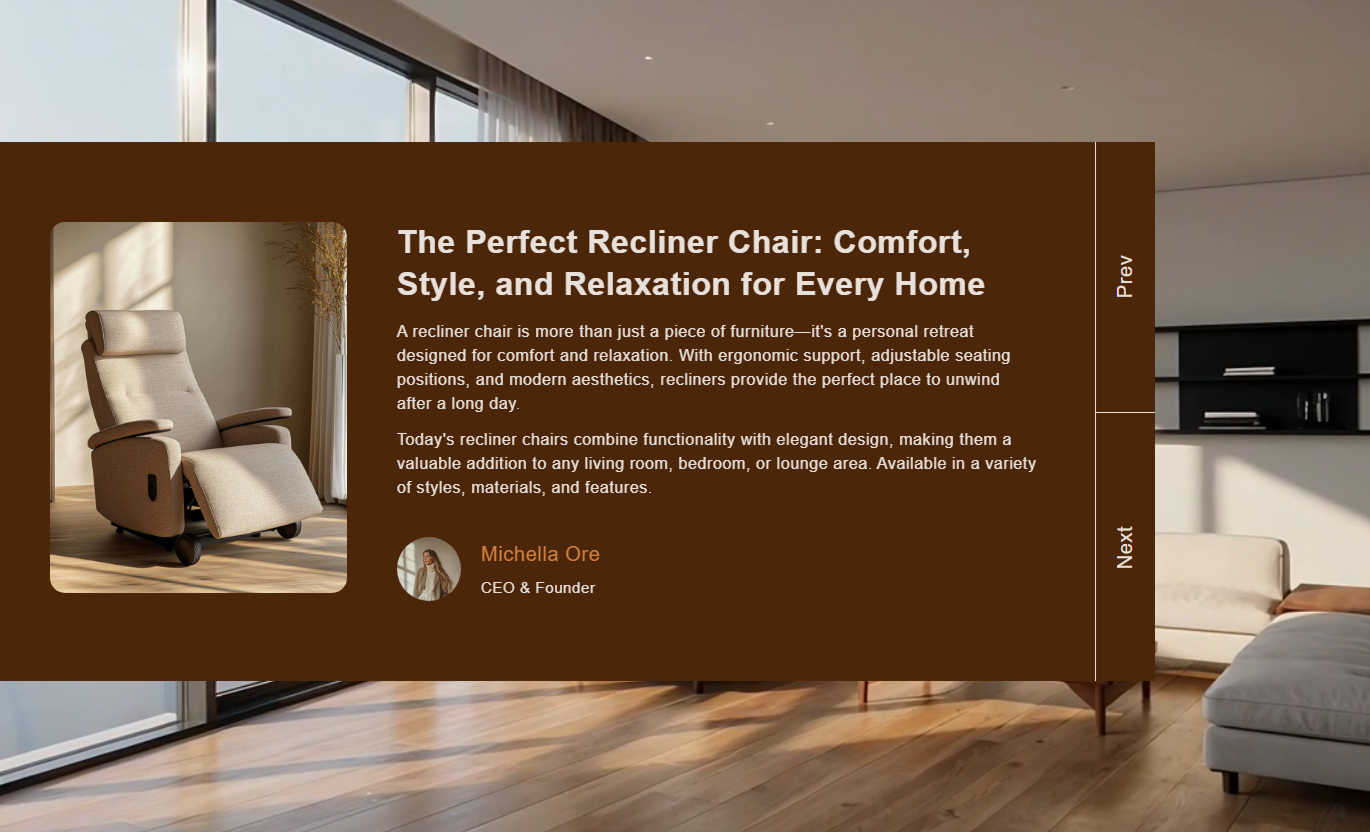


Showcase selected blog posts with custom content, images, author details, navigation controls, background media, typography, colors, and responsive layouts.

Select individual Shopify blog posts directly from the theme editor for each slider item.

Add a custom image to each post or automatically use the selected blog post image when available.

Replace the original blog title with custom text to better match your store layout and content style.

Add custom rich text to control the content preview displayed inside each blog post slide.

Show an author image, name, and designation to give each featured blog post clear author details.

Let visitors move between multiple blog posts using simple Previous and Next slider controls.

Adjust font sizes for blog titles, content, author details, and navigation labels to match your theme.

The slider adapts to smaller screens with a mobile-friendly layout for easier reading and browsing.
Control blog content, background media, layout, typography, colors, navigation, spacing, and section width from one place.

Applies to the whole section
Add an image behind the blog slider.
ImageAdd a Shopify-hosted video as the background.
VideoChoose where the blog post image appears.
Image PositionSet the navigation controls on the left or right side.
Navigation PositionLimit the amount of content shown in each post.
Maximum WordsSet the rounded corners of the main content container.
Container RadiusSet the rounded corners of blog post images.
Image RadiusSet the blog post title font size.
Title Font SizeSet the blog content font size.
Content Font SizeSet the author name and designation font sizes.
Author Font SizeCustomize the blog title, content, and author colors.
Text ColorsCustomize the navigation text color and size.
Navigation StylingSet the top and bottom spacing for desktop and mobile.
Section PaddingSet the maximum width of the blog slider.
Section Width
Applies to each blog post
Select the Shopify article to display.
Blog PostAdd a custom image for the blog post.
ImageSet a custom title for the selected article.
TitleAdd custom rich text for the post preview.
ContentAdd an author profile image.
Author ImageEnter the author's name.
Author NameEnter the author's role or designation.
DesignationUse selected blog posts across key Shopify store pages to share useful information, support product discovery, introduce your brand, and encourage visitors to explore more content.
Feature selected articles on your homepage to introduce your brand, share useful guides, highlight announcements, and give visitors more content to explore.
Highlight important blog posts near key homepage contentIntroduce visitors to your brand through useful articlesPromote guides related to your products or collectionsGive shoppers another way to explore your storeKeep selected articles easy to discoverShow relevant blog posts alongside collections to provide shoppers with buying guides, product tips, inspiration, or other content related to the products they are viewing.
Add useful guides to relevant product collectionsSupport shoppers with helpful buying informationConnect blog content with specific collection themesProvide product inspiration while visitors browseEncourage visitors to explore related store contentFeature related blog posts on product pages to share tutorials, product guides, care information, usage tips, or other content that supports the shopper's research.
Provide additional information around productsShare useful tutorials and product guidesSupport customers during product researchHighlight related educational contentConnect products with relevant blog articlesUse selected blog posts on landing pages to support campaigns, launches, promotions, educational content, or brand stories without adding a long list of articles.
Support campaign messaging with relevant articlesAdd useful information below the main landing contentShare stories related to a product or promotionGive visitors more content to exploreExtend the landing page experienceFeature selected Shopify articles in a compact slider that keeps useful content visible while visitors browse your homepage, collections, products, or landing pages.
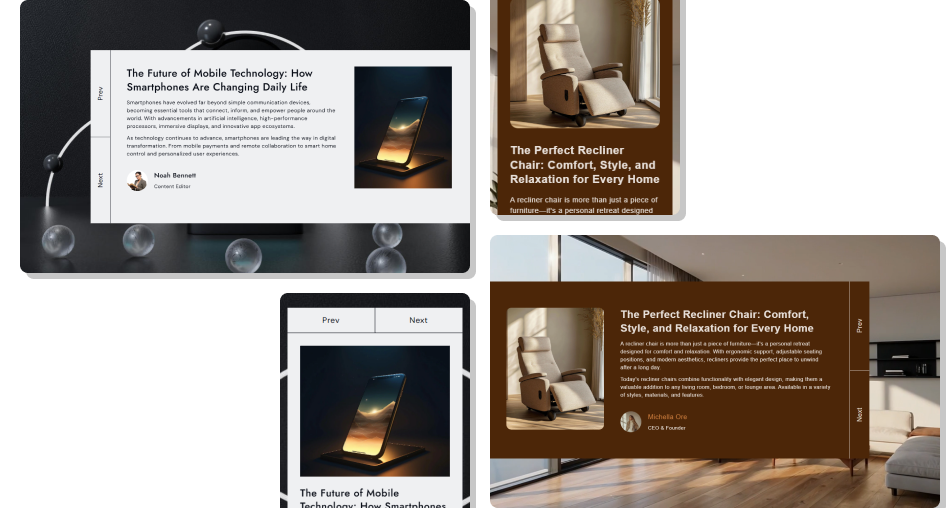
Show blog images, titles, content previews, and author details together in a responsive slider that fits naturally into your Shopify storefront.
Showcase multiple blog posts in one compact sectionConnect useful articles with important store pagesAdd custom images and titles to featured postsControl the amount of content shown in previewsDisplay clear author information with each articleCustomize typography and colors to match your themeUse simple Previous and Next navigationKeep blog content easy to browse on mobile Choose blog posts that match the page where they appear
Use clear and relevant images for each featured article
Keep custom blog titles short and easy to scan
Use useful content previews that encourage further reading
Add accurate author names and designations
Choose blog posts that match the page where they appear
Use clear and relevant images for each featured article
Keep custom blog titles short and easy to scan
Use useful content previews that encourage further reading
Add accurate author names and designations  Add unrelated articles just to fill the slider
Use blurry, stretched, or low-quality blog images
Make custom titles too long for the available space
Show unnecessary amounts of article content
Add incorrect or inconsistent author information
Add unrelated articles just to fill the slider
Use blurry, stretched, or low-quality blog images
Make custom titles too long for the available space
Show unnecessary amounts of article content
Add incorrect or inconsistent author information Yes. Each Blog Post block lets you select a Shopify article directly from the theme editor.
Yes. Add multiple Blog Post blocks and select a different Shopify article for each slider item.
Yes. Add a custom image to a block. If no image is added, the selected blog post image is used when available.
Yes. You can add a custom title in the block settings instead of using the original article title.
Yes. The Content setting lets you add custom rich text for the content displayed inside the slider.
Yes. Each blog post block supports an author image, name, and designation.
Yes. The Image Position setting lets you place the blog post image on the left or right side of the content.
Yes. The layout automatically adjusts for smaller screens to provide a better mobile browsing experience.
For Support or any Questions Email Us: [email protected]
Install SectionHub and add the Blog Posts Slider section to your theme in minutes - no coding required.
