Show Brand Results Right on the Home Page
Use several comparison tabs to highlight transformations, product results, materials, finishes, or service outcomes without taking over the page.

Show clear before-and-after results with tabbed image comparisons, supporting content, and tags that help shoppers understand visual changes more quickly and confidently.
 Tabbed Comparisons
Responsive Layout
Theme Styling Controls
Tabbed Comparisons
Responsive Layout
Theme Styling Controls 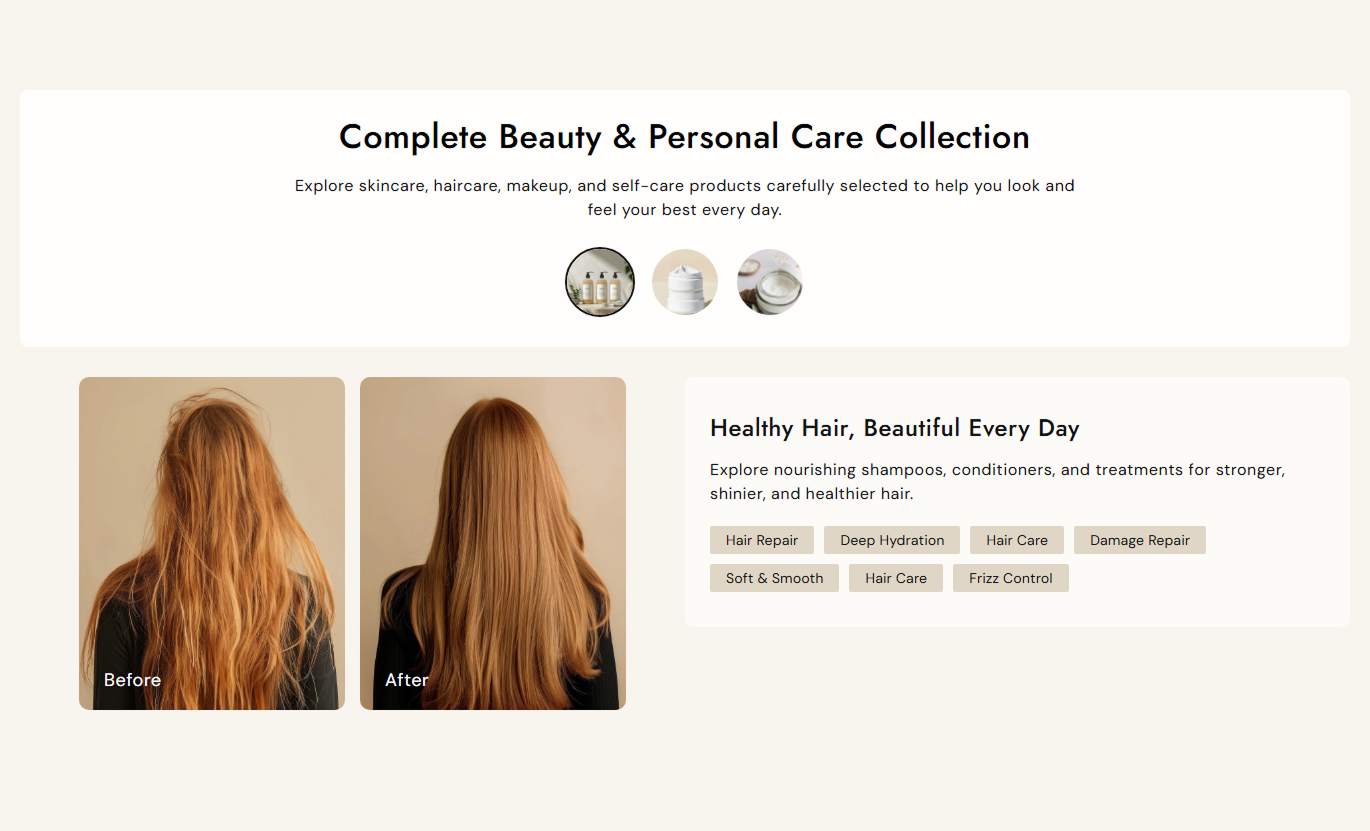


Show multiple visual comparisons in one section with tab navigation, paired images, labels, supporting content, tags, and responsive styling.

Let shoppers switch between up to four comparison tabs using compact image-based navigation.

Display the Before and After images side by side so visual differences are easy to compare.

Add custom text labels to the Before and After images so each comparison uses wording that fits your content.
Give each comparison its own heading and rich-text content to explain the result or context.

Add multiple tags to each tab to highlight materials, benefits, treatments, or key details.

Set content backgrounds, headings, body text, image labels, and tag colors separately for every comparison tab.

Adjust the image corner radius to match sharper, softer, or rounded storefront styles across all comparisons.

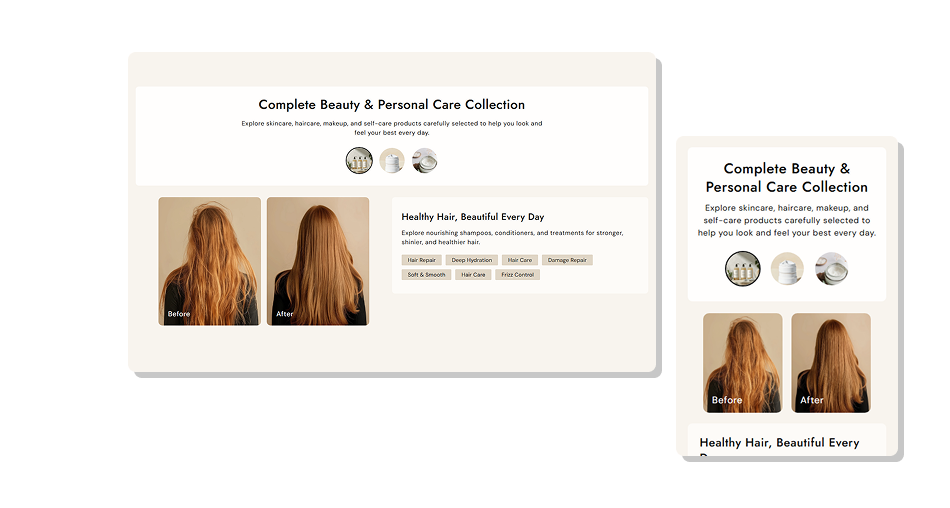
On smaller screens, the comparison media and content stack vertically for a cleaner, easier mobile experience.
Control comparison content, sizing, colors, spacing, and tab styling directly in the Shopify theme editor.

Applies to the whole section
Add the main heading shown above the comparison tabs.
Section HeadingAdd supporting rich text below the main heading.
Section ContentSet the alignment of the heading and supporting text.
Section Text AlignmentControl how rounded the Before and After images appear.
Image Border RadiusAdjust the main heading and supporting text sizes.
Main Text Font SizesAdjust comparison heading, content, tag, and label sizes.
Comparison Font SizesSet section, header, heading, and content colors.
Section Color ControlsChoose the border color shown around the active tab.
Active Tab Border ColorSet top and bottom spacing for desktop and mobile.
Section Padding ControlsSet the maximum width of the section content area.
Maximum Section Width
Applies to each comparison tab
Choose the small image used for tab navigation.
Tab Thumbnail ImageChoose the Before image and edit its visible label.
Before Image & TextChoose the After image and edit its visible label.
After Image & TextAdd a heading for the selected comparison tab.
Content HeadingAdd rich text that explains the comparison result.
Content TextEnter comma-separated tags for quick supporting details.
Content TagsCustomize content, label, heading, and tag colors.
Tab Color StylingUse tabbed before-and-after comparisons across key Shopify pages to explain changes, show results, and add useful visual context for shoppers.
Use several comparison tabs to highlight transformations, product results, materials, finishes, or service outcomes without taking over the page.
Introduce clear visual transformations above key store contentShow several comparison examples without a long page layoutUse image tabs to let visitors choose what they want to viewExplain brand materials, finishes, or results with added contextKeep the comparison experience easy to browse on mobile screensUse grouped before-and-after examples to show how products in a collection differ by finish, result, treatment, styling, material, or use case.
Show how finishes or results vary across related productsGroup several comparison examples inside one compact sectionHelp shoppers understand visible differences before browsing itemsAdd context for materials, treatments, styles, or product outcomesUse tab thumbnails to separate examples within the collection pagePlace before-and-after examples near product details to show changes in appearance, styling outcomes, finishes, or other product-specific results.
Show visible product changes with paired Before and After imagesExplain each comparison with supporting text beside the imagesHighlight features or outcomes using short, scannable content tagsUse multiple tabs for different finishes, uses, or result examplesKeep comparison content organized without adding separate sectionsUse focused comparison tabs on campaign pages to explain transformations, showcase different outcomes, and add context around promoted products.
Build focused visual proof around a specific campaign messageShow multiple transformation examples without repeating layoutsUse supporting copy to explain what changed in every comparisonHighlight campaign themes or details with short content tagsCreate an interactive comparison area that works on smaller screensTurn visual changes into easy-to-browse comparisons with tabs, supporting details, tags, and styling controls that fit your Shopify storefront.
Help shoppers understand visual changes faster by pairing images with labels, context, tags, and easy tab navigation in one place.
Show Before and After visuals together for faster comparisonOrganize up to four comparison examples with image-based tabsAdd context with headings, rich text, labels, and content tagsCustomize colors and font sizes to better match your storefrontControl image corner radius, section spacing, and content widthUse separate desktop and mobile padding for cleaner page spacingStack comparison content on mobile for easier small-screen viewing Use matching image sizes and angles for clear comparisons.
Keep Before and After labels short and easy to understand.
Use each tab for one specific comparison or result.
Add concise text clearly that explains the visible changes.
Choose clear thumbnails that accurately represent each comparison.
Use matching image sizes and angles for clear comparisons.
Keep Before and After labels short and easy to understand.
Use each tab for one specific comparison or result.
Add concise text clearly that explains the visible changes.
Choose clear thumbnails that accurately represent each comparison.  Don’t use unrelated images that make comparisons difficult.
Avoid low-quality images that hide important visual details.
Don’t overload tabs with lengthy text or excessive tags.
Avoid vague labels that make the comparison unclear.
Don’t repeat the same comparison across multiple tabs.
Don’t use unrelated images that make comparisons difficult.
Avoid low-quality images that hide important visual details.
Don’t overload tabs with lengthy text or excessive tags.
Avoid vague labels that make the comparison unclear.
Don’t repeat the same comparison across multiple tabs. You can add up to four tab blocks. Each tab can contain its own thumbnail, Before and After images, labels, supporting content, and tags.
Yes. Every tab block has separate Before and After image settings, so each comparison can show a different product, result, finish, or example.
Yes. The Before and After labels are editable for every tab, so you can replace the default wording with text that better fits your comparison.
Yes. Each tab supports content and comma-separated tags, which are displayed as individual tag elements in the content panel.
Yes. The section includes controls for key font sizes, backgrounds, heading and text colors, active tab color, image labels, and tag styling.
On smaller screens, the comparison media and content use full width and stack vertically, while tab thumbnails and text sizes are reduced.
For Support or any Questions Email Us: [email protected]
Install SectionHub and add the Before After Image Showcase section to your theme in minutes - no coding required.
