Create a More Engaging Homepage Feature Area
Pair a brand or campaign video with a promotional banner to visually introduce your store and guide shoppers to an important collection or offer.

Create a two-part Shopify banner section with video playback, promotional imagery, offer text, links, and responsive styling for campaigns and featured content.
 Video and Image Layout
Responsive Banner Design
Interactive Video Popup
Video and Image Layout
Responsive Banner Design
Interactive Video Popup 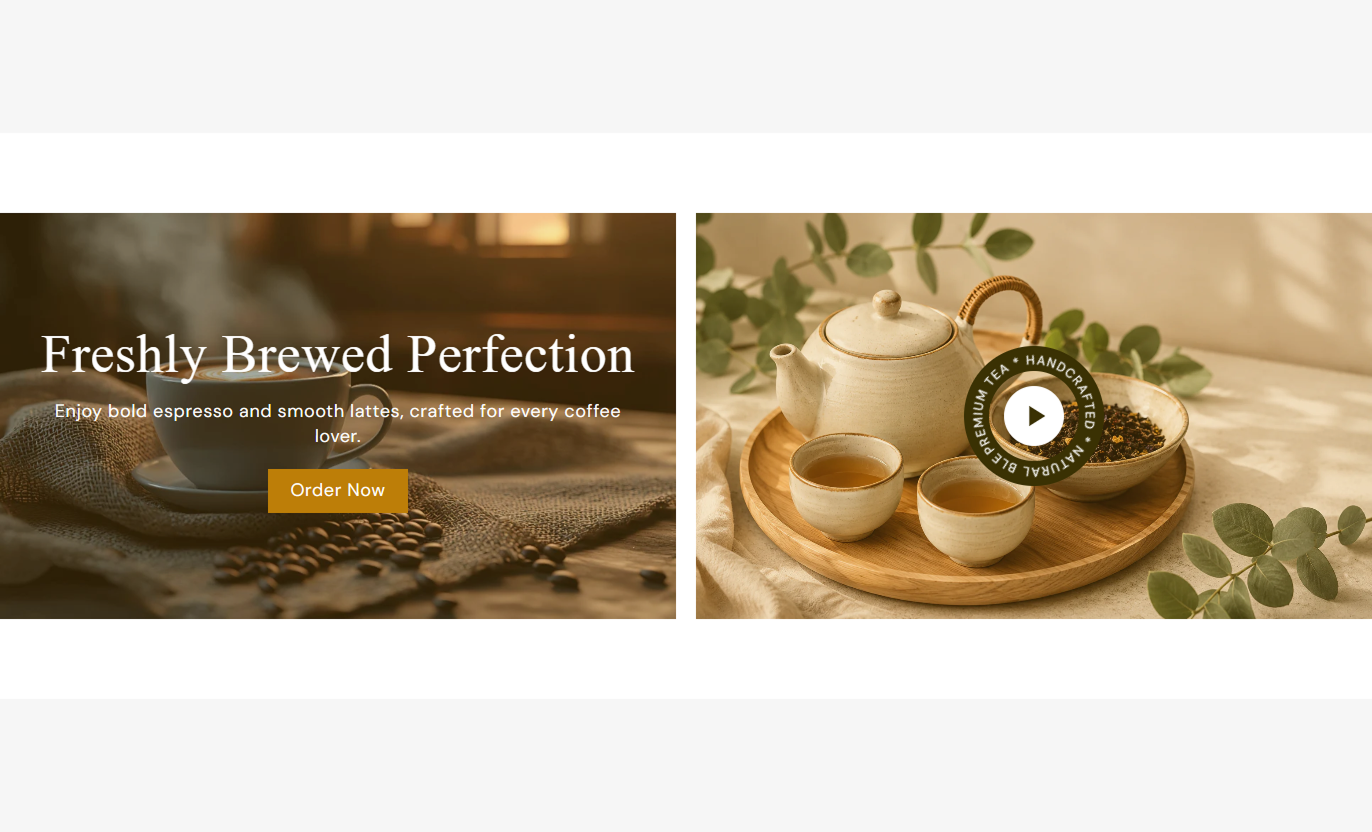
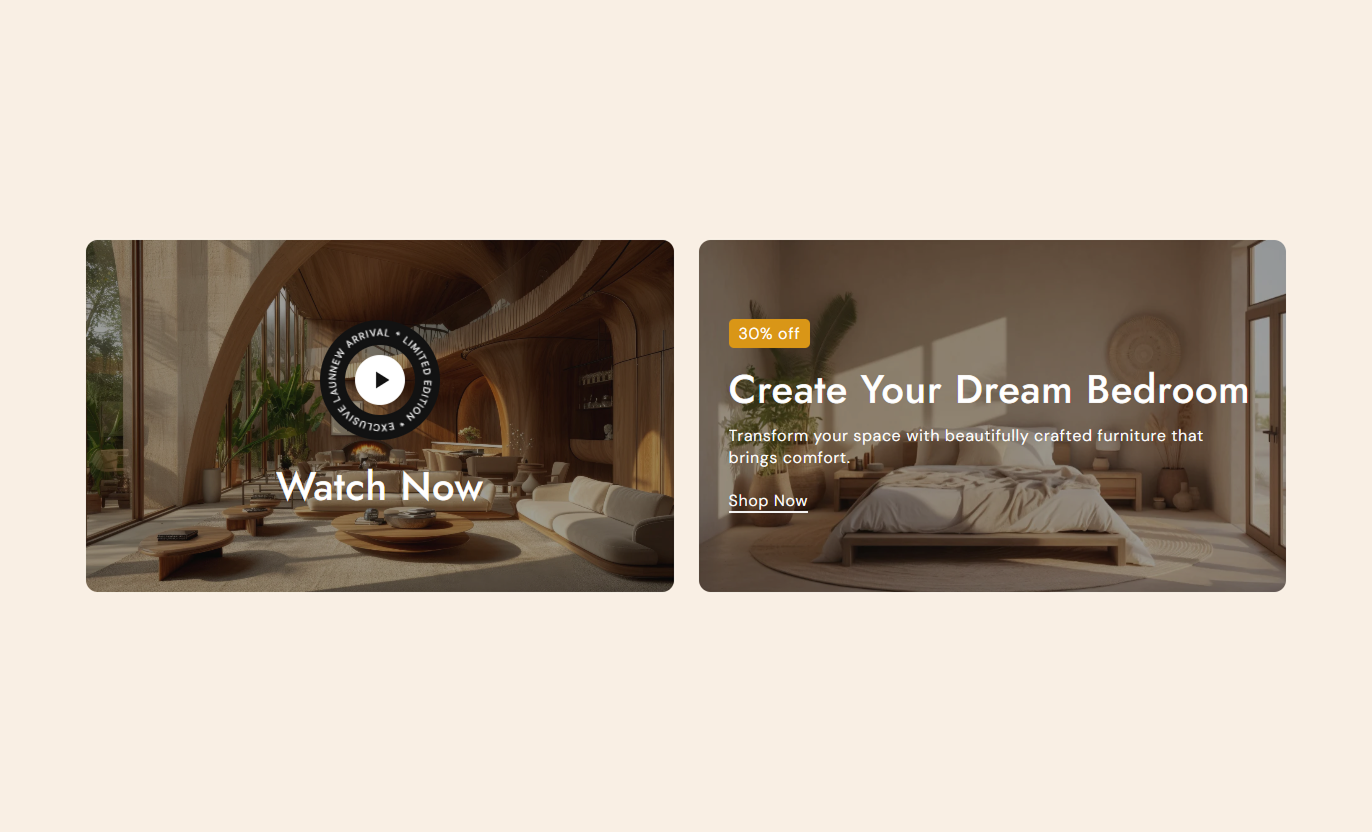


Combine interactive video content with a promotional image banner to showcase campaigns, offers, collections, launches, and featured store content.

Display one video-focused banner and one promotional image banner together inside a balanced two-column Shopify section.

Use a Shopify-hosted video or an external YouTube or Vimeo URL as the video source for your promotional content.

Open the selected video inside a full-screen overlay so shoppers can watch without navigating away from the current page.

Add circular rotating text around the video play button and control its size, direction, speed, font size, and colors.

Choose a separate thumbnail image for the video banner to create a strong visual preview before visitors start playback.

Add an image banner with offer text, heading, rich text content, and a direct link to a relevant store destination.

Place image banner content at the top, middle, or bottom and control text alignment for more flexible visual layouts.

Show both banners side by side on desktop and automatically stack them into full-width rows on smaller mobile screens.
Control banner media, video behavior, content placement, spacing, buttons, colors, sizing, and responsive layout from the theme editor.

Applies to the whole section
Choose Small, Medium, or Large banner sizes.
Banner HeightControl the visibility of the color overlay across banner media.
Overlay OpacityChoose the color used for the banner image overlay.
Overlay ColorAdjust the corner radius applied to banner media.
Banner Border RadiusPlace the video banner on the left or right side.
Video Banner PositionSet the horizontal space between banners on the desktop.
Desktop Banner GapSet the vertical space between banners on mobile.
Mobile Banner GapAdjust the default desktop font size used for buttons.
Button Text SizeSet separate top and bottom spacing for desktop and mobile.
Section PaddingUse full width or define a maximum contained section width.
Section Width
Applies to each banner block
Choose a thumbnail or main image displayed inside the banner.
Banner ImageChoose an uploaded video or an external YouTube or Vimeo source.
Video SourceAdd rotating text or promotional copy for the selected block.
Banner TextControl content placement, text alignment, and related sizing.
Content PositionAdd a destination label and link for image banner actions.
Button and LinkChoose inline, standard button, or outlined button styling.
Button StyleCustomize text, background, button, play icon, and accent colors.
Block ColorsUse video storytelling and promotional banner content across key Shopify pages to highlight campaigns, collections, products, launches, and offers.
Pair a brand or campaign video with a promotional banner to visually introduce your store and guide shoppers to an important collection or offer.
Use video storytelling without taking visitors away from the homepagePromote a collection or campaign beside the video experienceHighlight new arrivals with animated rotating promotional textAdd offer messaging and a direct call to action in one areaKeep both banners easy to browse across desktop and mobileUse the video banner to add campaign or lifestyle context, while the image banner promotes a related range, offer, or category within the collection journey.
Add visual storytelling around the current product collectionPromote a related collection with a focused image bannerUse offer text to highlight collection-specific promotionsGuide shoppers toward another relevant store destinationKeep supplementary content separate from the product gridUse Banner Grid Media on product pages to show supporting video content beside a related campaign, category, offer, or complementary shopping destination.
Give shoppers additional visual context around the productShow a supporting brand, lifestyle, or product videoPromote matching products or collections beside the videoHighlight relevant offers without changing product informationLink visitors directly to another useful shopping destinationUse the video and promotional banner together to introduce a campaign, visually explain the story, and direct visitors to a featured offer or destination.
Combine campaign storytelling and conversion content togetherUse a popup video for product launches or brand campaignsPromote a featured offer beside the primary campaign videoCreate visual separation between media and promotional contentKeep the complete campaign layout responsive on mobileBring video and promotional imagery into a single responsive section so merchants can create richer campaign experiences without splitting content across the page.
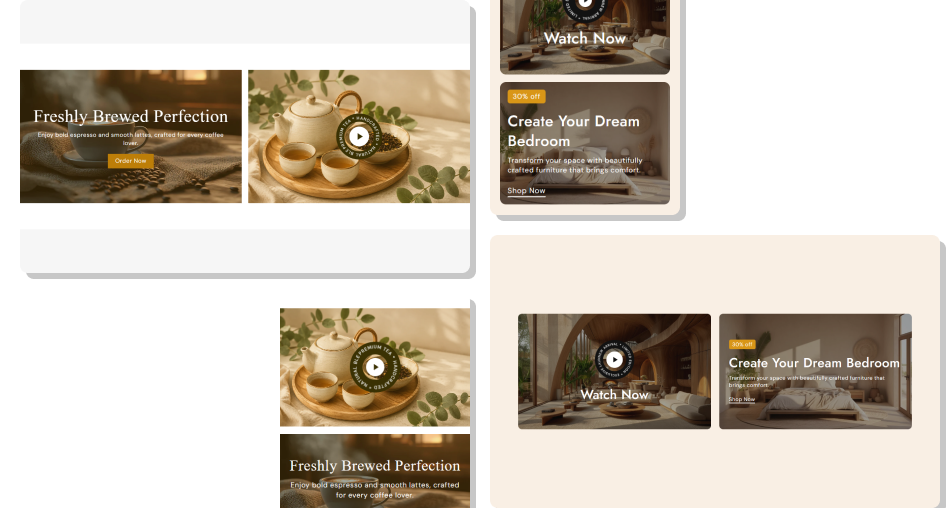
Use an interactive video banner beside a promotional image banner to tell a story, highlight an offer, and guide shoppers forward.
Combine video and promotional imagery in one sectionSupport Shopify-hosted, YouTube, and Vimeo video sourcesOpen videos inside an on-page popup viewing experienceAdd animated rotating text around the video play buttonControl the position and styling of promotional banner contentUse flexible button and inline link options for image bannersKeep both banner types responsive across different devices Use a clear video thumbnail that tells visitors what to expect
Keep rotating text short enough to remain easy to read
Pair the video with a banner that supports the same campaign
Use high-contrast text and overlays over detailed banner images
Test popup playback and stacked mobile layout before publishing
Use a clear video thumbnail that tells visitors what to expect
Keep rotating text short enough to remain easy to read
Pair the video with a banner that supports the same campaign
Use high-contrast text and overlays over detailed banner images
Test popup playback and stacked mobile layout before publishing  Do not pair unrelated video and image campaigns in one section
Do not make rotating text so long that the circle feels crowded
Do not use low-contrast text over visually complex images
Do not overload the image banner with too much supporting copy
Do not use promotional links that lead to unrelated destinations
Do not pair unrelated video and image campaigns in one section
Do not make rotating text so long that the circle feels crowded
Do not use low-contrast text over visually complex images
Do not overload the image banner with too much supporting copy
Do not use promotional links that lead to unrelated destinations Yes. The section supports up to two blocks and is designed to combine a video block with an image-based promotional banner in the same layout.
You can choose a Shopify-hosted uploaded video or use an external video URL from YouTube or Vimeo through the available source setting.
Yes. Clicking the video play control opens the video in an overlay pop-up, allowing shoppers to watch without leaving the current store page.
Yes. You can change the rotating text, direction, speed, circle size, font size, text color, background color, and play button colors.
Yes. Image banner content can be placed at the top, middle, or bottom, with separate text alignment controls for flexible positioning.
The image banner supports an inline link or standard button style. Standard buttons can also be switched to an outlined appearance.
Yes. Video blocks have their own thumbnail, rotating text, heading, sizing, and color settings, while image banners have separate content and button controls.
On screens below the mobile breakpoint, both banner blocks become full width and stack vertically with mobile-specific spacing and media sizing.
For Support or any Questions Email Us: [email protected]
Install SectionHub and add the Banner Grid Media section to your theme in minutes - no coding required.
