Introduce Your Brand Through Scroll
Use a sequence of images or videos with matching text to explain your brand, featured collections, key values, or seasonal stories as visitors scroll.

Pair images or videos with changing text as shoppers scroll, creating a guided visual story for collections, products, campaigns, brand values, or key store content.
 Scroll-Synced Content
Image or Video Blocks
Responsive Store Layout
Scroll-Synced Content
Image or Video Blocks
Responsive Store Layout 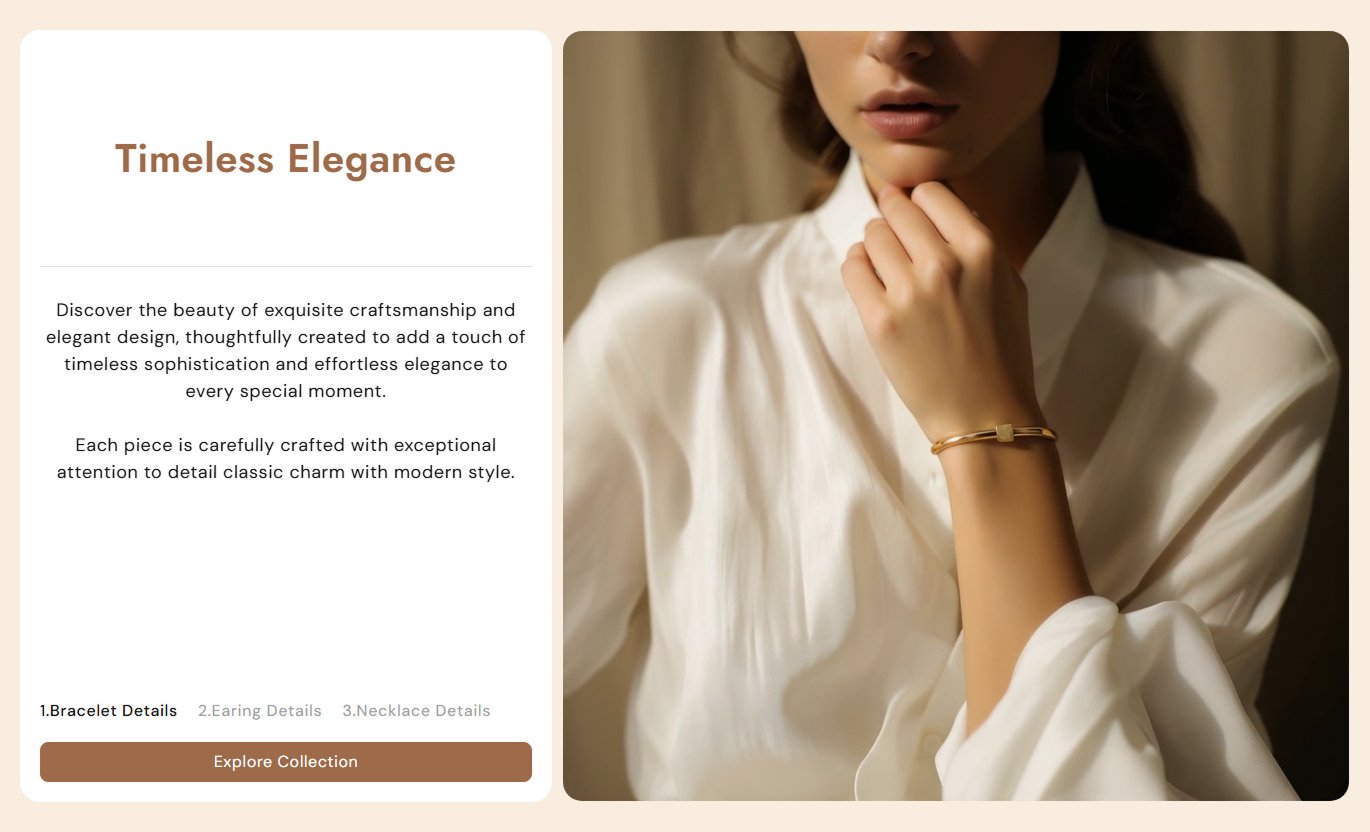
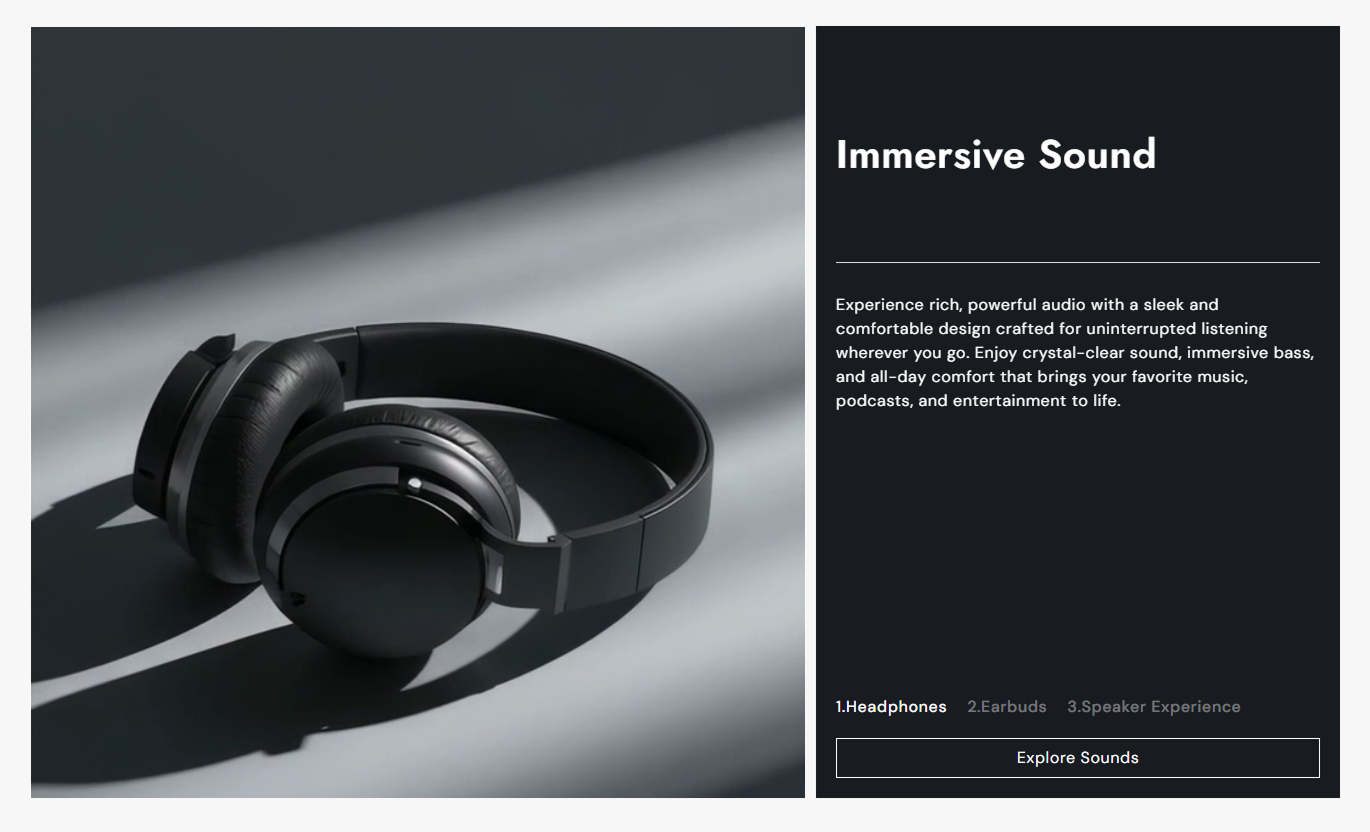


Create an engaging scroll experience with synced media, changing content, flexible positioning, responsive layouts, and built-in style controls.

Content changes as visitors scroll through each media block, helping each message stay connected to the visual beside it.

Use either a Shopify image or hosted video inside each block to build a richer, more flexible visual story.

On desktop, the content panel and media stay pinned while scrolling, creating a focused step-by-step browsing experience.

Choose whether the media appears on the left or right side of the content area to suit your page composition.

Each block can have a tab title, giving shoppers a simple visual cue as they move through the scrolling story.

Add one section-level button with a custom label and link, plus an optional outline style for the CTA.

Adjust heading, body, tab, background, border, and button colors along with key font sizes from the editor.

Desktop scroll effects switch to stacked content and square media on smaller screens for a cleaner mobile layout.
Control layout, CTA styling, typography, colors, spacing, width, and each media block from the Shopify theme editor.

Applies to the whole section
Choose which side displays the media on desktop.
Desktop Media SideSet the corner roundness for content and media.
Content Border RadiusChoose how block headings and text are aligned.
Content Text AlignmentSet the text shown inside the shared CTA button.
Section Button LabelChoose the destination used by the shared CTA.
Section Button LinkSwitch the CTA between filled and outline styles.
Button Outline StyleSet the desktop heading size used in content blocks.
Heading Font SizeChoose the background color for the whole section.
Section BackgroundAdjust top and bottom spacing for desktop and mobile.
Responsive PaddingSet the maximum width of the section container.
Maximum Section Width
Applies to each media block
Add the image shown for this media block.
Block ImageAdd a Shopify-hosted video for this block.
Block VideoSet the short label used in the progress tabs.
Media Tab TitleAdd the main heading for this content block.
Block HeadingAdd supporting rich text for this block.
Block ContentUse this section anywhere you need to pair visual media with changing content and guide shoppers through a clear, scroll-led story.
Use a sequence of images or videos with matching text to explain your brand, featured collections, key values, or seasonal stories as visitors scroll.
Turn brand storytelling into an interactive browsing experienceHighlight several messages without adding separate sectionsPair campaign visuals with clear supporting explanationsGuide visitors through featured collections in sequenceKeep the homepage visually engaging on desktop and mobileUse scroll-synced media and text to explain a collection theme, styling direction, materials, categories, or campaign visuals before shoppers browse.
Explain the idea or story behind a featured collectionShow different collection themes with matching visualsAdd context before shoppers enter the product gridUse images or videos to support seasonal merchandisingKeep collection storytelling structured and easy to followUse each media block to highlight product details, materials, use cases, styling ideas, or supporting visuals in a guided scrolling sequence.
Break complex product information into clear visual stepsPair product details with relevant images or videosShow materials, use cases, or styling ideas in sequenceGive shoppers more context without a long text-heavy blockCreate a more immersive product storytelling experienceUse animated media and changing copy to present a launch, promotion, editorial story, or campaign in a clear sequence, supported by one shared call-to-action.
Lead visitors through a campaign in a planned sequenceCombine promotional copy with strong image or video mediaUse one consistent CTA throughout the campaign sectionCreate editorial-style storytelling without extra sectionsAdapt the experience cleanly across desktop and mobileTurn ordinary image-and-text content into a guided scroll experience that helps shoppers understand your story without adding a complicated layout.
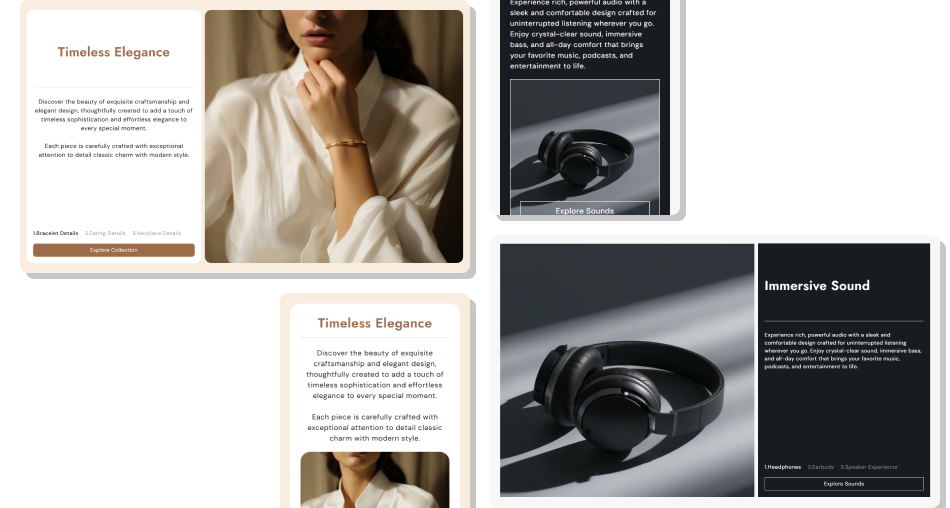
Combine media, copy, tabs, and one CTA in a structured section that keeps related content together while shoppers scroll.
Connect each image or video with its matching messagePresent several story points inside one organized sectionKeep desktop visitors focused with pinned scroll contentUse simple tab labels to show progress through the storySwitch between left and right media placement as neededCustomize colors, typography, spacing, borders, and CTADeliver a simpler stacked experience on mobile screens Use one clear idea or message for each media block.
Choose images or videos that directly support the text.
Keep tab titles short and easy to scan.
Arrange blocks in a logical story or product sequence.
Check the stacked mobile layout before publishing.
Use one clear idea or message for each media block.
Choose images or videos that directly support the text.
Keep tab titles short and easy to scan.
Arrange blocks in a logical story or product sequence.
Check the stacked mobile layout before publishing.  Do not mix unrelated visuals and messages in one sequence.
Do not make content blocks overly long or text-heavy.
Do not use vague tab titles that make steps unclear.
Do not rely on desktop scroll effects for mobile content.
Do not add more blocks than the story actually needs.
Do not mix unrelated visuals and messages in one sequence.
Do not make content blocks overly long or text-heavy.
Do not use vague tab titles that make steps unclear.
Do not rely on desktop scroll effects for mobile content.
Do not add more blocks than the story actually needs. Yes. Each media block supports an image or a Shopify-hosted video, so you can mix media types across the same scrolling section.
On desktop, the content area and media use scroll-triggered pinning so the active message changes as visitors move through each media block.
Below the desktop breakpoint, the pinned scroll effect is disabled and the blocks display in a simpler stacked layout with square media.
Yes. The Desktop Media Side setting lets you place the media on the left or right side of the content area on the desktop.
No. The section provides one shared section-level button with one label and one link rather than separate CTA links for each block.
Each block includes an image, video, tab title, heading, and rich-text content field, giving you flexible control over each story step.
Yes. The section includes controls for major colors, font sizes, border radius, desktop and mobile padding, button styles, and section width.
Yes. It is built as a Shopify section with repeatable media blocks and theme editor settings, including a preset for quick setup.
For Support or any Questions Email Us: [email protected]
Install SectionHub and add the Animated Media Scroll section to your theme in minutes - no coding required.
