Create an Immersive Collection Discovery Experience
Use the section on your homepage to turn featured collections into a large visual story with horizontal scrolling, animated text, and a rotating call to action.

Create an immersive horizontal collection showcase with GSAP scroll motion, animated headline text, parallax images, moving grid lines, and a rotating circular CTA.
 Horizontal Collection Flow
GSAP Scroll Animation
Rotating Circular CTA
Horizontal Collection Flow
GSAP Scroll Animation
Rotating Circular CTA 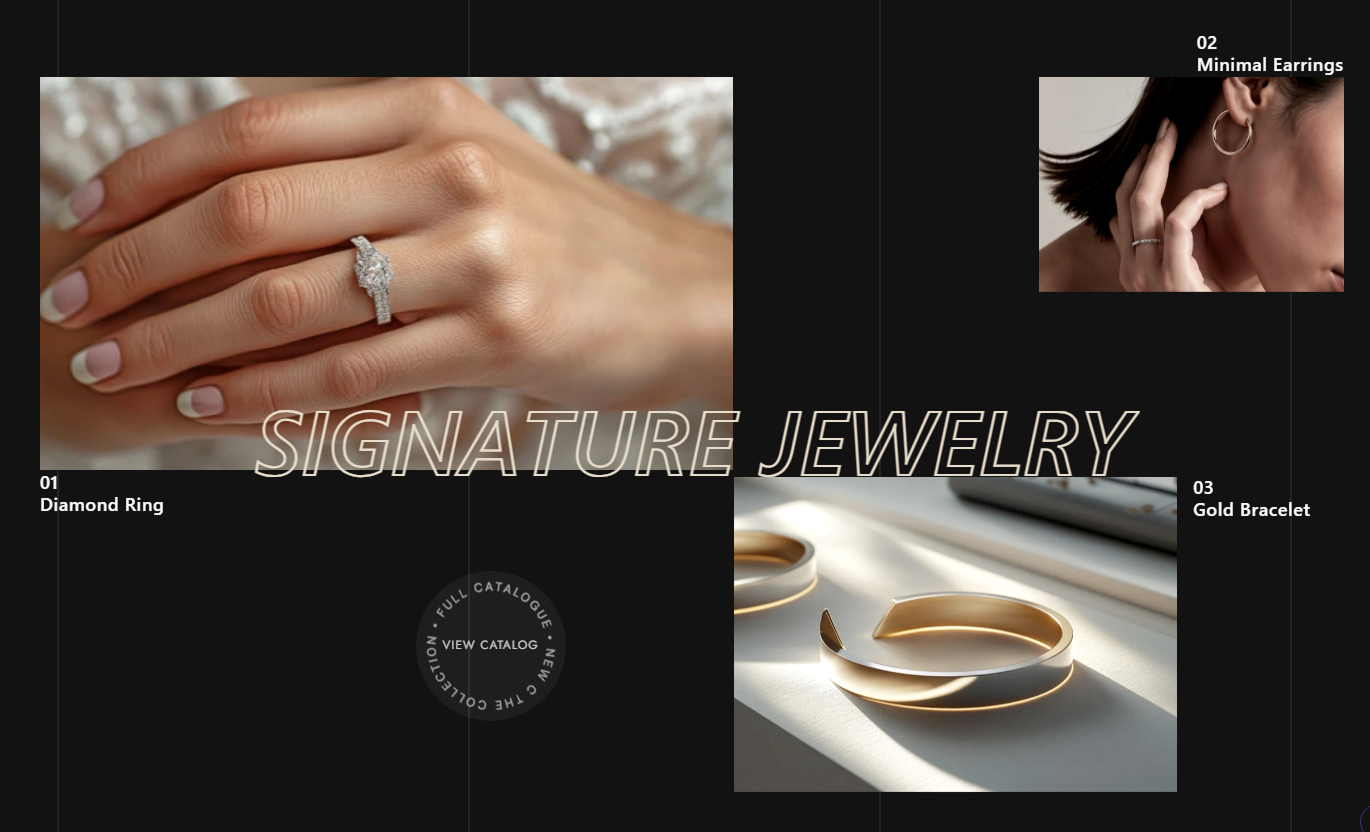


Show up to six collections in a horizontal GSAP experience with animated text, parallax imagery, custom labels, moving background lines, and a rotating CTA.

Pin the section on the desktop and move through two wide visual collection slides as shoppers scroll down the page.

Add up to six collection blocks, arranged as three cards in the first visual slide and three more in the second.

Split the main heading into animated characters that fade and rise into view as the section enters the scroll sequence.

Collection images shift horizontally as you scroll, creating subtle parallax movement within each positioned card.

Use a custom image and title, or automatically fall back to the selected collection's featured image and title.

Add a linked circular button with rotating outer text, adjustable size, direction, speed, and hover text styling.

Display repeating vertical background lines with configurable color, opacity, and continuous horizontal movement speed.

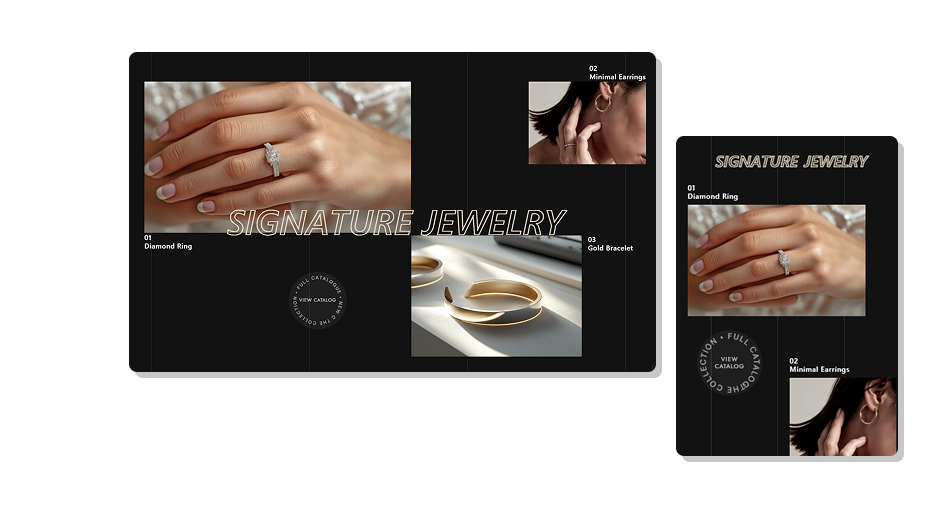
On mobile, the section becomes a horizontally scrollable canvas with fixed card placements and touch-based browsing.
Control headline style, collection visuals, circular CTA, motion speeds, colors, mobile spacing, and card label placement.

Applies to the whole section
Edit the main heading displayed over the animated layout.
Main Heading TextSet rotating CTA text, link, size, and spin direction.
Circular CTA SetupAdjust image corner radius across collection cards.
Image Radius ControlChoose heading stroke, font style, and font weight.
Heading Style ControlsAdjust heading, CTA, collection, and rotating text sizes.
Typography ControlsSet circular rotation speed and moving grid-line speed.
Animation Speed ControlsCustomize background, headline, collection, and CTA colors.
Color Style ControlsSet the background and vertical grid line opacity levels.
Background OpacitySet separate top and bottom spacing for mobile screens.
Mobile Section Padding
Applies to each collection card
Choose the Shopify collection linked by this media card.
Selected CollectionUpload a custom image or use the collection featured image.
Custom Card ImageAdd a custom title or use the selected collection title.
Collection Card TitleChoose where the numbered title label appears around the card.
Text Label PositionUse this animated collection showcase across key Shopify pages to promote categories, campaigns, product families, or brand stories with immersive visual motion.
Use the section on your homepage to turn featured collections into a large visual story with horizontal scrolling, animated text, and a rotating call to action.
Showcase several important collections in one visual sequenceAdd stronger motion than a standard collection grid providesUse the animated headline to introduce the collection storyLink each card directly to its selected collection destinationFinish the first visual slide with a rotating linked CTAUse Animated media Horizontal Scroll on collection templates to introduce related ranges, seasonal categories, or broader shopping destinations through an editorial layout.
Encourage shoppers to move between related collection pagesUse custom card imagery for stronger merchandising controlFall back to Shopify collection data when neededPosition labels differently to suit each visual compositionAdd motion without modifying the main product gridUse the section on product pages to send shoppers toward related collections, complementary categories, or broader product families using visual collection cards.
Connect one product with wider category destinationsSupport related discovery with large editorial imageryAdd custom titles when collection names need campaign wordingUse scrolling motion to create a richer product-page storyKeep every media card linked to a collection destinationUse Animated media Horizontal Scroll on landing pages to create an immersive category campaign with six visual cards, large animated typography, motion, and a circular CTA.
Build a campaign around several featured collection destinationsUse horizontal movement for a more editorial presentationAdd moving background lines for extra visual depthCustomize typography to fit campaign creative directionUse the circular CTA for a broader catalogue destinationTurn ordinary collection links into an immersive horizontal showcase with animated typography, parallax imagery, custom card layouts, and a rotating CTA.
Combine collection cards, scroll-driven motion, animated type, and direct links to create a memorable category browsing experience.
Turn standard collection navigation into visual storytellingPresent up to six collection destinations across two compositionsUse Shopify collection data with optional custom overridesAdd parallax imagery and scroll-driven horizontal motionAnimate heading characters as the experience beginsCreate a distinctive circular CTA with rotating outer textPreserve horizontal touch browsing on smaller mobile screens Use six collection blocks for the intended two-slide composition
Choose high-quality images that work well in varied card shapes
Keep collection titles short for easier label placement
Test horizontal scrolling carefully on desktop and mobile
Use a clear CTA destination for the rotating circular button
Use six collection blocks for the intended two-slide composition
Choose high-quality images that work well in varied card shapes
Keep collection titles short for easier label placement
Test horizontal scrolling carefully on desktop and mobile
Use a clear CTA destination for the rotating circular button  Do not use overly long collection titles around compact cards
Do not mix unrelated categories within the same visual story
Do not rely on custom images when collection fallbacks are enough
Do not set animation speeds so fast that motion feels distracting
Do not place essential content only inside decorative motion effects
Do not use overly long collection titles around compact cards
Do not mix unrelated categories within the same visual story
Do not rely on custom images when collection fallbacks are enough
Do not set animation speeds so fast that motion feels distracting
Do not place essential content only inside decorative motion effects You can add up to six Collection blocks. The first three appear in the first visual slide, while blocks four through six appear in the second slide.
The card uses the selected collection's featured image. If neither image source is available, the section displays a placeholder graphic.
Yes. The custom Collection Title setting takes priority, then the selected collection title is used, followed by a generic fallback title.
From 768px upward, GSAP pins the section and moves the entire track horizontally based on the available track width as the visitor scrolls.
It supports custom center text, rotating outer text, a destination link, three sizes, two rotation directions, speed, and text colors.
Yes. Each block includes eight label-position options: top, bottom, left, and right around the collection image.
Below 768px, the section becomes horizontally scrollable by touch, uses a 200vw slide width, and switches to fixed mobile card sizes and positions.
Yes. You can customize the line color, opacity, and movement speed, as well as the section background color and opacity.
For Support or any Questions Email Us: [email protected]
Install SectionHub and add the Animated media Horizontal Scroll section to your theme in minutes - no coding required.
