Create an Engaging Visual Introduction
Use animated image slides to introduce your brand, highlight key features, showcase collections, or tell your store story through visual content.

Combine images with headings and supporting content in an interactive scroll section to showcase products, features, collections, brand stories, or other visual content.
 2.0 Compatible
Interactive Scroll
Responsive Design
2.0 Compatible
Interactive Scroll
Responsive Design 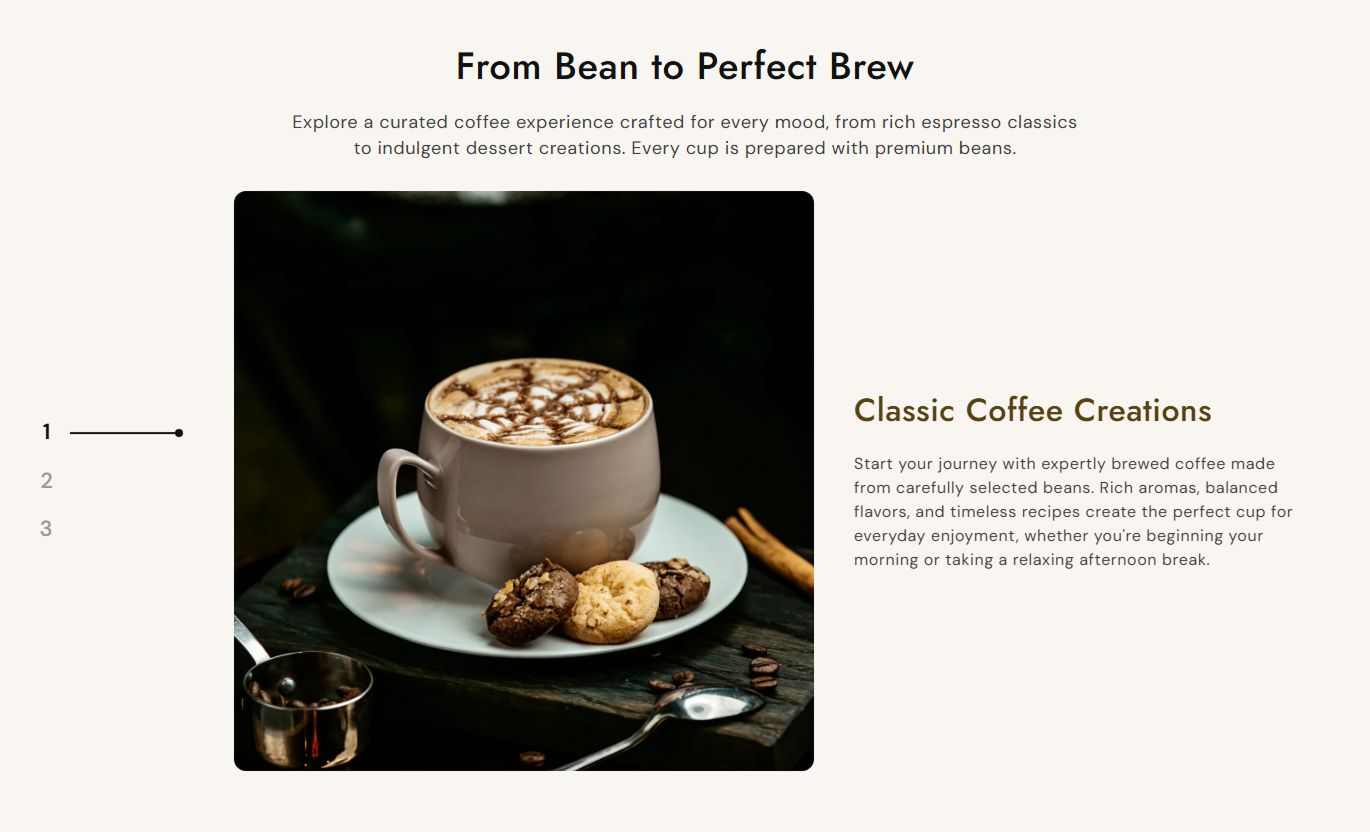
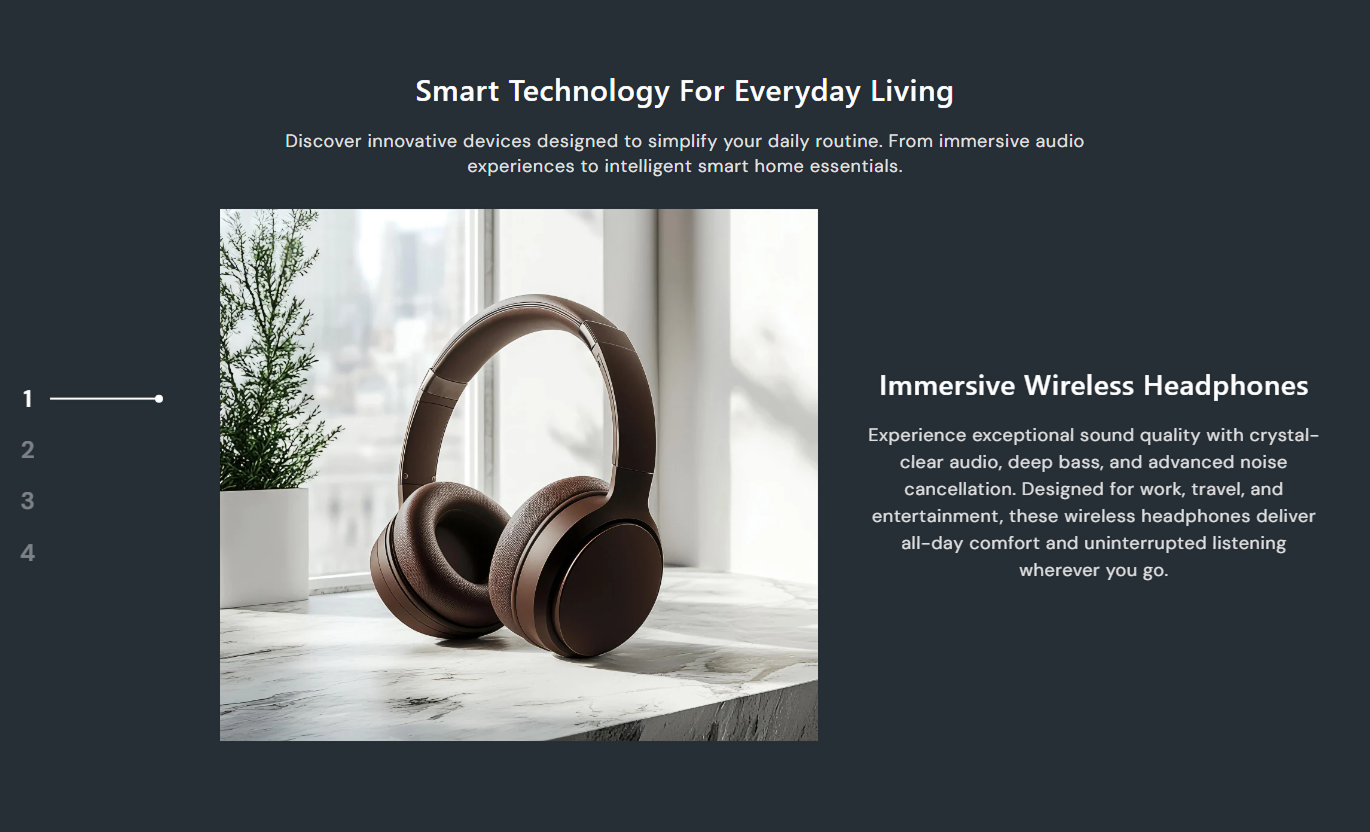


Create an engaging image and content experience with scroll navigation, flexible image positioning, content alignment, responsive layouts, and customizable styling.

Showcase multiple image and content slides in an interactive scrolling layout.

Use vertical scrolling and numbered pagination on desktop to move between content slides.

Display slides horizontally on smaller screens with touch-friendly navigation.

Add an image, heading, and supporting content to each slide.
Choose small, medium, or large image heights to match your section layout.

Adjust the pagination color and number styling to match your store design.

The image slider and content automatically adapt to different screen sizes.

Choose a full-width layout or set a maximum section width for a contained design.
Control the section content, image layout, text positioning, typography, colors, spacing, and section width from one place.

Applies to the whole section
Add the main heading above the slider.
HeadingAdd supporting text below the main heading.
ContentChoose the section text alignment.
Text AlignmentChoose the desktop image height.
Image Height (Desktop)Choose the desktop image position.
Image Position (Desktop)Adjust the image corner radius.
Image Border RadiusChoose the vertical content position.
Text Position (Desktop)Choose the slide content alignment.
Content Text AlignmentCustomize the section and slide colors.
Color SettingsAdjust desktop and mobile section spacing.
Section PaddingChoose the section width and layout.
Section Width
Applies to each image slide
Add an image to the slide.
ImageAdd a heading for the slide.
HeadingAdd supporting content for the slide.
ContentUse interactive image scrolling to showcase products, features, collections, brand stories, or visual content while giving visitors an engaging way to explore multiple highlights.
Use animated image slides to introduce your brand, highlight key features, showcase collections, or tell your store story through visual content.
Create a strong visual first impressionShowcase multiple brand highlightsSupport visual storytellingHighlight featured collectionsKeep visitors engaged while scrollingUse image and content slides to highlight categories, collection features, product groups, or other useful information while shoppers browse.
Highlight important collectionsSupport product discoveryShowcase category highlightsAdd visual context to collectionsEncourage deeper browsingUse the section to showcase product features, benefits, details, or supporting visuals alongside your product content.
Highlight important product featuresAdd supporting product informationShowcase product details visuallyImprove content discoveryCreate a more engaging product experienceCombine images, headings, and supporting content to create an engaging visual story for campaigns, promotions, services, or brand introductions.
Capture visitor attentionStrengthen visual storytellingHighlight campaign contentPresent information in a focused formatCreate an interactive browsing experienceCombine visual slides with supporting content to create an engaging section that helps visitors explore multiple stories, products, features, or highlights in one place.
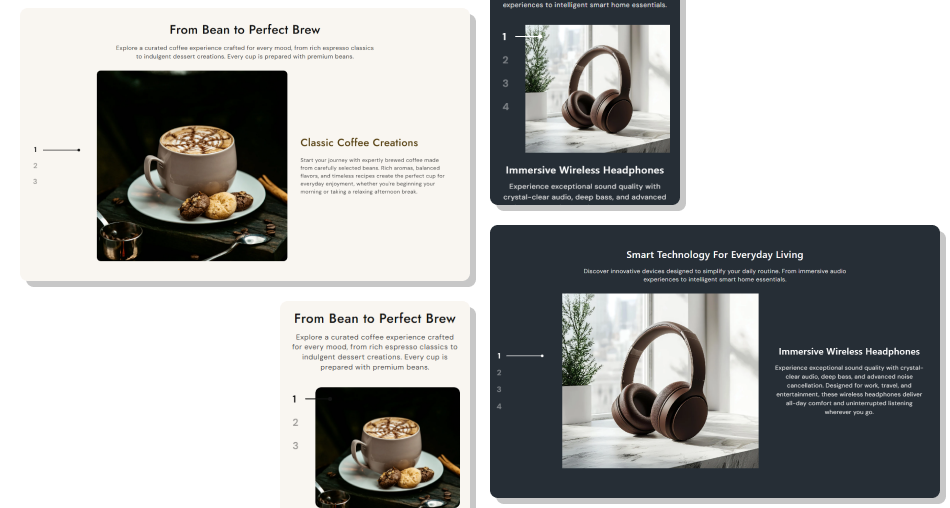
Use interactive image slides, numbered desktop navigation, mobile-friendly scrolling, flexible layouts, and customizable styling to create a visual experience that fits your store.
Combine images with supporting contentShowcase multiple visual highlightsUse interactive numbered navigation on desktopProvide touch-friendly scrolling on mobileChoose image positioning and heightControl text position and alignmentCustomize pagination and section colorsCreate responsive visual experiencesControl section spacing and maximum width Use high-quality images that clearly represent your content
Keep images visually consistent across slides
Use short and clear slide headings
Keep supporting content focused and easy to scan
Match images with relevant headings and descriptions
Use consistent image positioning throughout the section
Use high-quality images that clearly represent your content
Keep images visually consistent across slides
Use short and clear slide headings
Keep supporting content focused and easy to scan
Match images with relevant headings and descriptions
Use consistent image positioning throughout the section  Do not use unrelated images across slides
Do not use low-quality or blurry visuals
Do not add lengthy content that is difficult to read
Do not use headings that do not match the slide image
Do not overload each slide with too much information
Do not use inconsistent visual styles without a clear purpose
Do not use unrelated images across slides
Do not use low-quality or blurry visuals
Do not add lengthy content that is difficult to read
Do not use headings that do not match the slide image
Do not overload each slide with too much information
Do not use inconsistent visual styles without a clear purpose Yes. You can add multiple image blocks, with each block supporting its own image, heading, and content.
On desktop, the slides use a vertical scrolling layout with numbered pagination that visitors can click to move between slides.
On mobile, the section changes to a horizontal slider that supports touch interaction and navigation arrows.
Yes. On the desktop, you can choose whether the image appears on the left or right side of the content.
Yes. Choose from Small, Medium, or Large image height options for desktop.
Yes. You can position the content at the top, middle, or bottom of the image area.
Yes. You can align the main section content and individual slide content to the left, center, or right.
Yes. You can customize the pagination number size from the theme editor.
Yes. The layout automatically adapts to smaller screens, with a horizontal slider and mobile-friendly spacing.
Yes. Enable Full Width to span the available screen width, or set a custom maximum width for a contained layout.
Yes. You can adjust desktop and mobile padding, background colors, text colors, pagination color, image radius, font sizes, and section width from the theme editor.
For Support or any Questions Email Us: [email protected]
Install SectionHub and add the Animated Image Scroll section to your theme in minutes - no coding required.
